What Nobody Tells You About Testing Cross-Platform Apps
When most mobile penetration testers open an APK in jadx, they expect to find Java or Kotlin code containing the app's business logic. With .NET MAUI applications, that assumption leads you completely astray — and you might miss the most critical vulnerabilities entirely.
This post covers everything I learned while performing a mobile application penetration test (MAPT) on a .NET MAUI Android application, including the tooling differences, methodology shifts, and vulnerability patterns unique to this framework.
What is .NET MAUI?
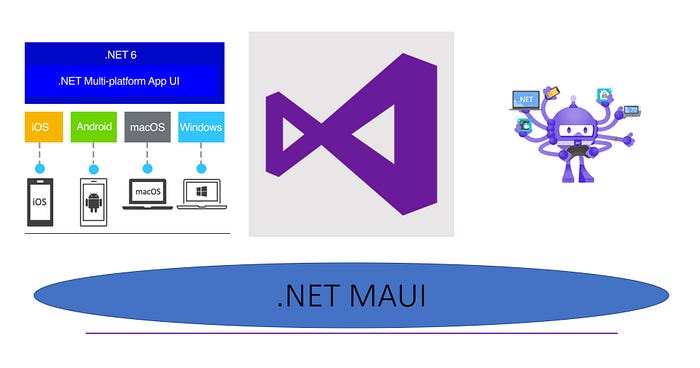
.NET MAUI (Multi-platform App UI) is Microsoft's cross-platform framework that lets developers write a single C# codebase and deploy it to Android, iOS, macOS, and Windows simultaneously.
When compiled for Android, the build pipeline looks like this:
Developer writes C# code
        ↓
C# Compiler → CIL Bytecode (.dll assemblies)
        ↓
Packaged inside APK → assemblies/ folder
        ↓
Mono Runtime executes .dll on Android
The critical implication for penetration testers: the real application code is not in the DEX files.
The First Mistake Every Tester Makes
When you open a MAUI APK in jadx, you'll see dozens of classes with names like:
crc6498a3f25c9dbf1c9a.MainApplication
crc64ba438d8f48cf7e75.IntermediateActivity
crc640a8d9a12ddbf2cf2.NetoworkBroadcastReceiver
These crc64... package names look like obfuscation. They're not. They are Mono's CRC-based namespace mangling — auto-generated Java bridge code that connects the Android runtime to the .NET Mono runtime. There is no meaningful business logic here.
The actual application lives inside .dll files bundled in the APK:
base.apk
└── assemblies/
    ├── YourApp.dll          ← all C# business logic
    ├── Microsoft.Maui.dll   ← MAUI framework
    ├── BCrypt.Net.dll       ← third party libraries
    └── ...
Tool shift: Swap jadx for dnSpy or ILSpy when analyzing MAUI apps. The decompilation quality is remarkable — CIL bytecode retains almost all original structure, giving you near-perfect readable C# code.
What are .NET Assemblies (.dll)?
These are not traditional CPU assembly files. Here's the distinction:
Traditional Assembly
- Contains CPU instructions (x86/ARM)
- Very hard to read — requires Ghidra or IDA Pro
- Platform specific
.NET Assembly (.dll)
- Contains CIL bytecode compiled from C#
- Near-perfect decompilation back to C# using dnSpy
- Cross-platform — runs anywhere via the .NET runtime
This is why dnSpy gives you clean, readable C# code — CIL bytecode retains almost all the original source structure.
Tooling Comparison
Regular Android App:
- Static analysis → jadx
- Business logic → Java classes in DEX
- Navigation → Activities / Intents
.NET MAUI Android App:
- Static analysis → dnSpy / IL Spy
- Business logic → C# classes in .dll assemblies
- Navigation → MAUI Shell
GoToAsync() - Manifest analysis → jadx (same as regular)
- Dynamic analysis → Frida (Android layer hooks — same approach)
- Storage → SharedPreferences (same underlying storage, same vulnerabilities)
Static Analysis Methodology
Step 1 — Always Start with the Manifest
jadx still works perfectly for AndroidManifest.xml. Look for:
- Exported activities with no permission protection
- Intent filters with
BROWSABLEcategory — triggerable from web pages - Custom deep link schemes (
android:scheme) - Ghost class references — activity names that don't exist in DEX
A common MAUI misconfiguration is registering a deep link activity in the manifest pointing to the package name itself as the class name — which doesn't exist as a Java class. This causes a ClassNotFoundException crash when triggered externally, which is itself a denial-of-service finding.
Step 2 — Extract and Open Assemblies
apktool d base.apk -o extracted_apkOpen the .dll files from extracted_apk/assemblies/ in dnSpy.
Step 3 — Map the Application from AssemblyInfo
Before diving into any specific class, look at the assembly attributes. This gives you a complete map of every page in the application:
[assembly: XamlResourceId("App.Views.Login.xaml", "Views/Login.xaml", typeof(Login))]
[assembly: XamlResourceId("App.Views.Signup.xaml", "Views/Signup.xaml", typeof(Signup))]
[assembly: XamlResourceId("App.Views.Accounts.xaml", "Views/Accounts.xaml", typeof(Accounts))]
[assembly: XamlResourceId("App.Views.Dashboard.xaml", "Views/Dashboard.xaml", typeof(Dashboard))]
In one glance you have every screen in the application — login pages, sensitive operation pages, hidden pages. This is your attack surface map.
Step 4 — Analyze AppShell for Auth Logic
AppShell.cs is the MAUI equivalent of the application's navigation controller. It registers all routes and — critically — often contains the initial authentication check:
public AppShell()
{
    this.InitializeComponent();
    AppShell.saveddata = Preferences.Get("userlogedin", false);
    if (AppShell.saveddata)
    {
        this.MyAppShell.CurrentItem = this.AppLogin; // ← Bug: should navigate to MainPage
    }
    else
    {
        this.MyAppShell.CurrentItem = this.AppLogin; // ← Same destination!
    }
}
The above code contains a classic client-side authentication bypass vulnerability — the developer stored auth state in a local boolean preference. Both branches of the if/else navigate to the login page, but the core issue is that authentication state is stored client-side in a value any attacker can manipulate.
This maps to CWE-602: Client-Side Enforcement of Server-Side Security.
Step 5 — Check LoginViewModel for Credential Handling
Always look at the ViewModel associated with the login page:
// Executed on every app launch when Remember Me is enabled
this.UserName = Preferences.Get("Email", string.Empty);
this.Password = Preferences.Get("Password", string.Empty);
If you see Preferences.Get("Password", ...) — that is an immediate finding. The password is being read back from local storage, which means it was written there in plaintext.
Step 6 — Watch for Async State Machines
MAUI uses async/await extensively. The C# compiler transforms async methods into state machine classes:
// What you see in dnSpy
private Task Login()
{
    LoginViewModel.<Login>d__30 <Login>d__;
    // state machine boilerplate...
}
The actual login logic is inside the nested class LoginViewModel.<Login>d__30 in its MoveNext() method. Always expand these to find the real authentication flow, GoToAsync navigation calls, and API interactions.
Dynamic Analysis Methodology
Frida on MAUI Apps
Standard Frida Java hooks work perfectly at the Android layer. You don't need to hook into the Mono runtime directly for most findings.
Critical tip: Always use Java.scheduleOnMainThread() when accessing the application context. Calling getApplicationContext() outside the main thread returns null and crashes your script:
Java.perform(function () {
    Java.scheduleOnMainThread(function () {
        var context = Java.use("android.app.ActivityThread")
            .currentApplication()
            .getApplicationContext();
        // safe to use context here
    });
});
Intercepting All SharedPreferences Writes
Hook SharedPreferencesImpl$EditorImpl to watch everything written to storage in real time:
Java.perform(function () {
    var Editor = Java.use("android.app.SharedPreferencesImpl$EditorImpl");
    Editor.putString.implementation = function (key, value) {
        console.log("[*] putString(" + key + ") = " + value);
        return this.putString(key, value);
    };
    Editor.putBoolean.implementation = function (key, value) {
        console.log("[*] putBoolean(" + key + ") = " + value);
        return this.putBoolean(key, value);
    };
});
Run this while logging in with Remember Me checked — you will see the plaintext password written to storage in real time.
Vulnerability Patterns Unique to MAUI Apps
1. Client-Side Auth State (CWE-602)
Auth stored as a local boolean preference, flippable via Frida:
prefs.edit().putBoolean("userlogedin", true).apply();2. Plaintext Credential Storage (CWE-312)
Microsoft.Maui.Storage.Preferences is just a wrapper over Android SharedPreferences — completely unencrypted by default. Developers coming from a web background often don't realize how exposed this storage is on rooted devices.
3. JWT Token in SharedPreferences (CWE-312)
Tokens stored here are readable by any privileged process. Always decode found JWTs at jwt.io — they often reveal role information, internal API endpoints, and session duration.
4. Misconfigured Exported Activities (CWE-926)
MAUI manifest configurations sometimes register deep link activities pointing to non-existent Java classes. The component is exported with no permission protection but triggers a ClassNotFoundException crash — an unintentional DoS vector.
5. Client-Side BCrypt Verification (CWE-603)
public bool VerifyPassword(string password, string hash)
{
    return BCrypt.Verify(password, hash, false, HashType.SHA384);
}
Password verification happening on-device means password hashes are stored locally and compared without server involvement — a significant architectural weakness.
MAUI MAPT Checklist
- [ ] Extract
.dllassemblies from APK with apktool - [ ] Open in dnSpy — map all pages from AssemblyInfo attributes
- [ ] Analyze
AppShell.cs— auth logic and route registration - [ ] Analyze
LoginViewModel— credential handling and storage - [ ] Find and analyze async state machine classes (
<Method>d__N) - [ ] Hook SharedPreferences writes with Frida during login
- [ ] Dump SharedPreferences XML after login on rooted device
- [ ] Decode any JWT tokens — check role, expiry, issuer endpoints
- [ ] Test all exported activities from manifest via adb
- [ ] Verify
minSdkVersionandtargetSdkVersionare current - [ ] Check for debug flags like
IsLoggerEnable— flip and monitor - [ ] Check if auth state is stored client-side as a boolean preference
Key Takeaways
For testers:
- Never assume MAUI Java classes contain business logic — they don't
- dnSpy gives you near-perfect C# decompilation — use it aggressively
- The Android storage layer is identical to regular apps — all the same vulnerabilities apply
- Hook at the Android/Java layer with Frida, not the Mono layer
For developers:
- Never store passwords locally — use token-based authentication only
- Use
EncryptedSharedPreferencesfrom Jetpack Security for any sensitive local storage - Store JWTs in Android Keystore, not SharedPreferences
- Authentication decisions must be enforced server-side, not as a local boolean