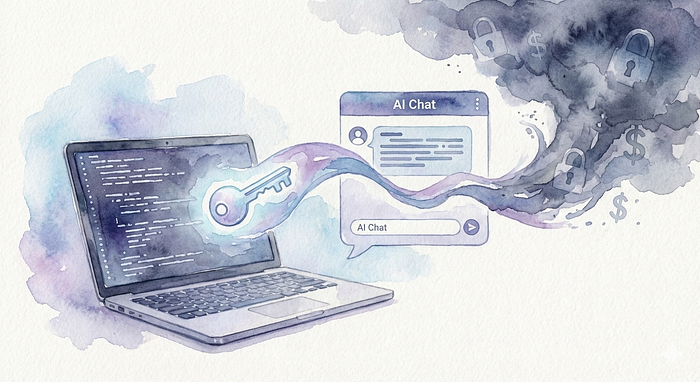

That "Quick Fix" Moment
You're coding at 2 AM. Your database throws an error. You're frustrated and want to solve it fast. So you copy the error message — which includes your database password — and paste it into ChatGPT or Claude.
"Just this once," you think. "I'll fix it properly later."
But that "later" might never come. And your secret? It's already out there.
This blog is about why this simple act is dangerous and how to protect yourself.
What Actually Happens When You Paste
Every time you paste code, logs, or configs into an AI chat, you're potentially:
- Creating a permanent record — Your chat might be saved forever
- Exposing secrets — Your API key isn't just in your chat anymore
- Opening doors for attackers — Bad actors actively look for these exposed credentials
Think of it like writing your house key code on a public wall. Even if only a few people see it, those few people can do serious damage.
A Real Story: The Coffee Shop Mistake
Sarah was a backend engineer at a fintech startup.
She was debugging an AWS S3 issue at a coffee shop. After an hour of frustration, she pasted her entire .env file into an AI chat to get help. The AI found the problem quickly—a wrong region setting.
Problem solved, right? Wrong.
Her chat contained:
- AWS Access Keys
- Production database password
- Stripe API keys (payment processing)
- SendGrid API key (for emails)
Three weeks later:
- Attacker got access to her browser data through a compromised third-party service
- Found the AI chat with all her credentials
- Started 47 EC2 instances for crypto mining
- Accessed customer payment data
- Sent phishing emails pretending to be from her company
The damage:
- $23,000 AWS bill in 48 hours
- 2,400 customer records exposed
- Company reputation destroyed
- Total cost: $450,000+
All because of one "quick" paste.
How Attackers Find Leaked Secrets
Attackers use various methods to discover exposed credentials:
Public Code Repositories — They scan GitHub, GitLab, and other platforms for accidentally committed secrets. Many tools can search millions of repos in minutes.
Breached AI Platforms — If an AI service gets hacked, your chat history (with all those pasted credentials) becomes available to attackers.
Cached & Archived Pages — Even if you delete something, it might still exist in web archives or search engine caches.
Social Engineering — Fake "AI debugging tools" that promise to help but actually steal your credentials.
The scary part? Automated bots scan for these secrets 24/7. Your leaked key can be exploited within hours.
Check If Your Secrets Are Exposed
You should regularly check if your own credentials have been leaked. Here are some ways to do it:
Check Your Own Repositories:
# On GitHub, go to your repo settings
Settings → Security → Code security and analysis
Use Security Tools:
Have I Been Pwned
- Check if your email or passwords appear in known breaches
- Visit:
haveibeenpwned.com
Gitleaks (Open Source)
# Scan your own repositories for secrets
gitleaks detect --source . -v
TruffleHog
# Scan your git history for leaked credentials
trufflehog git file://. --json
These tools help you find secrets in YOUR code before attackers do.
Why Do Developers Do This?
Let's be honest. We've all done it or thought about it. Here's why:
- Speed pressure — "I need this fixed NOW"
- It's just a test — "This is only local, not production" (famous last words)
- Planning to fix later — "I'll move it to env variables tomorrow" (narrator: they didn't)
- Don't know the risk — "What's the worst that can happen?"
- Old code — Inherited a codebase with secrets already in it
The problem? These reasons don't protect you from the consequences.
How to Protect Yourself
1. Never Hard-Code Secrets
Use environment variables instead:
# ❌ WRONG
db_password = "MyS3cr3tP@ssw0rd!"
# ✅ RIGHT
import os
db_password = os.getenv('DB_PASSWORD')
2. Use .env Files (But Don't Commit Them)
Create a .gitignore file:
.env
.env.local
secrets.yaml
credentials.json
3. Use Secret Management Tools
These services store your secrets safely:
- AWS Secrets Manager — For AWS users
- HashiCorp Vault — Self-hosted option
- Azure Key Vault — For Azure users
- Google Secret Manager — For Google Cloud
- Doppler — Easy for developers
Most have free tiers to get started.
4. Set Up Pre-Commit Hooks
This catches secrets before you commit:
# Install git-secrets
brew install git-secrets
# Set it up in your repo
cd your-repo
git secrets --install
git secrets --register-aws
Now Git will warn you if you try to commit secrets.
5. Consider Browser-Level Protection
There are some good lightweight browser extensions you can use that catch secrets before you paste them anywhere. Just search the Chrome Web Store and you'll find options.
What to look for:
- Works locally — Your data should NOT leave your browser for detection
- Auto-replace — Automatically sanitizes secrets while pasting
- Open source — You can check their GitHub repo to verify they're safe
- Lightweight — Doesn't slow down your browser
Personally, I built a tool called Secret Sanitizer to solve this exact problem for myself, and it's been really helpful in my daily workflow. But whatever extension you choose, make sure to scan its repository on GitHub before installing. Verify that it processes everything locally and doesn't send your clipboard data to any server.
6. Before You Paste Anything, Ask:
- Are there any passwords or API keys in this?
- Would I be okay if this showed up on Twitter?
- Can I remove sensitive parts before pasting?
If you're unsure, don't paste it.
If You Already Leaked a Secret
Act fast. Every minute counts.
Step 1: Delete/Revoke Immediately (Do this NOW)
- Go to your cloud provider (AWS, Azure, Google Cloud) and delete the leaked key
- For API keys, regenerate new ones
- For GitHub tokens, delete them in Settings → Developer settings
Step 2: Check for Damage (Next few hours)
- Look at your cloud bill — any unusual charges?
- Check access logs — did someone use your credentials?
- Look for new resources you didn't create
Step 3: Create New Credentials (Same day)
- Generate completely new keys
- Update your apps to use the new keys
- Make sure old keys are really deleted
Step 4: Monitor (Next week)
- Set up alerts for unusual activity
- Tell your security team
- If customer data was accessed, you may need to report it
Step 5: Learn from It (Next two weeks)
- How did this happen?
- How can you prevent it next time?
- Update your team's security practices
Scan Your Code for Secrets
You can use simple tools to find secrets in your code:
Using grep (Linux/Mac):
# Search for common patterns in your code
grep -r "api_key" .
grep -r "password" .
grep -r "secret" .
Using GitHub's built-in scanner:
- Go to your repo on GitHub
- Click Settings → Security
- Enable "Secret scanning"
GitHub will automatically alert you if it finds secrets.
Simple scanning tools:
- Gitleaks — Scans for secrets in git repos
- TruffleHog — Finds high-entropy strings (likely secrets)
- git-secrets — Prevents committing secrets
Install them and run in your project folder. They'll tell you if they find anything suspicious.
Make Security a Habit
The real solution isn't just using tools — it's building good habits:
- Make it normal — Treat secrets like passwords, not like regular code
- Make it easy — If security is hard, people won't do it
- Keep learning — Security isn't a one-time thing
- Lead by example — If senior devs do it, juniors will follow
- Don't blame — When mistakes happen, fix the system, not the person
Security should be as automatic as saving your files or committing code.
The Numbers Don't Lie
- 2.5 million secrets leaked on GitHub every year
- 73% of companies have had at least one secret leaked publicly
- Average time to detect a leak: 27 days (attackers find them in hours)
- Average cost of a breach: $4.45 million
- 63% of breaches involve stolen or weak credentials
Your secret could be one of these statistics.
Why AI Chats Are Extra Risky
AI platforms add new dangers:
- Your data might train the AI — Will your secret be in the next AI model?
- Data leaks between users — Could your info show up in someone else's chat?
- Platform gets hacked — What if the AI company itself is breached?
- Laws are unclear — Rules about AI data are still being written
AI is helpful, but it's also a new attack surface.
Final Thoughts: The 10-Second Rule
Before pasting anything into an AI chat, take 10 seconds and ask yourself:
- Would I post this on Twitter or Facebook?
- If this appeared on a hacking forum tomorrow, what would happen?
- Can I remove sensitive parts before pasting?
Remember: The fastest fix isn't always the safest fix. That "quick" paste today could become tomorrow's nightmare.
Your secrets have real value. Protect them like you protect your bank account.
Quick Tips Summary
✅ DO:
- Use environment variables for secrets
- Set up pre-commit hooks
- Use secret management tools
- Check your code regularly for leaks
- Think before you paste
❌ DON'T:
- Hard-code passwords or API keys
- Paste logs with credentials into AI chats
- Commit
.envfiles to Git - Share credentials in Slack or email
- Ignore security because "it's just a small project"
Stay safe. Your future self will thank you.
Found this helpful? Share it with your dev team. Everyone deserves to know about this risk.
#CyberSecurity #DevSecOps #AppSec #InfoSec #DeveloperSecurity