
Introduction
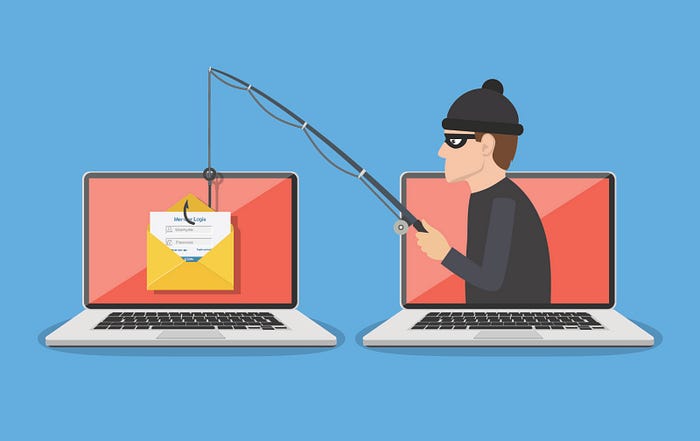
This is a simple phishing attack demonstration in a home lab environment. The purpose is to show how phishing works from the inside, how attackers steal credentials, and why people still fall for these traps.
Lab setup: VMware virtual machines: Windows Server(IIS) (hosting the fake website) & Windows Client (acting as the victim)
In this demonstration, you will see: 1. Creating a fake login page 2. Adding malicious JavaScript code 3. Capturing client login credentials
Step 1 — Creating the Fake Login Page
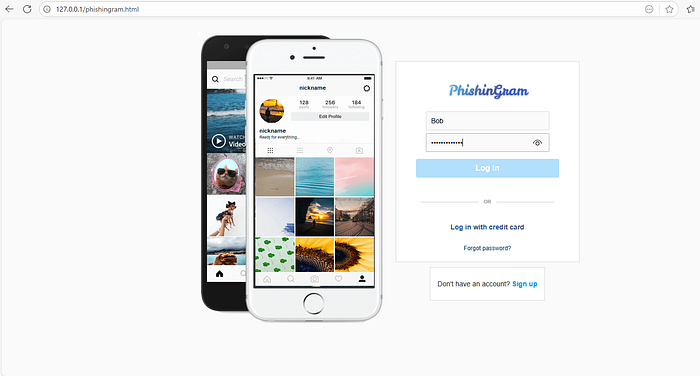
I installed IIS and created an HTML page to imitate the login page of my service, Phishingram.
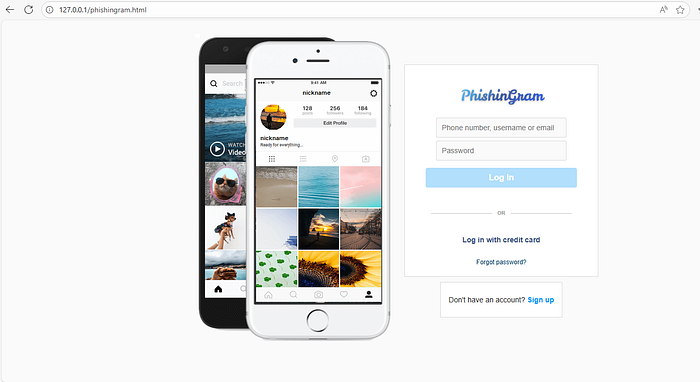
In this example, the URL shows "localhost", but in real phishing attacks, attackers use domains that look very similar to the legitimate site:
Real domain — https://instagram.com
Fake domain #1 — https://instagram.login.com
Fake domain #2 — https://linstagram.com
Attackers typically change a single letter or add extra words to make the URL appear legitimate.
Step 2 — Adding Malicious JavaScript Code
The following JavaScript code intercepts form submission:
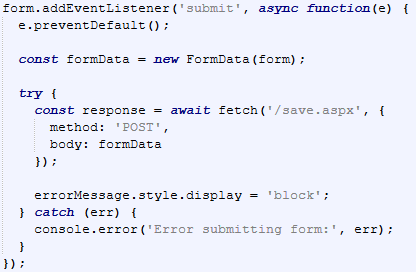
Explanation:
Intercepting form submission: The script captures the login attempt before the browser sends it to a legitimate server.
Collecting credentials: "FormData" gathers the username and password from the form.
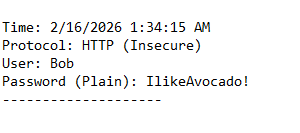
Sending data to the server: The credentials are sent via an HTTP POST request to "/save.aspx", a server-side script on IIS.
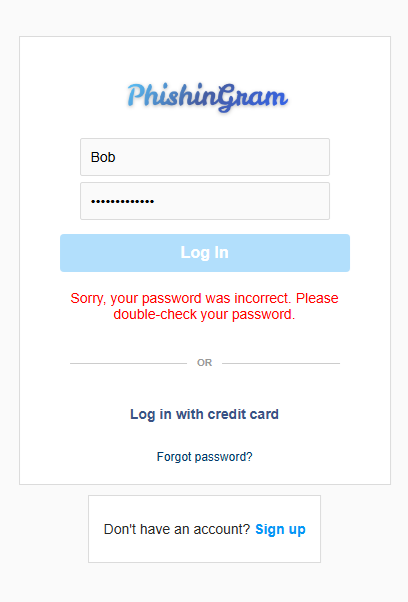
Displaying a fake error: The page shows an "incorrect password" message to convince the user to try again.
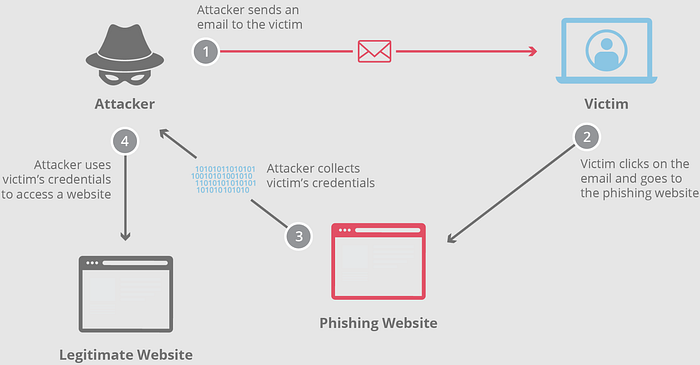
In advanced attacks, the fake site acts as a real-time proxy. When the user enters credentials, they are sent immediately to the legitimate site. The real site may then request a two-factor authentication (2FA) code (SMS or app-based), which the phishing site also captures. This technique is called Real-Time Phishing or Adversary-in-the-Middle (AiTM).
Step 3 — Capturing Client Data
Here is an example scenario: Bob receives an email saying: "Look at this dancing kitty!"
- He clicks the link without checking the domain carefully.
- He enters his login credentials on the fake page and clicks Log In.
- He sees an error message: "Sorry, your password was incorrect."
- After a few attempts, Bob closes the page
At this point, the attacker has already captured Bob's credentials, often in a simple text file on the server.
Prevention and Mitigation
To prevent your credentials from being stolen:
- Do not click on unknown links.
- Always check the domain name carefully.
- Verify SSL/TLS certificates — check name, validity period, and organization.
- Use two-factor authentication (2FA) with hardware keys if possible.
- Use password managers — they only autofill credentials on legitimate domains.
- Be cautious with emails and messages from unknown senders.
Even two-factor authentication can be bypassed in Real-Time Phishing attacks, so vigilance and domain verification are critical.
Conclusion
Phishing attacks rely on social engineering and technical tricks to steal credentials. Even experienced users can be tricked if they do not verify URLs and certificates. By understanding how phishing works, analyzing form submissions, and applying security best practices, users can significantly reduce the risk of credential theft.