It was set up to detect anything unusual; someone climbing the wall, strange activity, you name it.
And let me tell you, the sound it made? It could probably wake the dead. Okay, maybe I'm exaggerating… but it was loud. Very, very loud.
Most of the time, when it started blaring, my first instinct was to march straight to it and turn it off — because a girl values her quiet.
What I didn't realize was that, in those moments, I was creating a vulnerability in my own home.
The system itself was perfectly built, primed to alert us if something went wrong. But my choice to prioritize comfort over security temporarily disabled its protection.
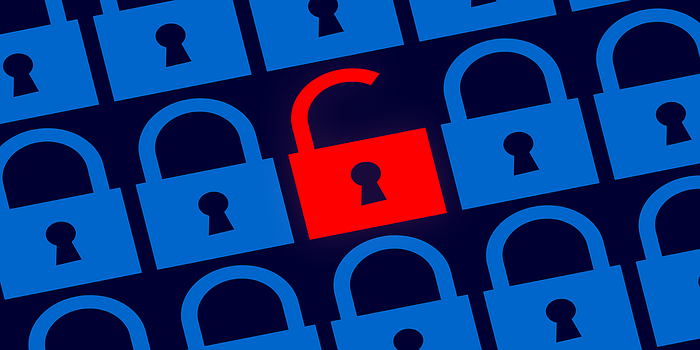
Security Misconfiguration, Explained
This is exactly what Security Misconfiguration is about:
The system is configured incorrectly, meaning it may be fully functional, but small mistakes or oversights during setup open up vulnerabilities.
It's not about a hacker breaking through a complex defense. It's often about simple human error or overlooked settings.
Examples in the digital world
1. Default passwords still in use (admin/admin)
Sometimes, devices or applications come with default credentials. If they aren't changed, anyone who knows them can log in and take control. It's like leaving the front door key under the mat; convenient, but very, very risky.
2. Firewalls allowing everything instead of only what's needed A firewall is meant to act like a bouncer, only letting trusted traffic through. If it's set to allow all traffic, it's like leaving the gates wide open. Hackers can walk right in without any resistance.
3. Unnecessary services running on a server Every service or application you run is like an extra window in your house. If you don't need it but it's open, it's one more point someone could exploit. Turning off unused services keeps your system tight.
4. Unpatched software that hasn't been updated Software updates aren't just about new features; they often patch known security issues. Skipping updates is like leaving a broken lock on your door because it "still works." Hackers love those vulnerabilities.
5. Detailed error messages Ever seen an error page that says something like:
SQL syntax error at line 23 in users tableThese messages are helpful for developers, but dangerous if visible to attackers. They give clues about how the system works, which can make it easier to exploit. Think of it like shouting your house blueprint to a thief.
Difference from Insecure Design
You might remember our post on Insecure Design. Here's the difference:
- Insecure Design: The system itself was built without security in mind from the start. The foundation is weak.
- Security Misconfiguration: The system was built with security, but errors, oversights, or poor setup leave it exposed.
In short: one is about the plan, the other is about how the plan is executed.
How to defend against Security Misconfiguration
- Check default settings — Change default passwords, disable unnecessary features.
- Harden configurations — Firewalls, services, and permissions should be as strict as possible.
- Keep everything updated — Software updates often patch security holes.
- Limit error messages — Show generic errors to users; log detailed messages safely on the server.
Video Recommendation
I've found a great video that explains security misconfiguration in a very clear, beginner-friendly way. Check it out.
Wrapping up
Security misconfiguration reminds us that even a strong, well-designed system can fail if it's not properly configured and maintained.
It's not always glamorous. It's not high-tech.
It's the little things; default passwords, skipped updates, overly detailed error messages, that often cause the biggest problems.
Catch you in the next post!