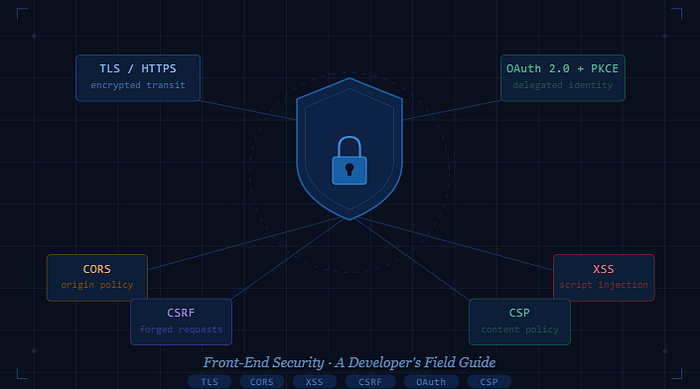

TLS, CORS, CSRF, XSS, OAuth, and beyond — everything you need to ship an app that doesn't get you on the front page of Hacker News for the wrong reasons.
Security used to live in the back end. Firewalls, database access controls, server hardening — the front end was just paint on the wall. That mental model is now dangerously outdated.
Modern SPAs own authentication tokens, render untrusted data, talk directly to third-party APIs, and ship megabytes of JavaScript npm packages of uncertain provenance. The browser is a fully capable attack surface, and every decision you make in your React, Vue, or Angular codebase has a security consequence.
This guide is for developers who want to move beyond copy-pasting Stack Overflow answers and actually understand why each threat exists and how each mitigation works.
Why Front-End Developers Own Security
For years, security was treated as a deployment concern — something DevOps handled with WAFs and TLS certificates. But the front end now runs enormous amounts of business logic. Token storage, input sanitization, permission gating, third-party integrations: all of this lives in your codebase.
The most common front-end-owned vulnerabilities:
- Exposed secrets — API keys bundled into client JavaScript are public. Anyone with DevTools can read them. Severity: Critical.
- Unescaped output — Rendering user-supplied HTML without sanitization is an open invitation for XSS. Severity: Critical.
- Third-party scripts — Every npm package and analytics tag you add extends your trust boundary. Severity: High.
- Poor token storage — Where you store JWTs matters more than most developers realize. Severity: High.
Owning these risks starts with understanding them. Let's go one by one.
TLS — The First Line of Defense
Transport Layer Security (TLS) encrypts all data in transit between the browser and your server. Without it, every piece of data your users submit — passwords, form fields, session cookies — is readable by anyone on the same network.
"Running your app over plain HTTP in 2025 is not a legacy decision — it's a vulnerability."
Modern browsers flag HTTP sites with a "Not Secure" warning, and Google has deprioritized them in search rankings since 2018. But TLS is more than a padlock icon.
Strict Transport Security (HSTS)
HSTS tells browsers to never contact your site over plain HTTP, even if a user types it manually. It prevents SSL-stripping attacks where a man-in-the-middle downgrades your connection before it starts.
Strict-Transport-Security: max-age=63072000; includeSubDomains; preloadThe preload directive submits your domain to a browser-maintained list of HTTPS-only sites, protecting first-time visitors even before they receive this header.
Best practice: Redirect all HTTP traffic to HTTPS at the infrastructure level — your load balancer or CDN — not in application code. Application-level redirects still receive the initial HTTP request, which may already carry sensitive data.
CORS — The Same-Origin Policy Explained
The Same-Origin Policy (SOP) is the browser's foundational security rule: a page at https://app.example.com cannot read responses from https://api.other.com. Cross-Origin Resource Sharing (CORS) is the mechanism that intentionally relaxes SOP for legitimate cross-origin requests.
A critical misconception to clear up first: CORS does not prevent requests from being made — it only prevents the browser from reading the response. A malicious page can still trigger a state-changing POST request to your API. CORS is not a substitute for CSRF protection.
Preflight Requests
For "non-simple" requests (those with custom headers, or methods other than GET/POST), the browser sends an OPTIONS preflight request first. Your server must respond with the correct Access-Control-Allow-* headers, or the actual request will be blocked.
import cors from 'cors';
// ✅ Allowlist specific origins — never use '*' for credentialed requests
app.use(cors({
  origin: ['https://app.example.com', 'https://admin.example.com'],
  methods: ['GET', 'POST', 'PUT', 'DELETE'],
  allowedHeaders: ['Content-Type', 'Authorization'],
  credentials: true,       // required for cookies / auth headers
  maxAge: 86400,           // cache preflight for 24 hours
}));
Never configure Access-Control-Allow-Origin: * alongside Access-Control-Allow-Credentials: true. Browsers reject this combination — and for good reason.
CSRF — Forged Requests and How to Stop Them
Cross-Site Request Forgery (CSRF) exploits the fact that browsers automatically attach cookies to every request — including requests initiated by a malicious third-party site. If your app uses cookie-based sessions, an attacker can trick a logged-in user into triggering a state-changing action they never intended.
Imagine you are logged into your bank. You visit a forum containing a hidden <img> tag pointing to https://yourbank.com/transfer?to=attacker&amount=10000. Your browser fires that GET request with your session cookie attached. If your bank's server acts on GET requests for transfers — game over.
The Synchronizer Token Pattern
Step 1 — Server generates a random CSRF token. The token is tied to the user's session and stored server-side (or signed with HMAC). It is embedded in every HTML form as a hidden input.
Step 2 — Client includes the token in every mutation. The token travels as a custom request header (e.g. X-CSRF-Token) or in the POST body — not as a cookie.
Step 3 — Server validates the token on every write. A cross-origin form can submit cookies automatically, but it cannot read the CSRF token from your DOM because SOP blocks that read. Token mismatch → request rejected.
Step 4 — Use SameSite cookies as a layered defense. SameSite=Strict or SameSite=Lax tells the browser not to attach the cookie on cross-site requests, making most CSRF attacks impossible even without a token.
Set-Cookie: sessionId=abc123; HttpOnly; Secure; SameSite=Lax; Path=/XSS — Injecting Trust Into Your Own Pages
Cross-Site Scripting (XSS) lets an attacker run arbitrary JavaScript in the context of your page. Because that script runs under your origin, it can read cookies, tokens, form fields, and the entire DOM — then exfiltrate everything to an attacker-controlled server.
XSS comes in three flavors:
- Reflected XSS — Malicious script is embedded in a URL. The server reflects it back in the response. Requires tricking the user into clicking a crafted link. Severity: High.
- Stored XSS — Payload is persisted to the database (e.g., in a comment or username) and served to every user who views that content. Severity: Critical.
- DOM XSS — Happens entirely in the browser. Attacker-controlled data flows from a source (like
location.hash) to a sink (likeinnerHTML). Severity: Critical.
Escaping vs. Sanitization
Modern frameworks (React, Vue, Angular) escape dynamic content by default. The dangerous patterns are the explicit opt-outs you write yourself:
// ❌ Never do this with untrusted data
<div dangerouslySetInnerHTML={{ __html: userInput }} />
// ✅ If you must render HTML, sanitize first
import DOMPurify from 'dompurify';
const clean = DOMPurify.sanitize(userInput, { ALLOWED_TAGS: ['b', 'i', 'a'] });
<div dangerouslySetInnerHTML={{ __html: clean }} />
Content Security Policy (CSP)
CSP is a response header that whitelists which scripts, styles, and resources are allowed to execute on your page. A strict CSP is your last line of defense: even if an XSS payload is injected, CSP prevents it from running or phoning home.
Content-Security-Policy:
  default-src 'self';
  script-src  'self' 'nonce-{random}';
  style-src   'self' 'nonce-{random}';
  img-src     'self' data: https://cdn.example.com;
  connect-src 'self' https://api.example.com;
  object-src  'none';
  base-uri    'self';
  frame-ancestors 'none';
Pro tip: Use nonce-based CSP rather than allowlisting domains. A nonce is a one-time random value injected by the server into each response. It ensures only scripts the server itself approved can run — even if an attacker manages to load a script from an allowlisted CDN.
OAuth 2.0 & PKCE — Delegating Identity Safely
OAuth 2.0 is the industry standard for delegated authorization. It lets your app request limited access to a user's resources on another service (Google, GitHub, etc.) without ever handling their password.
For single-page applications, the correct flow is the Authorization Code Flow with PKCE (Proof Key for Code Exchange). The older Implicit Flow — which delivered tokens directly in the URL fragment — is deprecated because those tokens could leak via browser history, referrer headers, or server logs.
How PKCE Works
Step 1 — App generates a code verifier. A cryptographically random string (43–128 characters). Never sent over the network at this stage.
Step 2 — App derives a code challenge. SHA-256 hash of the verifier, base64url-encoded. This is included in the authorization request.
Step 3 — Auth server returns an authorization code. Short-lived, single-use code delivered to the redirect URI. Useless without the verifier.
Step 4 — App exchanges code + verifier for tokens. The auth server verifies the verifier matches the original challenge. If an attacker intercepted the authorization code, they cannot exchange it without the verifier.
async function generatePKCE() {
  const verifier  = base64url(crypto.getRandomValues(new Uint8Array(32)));
  const hashed    = await crypto.subtle.digest('SHA-256', new TextEncoder().encode(verifier));
  const challenge = base64url(new Uint8Array(hashed));
  return { verifier, challenge };
}
// Store verifier in sessionStorage, send challenge in the auth request
Token Storage
Where you store your access token has major security implications:
Storage XSS Risk Recommendation localStorage High Avoid — accessible by any JS on the page sessionStorage High Caution — cleared on tab close but still XSS-accessible HttpOnly cookie Low Recommended — inaccessible to JavaScript entirely
"The best token storage is the one JavaScript cannot read. Use HttpOnly cookies for access tokens, and pair them with SameSite and CSRF protection."
HTTP Security Headers
Beyond HSTS and CSP, a handful of HTTP response headers meaningfully reduce your attack surface with minimal effort. Think of them as a security seatbelt — easy to put on, rarely needed, critical when you are.
# Prevent your site from being framed (clickjacking protection)
X-Frame-Options: DENY
# Disable MIME-type sniffing
X-Content-Type-Options: nosniff
# Restrict referrer information sent with requests
Referrer-Policy: strict-origin-when-cross-origin
# Limit which browser features the page can access
Permissions-Policy: camera=(), microphone=(), geolocation=(self)
For any script or stylesheet loaded from a CDN, use Subresource Integrity (SRI) to ensure the file has not been tampered with:
<script
  src="https://cdn.example.com/lib.js"
  integrity="sha384-oqVuAfXRKap7fdgcCY5uykM6+R9GqQ8K..."
  crossorigin="anonymous">
</script>
If the file's hash does not match, the browser refuses to execute it — full stop.
Dependency Supply Chain Risks
The average React application has over 1,000 transitive npm dependencies. Each one is code you did not write, review, or audit — but that runs with full access to the browser context your users trust.
Supply chain attacks are growing. Malicious packages impersonate popular ones with typosquatted names (lodahs instead of lodash), and legitimate packages have been compromised after maintainer account takeovers.
# Lock your dependency tree exactly
npm ci   # uses package-lock.json strictly — no surprises in CI
# Audit for known vulnerabilities regularly
npm audit --audit-level=moderate
# Enable npm provenance in package.json
"publishConfig": { "provenance": true }
For third-party scripts loaded via <script> tags — analytics, chat widgets, payment SDKs — use SRI hashes to ensure the file you load matches what you audited. No hash match, no execution.
Additionally, consider setting up Dependabot or Renovate to receive automated pull requests when dependencies have security patches. Keeping dependencies current is one of the highest-leverage security habits a team can build.
A Practical Security Checklist
Before every production deployment, walk through this list. None of these items take more than minutes to verify — but together they close the most common front-end attack vectors.
- [ ] All traffic served over HTTPS with HSTS enabled and preloaded
- [ ] CORS origin allowlist contains only known, owned domains
- [ ] Session cookies are HttpOnly, Secure, and SameSite=Lax or Strict
- [ ] CSRF tokens in place on all state-mutating endpoints (if using cookies)
- [ ] No use of
dangerouslySetInnerHTMLorinnerHTMLwith untrusted data - [ ] DOMPurify used wherever rich HTML rendering is unavoidable
- [ ] Content Security Policy deployed in report-only mode first, then enforced
- [ ] OAuth flows use Authorization Code + PKCE, not Implicit Flow
- [ ] Access tokens stored in memory or HttpOnly cookies, not localStorage
- [ ] Security headers deployed: X-Frame-Options, X-Content-Type-Options, Referrer-Policy
- [ ] SRI hashes on all externally hosted scripts and stylesheets
- [ ]
npm auditruns in CI with zero high/critical findings permitted - [ ] No secrets, API keys, or credentials present in the client bundle
Run your production domain through securityheaders.com for an instant header audit, and observatory.mozilla.org for a broader security score. Both are free and take seconds.
Closing Thoughts
Security is not a feature you bolt on at the end. It is a property of every architectural decision you make — from how you store a token to how you render a string.
The good news is that most of these protections are well-understood, widely supported, and cheap to implement. The cost of ignoring them, however, keeps going up.
Start with the checklist. Add CSP in report-only mode this week. Set your cookies to SameSite=Lax today. These small steps compound into a dramatically harder target — and that is often all it takes.