June 5, 2026
API Fuzzing for Security Testing: Part 1: Recon, Discovery & Mapping the Attack Surface
Learn how to discover undocumented APIs, enumerate endpoints, uncover exposed Swagger files, and build a complete attack surface map before

Fuzzyy Duck
8 min read
APIs are the backbone of modern web applications. They are also where some of the most critical vulnerabilities live, and yet, they are consistently undertested in bug bounty programs. While most hunters are hammering the same login pages and XSS sinks, a well-recon'd API endpoint can yield IDOR chains, broken auth, mass assignment, and full account takeovers worth thousands of dollars.
This series is a full-featured guide to API fuzzing for Pentesters and bug bounty hunters. No fluff, just techniques, tools, methodology, and the mindset shifts that separate hunters who consistently find API bugs from those who give up after getting a 403 Forbidden.
Let's start at the very beginning: finding and mapping the attack surface.
Understanding API Types — Know What You're Attacking
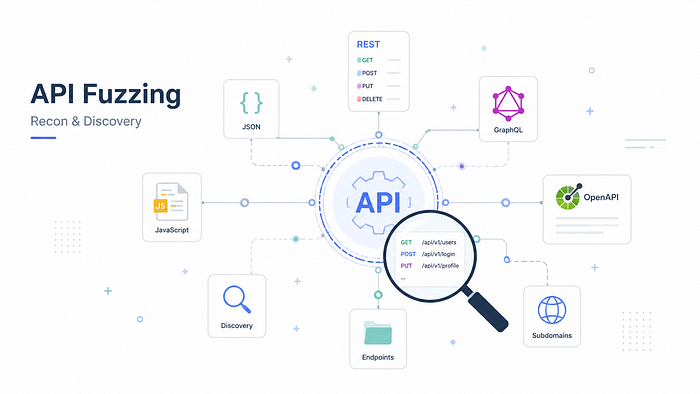
Before you fuzz anything, you need to understand the API's underlying architecture. Each type has distinct characteristics, different tooling, and unique vulnerability classes.
REST APIs
REST is the most common type you'll encounter. It's built on HTTP, uses JSON (or XML), and maps CRUD operations to HTTP methods:
GET— Read a resourcePOST— Create a resourcePUT / PATCH— Update a resourceDELETE— Delete a resource
REST APIs tend to have predictable endpoint structures like /api/v1/users/123 or /api/v2/orders/456. This predictability is a gift for bug bounty hunters — endpoint enumeration, IDOR testing, and method tampering are all directly tied to this structure.
Key attack angles for REST: IDOR via ID manipulation, method tampering (try DELETE on GET endpoints), version abuse (/api/v1 vs /api/v3), and mass assignment through PUT/PATCH.
SOAP APIs
SOAP (Simple Object Access Protocol) is older and more structured. It exclusively uses XML for both request and response, with an envelope structure: Header + Body. You'll encounter SOAP in older enterprise apps, banking portals, and internal tools.
SOAP is verbose, but it's often poorly secured because developers assume no one will bother parsing the XML. It's particularly vulnerable to XXE (XML External Entity) attacks and SSRF through malicious XML payloads.
A quick trick: If you find a REST API, try switching the
Content-Typeheader toapplication/xmland send a basic SOAP-structured request. Some services support both protocols on the same endpoint, and the SOAP code path may lack the same security controls as the REST path.
GraphQL APIs
GraphQL is an increasingly common query language for APIs. Unlike REST, it has a single endpoint (typically /graphql or /api/graphql) and lets clients specify exactly what data they want. This sounds secure in theory, but in practice it opens up a completely different class of vulnerabilities: introspection abuse, batching attacks, deeply nested query DoS, and field-level IDOR.
We'll dedicate the entire Part 3 to GraphQL. For now, know how to identify it: look for a single endpoint accepting POST requests with JSON bodies containing a query key.
Phase 1: Passive Recon — Finding APIs You Weren't Told About
The most dangerous vulnerabilities often live on API endpoints that aren't in the scope documentation, aren't linked from the UI, and haven't been tested. Your job is to find them first.
JavaScript Source Files
Modern SPAs (Single Page Applications) built in React, Angular, or Vue bundle their entire routing logic, API calls, and sometimes hardcoded credentials into JavaScript files. This is one of the highest-yield recon surfaces in modern bug bounty.
What to look for:
- Fetch/axios calls:
fetch('/api/...,axios.get('/v2/...' - Hardcoded API keys or tokens in config objects
- Environment variable references that leaked into the bundle:
process.env.API_KEY - Admin or internal routes commented out or conditionally rendered
- Version strings:
apiVersion: 'v3'
Tools:
- LinkFinder — extracts endpoints from JS files
- SecretFinder — finds API keys, tokens, and secrets
- truffleHog — entropy-based secret detection
- xnLinkFinder — deep recursive JS endpoint mining
Manual approach: Open DevTools → Sources → Search all files (Ctrl+Shift+F) for strings like /api, v1, v2, token, Authorization, secret, key.
Archive.org / Wayback Machine
APIs change over time. Old API versions, deprecated endpoints, and unintentionally exposed documentation sometimes linger in the Wayback Machine long after the developers thought they deleted them.
https://web.archive.org/web/*/target.com/api/*https://web.archive.org/web/*/target.com/api/*Also try:
https://web.archive.org/web/*/target.com/swagger*
https://web.archive.org/web/*/target.com/api-docs*
https://web.archive.org/web/*/target.com/swagger*
https://web.archive.org/web/*/target.com/api-docs*Deprecated endpoints are particularly valuable because they often lack the same security controls as newer versions. A /api/v1/ endpoint that was "retired" might still be live and lack rate limiting, input validation, or authorization checks added in v2.
Shodan, Censys & FOFA
If the target has subdomains running API servers directly, they may be indexed by search engines for internet-connected devices.
- Shodan:
hostname:target.comorhttp.title:"API" org:"TargetCompany" - Censys:
parsed.names: target.comcombined with port/service filters - FOFA (for Chinese targets or CDN bypass): Similar capability with broader coverage
Look for internal API servers accidentally exposed: staging environments (api-staging.target.com), internal microservices (internal-api.target.com), and developer tools (swagger.target.com, api-docs.target.com).
VirusTotal Passive DNS
https://www.virustotal.com/gui/domain/target.com/relationshttps://www.virustotal.com/gui/domain/target.com/relationsVirusTotal's passive DNS data often reveals subdomains that don't appear in certificate logs or brute-force wordlists. API subdomains like api2.target.com, api-internal.target.com, or graphql.target.com frequently appear here.
Certificate Transparency Logs
https://crt.sh/?q=%.target.comhttps://crt.sh/?q=%.target.comEvery SSL certificate issued is logged publicly. Certificate transparency logs are one of the best ways to find all subdomains, including API subdomains that weren't meant to be public. Filter for API-related names: api, rest, graphql, gateway, service, internal.
Phase 2: Active Discovery — Enumerating Endpoints
Once you have a list of subdomains and have identified API servers, it's time to enumerate endpoints actively.
Kiterunner — The API-Aware Scanner
Kiterunner by Assetnote is the gold standard for API endpoint discovery. Unlike traditional web fuzzers (ffuf, dirb), Kiterunner understands API-specific patterns. It uses wordlists derived from real-world API schema dumps, replays API-structured requests, and can parse OpenAPI/Swagger files to build smart request templates.
# Basic scan
kr scan https://api.target.com -w routes-large.kite -x 20
# Scan with custom headers (auth token)
kr scan https://api.target.com -w routes-large.kite \
  -H "Authorization: Bearer <your_token>" \
  -H "Content-Type: application/json"
# Replay a specific result for manual inspection
kr kb replay "GET 200 [...] https://api.target.com/api/v1/users" \
  -w routes-large.kite
# Basic scan
kr scan https://api.target.com -w routes-large.kite -x 20
# Scan with custom headers (auth token)
kr scan https://api.target.com -w routes-large.kite \
-H "Authorization: Bearer <your_token>" \
-H "Content-Type: application/json"
# Replay a specific result for manual inspection
kr kb replay "GET 200 [...] https://api.target.com/api/v1/users" \
-w routes-large.kiteDownload the .kite wordlists from Assetnote wordlists.
API-Specific Wordlists
Generic web content discovery wordlists (common.txt, directory-list-2.3.txt) are poorly suited for API enumeration. Use these purpose-built API wordlists instead:
- chrislockard/api_wordlist — common API endpoint names
- SecLists/Discovery/Web-Content/api/ — comprehensive API path list
- SecLists/common-api-endpoints-mazen160 — community-curated API endpoints
- fuzzdb common-methods — HTTP method fuzzing list
Combine with ffuf for speed:
ffuf -u https://api.target.com/FUZZ \
  -w ~/wordlists/api_wordlist.txt \
  -H "Authorization: Bearer <token>" \
  -H "Content-Type: application/json" \
  -mc 200,201,204,301,302,401,403 \
  -o results.json -of json
ffuf -u https://api.target.com/FUZZ \
-w ~/wordlists/api_wordlist.txt \
-H "Authorization: Bearer <token>" \
-H "Content-Type: application/json" \
-mc 200,201,204,301,302,401,403 \
-o results.json -of jsonTip: Include
401and403in your match codes, these responses confirm an endpoint exists even when you can't access it yet. That's a lead, not a dead end.
json2paths — Extracting Paths from JSON Responses
json2paths is a simple utility that takes a JSON response body and extracts all keys as path-formatted strings. This is incredibly useful when you get a large response from one API endpoint — the keys often hint at related endpoints elsewhere in the API.
For example, if a response contains {"user": {"profile_image_url": "...", "subscription_tier": "...", "admin_flags": {}}}, you now know to look for /api/user/profile_image, /api/user/subscription, and especially /api/user/admin_flags.
APIKit — Hunt for Hidden APIs
APIKit is a BurpSuite plugin (also standalone) designed to passively detect API documentation URLs, SDK links, and API key patterns in proxied traffic. Run it while browsing the app normally, and it will flag API-related artifacts automatically.
Phase 3: Documentation Discovery — Swagger & OpenAPI
API documentation files are the holy grail of API recon. They tell you every endpoint, every parameter, every expected data type, and sometimes even authentication details. Developers often leave these exposed unintentionally.
Common Documentation Paths to Check
Always check these paths on every API host you identify:
/swagger.json
/swagger.yaml
/swagger-ui.html
/api-docs
/api-docs.json
/openapi.json
/openapi.yaml
/v1/swagger.json
/v2/api-docs
/v3/api-docs
/api/swagger
/docs
/redoc
/api/redoc
/.well-known/openapi
/swagger.json
/swagger.yaml
/swagger-ui.html
/api-docs
/api-docs.json
/openapi.json
/openapi.yaml
/v1/swagger.json
/v2/api-docs
/v3/api-docs
/api/swagger
/docs
/redoc
/api/redoc
/.well-known/openapiAlso check under versioned prefixes:
/api/v1/swagger.json
/api/v2/openapi.yaml
/api/v1/swagger.json
/api/v2/openapi.yamlSwagger-EZ — Import to Burp Automatically
Swagger-EZ by Rhino Security Labs is a browser-based tool that takes a Swagger/OpenAPI file (URL or paste) and automatically generates Burp Suite-compatible requests for every documented endpoint. This gives you an immediate, structured starting point for manual testing.
swagroutes — List All Routes from a Swagger File
swagroutes is a CLI tool that parses a Swagger/OpenAPI file and prints all routes in a clean list format. Pipe the output into ffuf or kiterunner to confirm which documented endpoints are actually live.
python swagroutes.py -i swagger.jsonpython swagroutes.py -i swagger.jsonPostman Collections
Many companies publish Postman collections for their public APIs. Check:
https://www.postman.com/explore— search for the target company name- The app's developer documentation pages
- GitHub repositories (
site:github.com target.com postman_collection)
Postman collections often include undocumented internal endpoints, staging environment URLs, and example tokens that still work.
Phase 4: Tooling — Your API Recon Stack
Here's the complete toolkit to set up before you start:
Fuzzing & Scanning
- Kiterunner — API-aware endpoint discovery and route enumeration.
- fuzzapi — Full-featured API fuzzing framework for security testing.
- API-fuzzer — REST API parameter fuzzing and input validation testing.
- Astra — Automated REST API security testing and vulnerability assessment.
- apicheck — Modular API security toolkit for testing and analysis.
- openapi_security_scanner — Scans OpenAPI/Swagger specifications for security vulnerabilities.
Recon & Documentation
- Swagger-EZ — Converts Swagger/OpenAPI specifications into Burp Suite requests for easier API testing.
- swagroutes — Extracts and lists API routes/endpoints from Swagger/OpenAPI files.
- APIKit — Discovers hidden, undocumented, or exposed API endpoints.
- MindAPI — API security testing mind map covering attack vectors, methodologies, and test cases.
Supplementary
- api-guesser — Generates and tests potential API key patterns for security assessments.
- GUID Guesser — Enumerates and analyzes GUIDs/UUIDs to identify predictable or exposed identifiers.
- openapi.tools — Curated directory of OpenAPI/Swagger tools for development, testing, documentation, and security.
Phase 5: Traffic Analysis — Intercepting & Understanding the API
Recon isn't just external enumeration. Once you start using the application, every HTTP request is data.
Setting Up Your Proxy Correctly
This is obvious to most hunters, but a few tips specifically for API testing:
- Mobile apps: Use an Android emulator with Burp's CA cert installed, or use
apktool+objectionto bypass SSL pinning. Mobile apps often hit entirely separate API endpoints with less security scrutiny than the web app. - Desktop / Thick clients: Use Proxifier or WireShark to capture traffic from non-browser applications. Some thick clients use REST APIs and are rarely tested.
- gRPC APIs: Burp Suite 2022+ supports gRPC. Look for
application/grpccontent-type headers.
Identifying API Versioning
Always check for multiple API versions. Developers often add security controls to newer versions without removing or securing older ones.
Common versioning patterns:
/api/v1/endpoint
/api/v2/endpoint
/v1/endpoint
/v2/endpoint
/api/mobile/endpoint      ← mobile-specific, often less secure
/api/internal/endpoint    ← internal, might be accessible externally
/api/legacy/endpoint
/api/beta/endpoint
/api/v1/endpoint
/api/v2/endpoint
/v1/endpoint
/v2/endpoint
/api/mobile/endpoint ← mobile-specific, often less secure
/api/internal/endpoint ← internal, might be accessible externally
/api/legacy/endpoint
/api/beta/endpointThe golden rule: If you find a security control on /api/v2/users/me, immediately test /api/v1/users/me. Rate limiting, authorization checks, and input validation are frequently missing in older versions.
The X-Requested-With Header Trick
Some API endpoints check for this header to differentiate between AJAX and direct browser requests. If an endpoint returns nothing or a blank response, try adding:
X-Requested-With: XMLHttpRequestX-Requested-With: XMLHttpRequestSimilarly, some endpoints require explicit parameter hints to return useful data:
# Instead of:
GET /api/messages → 401 Unauthorized
# Try:
GET /api/messages?user_id=1 → 200 OK
# Instead of:
GET /api/messages → 401 Unauthorized
# Try:
GET /api/messages?user_id=1 → 200 OKCommon Attack Surface Checklist for Recon Phase
Before moving into active exploitation, make sure you've mapped:
Infrastructure
- All subdomains hosting API servers
- All API versions (v1, v2, v3, mobile, internal, beta)
- All documentation files (Swagger, OpenAPI, Postman)
- All authentication endpoints (
/login,/oauth/token,/api/auth,/api/magic_link,/api/mobile/login)
Authentication Surface
- Auth type identified (API key, JWT, OAuth2, session cookie, HMAC)
- Max retry limits tested (or absent)
- Multiple login paths enumerated separately (
/api/v1/loginvs/api/mobile/login) - Password reset and magic link endpoints found
Endpoint Coverage
- All REST verbs tested per endpoint (GET, POST, PUT, PATCH, DELETE, OPTIONS, HEAD)
- GraphQL endpoint checked (if applicable)
- SOAP endpoint checked (if applicable)
- Admin and internal endpoints enumerated
Passive Sources
- JavaScript files analyzed for hidden endpoints and secrets
- Wayback Machine checked for historical API docs
- Certificate transparency logs checked
- VirusTotal passive DNS checked
- Shodan/Censys checked
What's Next: Part 2
Now that you've mapped the full attack surface, it's time to start breaking things.
In Part 2, we'll go deep on:
- Authentication bypass — brute force, JWT attacks, auth type manipulation
- IDOR / BOLA — horizontal and vertical privilege escalation via object manipulation
- Injection attacks — SQLi in JSON bodies, XXE, SSRF, command injection
- Mass assignment — writing fields you shouldn't be able to write
- Endpoint and parameter bypass tricks — getting past 403s, WAF bypasses, parameter pollution
- Rate limit bypasses — getting around lockouts and throttling
If this was useful, follow the fuzzyyduck blog for Part 2, dropping soon.