
HTTP/2 request smuggling can arise when a front-end server downgrades HTTP/2 traffic to HTTP/1.1 without properly sanitizing user-supplied headers. In this lab, the downgrade process fails to neutralize CRLF sequences, enabling an HTTP/2-exclusive request smuggling attack. By injecting crafted headers, we exploit this flaw to interfere with backend request parsing and ultimately gain access to another user's account.
Step 1: Intercept
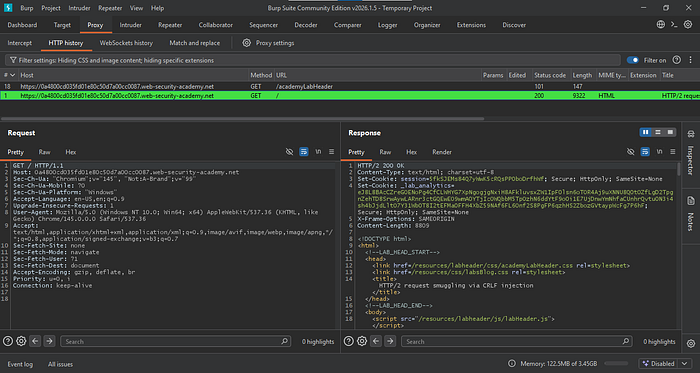
Grab the request for the root endpoint and send it to Repeater.
Step 2: Craft the requests
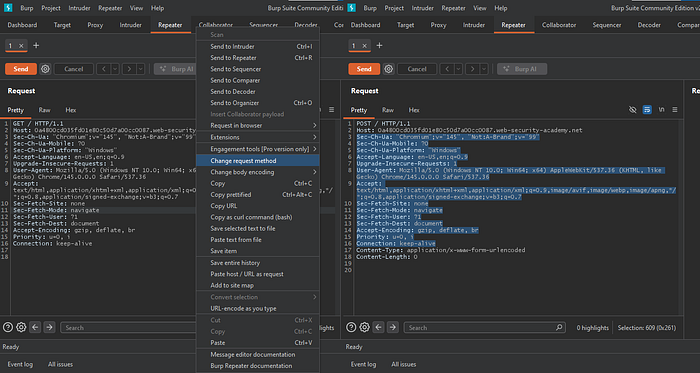
Change the request method and remove all unnecessary headers. Keep only the Host, Content-Type, and Content-Length headers.
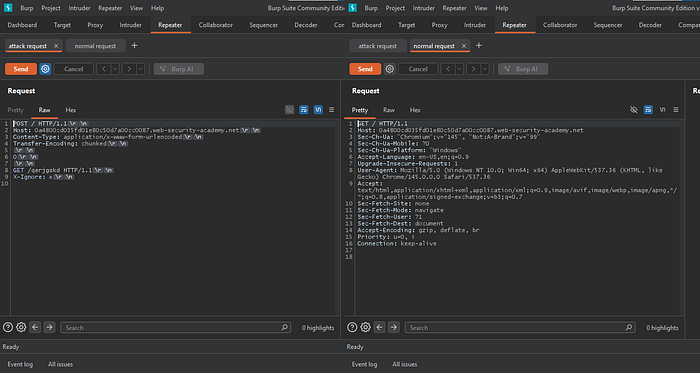
Craft the attack request by replacing the Content-Length header with Transfer-Encoding: chunked. Then append a GET request for a non-existent resource using HTTP/1.1, followed by the X-Ignore: x header.
Rename this tab to "attack request", then resend the root endpoint to Repeater and name it "normal request."
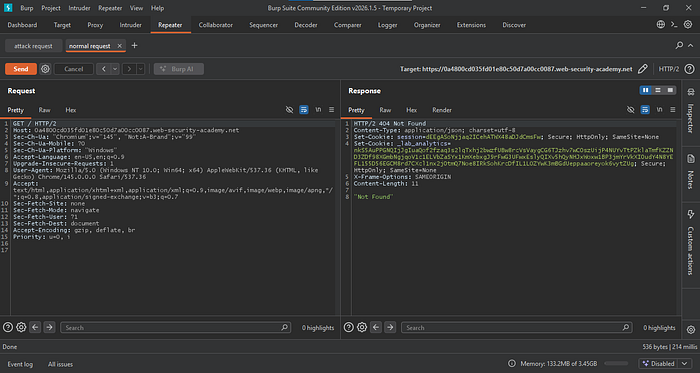
After sending the attack request followed by the normal request, we expect a 404 response. However, we receive a 200, indicating the attack failed. This happens because when the front-end server rewrites the HTTP/2 request to HTTP/1.1, it strips the Transfer-Encoding header.
We need to find another way to smuggle the Transfer-Encoding header.
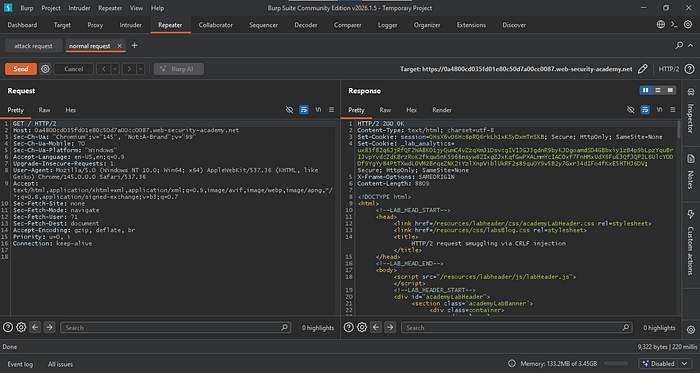
Instead, remove the Transfer-Encoding header from the request. Then go to the Inspector and add a new request header with the name Foo and the value Bar. Press Shift + Enter, then add Transfer-Encoding: chunked on the next line, and click Add.
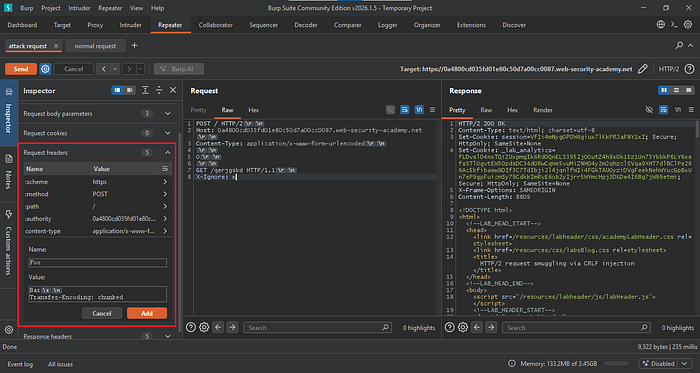
When the request appears kettled, it means the headers are no longer fully visible. This is expected behavior. It happens because we injected a carriage return/line feed (CRLF) sequence into a header value, and Burp cannot properly display it.

Repeatedly send the attack payload followed by a legitimate request until a 404 response is received. If a 200 OK status persists, introduce a 15-second delay between the attack payload and the legitimate request to account for the user's browser activity.
Step 3: Exploitation
Now go to the website and search for "jarno."
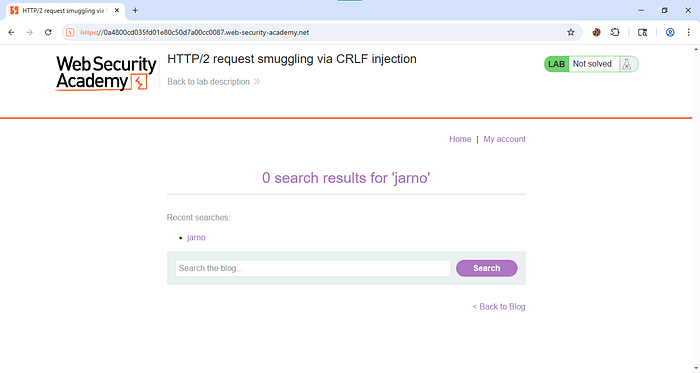
Check the HTTP Proxy tab, capture the POST request for that action, and send it to Repeater.

In the Inspector tab, downgrade the request to HTTP/1.1.
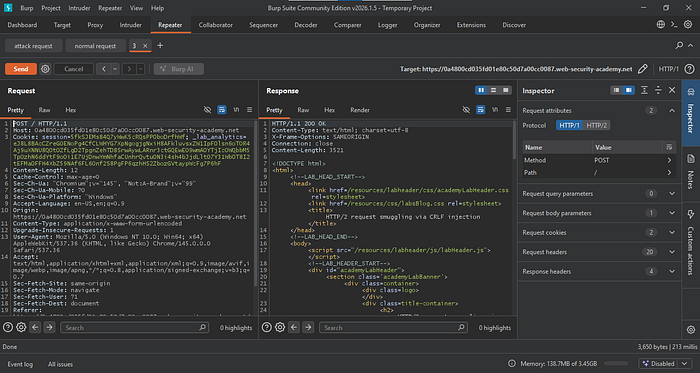
Clean up the request by removing all unnecessary headers. Keep only Host, Cookie, Content-Length, and Content-Type, along with the search parameter in the body.
Then copy the entire request.
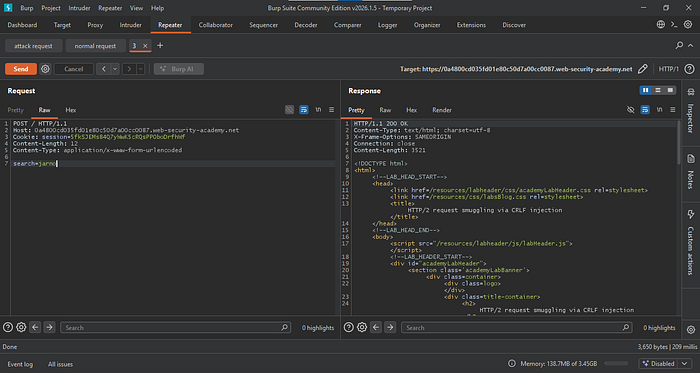
Now return to the attack request, paste the request you copied earlier, and replace the GET method with it.

Now set the correct Content-Length for the POST request.
To do this, go back to Proxy, select the entire request for the search action, and check the total length shown in the Inspector tab.
Then update the Content-Length value accordingly and send the request to Repeater again.
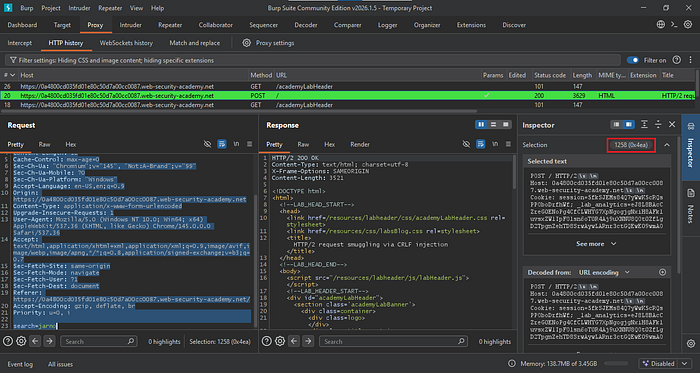
When sending the attack request followed by another request, we need to capture as much of the victim's request as possible so the session cookies appear in one of the requests.
Set the Content-Length to 1000 for testing. Send the attack request, wait 15 seconds, then follow it with the request previously sent to Repeater.

You can determine whether the request is from the victim by checking the User-Agent header. Once confirmed, locate the session cookie and copy it.
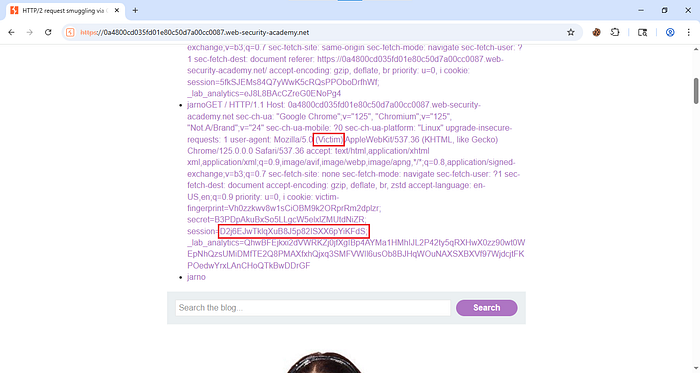
Paste it into your browser's cookie editor, save the changes, and reload the site.
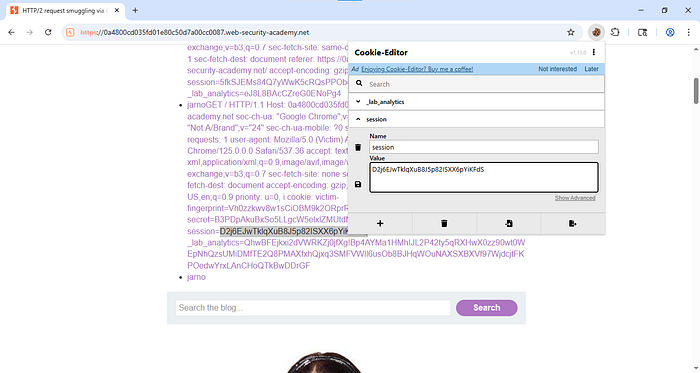
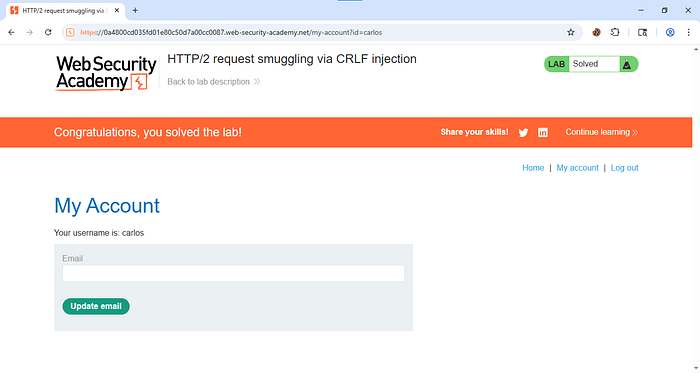
Once the page reloads, you should now be logged in as the user.
To prevent this attack, ensure the server properly validates and sanitizes all incoming requests, especially headers. Do not allow unsafe HTTP/2 to HTTP/1.1 downgrades without strict parsing and filtering of CRLF characters. The front-end and back-end servers should follow consistent request handling rules and reject malformed or ambiguous requests.