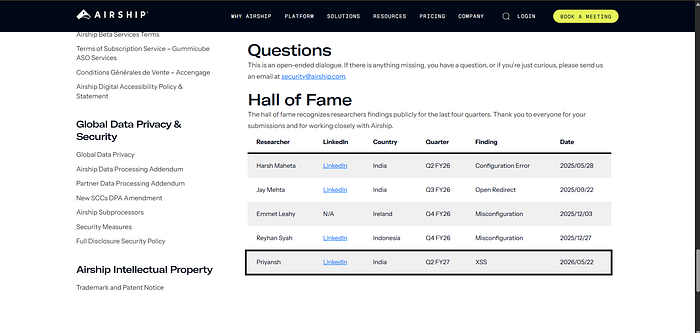

Bug bounty is often romanticized as running automated scanners, waiting for the green text to pop up on your terminal, and collecting a bounty. But what happens when the target explicitly forbids reporting the exact things scanners are best at finding?
Recently, I was assessing a corporate marketing site for a major tech company. The target was a sleek, modern website built for lead generation and blogging. But when I looked at their scope and out-of-scope rules, my heart sank just a little bit.
Out of Scope:
- HTTP, HTTPS, or TLS Security Header Configuration suggestions
- DNS, DNSSEC, SPF, or DMARC Configuration Suggestions
- Using components with Known Vulnerabilities
- Denial of Service / Rate Limiting
My thought process: "Okay, they've shut the front door, the back door, and all the windows. No cookie flags, no CSP misses, no outdated jQuery versions. They are forcing me to do actual vulnerability research. They want logic flaws. They want injection. Let's go back to basics."
Here is the step-by-step story of how a strict out-of-scope list forced me to look deeper, leading to the discovery of a critical Reflected Cross-Site Scripting (XSS) vulnerability.
Phase 1: Profiling the Target (The "Who Are You?" Phase)
Before throwing requests at the server, I needed to understand what I was looking at. A quick pass with a browser and Wappalyzer revealed the stack:
- Frontend: A bleeding-edge, resumable JavaScript framework (specifically designed for near-instant load times).
- Hosting: A major Edge/Serverless platform (Vercel).
- Features: PWA (Progressive Web App) enabled.
My thought process: "This is important. This isn't a legacy PHP WordPress site. This is a modern, statically-generated-at-the-edge application. Edge platforms usually have excellent default protections against path traversal and simple file inclusions. I need to find where user input flows dynamically."
Because it was a static site at the edge, there was no traditional backend database to speak of for the main pages. However, I noticed a contact form and a blog section. If there was going to be an injection point, it would be where dynamic data met static templates.
Phase 2: The Skeleton in the Closet (Analyzing the Build)
When dealing with modern JavaScript frameworks, the actual routing and component mapping are often hidden from the standard HTML source. But frameworks leave behind a map: the bundle graph manifest.
I crawled the site and extracted a specific JSON file: bundle-graph.json.
If you've never looked at one of these, it's essentially the blueprint of the entire frontend application. It lists every JavaScript chunk, but more importantly, it lists every dynamic route the application handles.
Buried in the JSON array, I found these entries:
"blog/search/[search]/""data/blog-taxonomy/""images/[...key]"
My thought process: "Bingo. We have a search endpoint that takes a parameter, a data endpoint that returns JSON, and a catch-all image route. The search endpoint is our primary target. Input goes in, and if it's not properly encoded, output comes out."
Phase 3: Chasing the Red Herring (The Path Traversal Attempt)
Before jumping to the search feature, my eyes locked onto "images/[...key]". A catch-all route for images is a classic vector for Local File Inclusion (LFI) or Path Traversal.
I fired up my terminal and tested various traversal payloads against the image directory:
curl -s -o /dev/null -w "%{http_code}" "https://target.com/images/..%2f..%2fetc/passwd" # Output: 400
curl -s -o /dev/null -w "%{http_code}" "https://target.com/images/....//....//etc/passwd" # Output: 308 (Redirect to 404)
curl -s "https://target.com/images/%2e%2e/%2e%2e/etc/passwd" | head -5 # Output: 404 HTML Page
My thought process: "As expected. The edge hosting platform is strictly validating the file paths before passing them to the file system. It's returning 400 Bad Request and safely redirecting traversal attempts to a 404 page. Good for them, bad for my easy bounty. Move on."
Phase 4: Probing the Search Functionality
Now it was time to look at blog/search/[search]/.
When testing search endpoints, the goal isn't to guess a payload immediately. The goal is to understand how the application handles your input. Does it encode it? Does it strip it? Does it reflect it at all?
I used a unique marker string — UNIQUEMARKER123—and sent the request:
curl -s "https://target.com/blog/search/UNIQUEMARKER123/" | grep -i "UNIQUEMARKER123"
The terminal lit up. The string was reflected back to me. But where and how it was reflected was the critical part. I looked at the raw HTML response, and my heart skipped a beat.
The string UNIQUEMARKER123 was injected into the following places:
- The
<title>tag:<title>Search: UNIQUEMARKER123 - Blog</title> - The Meta Description:
<meta name="description" content="Search results for "UNIQUEMARKER123" on the..."> - The JSON-LD Structured Data: Injected directly into a script tag.
- The visible HTML body:
Search results for "UNIQUEMARKER123"
My thought process: "Wait, look closely at the JSON-LD and the Title tag. The quotes are either completely unencoded or improperly encoded. In a properly secured framework, my input should look like UNIQUEMARKER123 or "UNIQUEMARKER123". Here, it's raw. I can break out of the HTML context."
Phase 5: The "DangerouslySetInnerHTML" Smoking Gun
I examined the framework's specific SSR (Server-Side Rendering) payload in the HTML source. Modern frameworks usually escape variables by default to prevent XSS.
However, when I looked at how the JSON-LD structured data was being rendered, I found this attribute in the server payload: "0 #2 type","0 #2 dangerouslySetInnerHTML"
My thought process: "There it is. dangerouslySetInnerHTML. For those who don't know, in the React/modern-JS ecosystem, dangerouslySetInnerHTML is an escape hatch. It tells the framework: 'Trust this string completely, don't sanitize it, just dump it straight into the DOM.'
The developers likely used this to safely inject their own JSON-LD schema, but because they concatenated user input (the search term) into that JSON before passing it to the DOM, they completely bypassed the framework's built-in XSS protections."
Phase 6: Crafting the Payload
Because the input was being injected raw into the HTML stream without encoding, I didn't need a complex obfuscation bypass. I just needed to break out of the current HTML tag and inject a new one.
I crafted a simple payload to test the <title> tag breakout:
test</title><script>alert(1)</script>
When URL-encoded and sent to the server:
Result: <script>alert(1)</script> was successfully injected into the HTML source.
I tested a second payload to break out of a meta tag attribute context:
test"><script>alert(1)</script> curl -s "https://target.com/blog/search/test%22%3E%3Cscript%3Ealert(1)%3C%2Fscript%3E/" | grep -i "<script\|alert"
Result: Confirmed again. The script tag was successfully injected.
At this point, the vulnerability was mathematically proven via curl. If a browser renders this HTML, the JavaScript will execute.
The Aftermath & Lessons Learned
The Vulnerability: Reflected Cross-Site Scripting (XSS) via the blog search parameter. The Root Cause: The application used an unsafe DOM injection method (dangerouslySetInnerHTML) to render JSON-LD structured data, failing to sanitize or encode user-supplied input (the search term) before concatenating it into the HTML stream.
Why it matters: Even though this was "just" a blog on a corporate marketing site, the impact is severe.
- Phishing: An attacker could craft a malicious URL and send it via a highly targeted spear-phishing email (e.g., "Check out these new industry insights!"). When the victim clicks, the XSS executes, allowing the attacker to rewrite the page to look like a legitimate login prompt.
- Credential Theft: If any admin or editor is logged into a CMS tied to the same domain/session, their session cookies could be exfiltrated.
- Reputation Damage: Defacing the blog of a major tech company, even temporarily, is a PR nightmare.
The Developer Takeaway: Modern JavaScript frameworks are incredibly secure by default. They do the heavy lifting of output encoding so developers don't have to think about it. However, security escapes through "escape hatches." When you use directives like dangerouslySetInnerHTML (or its equivalent in Vue, Svelte, etc.), you are taking off the seatbelt. If you must use them, you must implement strict, manual sanitization (like DOMPurify) on any data that touches that injection point.
The Hacker Takeaway: When a bug bounty program locks down the easy stuff — headers, DNS, outdated components — they are doing you a favor. They are forcing you away from automated noise and pushing you toward actual application logic.