
Just curiosity.
Open DevTools → View Source → Scroll.
And there it was.
AWS_ACCESS_KEY_ID=AKIA************
AWS_SECRET_ACCESS_KEY=************
Right there.
In plain text.
Inside the frontend code.
No hacking required. No special tools.
Just View Source.
That key could spin up thousands of dollars in cloud infrastructure in minutes.

The Dirty Secret of Modern Web Apps
Many modern websites accidentally leak secrets.
Not intentionally.
Just through sloppy engineering patterns.
Things like:
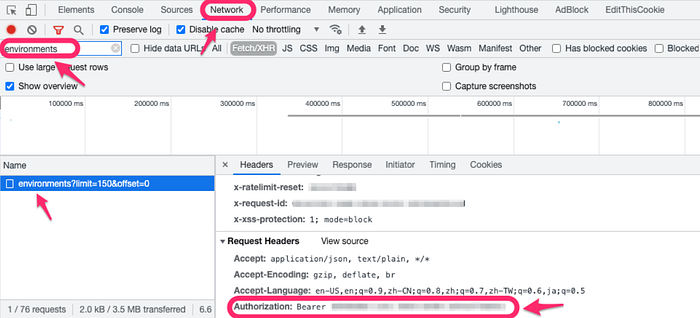
• API keys embedded in JavaScript • Debug tokens left in production • Authorization headers exposed in network calls • JWT tokens visible in browser storage
And the scary part?
Most developers never notice it.
Because browsers don't warn you.
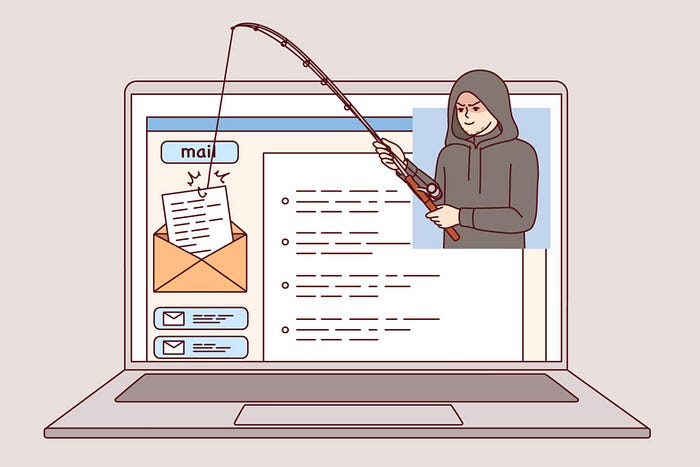
Bots Are Scanning the Internet for These
The moment a secret leaks publicly, bots find it.
GitHub secret scanners detect this constantly.
Some reports show secrets being exploited within minutes of exposure.
Attackers don't need skill anymore.
They just run scanners.
Think of it like metal detectors on a beach.
Except the beach is the entire internet.
I Tried a Simple Experiment
I started manually inspecting random websites.
Not shady ones.
Normal ones.
- Startup landing pages - Dashboards - Admin portals
Within a few hours I found:
• exposed API tokens • public Stripe keys • leaked JWT authentication tokens • internal endpoints
None of the sites were hacked.
They simply didn't know the leak existed.
const STRIPE_KEY = "pk_live_********" Secrets sometimes appear directly in frontend code.
The Browser Sees Everything
This is the key insight.
The browser already loads:
• scripts • network requests • tokens • headers • forms
Meaning the browser is actually the best place to detect leaks.
But browsers don't analyze this.
They just render pages.
So I Built a Small Experiment
I created a browser extension that scans pages for security signals.
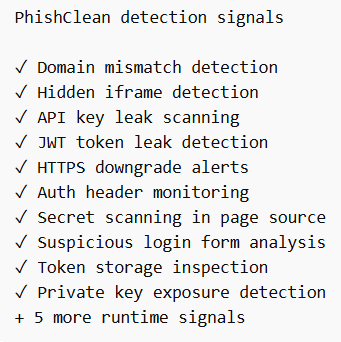
All locally inside the browser.
No data sent anywhere.
The idea was simple:
If the browser can see the problem, it should warn the user.
That project became PhishClean.
What It Detects
When a page loads, the extension analyzes signals like:
- Secret leaks
AWS keys
Stripe tokens
GitHub tokens
JWT secrets- Phishing patterns A login form sending credentials to a different domain.
- Suspicious redirects Login page → hidden redirect → credential collection server.
- Form domain mismatch A login form sending credentials to a different domain.
- Hidden iframes Invisible elements that can steal credentials or perform clickjacking.
- HTTPS downgrade attempts Pages trying to force a secure connection back to HTTP.
- Exposed API keys and secrets AWS keys, Stripe keys, GitHub tokens, and other credentials embedded in page code.
- JWT tokens leaking in URLs or storage
- Authorization headers being sent to third-party domains
- Suspicious login form structures
All of this happens locally on the device.
Nothing gets sent to a server.
The browser already sees everything happening on a page. PhishClean simply analyzes those signals in real time and warns you before something goes wrong.
Why This Matters
Most security tools work after the damage happens.
But secrets and credentials move through the browser first.
If we detect problems there, we stop the attack before it spreads.
The Bigger Realization
The browser has become the new security perimeter.
Not the firewall. Not the server.
The browser.
Because that's where:
• credentials are entered • tokens are stored • secrets are exposed
And yet it's still mostly unprotected.
Most phishing protection relies on blocklists. PhishClean doesn't. It analyzes what the page is actually doing.
If You're Curious
You can check the project here:
If you're a developer, try opening DevTools on your own apps.
You might be surprised by what the browser already reveals.