

"What happens when you type www.google.com in your browser?" is a classic tech interview question that tests your understanding of the entire web stack. From DNS resolution and networking to security and browser rendering, a strong answer demonstrates end-to-end technical knowledge and problem-solving skills.
In this article, we will break down what really happens, step by step, from the moment you press Enter until the Google homepage appears — at a professional, interview-ready, and engineering-level depth.
1. The Browser Receives Your Input
When you type www.google.com into your browser and press Enter, the browser first determines whether the input is a URL or a search query. Since it matches a valid domain name format, it is treated as a URL and the HTTPS scheme is automatically added, sulting in https://www.google.com.
2. Browser Cache Check
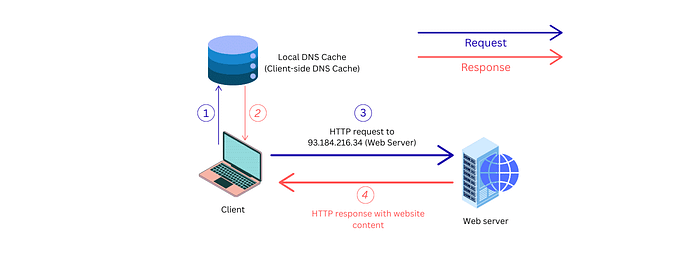
Before making any network request, the browser checks its internal caches, including the DNS cache and HTTP cache. If it finds a valid cached entry whose TTL has not expired, it can immediately use it and skip several network steps. In most cases, no valid cache entry exists, so the process continues.
3. Operating System DNS Resolution
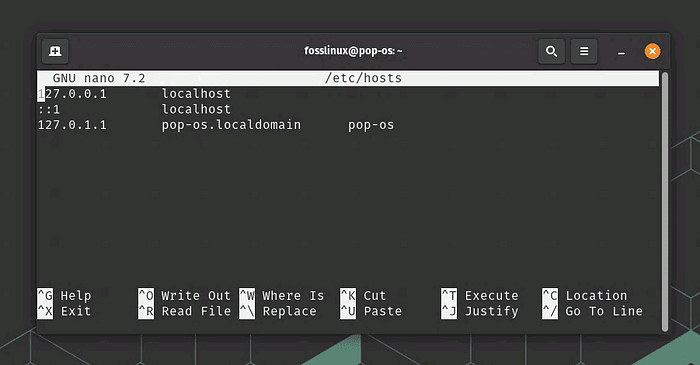
The browser asks the operating system to resolve the domain name. The OS first checks the local hosts file, which allows manual hostname-to-IP mappings. On Linux and macOS, this file is located at /etc/hosts, while on Windows it is found atC:\Windows\System32\drivers\etc\hosts. If no entry is found, the OS then checks its internal DNS cache. When the domain name is still unresolved, the request is forwarded to a configured DNS resolver, typically provided by the ISP or a public DNS service such as Google DNS or Cloudflare.
4. Recursive DNS Lookup

If the DNS resolver does not already have the answer cached, it performs recursive DNS resolution. It queries a root DNS server to locate the .com TLD (Top Level Domain) servers, then queries a .com server to find the authoritative name servers for google.com. Finally, Google's authoritative DNS server returns the IP address for www.google.com, which is cached and returned to the browser.
5. TCP Connection Establishment (Three-Way Handshake)
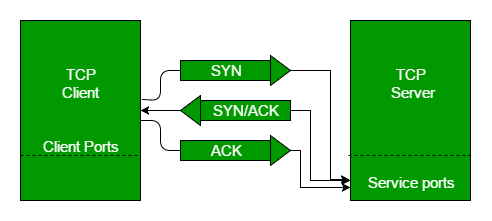
Once the browser has the IP address of www.google.com, it needs to establish a connection to that server. Since HTTPS uses TCP, the browser initiates a TCP three-way handshake:
- The client (your browser) sends a SYN packet to the server.
- The server responds with a SYN-ACK packet.
- The client sends an ACK packet back.
At this point, a reliable TCP connection is established, allowing data to flow between the browser and Google's server.
6. TLS/SSL Handshake for Secure HTTPS
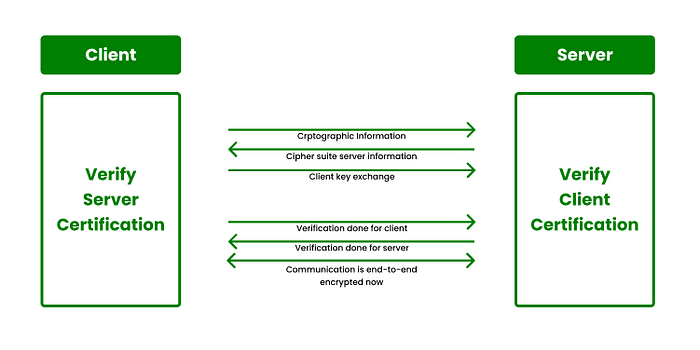
Because the URL uses HTTPS, a TLS (Transport Layer Security) handshake follows. This ensures that your connection is encrypted and secure. During this handshake:
- The client and server agree on encryption protocols and cipher suites.
- The server presents its SSL/TLS certificate, which the browser verifies against trusted certificate authorities (CAs).
- Encryption keys are exchanged to create a secure channel.
After the TLS handshake, the connection is encrypted, ensuring privacy and integrity of data transmitted between your browser and Google.
7. HTTP Request and Server Response
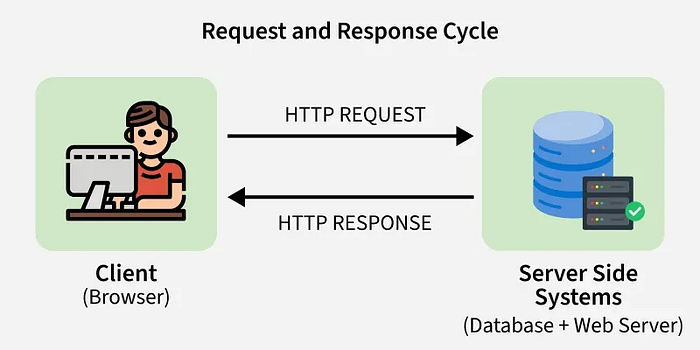
Once the secure TLS connection is established, the browser sends an HTTP GET request to Google's server for the homepage (/). The request includes headers such as Host, User-Agent, and Accept, which provide the server with necessary context.
Google's server processes the request and responds with an HTTP response, including:
- Status code (e.g.,
200 OK) - Response headers (e.g., content type, caching policies)
- Response body (HTML, CSS, JavaScript, and media content)
Redirects, if necessary, are automatically followed, and security mechanisms such as HSTS, CSP, and secure cookies ensure data integrity and protection against attacks.
8. Browser Rendering and Resource Execution
The browser parses the HTML to build the DOM, fetches CSS to construct the CSSOM, and executes JavaScript to handle dynamic content. These are combined into the render tree, after which layout and painting occur to display the page.
Modern browsers optimize performance by:
- Loading resources in parallel
- Caching and preloading frequently used assets
- Executing asynchronous JavaScript without blocking rendering
At this point, the page is fully interactive, and any subsequent user actions (clicks, searches, AJAX requests) continue over the secure connection.
Conclusion
From typing a URL to seeing the fully rendered page, every step involves critical networking and security processes. DNS resolution, TCP and TLS handshakes, secure HTTP requests, and browser rendering all work together to deliver content safely and efficiently.
For cybersecurity engineers, understanding this flow is essential: it highlights potential attack surfaces, shows where encryption and validation protect users, and demonstrates how secure web communication is achieved end-to-end. Mastering these concepts equips engineers to identify vulnerabilities, enforce best practices, and defend against modern web threats.