Introduction
In this blog, I will explain how I created a vulnerable thick client EXE application and how anyone can download and run it in their local system using my GitHub repository.
The goal of this setup is to help students:
- Practice thick client testing
- Capture traffic using Burp Suite
- Understand real-world vulnerabilities
How I Created the EXE Application
Step 1: Built the Application in Visual Studio
I created a simple Windows Forms application with:
- Login functionality
- Hardcoded credentials (
admin/admin123) - Dashboard after successful login
Step 2: Added Network Communication
To make it useful for testing, I added HTTP request logic:
- The app sends login data to a server
- This allows traffic interception using Burp
Step 3: Built the EXE File
In Visual Studio:
- Click Build → Build Solution
- Go to project folder:
bin/Debug/Inside this folder, I got:
VulnThickClient1.exeWhat I Included
- EXE file → for direct usage
- Source code → for learning
- README → setup instructions
How to Setup EXE in Local System (User Guide)
This is the part users will follow
Step 1: Download the Repository
Users can:
- Go to my GitHub repo
- https://github.com/MadhuGit0807/thick-client-goat
- Click Code → Download ZIP
- Extract the folder
Step 2: Locate EXE File
Navigate to:
\Build\ThickClientGoat.exe".exeStep 3: Run the Application
Double-click:
"ThickClientGoat.exLogin" screen will openStep 4: Use Test Credentials
Username: admin
Password: admin123
Setup for Burp Testing (Important)
Open Burp Suite
- Go to Proxy → Intercept ON
- Ensure proxy:
127.0.0.1:8080Run the EXE
- Enter login details
- Click Login
Capture Request
In Burp, you will see:
username=admin&password=admin123Now you can:
- Modify request
- Replay
- Test vulnerabilities
Common Issues & Fixes
EXE Not Opening
Fix:
- Install .NET Framework (if required)
- Run as Administrator
Burp Not Capturing Traffic
Fix:
- Ensure proxy is ON
- Check port
8080 - App should use proxy internally
Antivirus Blocking EXE
Fix:
- Add exception
- This is expected for lab tools
Why This Lab is Useful
This EXE lab helps to:
✔ Practice thick client testing ✔ Learn Burp interception ✔ Understand insecure implementations ✔ Build real-world testing skills
Disclaimer
This application is created only for educational purposes.
- Do not use it in real environments
- Do not test unauthorized systems
Conclusion
In this setup, I:
- Built a vulnerable thick client application
- Converted it into an EXE
- Shared it via GitHub
- Enabled users to test it locally
This approach makes learning: →Practical →Hands-on →Realistic
Bonus Tips:
MYSQL
Apache
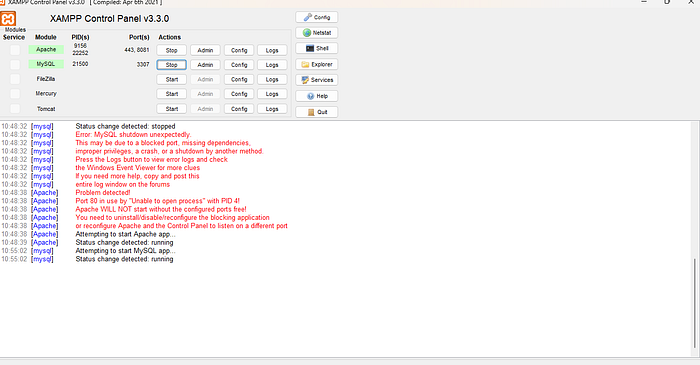
Make sure your xampp server is running or not
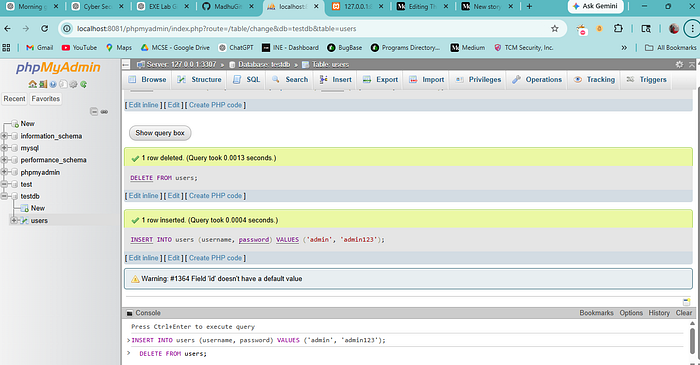
Thank you for reading my guide on creating and sharing a vulnerable EXE lab. I hope you found it helpful.
Feel free to comment, share, and stay tuned for Part 1 on dynamic testing with practical insights!