June 2, 2026
Networking Cheat Sheet for Cybersecurity Beginners: The Foundation You Can't Ignore
You can't ignore this

CyberRise Institute
3 min read
Networking Cheat Sheet for Cybersecurity Beginners: The Foundation You Can't Ignore
Many aspiring cybersecurity professionals make the same mistake.
They jump straight into ethical hacking tools, penetration testing frameworks, and advanced security certifications without understanding the technology that powers everything behind the scenes: computer networking.
The truth is simple:
You cannot effectively secure what you do not understand.
Networking is the foundation of cybersecurity. Every attack, defense, vulnerability assessment, and security investigation involves networks in some way. Whether you're analyzing malware, performing penetration tests, or monitoring suspicious traffic, networking knowledge is essential.
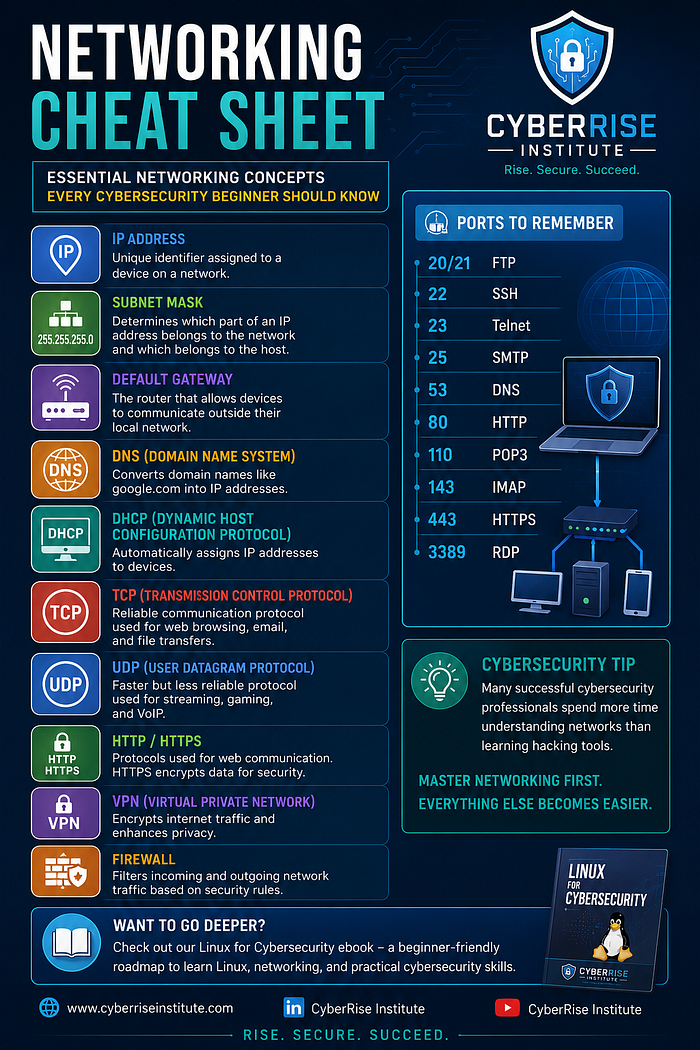
In this guide, we'll cover the key networking concepts every cybersecurity beginner should know.
- IP Address
An IP (Internet Protocol) address is a unique identifier assigned to a device on a network.
Think of it as a digital home address that allows devices to send and receive information.
Examples:
192.168.1.10
10.0.0.5
172.16.0.1
Without IP addresses, devices wouldn't know where to send data.
- Subnet Mask
A subnet mask helps determine which portion of an IP address belongs to the network and which belongs to the host.
Example:
IP Address: 192.168.1.10
Subnet Mask: 255.255.255.0
Subnetting is crucial for:
Network segmentation
Traffic management
Security isolation
Efficient IP allocation
- Default Gateway
A default gateway is typically a router that allows devices on a local network to communicate with external networks, including the internet.
When your computer wants to access a website outside your local network, it sends traffic to the default gateway first.
Without a gateway, your communication remains trapped inside the local network.
- DNS (Domain Name System)
Humans remember names.
Computers remember numbers.
DNS acts as the internet's phonebook by translating domain names into IP addresses.
For example:
google.com → 142.250.x.x
Without DNS, you would need to remember IP addresses for every website you visit.
- DHCP (Dynamic Host Configuration Protocol)
DHCP automatically assigns:
IP addresses
Subnet masks
Default gateways
DNS server addresses
This eliminates the need to manually configure network settings on every device.
Most home and office networks rely heavily on DHCP.
- TCP vs UDP
Understanding the difference between TCP and UDP is fundamental.
TCP (Transmission Control Protocol)
TCP prioritizes reliability.
Features:
Connection-oriented
Error checking
Packet acknowledgment
Data retransmission
Common Uses:
Web browsing
File transfers
Banking applications
UDP (User Datagram Protocol)
UDP prioritizes speed.
Features:
Connectionless
Faster transmission
Minimal overhead
No packet acknowledgment
Common Uses:
Video streaming
Online gaming
Voice calls
Live broadcasts
Cybersecurity professionals frequently analyze TCP and UDP traffic during investigations and penetration tests.
- HTTP and HTTPS
HTTP
HyperText Transfer Protocol is used for communication between web browsers and web servers.
Default Port: 80
HTTPS
HTTPS is the secure version of HTTP.
Default Port: 443
Benefits:
Data encryption
Improved privacy
Protection against interception
Website authentication
Today, HTTPS is considered the standard for secure web communication.
- Important Ports Every Beginner Should Memorize
Port Service
20/21 FTP 22 SSH 23 Telnet 25 SMTP 53 DNS 80 HTTP 110 POP3 143 IMAP 443 HTTPS 3389 RDP
Port scanning is one of the most common activities in cybersecurity, making these ports important to recognize instantly.
- VPN (Virtual Private Network)
A VPN encrypts internet traffic and creates a secure connection between a user and a network.
Benefits include:
Enhanced privacy
Secure remote access
Protection on public Wi-Fi
Reduced exposure to network eavesdropping
Many organizations depend on VPNs to support remote workers securely.
- Firewalls
A firewall acts as a security gatekeeper.
It monitors and filters incoming and outgoing network traffic based on predefined rules.
Functions include:
Blocking malicious traffic
Restricting unauthorized access
Enforcing security policies
Monitoring network activity
Firewalls remain one of the most important layers of defense in modern cybersecurity.
Why Networking Matters in Cybersecurity
Many beginners spend months learning hacking tools without understanding how networks actually work.
The most effective cybersecurity professionals understand:
How packets move across networks
How protocols communicate
How attackers exploit weaknesses
How defenders monitor suspicious activity
Networking knowledge transforms cybersecurity from memorizing tools into understanding systems.
Final Thoughts
Cybersecurity is a vast field, but networking is where everything begins.
Master concepts like IP addressing, DNS, TCP/IP, ports, VPNs, and firewalls, and you'll build a strong foundation for:
Ethical Hacking
Penetration Testing
Security Operations (SOC)
Network Security
Digital Forensics
Incident Response
The stronger your networking knowledge, the easier every cybersecurity topic becomes.
About CyberRise Institute
At CyberRise Institute, we help aspiring professionals build practical cybersecurity and Linux skills through beginner-friendly learning resources.
📚 Linux for Cybersecurity is designed to help beginners understand Linux fundamentals, networking concepts, and essential cybersecurity practices needed to start their journey with confidence.
What networking topic would you like covered next: Subnetting, TCP/IP, DNS, or Port Scanning? Let me know in the comments. 🚀
#Cybersecurity #Networking #Linux #EthicalHacking #NetworkSecurity #InfoSec #CyberRiseInstitute #LinuxForCybersecurity #CareerInTech #LearningCybersecurity #TechEducation