
Welcome! I'm writing a series on my journey with OSCP certification and everyday for 30 mins, I am documenting things I learn, tools I used and reflections along the way.
Continuing from Day 1…
Day 1 focused more on setting up the environment and getting some of the tools ready for use.
We have done enumeration of via nmap and enum4linux and established certain information about the target.
Today we proceed with more enumeration and possibly exploitation on one of the account users of the active directory.
Enumeration
Next task provided for us is to use Kerbrute to check for existing users in the domain. A user list and password list is included in this exercise which is great as this will make our brute force shorter.
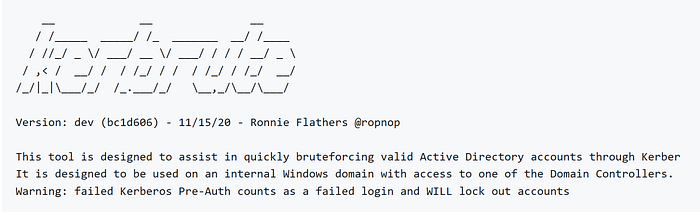
After downloading Kerbrute from the repository above, we have to allow this to become an executable:
chmod +x kerbrute_linux_amd64Then in order to run this tool, we will have to use the following:
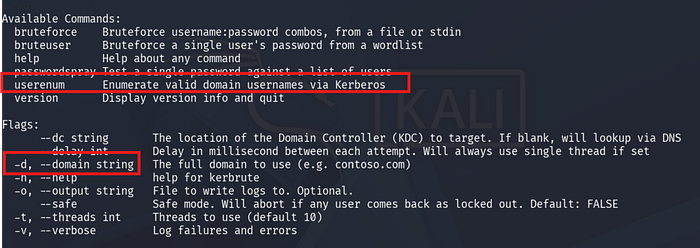
./kerbrute_linux_amd64Looking at the help menu, it seems like for this lab we will need use kerbrute and the module userenum to enumerate valid user in the domains.
I will also have to specify the domain itself via the -d tag and also to include the userlist given to us.
In this case, I have to go back to my nmap scan and confirm the domain for this machine, which turns out to be:
spookysec.local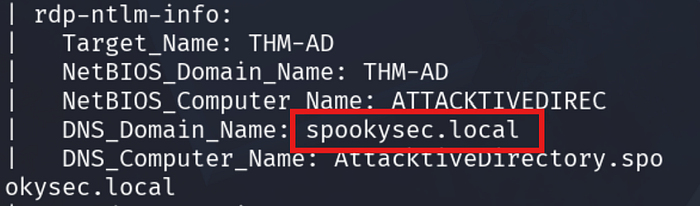
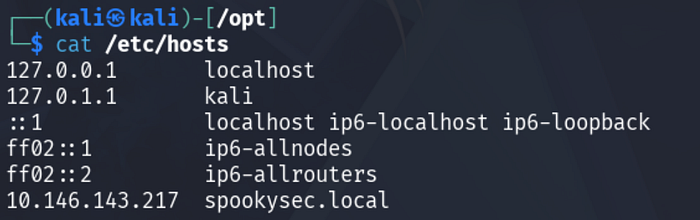
We also have to add the domain name to our /etc/hosts file.
The idea is to provide a relation between the IP address of our machine and our local domain.
I can do so by using nano to /etc/hosts. Make sure that I use sudo for this one to allow my user to change this file.
Then enter the value of the IP address as shown below along with the name of the domain.
Now that we are ready, we can possibly run kerbrute using the userenum parameter.
The procedures used for this user enumeration is succintly explained to us on github page of Kerbrute.
To enumerate usernames, Kerbrute sends TGT requests with no pre-authentication. If the KDC responds with a
PRINCIPAL UNKNOWNerror, the username does not exist. However, if the KDC prompts for pre-authentication, we know the username exists and we move on. This does not cause any login failures so it will not lock out any accounts. This generates a Windows event ID 4768 if Kerberos logging is enabled.
I highly above the important concepts for this technique. Using this tool will give us existing user name as the Key Distribution Centre ie our AD, will respond to the list provided by Kerbrute. The KDC normally will prompt for pre-authentican when the user presented to him actually exists in his database. Interesting!
Let's see this in action.
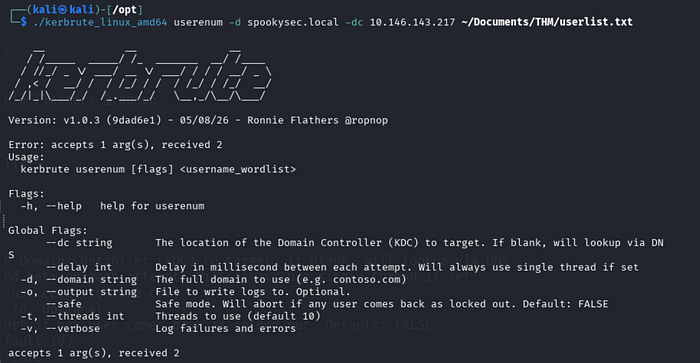
Well, I tried!
There seems to be a problem — however my time is up for 30 minutes.
I will have to troubleshoot this further tomorrow and see what is happening. I believe we are there already but something else is preventing us to get to that user.
Recap
Today we look at kerbrute and the concept behind it.
I was not able to get it running unfortunately :(
But I think this is just part of the journey. We'll see again tomorrow!
Happy learning!