
June 6, 2026
I Tried to Hack My Own Portfolio Website — Here’s What Happened
A beginner’s honest attempt at breaking their own creation — and what I found, which I never expected

Saharia Hassan Safin
10 min read
September 2025. I had just finished building my portfolio site. It had a contact form, a projects section, my GitHub links. I was proud of it. I had spent weeks on it — tweaking the CSS, fixing the layout on mobile, making sure every link worked. Then a thought hit me — "Can I break this?"
Why I Even Tried This
I want to be honest about where I was mentally when this happened.
I was a 1st year CSE student. I had just completed the "Cisco Introduction to Cybersecurity" course. I was watching YouTube videos every evening — SQL injection demos, XSS payloads, Nmap tutorials, Burp Suite walkthroughs. I was consuming security content like someone who had just discovered a new language.
But everything I was learning felt abstract. Safe. Theoretical. I could watch someone demonstrate a SQL injection in a controlled lab environment and understand the concept perfectly. But I had never touched anything real, never done anything practically.
Then I looked at my own portfolio site sitting on GitHub Pages and thought — that's a real website. I built it. I own it. Nobody can arrest me for testing it. Why am I practicing on fake labs when I have something real right in front of me?
That was the mindset. Curious, slightly overconfident, and genuinely not sure what I would find.
The Setup — What I Actually Built
My first portfolio was a static site hosted on "GitHub Pages". Here's what it had:
- A home section with my name and a brief bio
- A projects section linking to my GitHub repository
- A skills section listing my languages and tools
- A contact form with name, email, and message fields
- Basic JavaScript for some animations
No backend server. No Node.js. No PHP. No database. Just HTML, CSS, and JavaScript files served directly from a GitHub repository.
I had built it to practice my skills in HTML, CSS, and JavaScript. It looked clean. It loaded fast. On the surface, it seemed professional.
What I didn't know — what I was about to find out — was that "looks professional" and "is secure" are two completely different things.
$ whoami — What I Knew at That Point
Before I tell you what I did, let me be brutally honest about my skill level going into this:
Knowledge base : Cisco Intro to Cybersecurity ✓
                 Basic Linux terminal commands ✓
                 Competitive programming (Beecrowd problems) ✓
                 Watched ~40 hours of YouTube security content ✓

Tools I'd used : Nmap (basic scans only)
                 Browser DevTools (inspect element level)
                 Kali Linux (installed, broken, reinstalled twice)

Real pentesting experience : Zero
Professional security training : Zero
Confidence level : Dangerously, embarrassingly high
Knowledge base : Cisco Intro to Cybersecurity ✓
Basic Linux terminal commands ✓
Competitive programming (Beecrowd problems) ✓
Watched ~40 hours of YouTube security content ✓
Tools I'd used : Nmap (basic scans only)
Browser DevTools (inspect element level)
Kali Linux (installed, broken, reinstalled twice)
Real pentesting experience : Zero
Professional security training : Zero
Confidence level : Dangerously, embarrassingly highI want to be clear about this because I see a lot of security content that makes it seem like you need to be an expert before you can find anything. You don't. Sometimes you just need to look deeply.
But equally, I had no idea what I was doing in the way a professional would. Everything I tried was based on YouTube tutorials, reading, and sometimes the help of AI. This is not a professional penetration test. This is a curious student with too much free time and a Linux terminal.
The Methodology — Thinking Like an Attacker for the First Time
This was the most important shift I had to make. I had to stop thinking like the person who built the site and start thinking like someone who wanted to break it.
As the builder, I thought: the contact form takes input, formats it, and sends an email.
As an attacker, I had to think: "The contact form takes input. What input was it designed for? What input was it not designed for? What happens when I give it something unexpected?"
That question, "What happens when I give it something unexpected ?" is the foundation of almost all offensive security work.
I opened a fresh browser window. Opened DevTools with the F12 button. I started looking at my own site like a stranger would.
Step 1: Map the attack surface
What parts of this site accept input?
- The contact form: name, email, message fields
- The URL itself: could I manipulate query parameters?
- Any JavaScript files: what are they doing, what data do they handle?
For a static portfolio site, the attack surface is small. But small doesn't mean zero.
Step 2: Read the source code
Right-click → View Page Source. I read every line of HTML. Then I opened the Network tab in DevTools and watched what happened when I loaded the page and submitted the form. Where did requests go? What data was being sent?
Step 3: Look at the JavaScript files
This is where things started getting interesting. But I'll get to that.
Phase 1 — The XSS Attempt
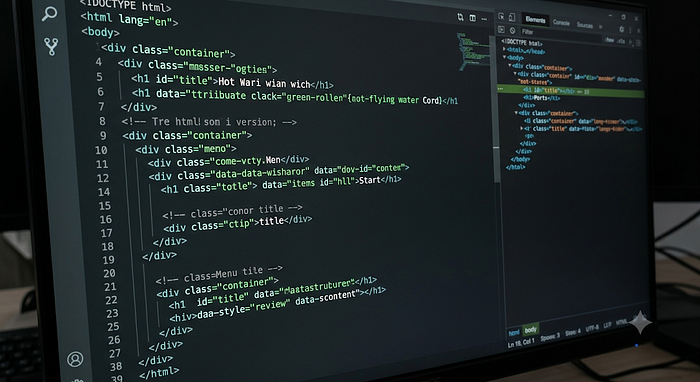
First attempt. The classic beginner move.
I typed this into the name field of the contact form:
<script>alert('hacked')</script><script>alert('hacked')</script>Cross-Site Scripting (XSS) is one of the most common web vulnerabilities. The idea is simple: if a website accepts user input and displays it on the page without sanitizing it, you can inject JavaScript that runs in other users' browsers. In a real attack, this could steal cookies, redirect users to malicious sites, or log keystrokes.
I hit submit.
Nothing. The page didn't change. No alert box. No error message. Nothing.
I tried a few variations:
<img src="x" onerror="alert('xss')">
<svg onload="alert('xss')">
javascript:alert('xss')<img src="x" onerror="alert('xss')">
<svg onload="alert('xss')">
javascript:alert('xss')Still nothing visible.
At this point, I had two possible explanations: either the site was sanitizing my input correctly, or the input wasn't being reflected to the page at all. I needed to find out which.
Since this was a static site with a contact form, the form data wasn't being displayed back on the website. It was being sent somewhere — presumably to my email. Without a backend to reflect the input, stored XSS wasn't possible here.
First dead end. Moving on.
What I Actually Found
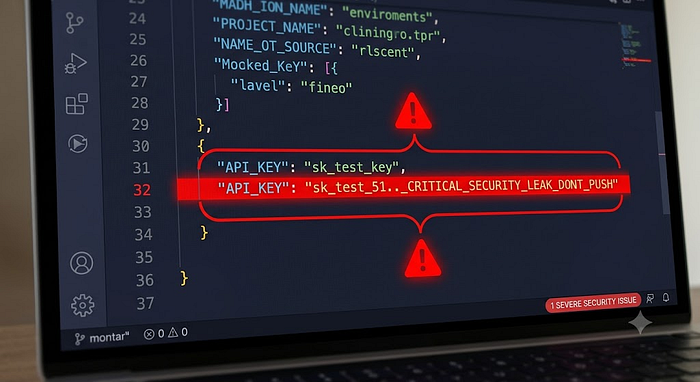
Sitting in one of my JavaScript files, in plain text, was an API key.
I had integrated a third-party service into my portfolio — something small, for a feature I thought was cool. To make it work, I needed an API key. The tutorial I followed showed me how to put the key directly in the JavaScript file.
What the tutorial did not mention: JavaScript files served by a website are publicly accessible. Anyone can view them. And my portfolio was on a public GitHub repository, which meant the key was also visible in my commit history.
The DevTools Console also showed me several other issues:
⚠️  Mixed content warning
        → Site loaded over HTTPS but making HTTP requests
⚠️  API key exposed in /assets/js/main.js
        → Hardcoded credential visible in public source
⚠️  No Content-Security-Policy header detected
        → Browser has no instructions on what scripts to trust
⚠️  Form submitting data without client-side validation
        → Any input accepted and forwarded without checking
⚠️ Mixed content warning
→ Site loaded over HTTPS but making HTTP requests
⚠️ API key exposed in /assets/js/main.js
→ Hardcoded credential visible in public source
⚠️ No Content-Security-Policy header detected
→ Browser has no instructions on what scripts to trust
⚠️ Form submitting data without client-side validation
→ Any input accepted and forwarded without checkingNone of these was the dramatic SQL injection or XSS I had been hoping to find. But they were real vulnerabilities — the kind that cause actual damage in the real world.
The exposed API key was the most serious. Depending on what the key was for, someone could have:
- Used my API quota, potentially racking up charges
- Accessed the data I had stored with that service
- Used the key as a stepping stone to other parts of my account
I had built a site that looked professional. I had a nice design. My projects were linked. My skills were listed. And I had left a key to part of my infrastructure sitting in public source code.
What Could Have Gone Wrong — The Realistic Threat
Let me be specific about this, because I think it's important.
People assume attackers are sophisticated. Sometimes they are. But a lot of the damage done to small projects and personal sites comes from automated scanners — bots that crawl GitHub, look for exposed API keys and credentials, and immediately attempt to use them.
Tools like truffleHog and git-secrets exist specifically to scan repositories for exposed credentials. These tools are used by security researchers — and by attackers. If your key is in a public repo, it's not a question of whether someone will find it. It's a question of when.
In my case, the key was for a relatively low-stakes service. The worst realistic outcome was someone burning through my free tier quota. But the principle is the same whether the key is for a weather API or for AWS — once it's public, it's compromised.
I also want to note: deleting the file or removing the key from the current version of your code is not enough. Git keeps history. The key lives in every commit where it exists. You have to rotate the key — generate a new one and invalidate the old one — regardless of whether you remove it from the code.
I did both. Removed it from the code. Moved it to an environment variable pattern. Rotated the key with the service provider.
30 minutes of work to fix something that could have caused real problems.
The Full Picture — Security Audit Results
Here's an honest summary of what I found, rated by severity:
Critical:
- API key exposed in public JavaScript file and Git history ← fixed
Medium:
- No Content Security Policy header set
- Mixed content warnings (HTTP requests from HTTPS page)
- Form input was not validated before submission
Low:
- No rate limiting on form submissions (could be spammed)
- JavaScript libraries loaded from CDN (Content Delivery Network) without Subresource Integrity checks
Informational:
- The site has no robots.txt
- No security.txt file (this is a standard way to tell researchers how to report vulnerabilities)
For a personal portfolio site, most of these are low stakes. But this is the same checklist that applies to production applications used by thousands of people. Learning to see these issues on a small, safe project is how you build the habit of catching them everywhere.
The Lesson That Hit Different
I came looking for dramatic hacks. I came expecting to find some clever vulnerability that I could write about, feeling like a genius.
Instead, I found a careless mistake that I had made myself, weeks earlier, without realizing it.
That is real security work.
It's not cinematic. It doesn't look like the movies. It's mostly careful reading, methodical checking, and finding the thing that was hiding in plain sight because nobody looked.
The most dangerous vulnerabilities aren't the sophisticated ones. They're the obvious ones that everyone was too busy to check.
The Cisco cert taught me that threats exist. The YouTube tutorials taught me what the techniques look like. But actually pointing those techniques at something I built — something real — taught me something neither of those could:
Security isn't about other people's mistakes. It's about you, too.
What I'd Do Differently Now
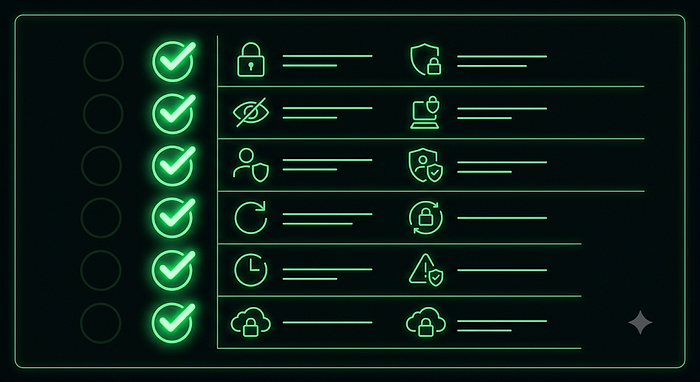
Before deploying any project now, I run through this checklist:
Code & Credentials:
- Grep the entire codebase for API keys, passwords, and tokens
- Confirm .env files are in .gitignore before the first commit
- Use environment variables for all secrets — never hardcode
- Scan git history with truffleHog before making a repo public
Headers & Configuration:
- Set Content Security Policy headers
- Ensure all requests use HTTPS
- Add X-Frame-Options and X-Content-Type-Options headers
- Check results at securityheaders.com
Input & Forms:
- Validate all form inputs client-side AND server-side
- Add rate limiting to form submissions
- Sanitize any input that gets displayed back to users
General:
- Run a basic Nmap scan on your own domain
- Read through your JavaScript files like an attacker would
- Check the browser console for warnings on every page
None of this takes more than an hour. Most of it takes minutes. And it catches the vast majority of issues that beginners accidentally introduce.
Tools I Used (and What They Actually Do)
Since I mentioned several tools, let me be specific about what they are and how I used them:
Browser DevTools (Chrome/Firefox) are built into every browser. Press F12 button. The Sources tab shows every file loaded by the page. The Network tab shows every request made. The Console shows errors and warnings. This is your first and most important tool — free, always available, no installation required.
Nmap A network scanning tool. I ran nmap -sV yoursite.com to see what ports were open and what services were running. For a GitHub Pages site, the results were minimal, but this is essential for any site running its own server.
securityheaders.com is a free website where you enter your URL, and it checks your HTTP security headers. Instant results, clear explanations, no setup required. I wish I had known about this earlier.
truffleHog (learned about after) A tool that scans Git repositories for secrets and credentials. I didn't use this during my initial test — I found the API key manually through DevTools. But after researching, this is now part of my checklist before making any repo public.
Where I Am Now
I'm still a beginner. I want to be clear about that. I'm a CSE student, and I have years of learning ahead of me.
But that September evening changed something. Before it, security felt like a separate discipline — something that experts did to protect systems that other people built. After it, I understood that security is just part of building. It's not a specialty layer you add on top. It's a set of questions you ask at every step.
What does this input do when it's unexpected? Who can see this file? What happens if someone finds this key? How does this break when someone tries to break it?
Those questions now run in the background every time I write code. That's not expertise. That's just a habit. And habits start with a single moment of actually looking.
Build something. Then try to break it. Then fix what you find. Then build something better. That's the real curriculum. No course teaches it. You have to do it yourself.
Try It Yourself
If you've built anything — a portfolio site, a small web app, a landing page — try this:
- Open it in a browser. Press
F12. - Go to the Sources tab. Read your JavaScript files.
- Go to the Console tab. Read every warning.
- Go to the Network tab. Watch what happens when you submit a form.
- Run your URL through securityheaders.com.
- Search your code for any API keys, passwords, or tokens.
You might find nothing. That's fine — that means you already have good habits.
Or you might find something that surprises you.
Either way, you'll understand your own work better than you did before you looked.
Saharia Hassan Safin — CSE student at Daffodil International University, currently obsessed with cybersecurity and building (and breaking) things. Find projects at GitHub or connect on LinkedIn.