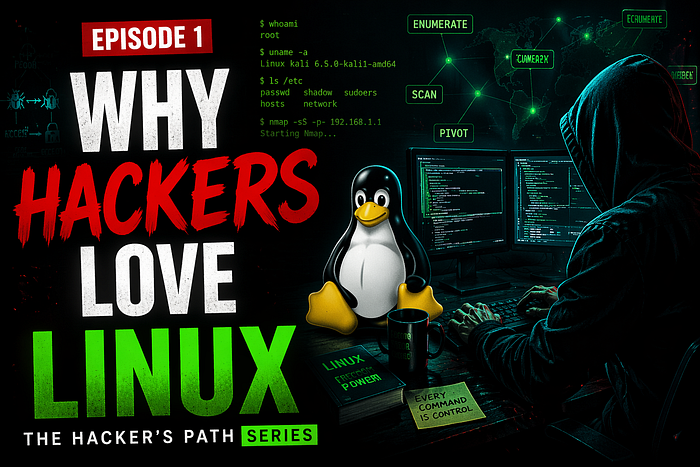
Hook — Real-World Scenario
It's 2 AM. A junior penetration tester named Alex has just gained a foothold on a target machine. The system is sluggish, bloated, and running Windows Server 2019. Alex needs to enumerate users, run a port scan, and pivot to another subnet — all while staying quiet.
The command line freezes. The antivirus quarantines the enumeration tool. Two hours later, Alex is stuck.
Now imagine the same scenario on a stripped-down, terminal-first operating system. Every tool is a single command away. No antivirus nags. No GUI slowdowns. No licensing popups. Every byte of RAM is yours to command.
That's why hackers love Linux.
Simple Explanation
Linux is an open-source operating system that gives you complete control over the computer. Unlike Windows or macOS, which hide many internal parts to protect average users, Linux exposes everything — from network sockets to memory addresses.
For a hacker, control means:
- Transparency — You see exactly what the system does.
- Customizability — You can strip it down to a 50 MB hacking toolkit.
- Automation — The command line lets you chain attacks with a single line of code.
- Anonymity — Most hacking tools are built for Linux first (and sometimes only).
Think of Windows as a locked car with airbags and automatic braking. Linux is a stripped race car: no power steering, no radio — but you decide every move.
Deep Dive — Technical & Structured
1. The Unix Philosophy Applied to Hacking
Linux inherits from Unix the idea: do one thing and do it well. Hackers combine tiny tools to build complex attacks.
Example pipeline:
cat ip_list.txt | nmap -sn - | grep "Nmap scan" | cut -d" " -f5 > live_hosts.txtOne line finds live hosts from a list of IPs.
2. The Kernel: Your Playground
The Linux kernel manages processes, memory, and devices. Unlike Windows, you can:
- Replace the kernel entirely (e.g., with a hardened or real-time kernel)
- Load custom modules (e.g., a rootkit or packet filter)
- Intercept system calls (using
straceorptrace)
Hackers exploit this to evade detection or control system behavior.
3. Filesystem Hierarchy: Know Where Treasure Hides
Linux organizes everything in a tree starting at /. Key directories for hackers:
/etc/– Configuration files (passwords, services)/var/log/– Logs (cover your tracks)/tmp/– Writable by all (upload tools here)/proc/– Runtime system info (find PIDs, memory maps)
4. Permissions Model: The Three-Headed Dragon
Every file has read, write, execute for three groups: user, group, others. Hackers abuse misconfigurations:
- SUID bit (
rws): Run as file owner (privilege escalation) - World-writable files (
/etc/passwd? Jackpot) sudomisconfigurations (e.g., allowingvias root)
5. Networking Stack: Built for Poking
Linux exposes raw sockets, packet injection (libpcap), and routing tables. Tools like nmap, tcpdump, and aircrack-ng rely on this openness. On Windows, you'd need expensive drivers or signed kernel modules.
6. Package Managers: One Command, Any Tool
On Kali Linux (the hacker's distro)
sudo apt update && sudo apt install metasploit-framework -yNo hunting for executables, no license keys. Thousands of hacking tools in official repos.
Practical Section — Get Your Hands Dirty
Step 1: Set Up Your Hacking Linux
Choose one:
- Kali Linux (full toolkit, Debian-based)
- Parrot OS (lighter, privacy-focused)
- Ubuntu (stable, install tools manually)
Install via VM (VirtualBox or VMware) — never as your main OS.
Step 2: Essential Commands Every Hacker Types in Sleep
# Navigation
ls -la                 # List all files with permissions
cd /etc                # Jump to config directory
pwd                    # Print working directory
# File manipulation
touch payload.sh       # Create an empty file
chmod +x payload.sh    # Make executable
nano payload.sh        # Edit in terminal
# Process control
ps aux | grep ssh      # Find SSH processes
kill -9 1234           # Force kill process ID 1234
nohup ./scanner &      # Run in background, survive terminal close
# Networking
ip a                   # Show all network interfaces
ss -tulpn              # List open ports and programs
curl ifconfig.me       # Show public IP
Step 3: Build Your First Hacking Pipeline
Discover live hosts on your local network without nmap (pure Linux built-ins):
for ip in 192.168.1.{1..254}; do
  ping -c 1 -W 1 $ip | grep "64 bytes" &
done
This spawns 254 pings in parallel. Run arp -n to see discovered MAC addresses.
Step 4: Install Your First Real Hacking Tool
sudo apt update
sudo apt install nmap -y
nmap -sS -p- 192.168.1.1
The -sS flag is a SYN scan (stealth). On Windows, you'd need WinPcap and admin rights. On Linux, it just works.
Hacker Insight — What Beginners Get Wrong
Mistake #1: Installing Linux as their main machine You'll need Windows/Mac for normal life (Zoom, games, Office). Use VMs or a dual boot. When you break Linux (and you will), you just revert a snapshot.
Mistake #2: Thinking "hacker distro = hacker skills" Kali doesn't make you a hacker any more than a scalpel makes you a surgeon. The real skill is knowing what each tool does under the hood. Start with Ubuntu or Debian and install tools manually — you'll learn more.
Mistake #3: Ignoring the terminal Beginners open file managers and browsers. Hackers live in the terminal. Force yourself to do everything — file search, text editing, network config — from the command line for one week. You'll feel slow, then unstoppable.
Real-world thinking: Professional red teamers don't use Kali's default setup. They build custom Linux environments from scratch (Arch, Gentoo, or minimal Debian) with only the tools they need. Fewer tools = smaller attack surface = less detection.
Key Takeaways
- Linux gives you transparency and control — no black boxes hiding what the system does.
- The command line is your superpower — chaining small tools builds complex attacks.
- Permissions and processes are your puzzle pieces — misconfigurations become exploits.
- Start with a VM, learn the terminal, then customize — don't just install Kali and call yourself a hacker.
- Every professional hacker lives in Linux — from bug bounty hunters to nation-state APTs.
Next Episode Teaser
You've installed Linux and run your first commands. But a hacker doesn't just use Linux — they own the network. In Episode 2, we'll tear apart the OSI model and build a hacker's mental map of how data really moves. You'll learn why a simple ping can reveal more than a $10,000 scanner.
Coming next: Episode 2 — Networking for Hackers (How Data Bleeds)