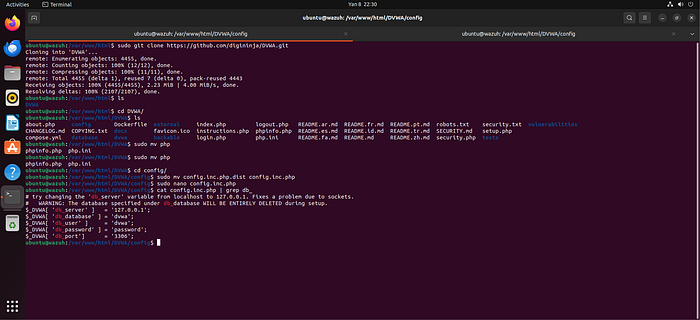
1. Installing and configuring DVWA In this step, the Damn Vulnerable Web Application (DVWA) is installed on the local environment. Basic configuration is performed, including setting up the web root directory and ensuring proper connectivity with the web server. This prepares a controlled vulnerable environment for testing security scenarios.
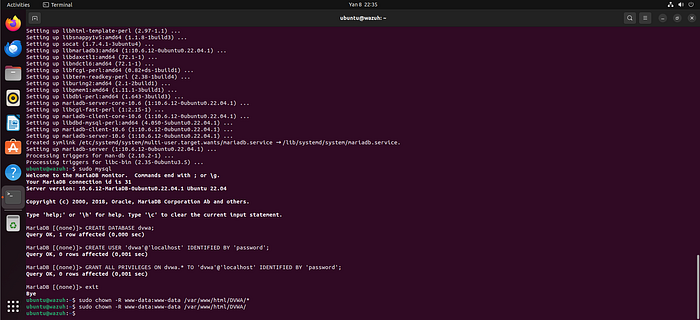
2. Creating DB for DVWA and changing owner of the DVWA files A dedicated database for DVWA is created (typically using MySQL/MariaDB). Necessary tables are initialized, and file ownership/permissions are adjusted (e.g., www-data) to ensure the web server can properly access and manage DVWA files securely.
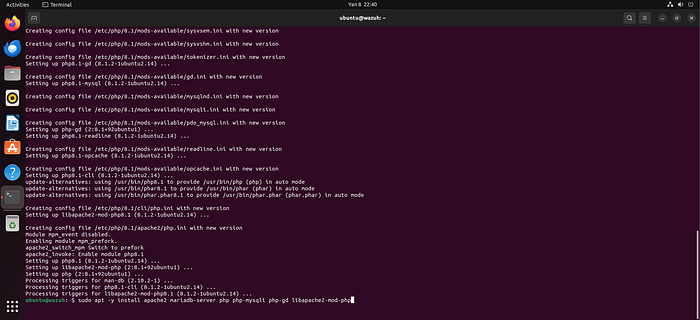
3. Installing modules for Apache2 Required Apache2 modules are installed and enabled to support DVWA functionality. These may include PHP modules and other dependencies necessary for proper execution of dynamic web content.
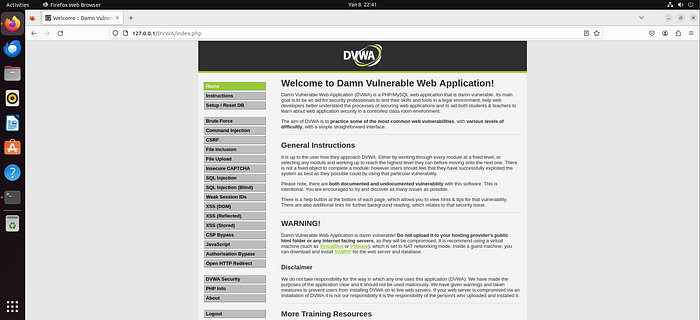
4. DVWA is Ready At this stage, DVWA is fully operational. The web interface is accessible via browser, and all configurations have been validated to ensure the lab environment is functioning correctly.
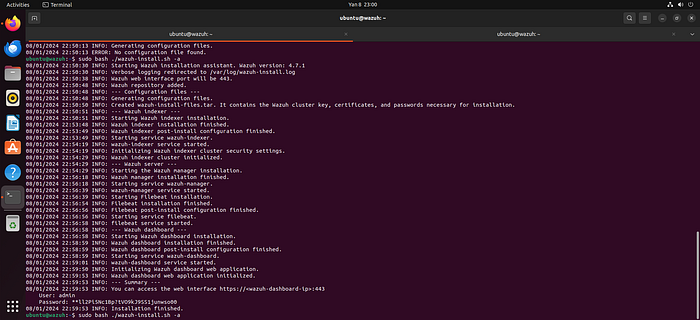
5. Wazuh All-In-One installation The Wazuh All-in-One solution is installed, which includes the Wazuh Manager, Indexer, and Dashboard components. This provides a centralized SIEM platform for log collection, analysis, and visualization.
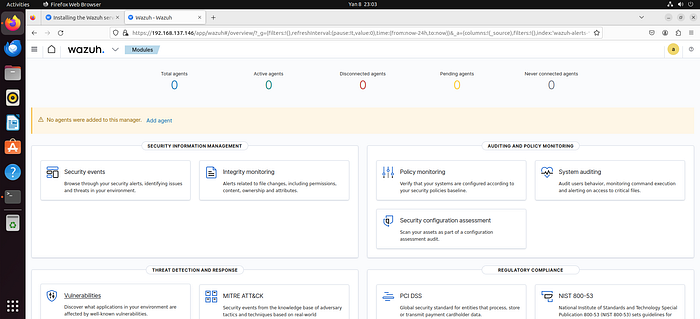
6. Wazuh is ready After installation, Wazuh services are verified to be running correctly. The dashboard is accessible, and the system is ready to receive logs and events.
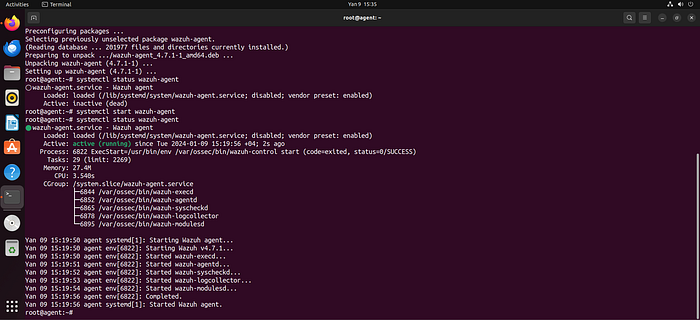
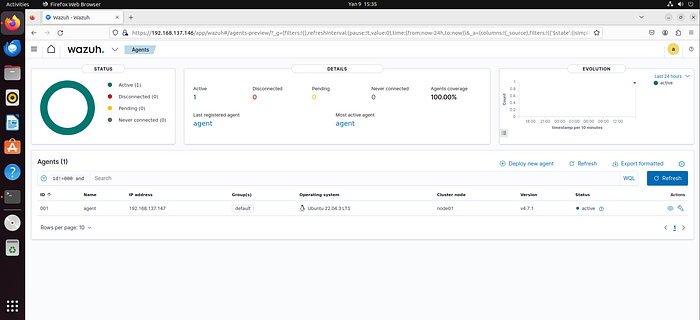
7. Wazuh Agent is up The Wazuh Agent is installed on the target machine (where Apache/DVWA is hosted) and successfully started. This agent is responsible for collecting logs and sending them to the Wazuh Manager.
8. Agent is ready The agent is successfully registered and connected to the Wazuh Manager. Communication between agent and server is confirmed to be stable.
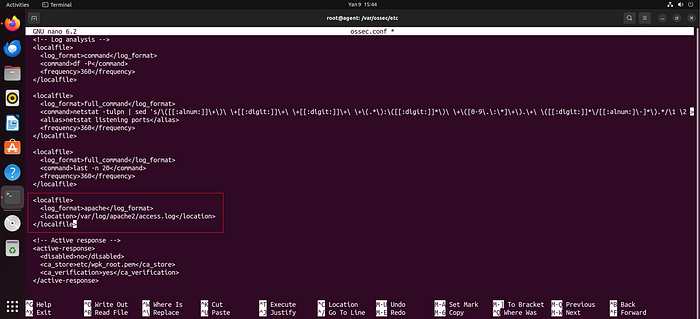
9. Sending logs from Apache2 to Wazuh Apache log files (e.g., access.log, error.log) are configured to be monitored by the Wazuh Agent. This enables real-time log forwarding to Wazuh for analysis.
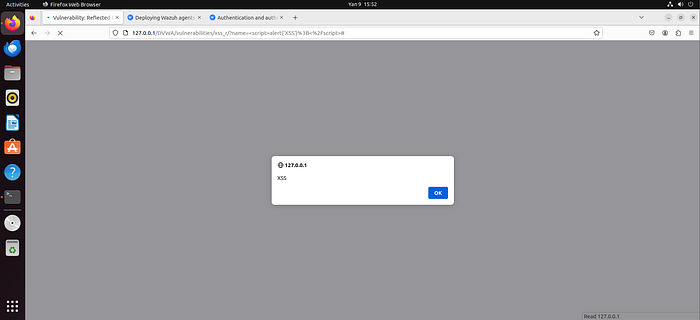
10. Tested XSS Reflected Attack in DVWA A Reflected XSS attack is executed within DVWA to simulate a real-world attack scenario. This helps generate relevant log entries for detection testing.
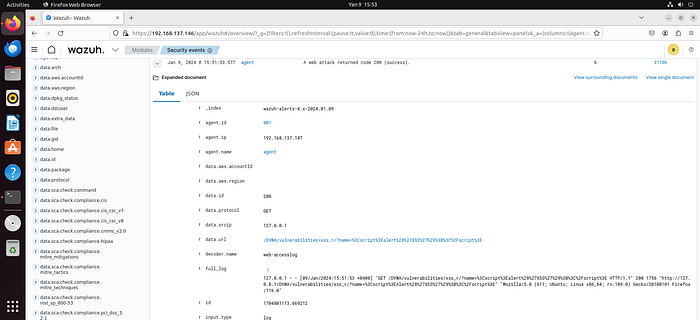
11. XSS Reflected Attack log sending to Wazuh The logs generated from the XSS attack are successfully captured by the agent and forwarded to Wazuh, confirming proper log pipeline functionality.
12. Using a2enmod to enable dumpio module The Apache dumpio module is enabled using the a2enmod command. This module allows detailed logging of HTTP request/response data, including request bodies.
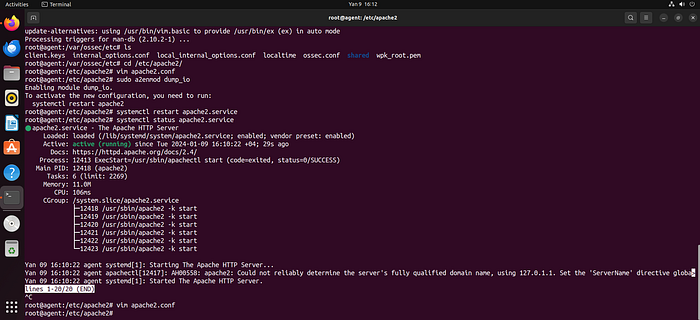
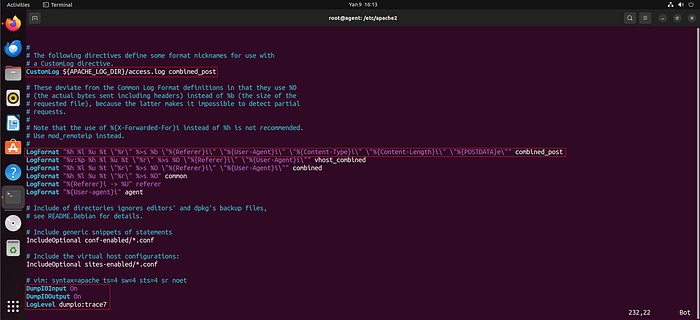
13. Configuring Apache2 to send POST request logs to Wazuh Apache configuration files (apache2.conf or related) are modified to enable logging of POST request bodies. This ensures deeper visibility into HTTP traffic. Apache does not log the body of POST requests by default primarily due to security, privacy, and performance considerations.
From a security and privacy perspective, POST request bodies often contain sensitive information such as login credentials, session tokens, personal data, or form inputs. Logging this data in plain text within log files could expose critical information if logs are accessed by unauthorized users or compromised systems.
From a performance and storage standpoint, POST bodies can be significantly larger than typical URL query strings (used in GET requests). Logging full request bodies for every request would rapidly increase log file size, consume disk space, and negatively impact system performance, especially in high-traffic environments.
Additionally, from a logging design perspective, Apache's default logging (e.g., access.log) is intended to capture high-level request metadata (IP address, request method, URL, response code, etc.) rather than full payload content. Deep inspection of request bodies is considered an advanced use case and requires explicit configuration (e.g., enabling modules like mod_dumpio).
Therefore, POST request body logging is disabled by default and must be manually enabled when deeper traffic analysis or security monitoring (such as detecting XSS or injection attacks) is required.
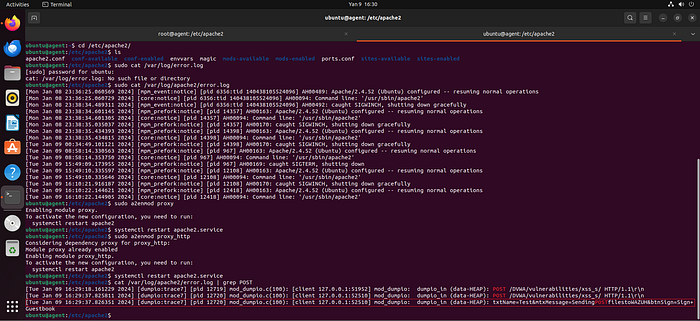
13.1 Enabling proxy and proxy_http modules and checking error_log Additional Apache modules (proxy and proxy_http) are enabled. The error_log file is reviewed to verify that POST request data is being captured correctly.
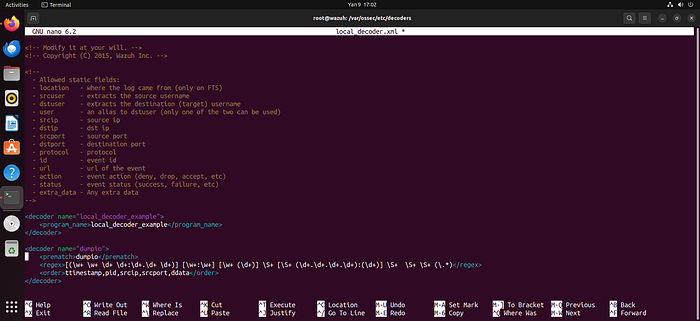
14. Adding manual Decoder to Wazuh for reading POST request body from error_log A custom Wazuh decoder is created to parse POST request body data from Apache error logs. This enables structured analysis of previously unparsed log content.
15. Adding manual Rule using Decoder for reading file from error_log Custom Wazuh rules are written based on the created decoder. These rules define conditions to detect suspicious patterns such as XSS payloads.
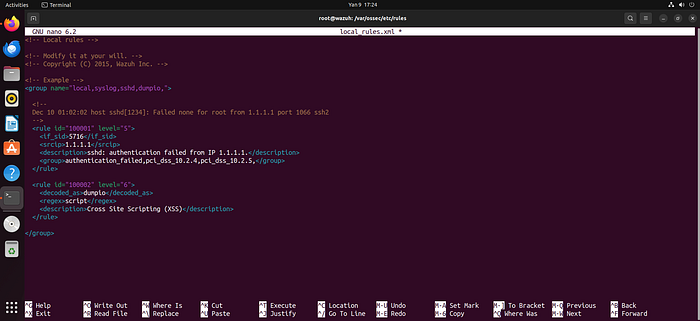
16. Result of Decoder and Rule — POST request body visible in Wazuh The effectiveness of the decoder and rules is validated. POST request body data is now correctly parsed and visible in Wazuh alerts/logs.
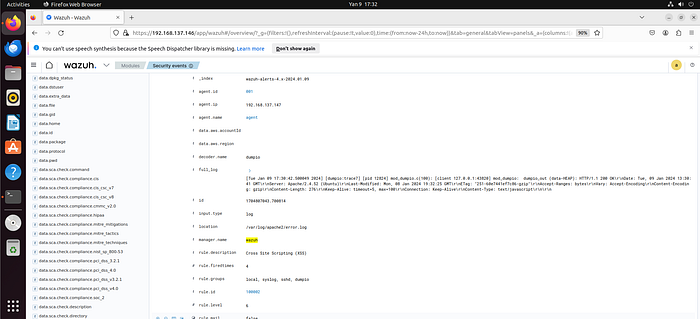
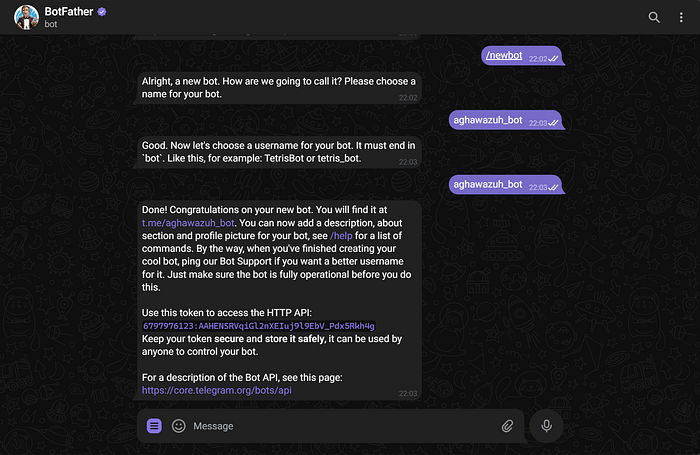
17. Wazuh Telegram bot A Telegram bot is created to integrate with Wazuh for alert notifications. This allows real-time messaging for detected security events.
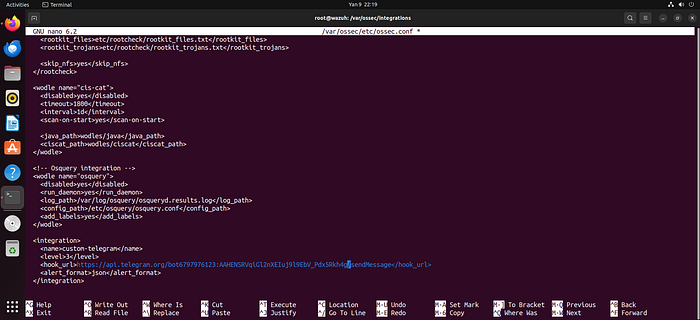
18. Adding Telegram API to ossec.conf integration file The Telegram bot API token is added to the Wazuh integration configuration file (ossec.conf), enabling communication between Wazuh and Telegram.
19. Chat ID for Telegram The Telegram chat ID (user/group) is identified, which is required to direct alerts to the correct destination.
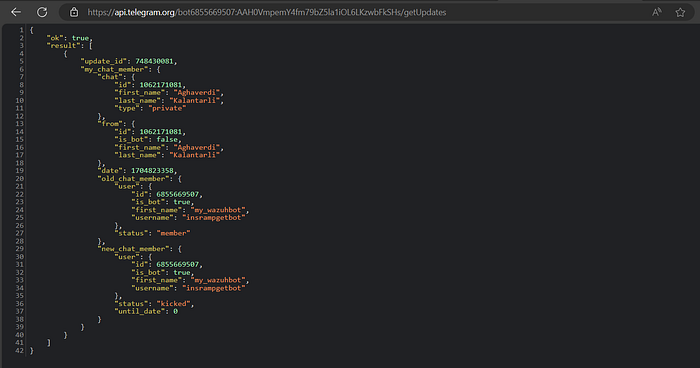
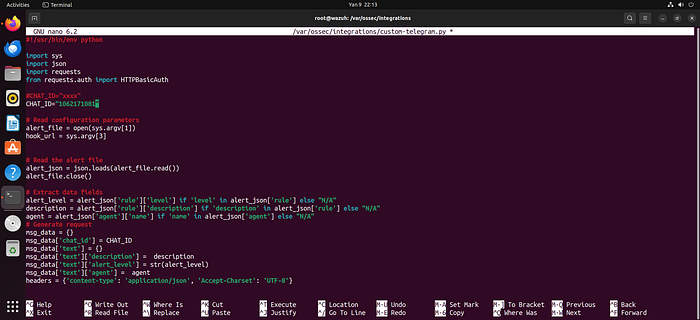
19.1 Adding Chat ID in Python script The chat ID is configured within the integration script (typically written in Python) to ensure alerts are delivered properly.
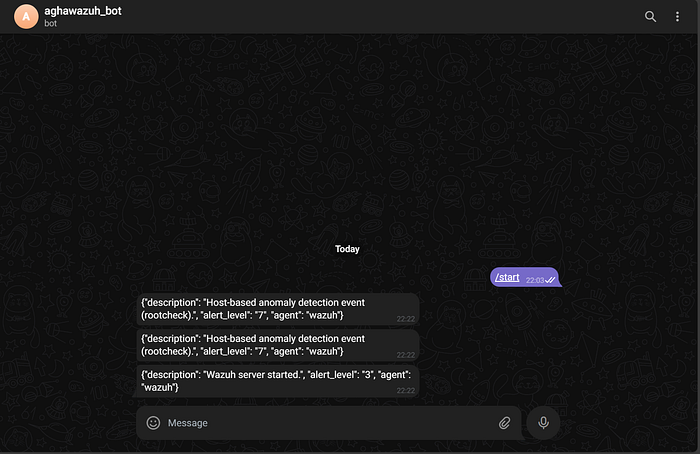
20. Wazuh with Telegram Integration is OK Integration is tested successfully. Wazuh can now send alerts directly to Telegram in real time.
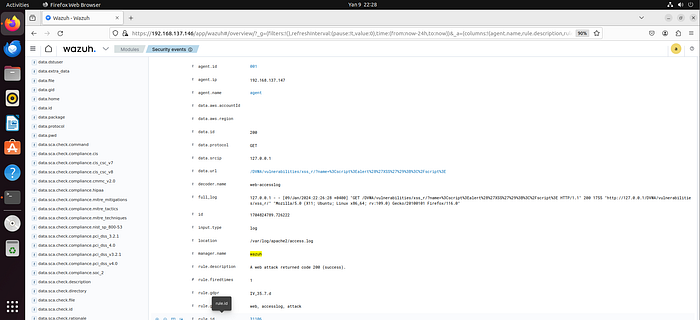
21. XSS alert in Wazuh An XSS attack is detected by Wazuh based on the defined rules. The system generates a corresponding alert.
22. Result — XSS alert sent to Telegram The generated XSS alert is successfully delivered to Telegram, confirming end-to-end alerting functionality.
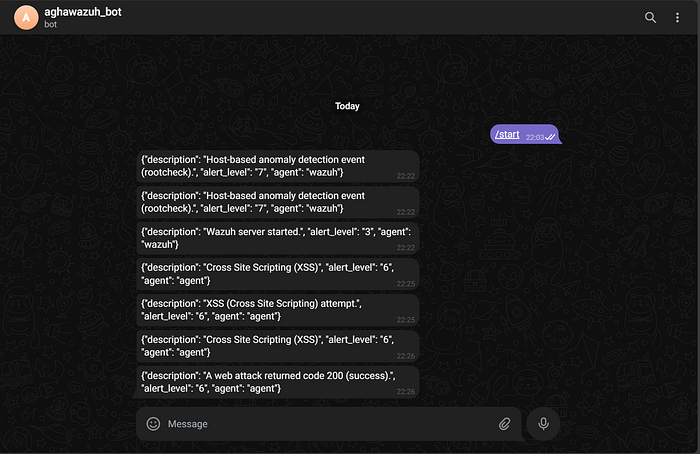
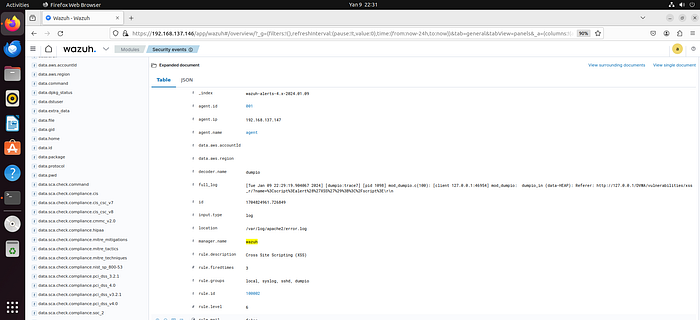
23. XSS Stored Attack in Wazuh A Stored XSS attack is executed in DVWA, and Wazuh successfully detects it using custom rules and decoders.
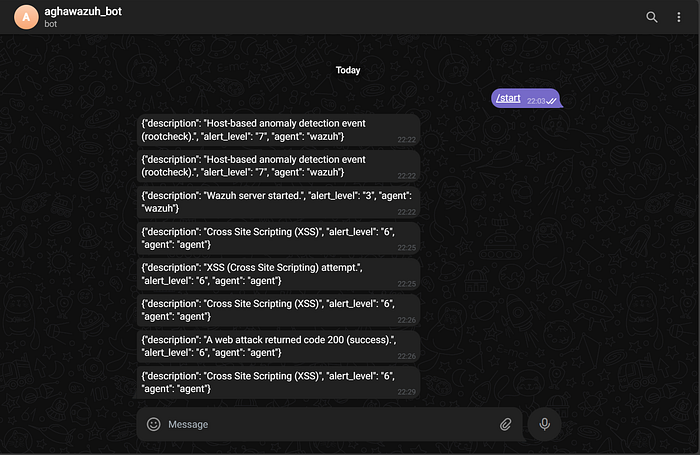
24. Result — Stored XSS alert sent to Telegram The Stored XSS detection alert is sent to Telegram, demonstrating full detection and notification capability for multiple XSS attack types.
Conclusion
This lab demonstrated how to build a practical, end-to-end security monitoring pipeline for detecting XSS attacks using DVWA, Apache logs, and the Wazuh SIEM platform. By simulating both Reflected and Stored XSS attacks, it was possible to observe how web-based threats manifest within server logs and how they can be effectively captured and analyzed.
Through the implementation of custom decoders and rules, deeper visibility into HTTP traffic — especially POST request bodies — was achieved, enabling more accurate detection of complex attack patterns such as DOM-based XSS. Furthermore, integrating Telegram for real-time alerting showcased how security teams can respond promptly to potential threats in a production-like environment.
Overall, this lab highlights the importance of log analysis, SIEM integration, and proactive alerting in modern cybersecurity operations. It also provides a strong foundation for developing Blue Team capabilities in detecting, analyzing, and responding to web application attacks in real-world scenarios.