Category: Forensics
If you're diving into digital forensics, you'll quickly learn that things are rarely as they seem. The "Flag in Flame" challenge from picoCTF is a perfect example of this. It tests your ability to identify common encoding schemes and extract hidden data from seemingly mundane files.
Here is a step-by-step walkthrough of how to solve it.
The Challenge Prompt
The challenge begins with a scenario from a SOC (Security Operations Center) team:
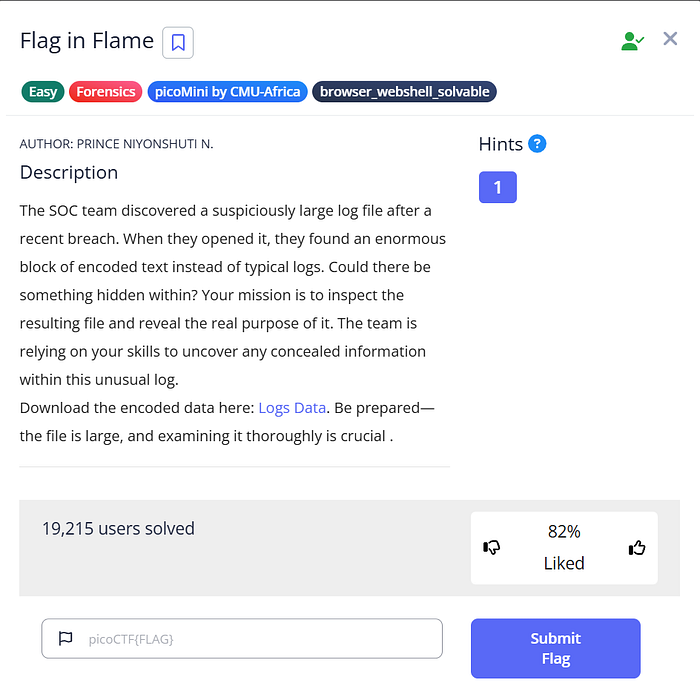
"The SOC team discovered a suspiciously large log file after a recent breach. When they opened it, they found an enormous block of encoded text instead of typical logs. Could there be something hidden within?"
We are provided with a downloadable file named Logs Data .
Step 1: Investigating the "Log" File
After downloading the provided file (which saved as logs (1).txt on my system), the first step is to see what we are dealing with. Opening the file reveals exactly what the prompt suggested: a massive, continuous block of text that looks nothing like standard system or server logs.
Experienced CTF players will immediately recognize the character set (alphanumeric characters, plus +, /, and = padding at the end) as Base64 encoding.
Knowing this, the next logical step is to decode the file. Since the prompt mentions "concealed information", this Base64 string likely decodes into another file type altogether. Let's pipe the contents into the base64 decode utility and output it to a new file. Since we don't know the file type yet, guessing common formats like .jpg or .png is a good start, or we could just output it to a binary file and run the file command on it. Let's output it as an image.
cat 'logs (1).txt' | base64 — decode > decoded.jpg


Opening decoded.jpg
Step 2: Analyzing the Decoded Evidence
Success! The Base64 decoded perfectly into a valid JPEG image file.
Opening decoded.jpg reveals an AI-generated image of a hacker working on a laptop surrounded by server racks and motherboards. However, in digital forensics, we have to look closer. We aren't just looking at the art; we are looking for data.
If you inspect the bottom edge of the image, right below the laptop, there is a long string of numbers and letters overlaid on the graphic:
7069636F4354467B666F72656E736963735F616E616C797369735F69735F616D617A696E675F61633165333538347D
his string consists entirely of numbers 0-9 and letters A-F. This is the hallmark of Hexadecimal (Hex) encoding.
Step 3: Extracting the Flag
Now we have a hex string, and we need to translate it back into readable ASCII text to get our flag.
There are many ways to do this (like using online tools such as CyberChef), but we can easily do it right from the Linux terminal using the xxd command.
echowill print our string.|pipes that string to the next command.xxd -r -preads the plain hexdump (-p) and reverses/converts it (-r) back to binary/ASCII.
Let's run the command:
echo "7069636F4354467B666F72656E736963735F616E616C797369735F69735F616D617A696E675F61633165 | xxd -r -p
The terminal spits out the converted text, revealing the hidden flag!
Flag: picoCTF{forensics_analysis_is_amazing_ac1e3584}
Conclusion
Flag in Flame is a fantastic, straightforward forensics challenge that reinforces two of the most common encoding schemes you will encounter in cybersecurity and CTFs: Base64 and Hexadecimal.
By recognizing the patterns of encoded data and knowing how to manipulate it in the command line, we easily turned a suspicious log file into our flag.
Happy hacking! 🚩