Introduction
Artificial Intelligence is beginning to reshape penetration testing workflows. Instead of manually typing commands, modern AI systems like Claude can interpret natural language and execute real security tools remotely.
In this series, we build a secure lab where:
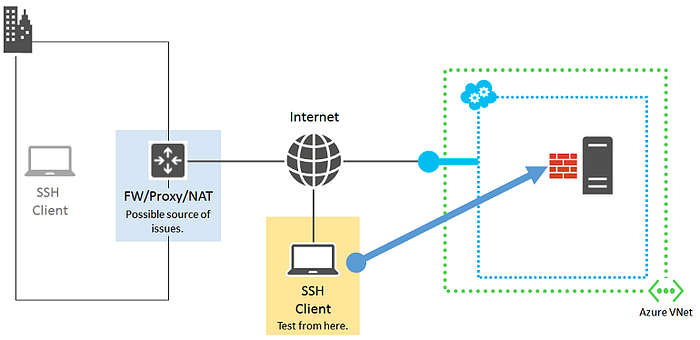
Claude Desktop (macOS) ⬇ SSH Bridge ⬇ Kali Linux (VMware) ⬇ Penetration Testing Tools
This Part 1 focuses entirely on building the secure infrastructure foundation.
Lab Architecture
4
Environment Used:
- Host: macOS
- Hypervisor: VMware Fusion
- Attacker Machine: Kali Linux (ARM)
- Connection Method: SSH key authentication
Step 1: Prepare Kali Linux
Update the system:
sudo apt update && sudo apt full-upgrade -yEnable SSH:
sudo systemctl enable ssh
sudo systemctl start ssh
Verify SSH:
sudo systemctl status ssh
Expected output:
Active: active (running)Step 2: Generate SSH Key on macOS
On macOS Terminal:
ssh-keygen -t ed25519Press Enter through prompts.
This generates:
id_ed25519(private key)id_ed25519.pub(public key)
Step 3: Install Public Key on Kali
On macOS:
cat ~/.ssh/id_ed25519.pubCopy the entire line starting with:
ssh-ed25519
On Kali:
mkdir -p ~/.ssh
nano ~/.ssh/authorized_keys
Paste the key and save.
Set permissions:
chmod 700 ~/.ssh
chmod 600 ~/.ssh/authorized_keys
Step 4: Test Passwordless SSH
From macOS:
ssh pm@<kali_ip>If configured correctly:
- No password prompt
- Direct shell access
This confirms secure key-based authentication.
Security Notes
- Private key must never be shared.
- Only use this setup in authorized lab environments
- Never expose SSH publicly without firewall controls.
What We Achieved in Part 1
✔ Secure SSH connectivity ✔ VMware networking confirmed ✔ Key-based authentication enabled ✔ Mac ↔ Kali lab communication established
This completes the infrastructure layer.
Coming in Part 2
In the next article, we will:
- Install penetration testing tools (Nmap, Gobuster, Nikto)
- Integrate Claude Desktop with Kali via SSH
- Execute real pentesting commands using AI prompts
- Automate reconnaissance workflows
End of Part 1