


In this article, we'll find cross site scripting vulnerabilities in web applications.
As always make sure you have proper authorization to test any application. This content is strictly for educational purposes.
If you haven't checked out my previous article feel free to do that as well.
Downloading the AI agent (PenAgent)
The very first thing we need to do is download an AI agent called PenAgent.
The nice thing about this tool is that you can use it for free and if you want more features, the pricing is quite affordable. You can also explore the professional version if you're interested in going deeper.
If not, the free version works fine for learning and testing.

Creating an account and installing PenAgent
Once you access the website, you'll need to create an account. In my case, I'm already logged in.
After creating your account:
- Click the Download button
- Choose the appropriate platform
PenAgent supports Kali Linux and macOS.
Once the download completes:
- Double-click the file
- open it
- move PenAgent to your Applications folder.
That's all it takes to install it on macOS.
If you're using Kali Linux, you can follow their official documentation. The process is simple and straightforward.
Launching PenAgent and setting up Pyth on
After installation, open your Applications folder and search for PenAgent. When you launch it, macOS will verify the app. Click Open.
Once the console loads, you may be prompted to install Python 3. Just click Agree and let it install Python on your system.
Logging into the application
After Python is installed:
- Click on the login section inside PenAgent
- Click Sign In
- Log in using the same account you used to download the tool
This step is especially important if you're using a professional account.
You'll see a confirmation message saying that the desktop application login was successful. You can close the browser tab and return to the PenAgent application. At this point, you are fully logged in and ready to use the tool.
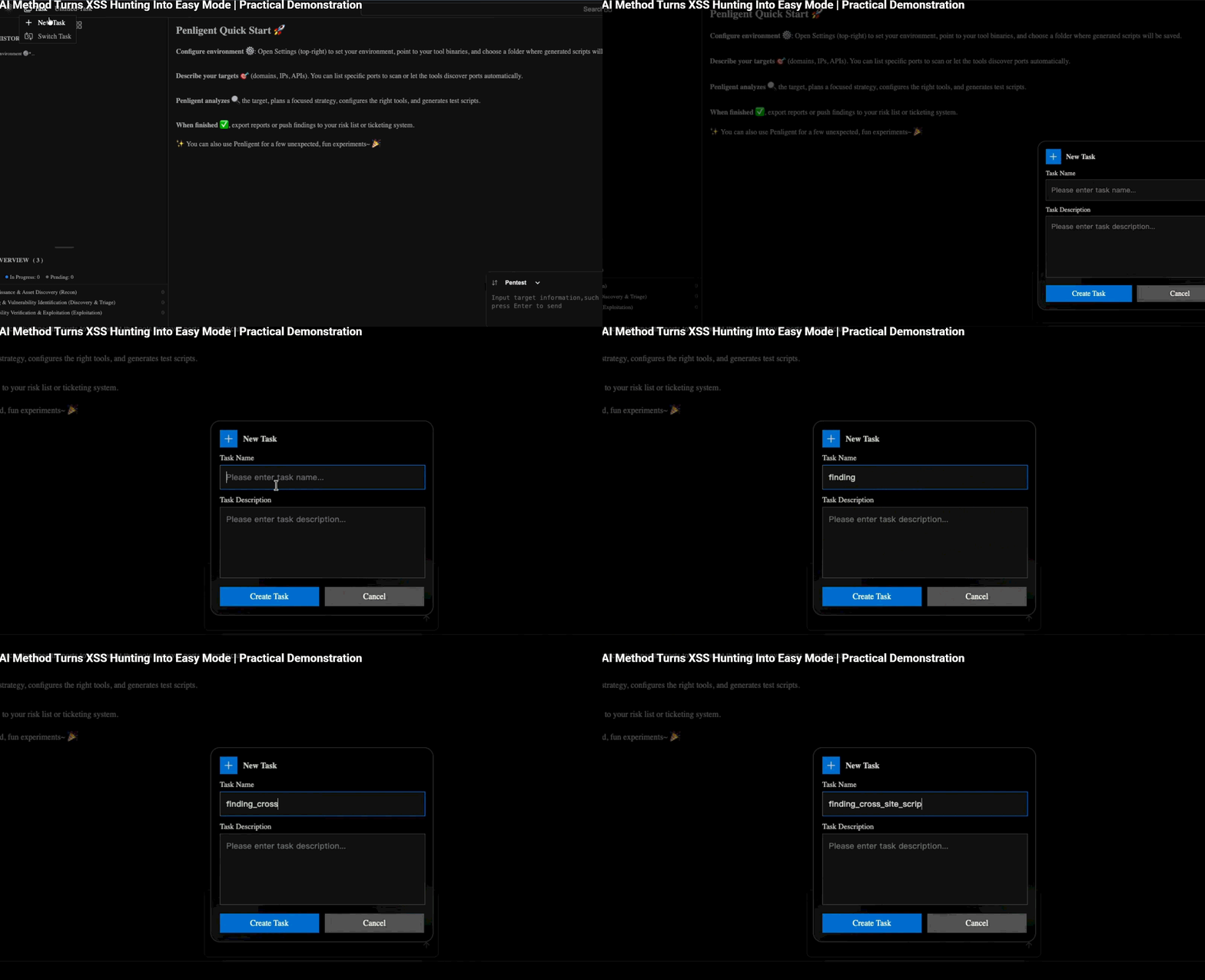
Creating a task for XSS testing
Now we can create a task.
- Go to Tasks
- Click Create New Task
- Name it something like Finding cross-site scripting
- Click Create Task
Once the task is created, switch to it. Now we're ready to start testing for XSS vulnerabilities.
Testing a simple vulnerable target
To understand how the tool works, I'll start with a simple and intentionally vulnerable target:
http://testphp.vulnweb.com
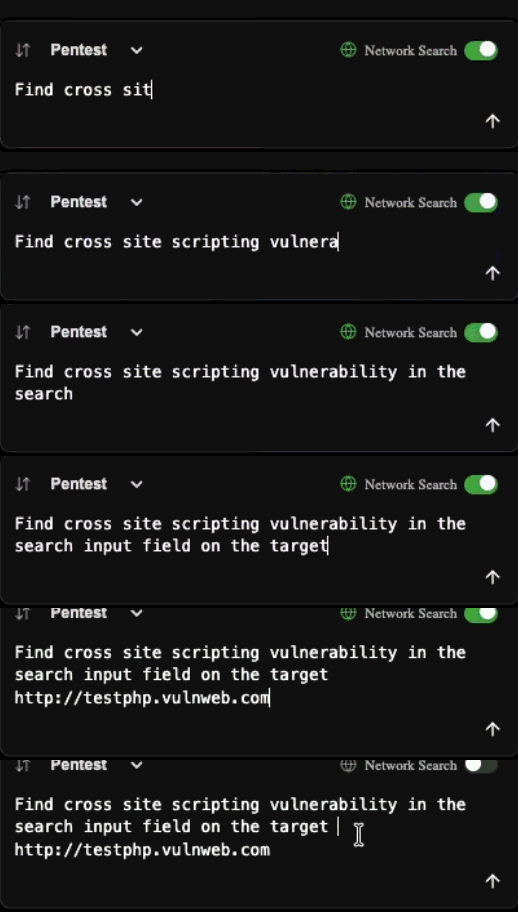
I'll copy the URL and give PenAgent the following instruction:
Find cross site scripting vulnerability in the search input field on the target http testphp.vulnweb.com
At first glance, the system seems to wake up. A plan forms, then actions follow without waiting. Each time it prepares a step, a small window appears clear, plain, right there. What happens next depends on your choice: give permission or stop it cold.
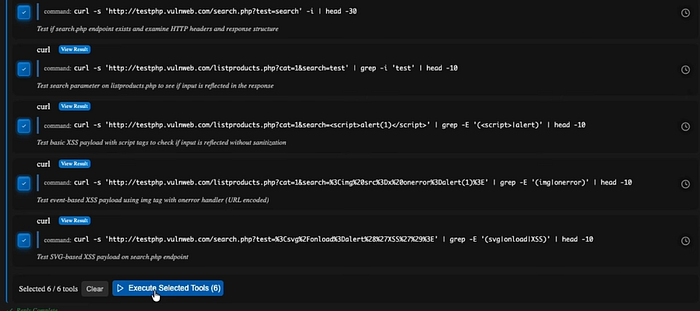
This is useful because if the AI starts hallucinating or doing something unexpected, you can immediately see what it's trying to do.
I'll allow all the commands and click Execute Selected Tools.
Reviewing the results
As the tools execute, PenAgent analyzes the results and updates its strategy.
In the summary, it mentions that an XSS payload triggered a SQL syntax error. That's interesting because it shows how the application behaves under different inputs.
The tool confirms that SQL injection escalation is possible, and for XSS, it identifies the search form posting to search.php. It also notes that basic payloads appear to be filtered or encoded.
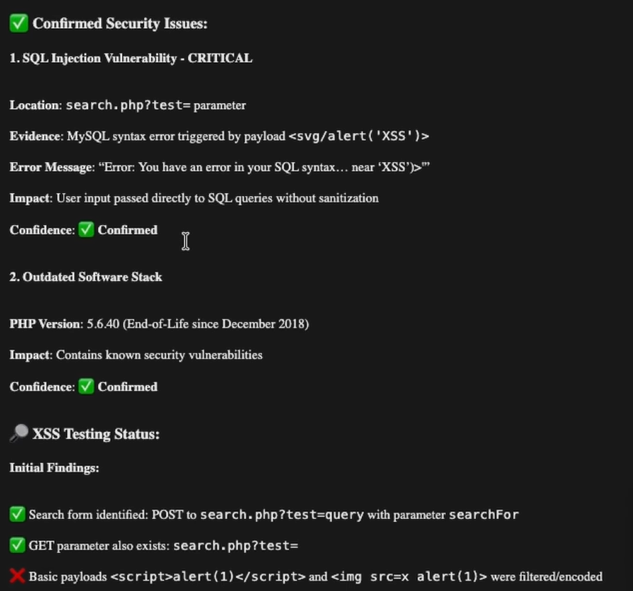
If you've tested this target manually, you already know it's vulnerable. So let's see how the tool handles it.
After running additional commands and analysis, the summary confirms that the XSS vulnerability exists.
Confirming the XSS manually
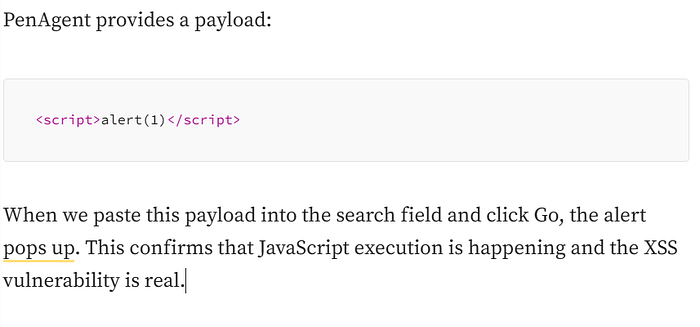
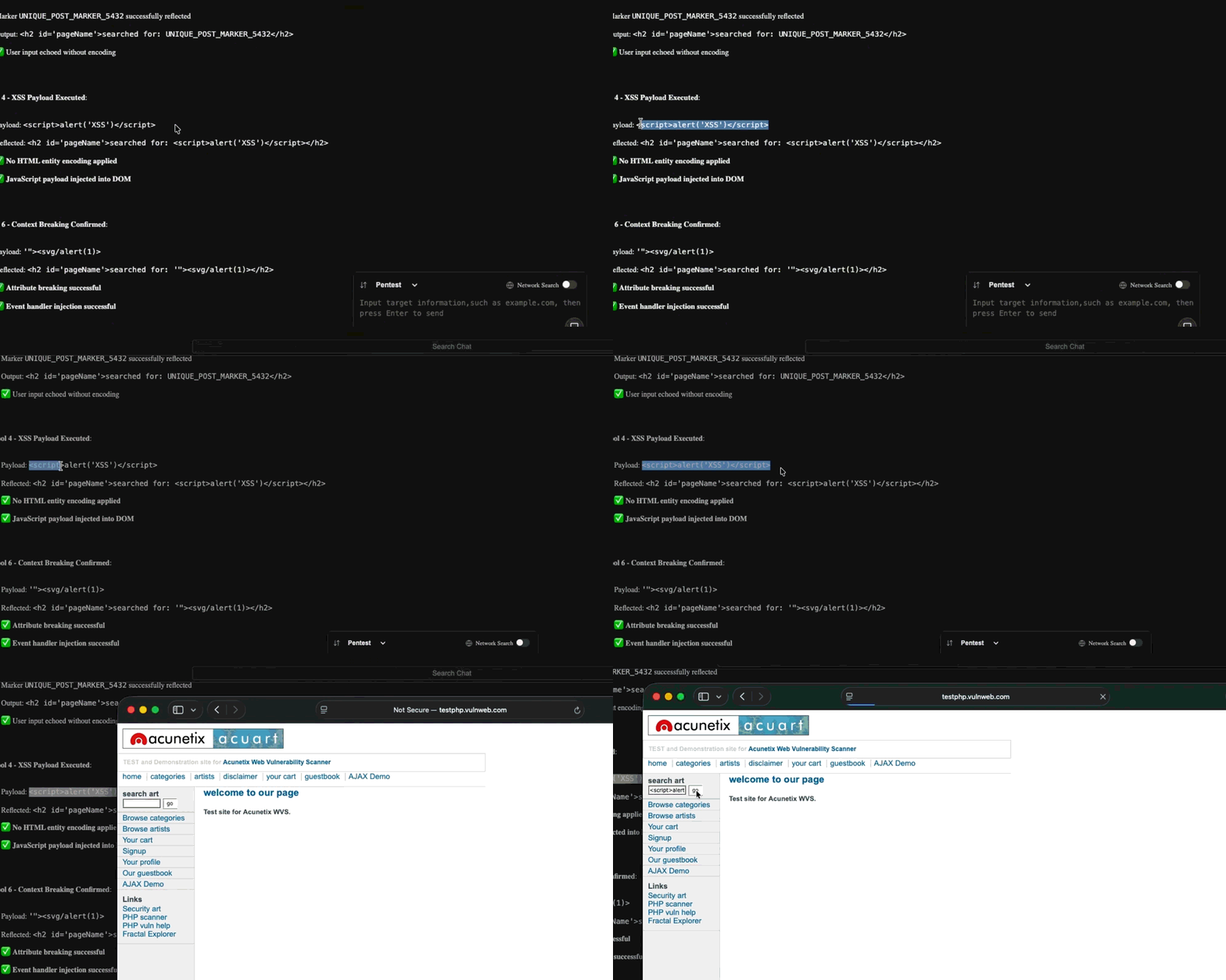
Testing a more complex XSS scenario
Now let's move on to a more advanced example.
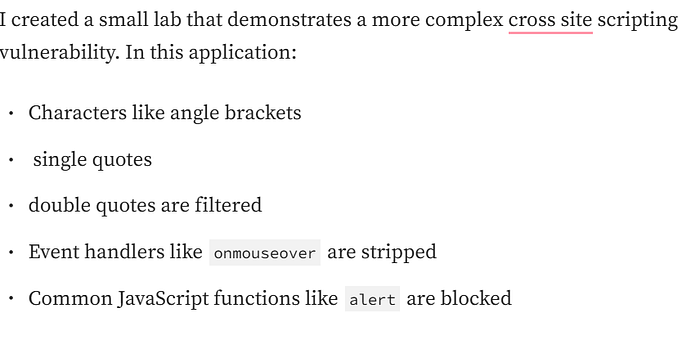
This makes it a challenging target, even for AI.
I provide the lab URL to PenAgent and instruct it to find XSS on the parameter named name.
The tool begins reconnaissance and payload testing. It identifies that the input is reflected but notices that payloads are being stripped.
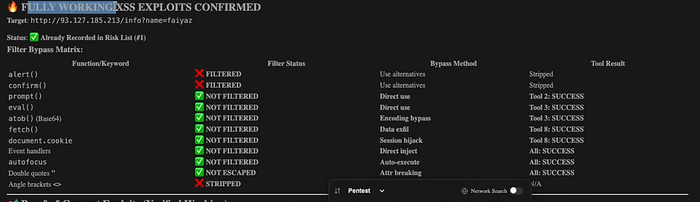
Instead of stopping it analyzes how the application responds to each payload. It figures out which JavaScript functions are filtered and which are not.
Finding a working exploit
By understanding the filtering behavior, PenAgent generates alternative payloads that bypass the restrictions.
Once the scan finishes, a working XSS exploit appears. Pasting one of the proposed payloads into a fresh browser tab brings back the alert window upon running it.
A clear sign shows the AI agent detected a tricky cross site scripting flaw, slipping past usual defenses. What stands out is how it worked around standard filtering methods without tripping alarms. The result? A vulnerability uncovered where others might have missed.
Main Points
Here's one way PenAgent spots basic flaws along with tougher XSS issues. What happens next depends on how deep the scan goes. Sometimes it catches small errors that others miss.
A closer look often reveals hidden patterns in code behavior. Not every tool works like this some stop early. The process adapts based on what shows up during testing. Results shift slightly each time, never exactly repeated. Curious?
Watch closely AI agents can keep going even when they should pause. Complex tasks may send them off track, digging too far without realizing it. Step in if things drift, steering back when needed. Their momentum doesn't always match your intent.
Got something on your mind? Drop it in the comments below. Questions, hiccups, anything just write it out there.