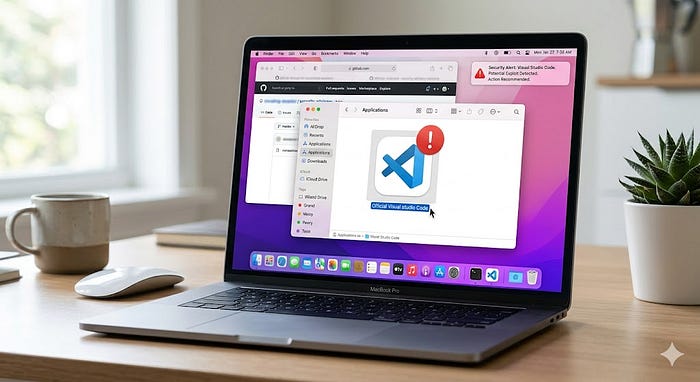

After the recent Github exploit caused by the malicious VS Code extension I finally decided to move on after almost a decade of using it for my work. Since we don't exactly know which extension caused it (sadly, neither the Github nor VS Code teams shared with us which extension it was 🫠) and I don't want to spend hours investigating every extension I've installed over the years, I decided that removing everything is the best and safest option. If you're like me and want to completely remove it from your device and switch to a better/safer options that are available on the market, follow the simple steps below.
I believe if you have VS Code installed on your machine, you probably have an idea of what the Terminal is and how to use it. And if you managed to install VS Code in the fist place, you are most likely capable of following these simple steps in the Terminal.
Steps to completely uninstall VS Code from your machine (Mac)
- Open Terminal
2. Remove your VS Code application from Applications folder
sudo rm -rf /Applications/Visual\ Studio\ Code.app3. Remove the VS Code user data
rm -rf ~/Library/Application\ Support/Code/4. Remove the VS Code settings
rm -rf ~/Library/Preferences/com.microsoft.VSCode*5. Remove cached VS Code data
rm -rf ~/Library/Caches/com.microsoft.VSCode/
rm -rf ~/Library/Caches/com.microsoft.VSCode.ShipIt
6. Remove user-specific VS Code settings and configurations
rm -fr ~/.vscode/TLDR; 🙄
If you're lazy and can't be asked to copy and paste each line separately from the steps above, here is a single copy-paste command that takes care of everything for you
sudo rm -rf /Applications/Visual\ Studio\ Code.app && \
rm -rf ~/Library/Application\ Support/Code/ && \
rm -rf ~/Library/Preferences/com.microsoft.VSCode* && \
rm -rf ~/Library/Caches/com.microsoft.VSCode/ && \
rm -rf ~/Library/Caches/com.microsoft.VSCode.ShipIt && \
rm -fr ~/.vscode/ && \
echo "All done! Goodbye VS Code \(^_^)/"
Ta-daaa, it's done! GONE! You have successfully removed VS Code from your machine and minimised the risk of getting hacked by a tiny bit 🙂↕️ (lol).
Goodbye VSCode, welcome [TO-BE-DECIDED]
I am still looking for a good alternative to VS Code, perhaps JetBrains/Zed/Neovim? Let me know in the comments if you have a favourite IDE that isn't VS Code 🫡
Peace, MCat 🐈