

Introduction
Cross-Site Scripting (XSS) remains one of the most common and impactful vulnerabilities found in modern web applications. While many developers are familiar with reflected XSS, Stored XSS is often considered more dangerous because the malicious payload is saved on the server and executed automatically whenever users load the affected page.
In this lab, I demonstrate how a comment submission feature can be exploited to inject malicious JavaScript that becomes persistently stored in the application and executed across multiple user sessions.
This type of vulnerability can affect every user visiting the page, making it a critical security risk in real-world applications.
Understanding Stored Cross-Site Scripting
Definition
Stored Cross-Site Scripting (Stored XSS) is a web vulnerability where an attacker injects malicious JavaScript that is stored on the server (such as in a database, comment system, or backend storage). The payload is then executed whenever another user loads the affected page.
Key Characteristics of Stored XSS
Stored XSS vulnerabilities typically have the following characteristics:
- The payload is permanently stored in the backend
- The malicious code executes every time the page loads
- The attack affects multiple users
- The vulnerability persists across sessions and devices
- The server delivers the malicious payload to victims
Because of these factors, Stored XSS is often considered more severe than reflected XSS.
When to Test for Stored XSS
Stored XSS testing is important when:
- User input is saved and displayed later
- Comments, posts, or messages appear across sessions
- Data is retrieved from a backend database
- Multiple users can view the same content
- Input appears on different pages or devices
A Stored XSS vulnerability is confirmed when:
✔ Script execution occurs in another browser session ✔ The payload runs without being re-entered ✔ The malicious input is stored by the application
Objective of the Lab
The goal of this lab is to:
- Identify a Stored XSS vulnerability
- Confirm HTML injection within user input
- Test JavaScript execution payloads
- Verify persistence across different sessions
- Observe how stored payloads impact multiple users
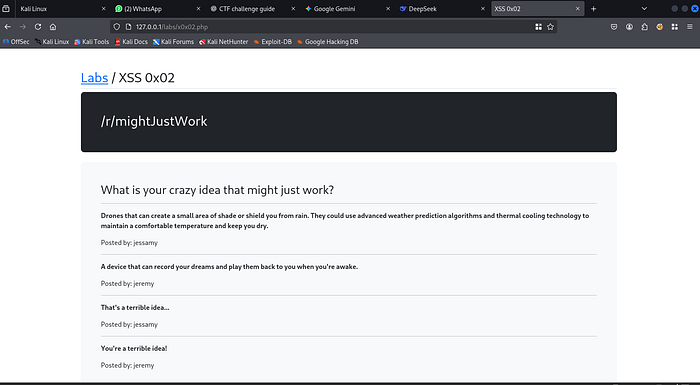
Lab Behavior
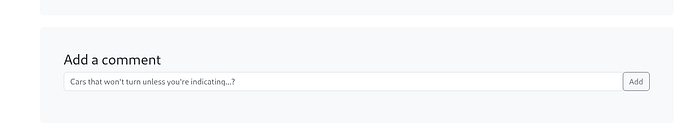
This lab provides a simple functionality:
Users can submit a comment, and the application displays that comment on the page afterward.
This behavior makes it an ideal environment to test for Stored XSS vulnerabilities.
Lab Interface
Setting Up Multiple Test Environments
To properly analyze Stored XSS behavior, I created two separate browser sessions using Firefox Multi-Account Containers. This approach helps simulate multiple independent users interacting with the same web application.
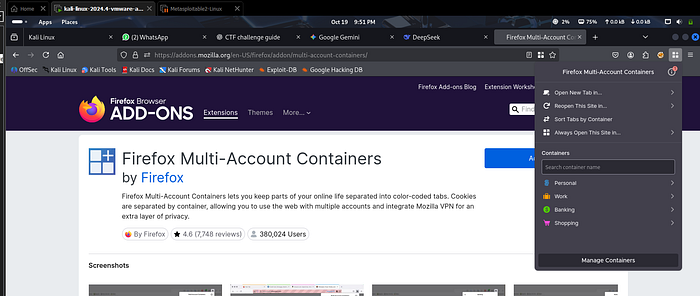
Installing Firefox Containers
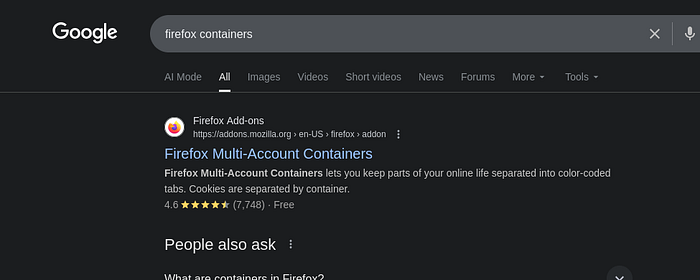
First, I searched for Firefox Containers on Google and opened the official extension page.
Next, I opened the extension page and clicked Add to Firefox to install it.
Once installed, the Firefox Containers icon appears on the top-right side of the browser.
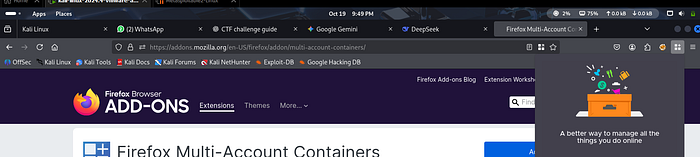
After completing the setup process, Firefox provides four default containers:
- Personal
- Work
- Banking
- Shopping
Creating Two Testing Containers
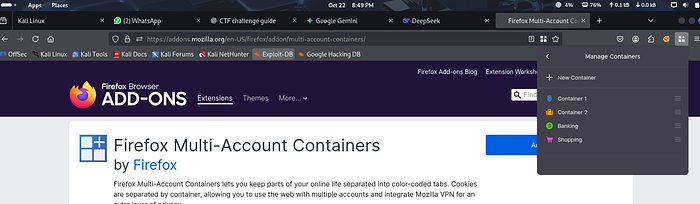
For this lab, I configured two separate containers to simulate two different users.
First, I opened Manage Containers and edited the Personal container.
I renamed it:
Container 1 Color: Blue
Then I created another container:
Container 2 Color: Orange
Why Containers Are Useful in Security Testing
The advantage of using browser containers is that each container operates as an isolated session.
This means:
- Cookies are separated between containers
- Sessions do not share authentication data
- Each container behaves like a different user environment
In this lab, I opened the same application:
Once in Container 1 Again in Container 2 in a separate tab
Both containers accessed the same lab, but they had no session linkage between them.
For example:
If a cookie is set while using the lab in Container 1, it will not appear in Container 2.
This allows accurate testing to determine whether an injected payload:
- Is stored on the server
- Appears for other users
- Executes across different sessions
This setup is essential for confirming Stored Cross-Site Scripting vulnerabilities.
Exploitation Process
Step 1 — Testing HTML Injection
When testing XSS vulnerabilities, it is often helpful to first test HTML injection before moving to JavaScript payloads.
This helps confirm whether the application renders user input as HTML.
Payload used:
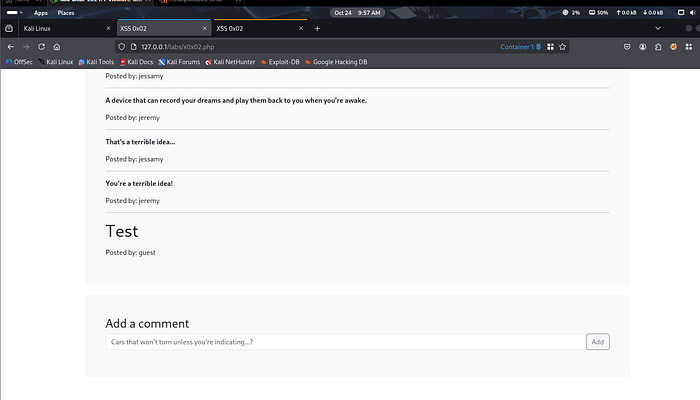
<h1>Test</h1>Submitted through Container 1.
Result
The page displays:
Test — posted by: guest
This confirms that:
✔ The application is rendering HTML input ✔ Input is not being sanitized properly
Step 2 — Verifying Persistence Across Sessions
Next, I switched to Container 2 and scrolled down the page.
Interestingly, the same comment appeared:
Test — posted by: guest
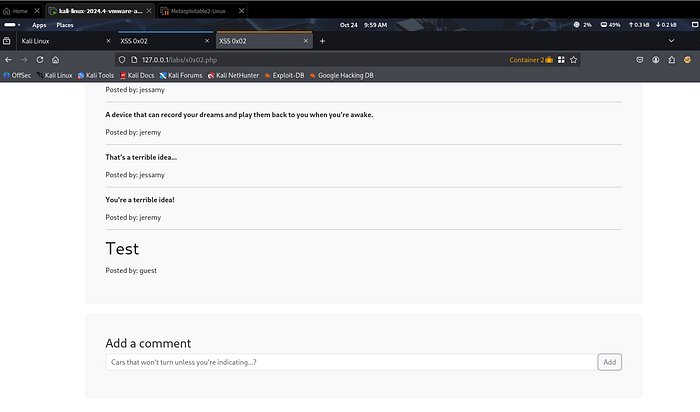
This is a critical observation.
Although both containers are separate sessions with no direct connection, the comment is visible in both.
This indicates that the input is:
- Stored on the server
- Retrieved from a database
- Displayed to all users
This is a strong indicator of a Stored XSS vulnerability.
Step 3 — Verifying Script Execution
After confirming HTML injection, the next step is to test JavaScript execution.
Payload used:
<script>prompt(1)</script>Submitted from Container 1.
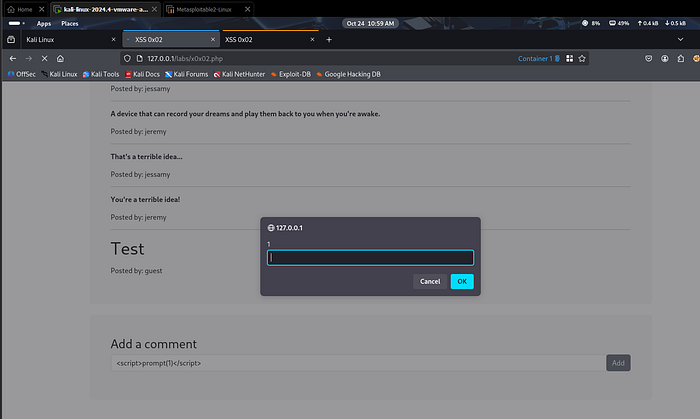
Result in Container 1
- Page reloads
- Prompt box appears
This confirms that JavaScript execution is possible.
Step 4 — Confirming Stored XSS Behavior
To confirm the vulnerability, I moved to Container 2 and refreshed the page.
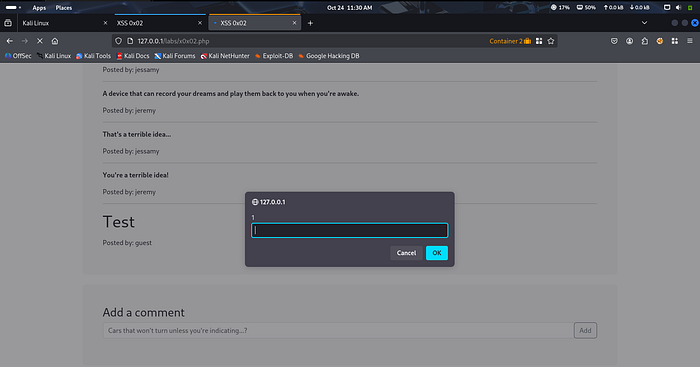
Result
The prompt box appears again in Container 2.
This is the key confirmation of the vulnerability.
The payload:
- Was not entered in Container 2
- Still executed automatically
Observations
During testing, the following behavior was observed:
- Prompt box appears in Container 2 as well
- No payload was typed in the second container
- Script executes automatically
- The injected code is stored on the server
This confirms that:
✔ The payload is stored in the backend ✔ The script executes for all users ✔ The vulnerability is persistent
Why This Vulnerability Exists
Stored XSS occurs because the application:
- Accepts user input without proper validation
- Stores the input directly in the database
- Displays the content without sanitization
- Does not escape dangerous HTML or JavaScript
As a result, malicious scripts become part of the webpage.
Security Impact
In real-world applications, Stored XSS can lead to severe consequences, such as:
- Session hijacking
- Account takeover
- Credential theft
- Malicious redirects
- Phishing attacks
- Unauthorized actions performed by victims
- Defacement of web pages
Because the attack affects every user visiting the page, it is considered one of the most dangerous XSS variants.
Mitigation Strategies
To prevent Stored XSS vulnerabilities, developers should implement strong security practices such as:
- Input validation
- Output encoding
- Escaping HTML characters
- Sanitizing user-generated content
- Using secure templating engines
- Implementing Content Security Policy (CSP)
- Avoiding direct rendering of user input in HTML
Additionally, developers should treat all user input as untrusted data.
Conclusion
This lab demonstrated how a simple comment functionality can lead to a Stored Cross-Site Scripting vulnerability when user input is not properly validated or sanitized.
By testing across multiple sessions, we confirmed that the injected payload is stored on the server and executed automatically for other users.
Understanding these vulnerabilities is essential for both security researchers and developers to build safer web applications.
Ethical Note
This lab was performed in a controlled and authorized environment for educational and cybersecurity research purposes only.
Web Security Series
This article is part of my ongoing Web Security Series, where I explore real-world web application vulnerabilities through practical labs.
Web Security Series #11 — Exploiting Stored Cross-Site Scripting (XSS)
Connect With Me
If you are interested in cybersecurity, penetration testing, or web security research, feel free to connect with me.