
Until they're not.
In this post, I'll walk you through a real application security assessment where a simple file upload feature escalated into Remote Code Execution (RCE) — giving server-level command execution.
⚠️ Note: All proof-of-concept screenshots have been intentionally blurred/redacted to protect the confidentiality of the application and organization.
The Discovery
During a routine application security assessment, I identified a file upload functionality within the application. On the surface, it appeared to be a standard document submission workflow.
The application allowed users to:
- Upload files
- Submit them for approval
- Have a checker account review and approve the upload
At first glance, nothing seemed unusual.
But file uploads are always worth testing thoroughly.
Step-by-Step Exploitation
1. Identifying the Upload Feature
The application contained a file upload component within a form submission workflow. The uploaded file would later be accessible after approval from a checker account.
This created an interesting attack surface:
- User-controlled file input
- Server-side storage
- Later file retrieval and rendering
2. Manipulating the Upload Request
Instead of uploading a legitimate file, I intercepted the request and modified:
- File name and extension
- Content-Type header
- File content
Rather than a normal document, I uploaded a malicious server-side script disguised as a legitimate file.
Key observations:
- No strict file type validation
- No content validation
- No server-side file sanitization
- No checks on the extension.
The application trusted the client-provided metadata.
That trust was misplaced.
3. Approval Workflow Bypass (Legitimate Flow Abuse)
After uploading the malicious file, I used a checker account to approve the request — following the normal business logic flow.
This is important.
There was no authentication bypass. No privilege escalation. No broken access control.
The exploit worked entirely within intended functionality.
Once approved, the file became accessible through the application interface.
4. Triggering Remote Code Execution
After navigating to the uploaded file and opening it in a new browser tab, I tested whether the server interpreted the file as executable code.
It did.
By passing system commands through parameters, the server executed them successfully.
At this stage, the impact escalated to:
Remote Code Execution (RCE)
This means:
- Arbitrary system command execution
- Potential reverse shell
- Full server compromise
- Data exfiltration
- Lateral movement
- Infrastructure takeover
All from a file upload feature.
📸 Proof of Concept (Redacted)
The following screenshots (blurred for confidentiality) demonstrate:
- File upload functionality of the application
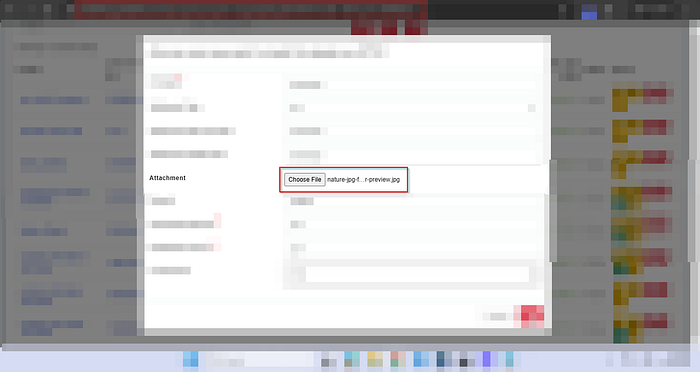
- Modified file name, content-type and the content of the file

- File location in the application
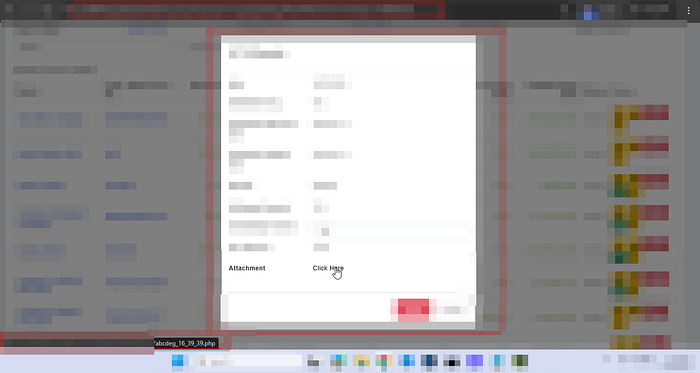
- Command execution via browser
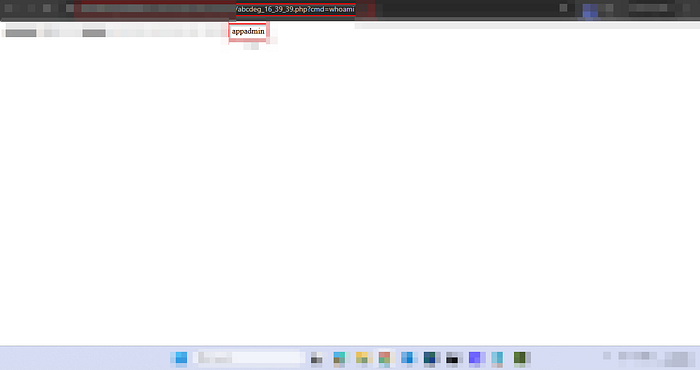
- Server response showing sensitive files like /etc/passwd
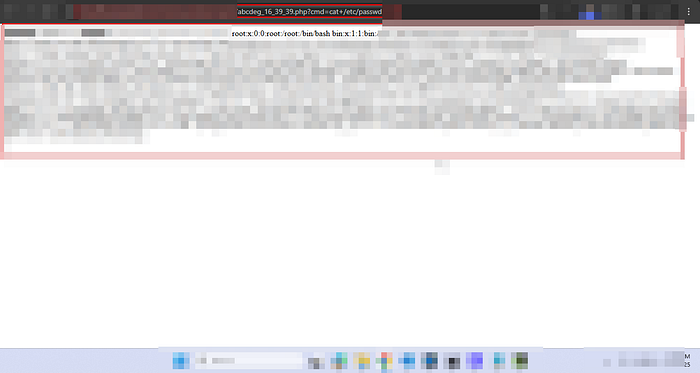
⚠️ Sensitive data, domain names, IP addresses, and internal identifiers have been intentionally blurred to prevent disclosure.
Impact Analysis
Unrestricted file upload leading to RCE is considered Critical Severity under most security standards, including:
- OWASP Top 10
- CVSS 3.1 (typically 9.0–10.0 depending on environment)
Business Impact
If exploited by a malicious actor, this vulnerability could lead to:
- Complete server takeover.
- Database compromise.
- Customer data breach.
- Deployment of ransomware.
- Service disruption
- Regulatory penalties
- Reputational damage
In cloud-native environments, impact may extend beyond a single server.
This is not "just" a file upload issue.
This is infrastructure compromise.
Why This Happened
The vulnerability existed due to:
- Lack of server-side file validation
- Trusting client-supplied Content-Type
- No file extension whitelisting
- Executable files stored in web-accessible directories
- No content inspection
- No file renaming/randomization
- No execution restrictions on upload directory
Mitigation & Secure Implementation
To prevent such vulnerabilities, organizations should implement defense-in-depth controls:
1. Strict File Type Validation
- Allow only specific extensions (whitelist, not blacklist)
- Validate both extension and MIME type
- Perform server-side validation
2. Content Inspection
- Inspect file signatures (magic bytes)
- Reject files containing executable code
3. Store Files Outside Web Root
- Uploaded files should not be directly executable
- Serve files via secure download handlers
4. Rename Uploaded Files
- Generate random filenames
- Remove user-controlled naming
5. Disable Script Execution
- Configure server to block execution in upload directories
- Enforce proper permissions (no execute flag)
6. Use Security Controls
- Web Application Firewall (WAF)
- Antivirus/anti-malware scanning
- Sandboxing mechanisms
Key Takeaway
File upload functionalities are not "low-risk features."
They are high-risk entry points when improperly secured.
The most dangerous vulnerabilities are often hidden inside:
- Normal workflows
- Approved business logic
- Trusted user interactions
In this case, everything worked as designed.
And that was the problem.
Final Thoughts
If you're building or reviewing applications:
Treat every file upload as a potential RCE until proven otherwise.
Because sometimes, all it takes is:
Upload. Execute. Compromise.