

Introduction
This write-up was published with permission from HackerRank, with sensitive details properly redacted to keep users safe.
The purpose of this article is educational. It is meant to raise awareness about secure coding practices, authorization flaws, and how seemingly harmless implementation details can evolve into large-scale security risks.
This is not an attempt to shame a platform. In fact, quite the opposite.
I genuinely like HackerRank. I have been using it for years, learned a lot from it, and even completed several certifications there. That is exactly why this story became interesting to me.
Sometimes, the most impactful findings come from platforms we trust the most.
Why This Bug Felt Personal
This happened on HackerRank, one of the most popular coding challenge platforms in the world.
I have been a member since 2020. Over the years, I spent quite a lot of time solving challenges, exploring interview preparation content, and collecting certifications. Like many developers, I saw HackerRank as part of my learning journey.
That familiarity created an interesting side effect. When you know a platform well, you unconsciously start noticing patterns. You become familiar with how pages behave, how endpoints are structured, and which features feel more polished than others.
And sometimes, curiosity quietly takes over.
A Casual Recon Session That Escalated Quickly
At first, this was not even a serious security test. I had not opened Burp Suite yet. No proxying. No automation. Just casually browsing around with the browser DevTools open.
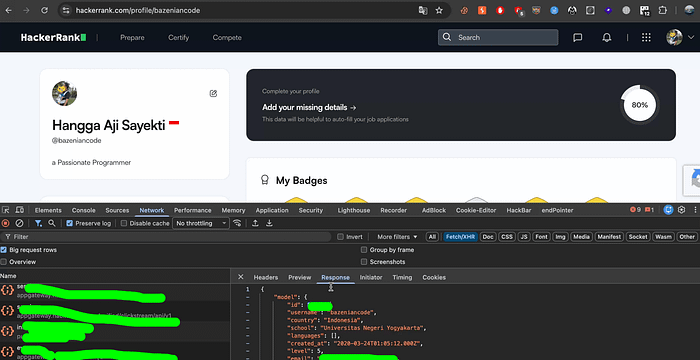
While inspecting network requests, I noticed an endpoint pattern like this:
GET /rest/contests/master/hackers/<username>/profileThe response looked roughly like this:
{
 "user": {
   "id": "[REDACTED]",
   "username": "[REDACTED]",
   "country": "Indonesia",
   "school": "[REDACTED]",
   "created_at": "YYYY-MM-DD",
   "level": 5,
   "avatar": "[REDACTED]",
   "website": "[REDACTED]",
   "bio": "Software Engineer from Indonesia with experience since 2008.",
   "company": "[REDACTED]",
   "headline": "Passionate Programmer",
   "title": "O(2^N)",
   "followers": 5
 },
 "subscription": {
   "mock_interviews": {
     "credits": 2,
     "rounds": {
       "coding": 1,
       "recruiter": 1,
       "behavioral": 1,
       "ai_fluency": 1
     }
   },
   "mock_tests": {
     "credits": 1
   }
 }
}
One thing immediately caught my attention.
The response exposed an internal user ID.
Maybe harmless. Maybe not.
But from a secure design perspective, unnecessary identifier exposure is always worth questioning. Internal IDs often become stepping stones for deeper authorization issues.
At that point, my curiosity started getting louder.
The "me" Parameter That Triggered My Suspicion
I then moved into the user settings area, specifically the email preference settings.
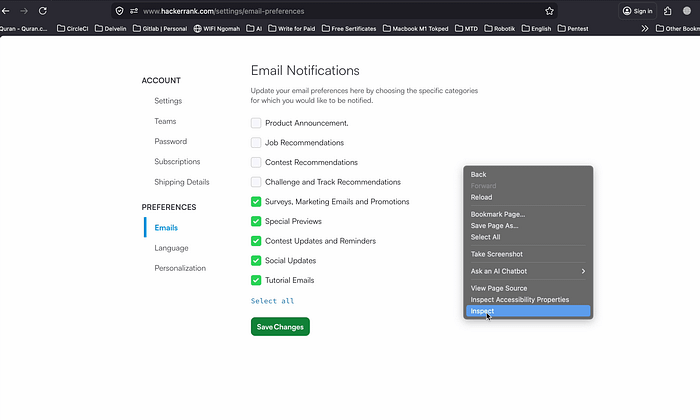
There is a reason security researchers love testing rarely visited pages.
Features that users almost never touch are sometimes less battle-tested from a security perspective. Not always, of course, but often enough to be interesting.
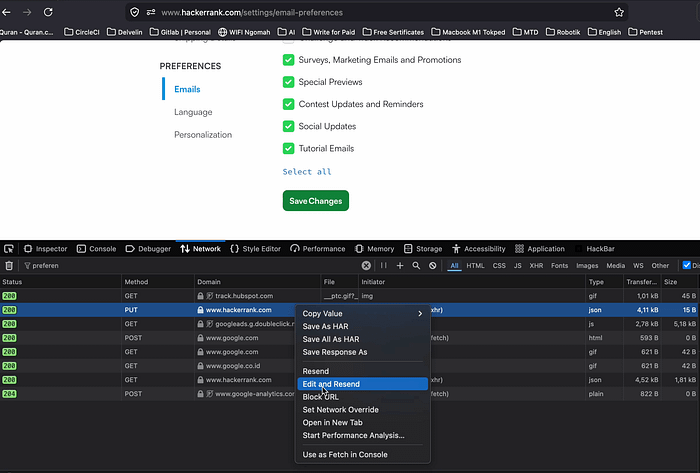
While inspecting requests, I found this endpoint:
PUT /rest/hackers/me/unsubscription_preferences/preferencesThe keyword me immediately stood out.
I assumed it was likely an alias used by the backend to reference the currently authenticated user. That is a very common implementation pattern.
And naturally, one question appeared in my head:
What happens if me is replaced with another user identifier?
That was the moment casual curiosity turned into an actual security test.
Testing It the Right Way
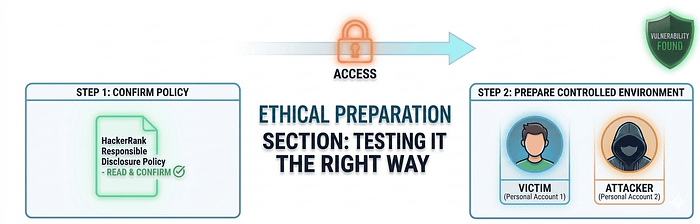
Before going further, I first checked HackerRank's responsible disclosure policy: HackerRank Security Page.
After reading the policy, I prepared two accounts that I personally owned:
- One account acted as the victim
- Another account acted as the attacker
No third-party accounts were involved. My real account became the victim account. Yes, I basically sacrificed my own settings for science. Haha.
Then I modified the request and replaced the identifier.
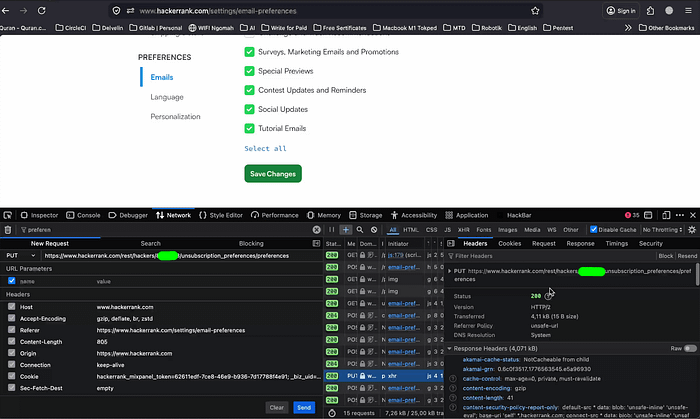
The server responded:
HTTP/1.1 200 OKThe victim account preferences changed successfully. At that point, the conclusion became clear. This was an IDOR.
More specifically: Insecure Direct Object Reference (IDOR) leading to unauthorized modification of user preferences.
The application trusted user-controlled identifiers without properly validating ownership.
When a Small IDOR Becomes a Large-Scale Risk
After confirming the vulnerability, I wanted to understand the real impact.
Could this affect just a handful of users? Or something much larger?
To answer that question, I explored historical public data using the Internet Archive Wayback Machine.
Using the CDX search endpoint:
https://web.archive.org/cdx/search/cdx?url=*.<domain>/*&collapse=urlkey&output=text&fl=originalI was able to gather a massive number of public profile URLs:
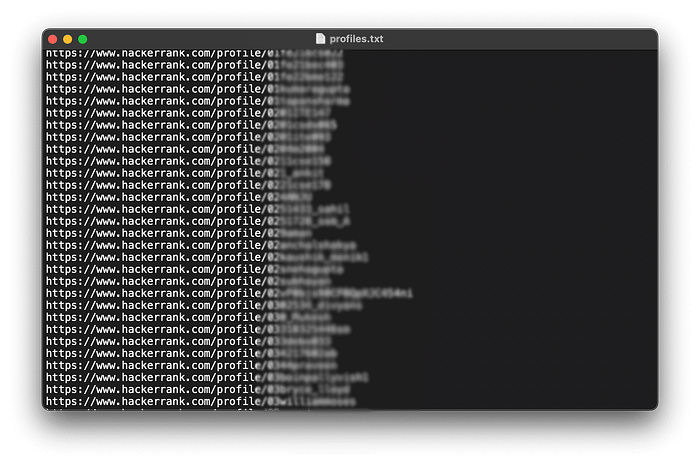
Roughly 100k+ user profile references were discoverable.

That changed the severity entirely.
Because user identifiers were predictable and authorization checks were missing, the issue could theoretically be automated at scale by:
cat profiles.txt | while read username; do
  user_id=$(curl -s https://target.tld/.../hackers/$username/profile | jq '.id')

  curl -X PUT \
    -H "Authorization: Bearer <token>" \
    -H "Content-Type: application/json" \
    https://target.tld/rest/.../$user_id/preferences \
    -d '{"notifications":"<modified>"}'
done
That is what makes IDOR vulnerabilities particularly dangerous.
The exploitation itself is often technically simple. The real risk comes from scale.
When predictable identifiers, exposed internal references, and missing authorization checks exist together, even a relatively small oversight can quickly become a platform-wide security issue.
Recommended Fixes
Based on the issue identified, here are several security improvements that could help prevent similar vulnerabilities in the future.
1. Enforce Strict Server-Side Authorization
The application should enforce strict authorization checks on the backend to ensure users can only modify their own preferences and resources.
Client-side restrictions alone are never sufficient because requests can always be modified manually.
2. Avoid Relying on Client-Controlled Identifiers
Applications should avoid trusting identifiers supplied by the client when performing sensitive actions.
Even if the frontend behaves correctly, attackers can still tamper with requests and replace object references with identifiers belonging to other users.
Authorization decisions must always be validated server-side.
3. Minimize Exposure of Internal Identifiers
The profile response exposed internal identifiers such as id, even though they were not strictly necessary for the user-facing functionality.
Reducing exposure of internal identifiers can help lower abuse potential and make large-scale enumeration significantly harder.
While this alone does not fix IDOR vulnerabilities, it helps reduce attacker reconnaissance opportunities and limits the blast radius when authorization flaws exist.
Secure Coding Lessons
This issue highlights one of the most common mistakes in modern web applications: confusing authentication with authorization.
The application correctly recognized that I was logged in, but failed to verify whether I was actually allowed to modify the targeted resource.
From a secure coding perspective, several important lessons stand out:
- Never trust client-controlled identifiers
- Always enforce authorization checks server-side
- Avoid exposing unnecessary internal identifiers
- Treat every endpoint as part of the attack surface, including "rarely used" settings pages
The exposed id field alone was not the vulnerability, but it significantly reduced the difficulty of large-scale exploitation once the authorization issue existed.
This is also a good reminder that IDOR vulnerabilities are often not caused by advanced hacking techniques. In many cases, they originate from small authorization oversights that quietly survive in production systems.
Reporting Timeline
Here is roughly how the disclosure process went.
~ April 27
I initially sent the report to: security@hackerrank.com.
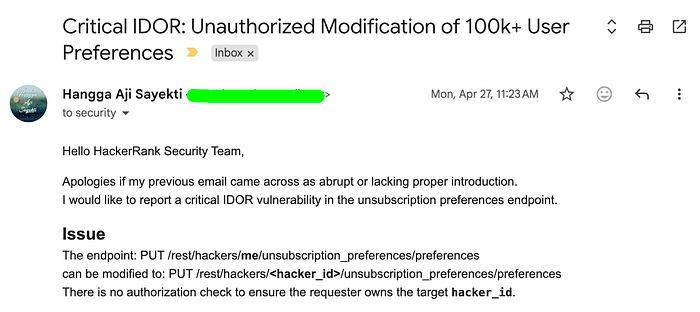
Honestly, I was not expecting much. Large companies receive many reports every day.
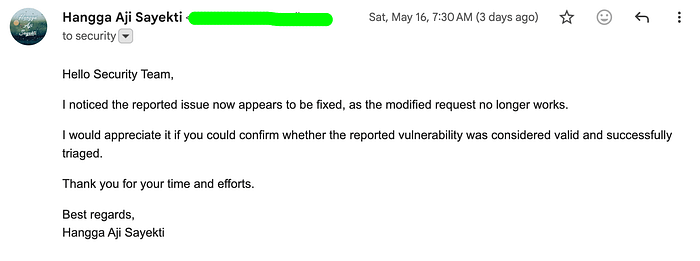
~ May 16
I revisited the vulnerability and tested it again. Surprisingly, it was already fixed. That was actually a good sign. It meant the report had likely reached the right people internally. I then sent a follow-up email.
~ May 18
I finally received a response. And interestingly, the reply came directly from Harishankaran K, the Co-founder & CTO of HackerRank.
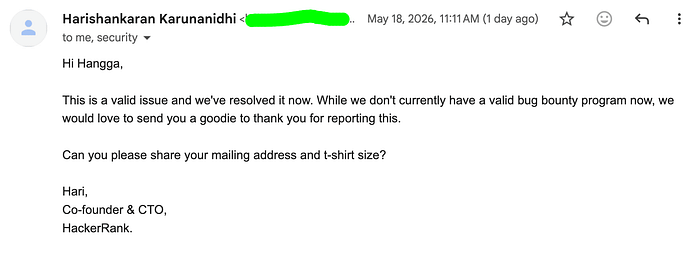
That was genuinely unexpected. I replied again shortly after and asked whether I could publish a sanitized educational write-up about the issue.
Thankfully, he allowed it, with the condition that sensitive implementation details remain responsibly redacted.
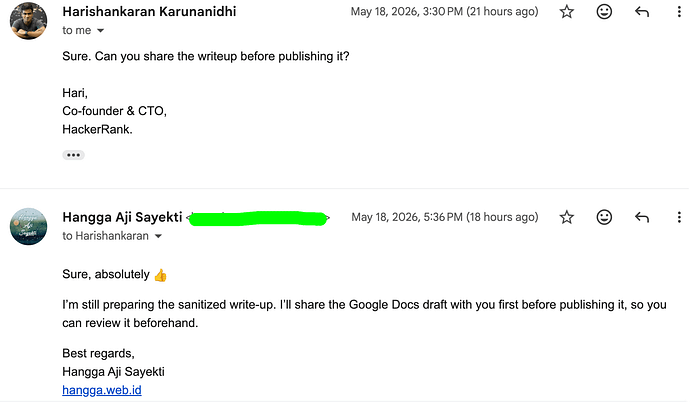
A professional and respectful outcome overall.
Final Thoughts
People often imagine hackers as highly sophisticated attackers capable of breaking into websites using advanced techniques, secret tools, or movie-style exploitation methods. But in reality, many real-world vulnerabilities exist because of surprisingly simple secure coding oversights.
Not every security issue starts with complex exploitation chains or highly advanced attacks. Sometimes the root cause is much simpler: a missing authorization check, excessive trust in client-controlled input, or an endpoint that was never tested from an attacker's perspective.
That is why secure coding awareness matters so much. In many cases, attackers are not "magically hacking" an application. They are simply interacting with it in ways the developer never anticipated.
And sometimes, uncovering a serious vulnerability starts with one very simple question:
Should this request really be allowed?