
Day like any other?
It starts like any other Wednesday. But as you sip your first coffee, ERROR logs are spiking and user complaints are flooding in. You check the pipeline, but there were no new releases yesterday. You roll back anyway, just to be safe — yet the errors persist.
Eventually, after minutes or hours of debugging you realise it's not the bug in your logic, but in the world around it. It's "Spring Forward" or "Fall Back" day.
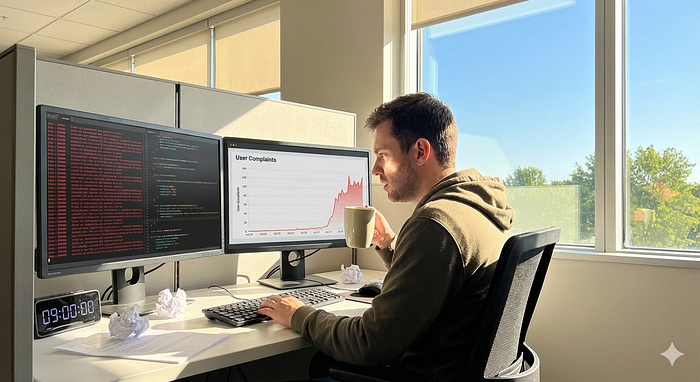
9 out of 10, these issues aren't just a quick fix. They involve complex db migrations, custom scripts and in the worst cases irrecoverable data loss. This entire nightmare could be avoided if the system had been built on a basic and simple time-handling principles.
Time type depends on future vs past
- Past — Recording "Points in Time"
When storing logs, orders, events or moments. In practice, when something has already happened.
Solution here is simple — just store it in UTC — Coordinated Universal Time. This is a global standard and does not change depending on the season or local laws.
Store UTC, and then display local time to the users in UI.
Python
from datetime import datetime, timezone

now_utc = datetime.now(timezone.utc)
Java
import java.time.Instant;
import java.time.ZonedDateTime;
import java.time.ZoneOffset;

Instant now = Instant.now(); // Option 1
ZonedDateTime utcNow = ZonedDateTime.now(ZoneOffset.UTC); // Option 2
C#
using System;

DateTimeOffset utcNow = DateTimeOffset.UtcNow;
JavaScript
const now = new Date();- Future — Schedules, reminders in local time
When scheduling alarm clocks, schedules or reminders you are capturing human intent. For instance, if user sets a daily alarm clock for 7am, they want it to go off at 7am, regardless of government Daylight Saving Time rules. They do not care that suddenly it's UTC +1, not UTC+0 in London. In this case we need to store the time as the intent (Local Time) and the location (IANA ID) a.k.a timezone.
Store intent, so local time + timezone.
Python
from datetime import datetime
from zoneinfo import ZoneInfo

local_time = datetime(2026, 11, 1, 7, 0, 0)
tz_name = "Europe/London"
scheduled_event = local_time.replace(tzinfo=ZoneInfo(tz_name))
Java
import java.time.LocalDateTime;
import java.time.ZonedDateTime;
import java.time.ZoneId;

LocalDateTime localIntent = LocalDateTime.of(2026, 11, 1, 7, 0);
ZoneId userTz = ZoneId.of("Europe/London");
ZonedDateTime scheduledEvent = ZonedDateTime.of(localIntent, userTz);
C#
using System;

DateTime localIntent = new DateTime(2026, 11, 1, 7, 0, 0);
string tzId = "Europe/London";

TimeZoneInfo tz = TimeZoneInfo.FindSystemTimeZoneById(tzId);
DateTime utcMoment = TimeZoneInfo.ConvertTimeToUtc(localIntent, tz);
JavaScript
const localTime = "2026-11-01T07:00:00";
const timeZone = "Europe/London";

const formatter = new Intl.DateTimeFormat('en-GB', {
  timeZone: timeZone,
  dateStyle: 'full',
  timeStyle: 'long'
});

const dateToDisplay = new Date(localTime);
console.log(`Scheduled in ${timeZone}: ${formatter.format(dateToDisplay)}`);
There is an official tz database also known as tzdata, the zoneinfo database or the IANA time zone database, which standardises the names and timezones. It's used by every operating system and most popular time programming libraries.
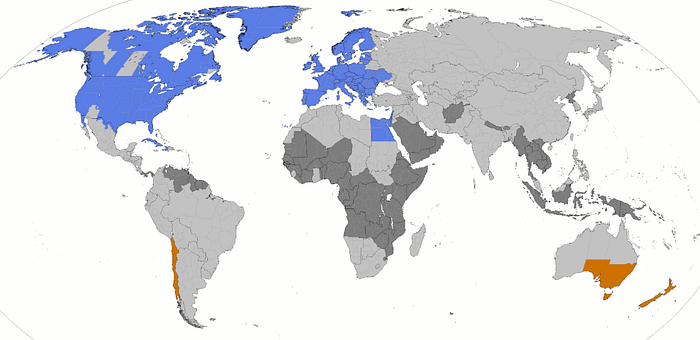
Daylight Saving times (DST) that break codes
Skipped hour problem
If DST changes the hour forward (spring forward) there is a gap between 2am to 3am, where no events were possible in local time, think like 2:30am never existed. You need to handle this input somehow if your application accepts it, either throw an error or push to 3:30am.
Repeated hour problem
When clock falls back, the reverse issue comes back when there are 2 hours between 2am to 3am, so 2 the same times 1 hour apart for 1 hour. When that happens you need to either pick a default value or ask the user for clarification.
Remember to calculate differences by days, weeks, months, years and not hours multiplier to avoid this issue.
Python
next_run = now + timedelta(hours=24) # Wrong
next_run = now + timedelta(days=1)   # Correct
So, as a rule of thumb
Past events → UTC
Future scheduling → Intent (local time + timezone)
DST → test the edge cases