
Server-Side Request Forgery (SSRF) is one of the most dangerous web application vulnerabilities because it allows attackers to make a web server send requests to unintended destinations. As a result, internal services, restricted endpoints and sensitive metadata may become accessible in ways that were never meant to be exposed.
To better understand SSRF, we are going to work through a practical scenario and break down the core concepts behind the vulnerability, the patterns that can reveal it and the logic behind a simple but effective exploitation path.
Understanding SSRF
SSRF stands for Server-Side Request Forgery. It describes a vulnerability where a web application accepts user input and uses it to make a request from the server side to another resource. If that input is not properly controlled, an attacker may be able to make the server connect to internal systems, localhost services or cloud metadata endpoints.
There are two main forms of SSRF. In a regular SSRF vulnerability, the application returns the response to the attacker, while in blind SSRF the request still happens but the response is not shown directly. Even in blind SSRF cases, the behavior can often be confirmed through external request logging or side effects caused by the request.
Recognizing SSRF Patterns
One of the most useful aspects of studying SSRF is understanding where it can appear in real applications. Vulnerable input may appear as a full URL in a query parameter, a hidden form field, a hostname-only value or even just a path that the server later combines into a full request.
For example, a URL such as https://website.thm/form?server=http://server.website.thm/store is worth investigating because the application appears to accept a full destination in a parameter. If the backend uses that value directly, an attacker may be able to replace it with another internal or external address and force the server to fetch it.
A hidden input can be just as risky. In one example, a form contains a hidden value like http://server.website.thm/store which suggests that the browser sends a destination to the backend without showing it clearly in the normal interface. If that value can be modified in developer tools or intercepted in transit, it may become an SSRF entry point.
Sometimes the user does not control a full URL at all. Instead, the application may accept only a hostname such as api and then build the rest of the request on the server side. That still matters because changing a small value like a hostname can redirect the backend to a different internal service depending on how the application constructs the final request.
The same idea applies when only a path is user-controlled. A value such as /forms/contact may not look dangerous by itself but if the server appends that path to an internal base URL, it can still influence what resource gets fetched. In practice, this means SSRF can hide in much smaller inputs than people expect.
Outside of lab examples, the same pattern appears in real features such as webhooks, link preview tools, file downloaders, PDF generators and stock check or inventory integrations. These features often need the server to fetch a remote resource which is exactly the kind of behavior that can become vulnerable if user input is not handled safely.
Another useful takeaway here is that discovering SSRF often requires observation and trial and error. Some applications reveal the request flow clearly while others require testing different payloads to understand how the backend handles hostnames, paths, redirects and parameters.
For blind SSRF, the application may not show any useful response at all. In those cases, an external HTTP logging service or a collaborator-style endpoint can help confirm whether the server actually made the request.
Filtering and Bypasses
Developers often try to defend against SSRF with deny lists and allow lists. A deny list blocks specific values such as localhost or 127.0.0.1 while an allow list permits only inputs that match trusted patterns.
Even so, weak filtering can still fail in practice. Alternative IP representations, attacker-controlled subdomains and inconsistent parsing logic can sometimes bypass these restrictions if the validation is too simple.
Another bypass method often associated with SSRF is open redirect. If a trusted domain contains an endpoint that redirects users to another location, an attacker may be able to use that redirect to send the server-side request somewhere unintended, even if the initial URL appears to match the application's rules.
It is also important to highlight the address 169.254.169.254 which is especially important in cloud environments. This address is commonly used to expose instance metadata, so SSRF access to it can sometimes reveal sensitive information depending on the platform and configuration.
Putting SSRF Into Practice
With the fundamentals covered, we are now moving into practice and applying these concepts in a hands-on TryHackMe scenario. The goal is to identify where user-controlled input is being used by the server, understand how access restrictions are enforced and then test whether those restrictions can be bypassed through input manipulation.
During content discovery, two endpoints stand out. The first is /private, which cannot be accessed directly because the application restricts it based on the client's IP address. The second is /customers/new-account-page, where a new avatar selection feature appears to rely on a path provided in the form.
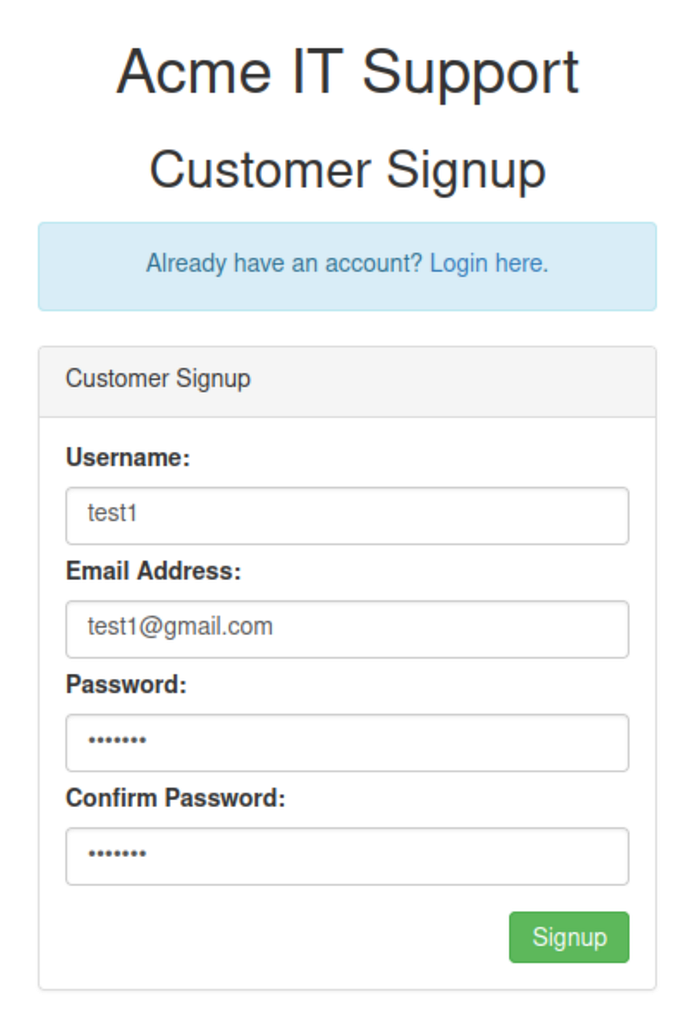
The first step is to create an account, sign in and inspect the avatar update page. Looking at the page source reveals that the avatar field contains a path to an image resource while the styling on the page confirms that the application is using that value to load content. This is the first important clue because it suggests the avatar feature is not simply storing a preference but is actually retrieving data based on user input.

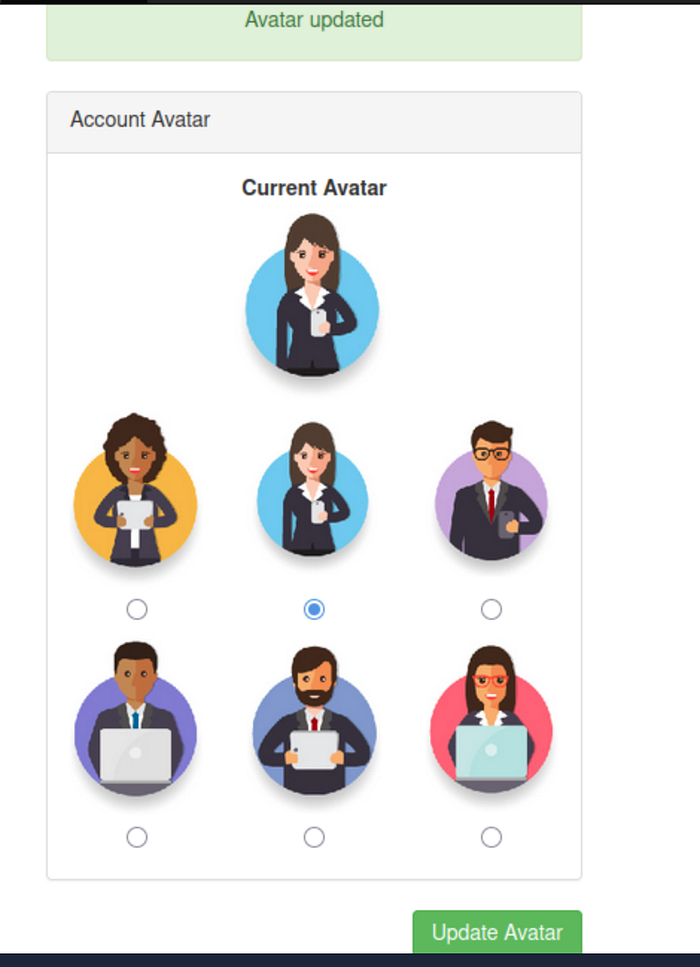
At this point, it helps to establish normal behavior before attempting any tampering. Selecting one of the default avatars and submitting the form shows how the application is expected to work when given a valid value. After the update, the chosen avatar is displayed normally which confirms that the feature is functional and that the input is being processed server-side.
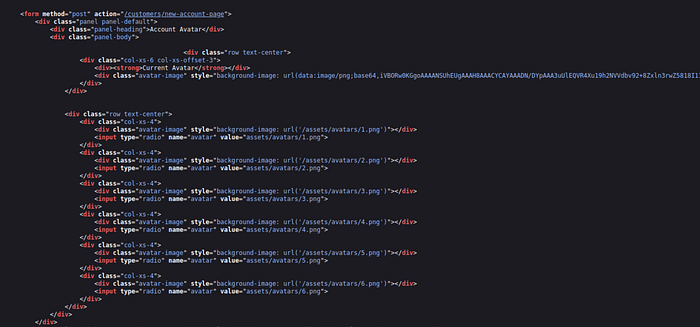
The next step is to inspect the page source again. This reveals an important detail: the selected avatar is embedded using the data URI scheme, and the content is base64 encoded. That means the server is not just referencing an image path; it is fetching the resource and then embedding the returned data directly into the page.
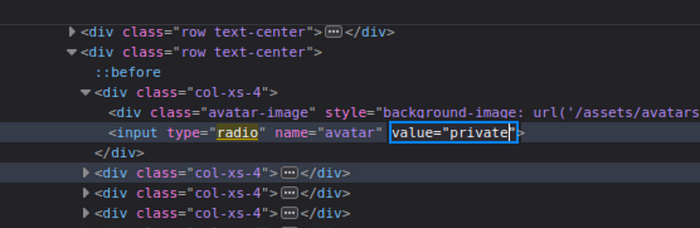
Once that behavior is confirmed, the next objective is to test whether the application can be made to request a more sensitive resource. This is done by modifying one of the avatar input values through the browser's developer tools and replacing the original image path with private. The reasoning here is straightforward: if the server uses that value to retrieve content, it may attempt to access the /private endpoint on behalf of the user.
That attempt does not succeed but the error message becomes the next key clue. Instead of a generic failure, the application reveals that the path cannot begin with /private. This strongly suggests that a deny list is in place and that the protection is based on a simple string check rather than a more robust validation process.
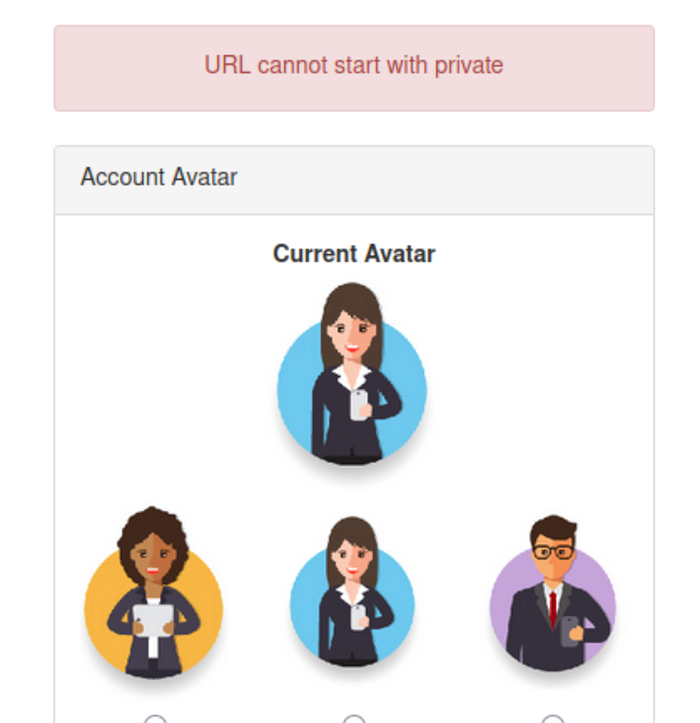
This is where the bypass becomes important. If the filter only blocks values that literally begin with /private then the next step is to provide an alternative path that resolves to the same destination after normalization. Replacing the value with x/../private achieves exactly that. The initial x/ prevents the string from starting with the blocked pattern while the ../ causes the server to move up one level when interpreting the path.

The key point here is that the filter checks the raw input, but the server processes the normalized path. As a result, the application accepts the submitted value, yet the final resolved path still leads to /private. This is the core bypass in the lab and one of the most important lessons in the practical section.
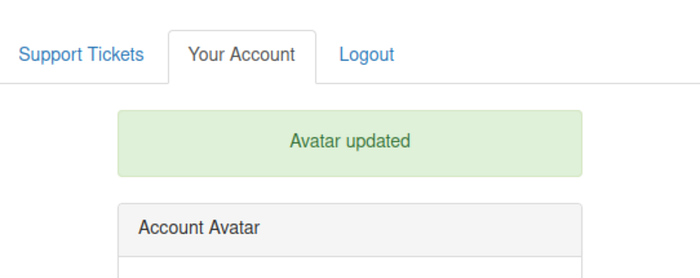
After submitting the modified value, the avatar update succeeds. That success indicates that the restriction has been bypassed and that the application has likely retrieved the protected resource. To confirm this, the page source should be viewed again.

In the updated source, the current avatar content now contains base64-encoded data fetched from the restricted location. The final step is to decode that base64 value which reveals the hidden content stored in /private.
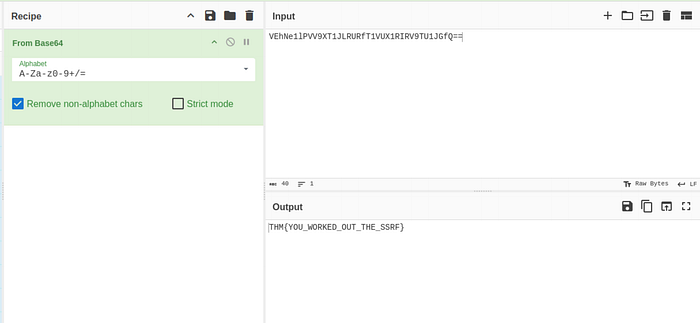
This completes the exploitation chain and demonstrates how SSRF, weak deny list validation and path normalization can combine in a single workflow.
SSRF highlights how dangerous user-controlled server-side requests can be when input validation is weak or incomplete. What may begin as a simple feature for fetching content, loading images or connecting to another service can quickly become a path to internal resources, restricted endpoints or sensitive metadata.
The key lesson is that SSRF is not always obvious. Sometimes it appears in a full URL but just as often it hides in a hostname, a path or a value that the backend silently turns into a request. Understanding how applications build, validate and process these requests is what makes SSRF easier to recognize and much harder to ignore.